

monday platform
Buy AI credits directly in your account
Status: Fully rolled out
Admins can now buy AI credits themselves in monday.com, by credit card or bank transfer. There are two options. With a monthly credit package, you buy credits for the first time or move up to a larger package. One-time top-ups only apply to the current 30-day cycle. When the account gets close to its limit, an in-app notice appears, and purchased credits are available within minutes. Larger packages have a lower price per credit. We explain how AI credits work in our post on monday.com AI credits.
Use case
At quarter-end, the finance team runs far more analyses through agents than usual. Instead of raising the monthly package permanently, the admin buys a one-time top-up for this month. If usage stays high over several months, the larger package pays off.

Turn approved requests into portfolio projects automatically
Status: Fully rolled out · Enterprise plan only
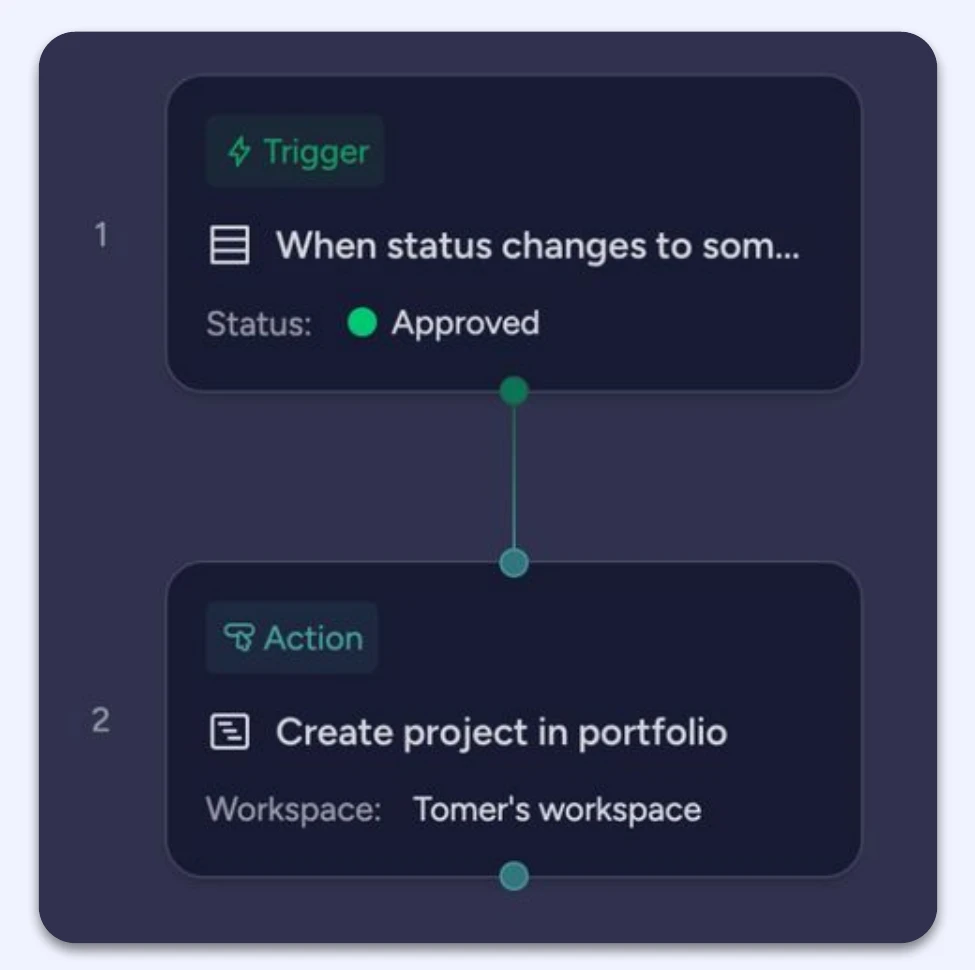
The new workflow block “Create project in portfolio” turns an approved request in Requests & Approvals straight into a project in the portfolio. Requests come into an intake board via a form. Once approved, the workflow creates the connected project in the portfolio, creates the project board from the right template and assigns the owner from the request. Until now, this needed several automations across different boards.
The block either runs completely or not at all, so you never end up with half-created projects without a board. An automatic notification reports success or failure.
Use case
A department requests a new IT project via the form. As soon as the PMO sets the request to “Approved”, the project is in the portfolio, the board has been created from the project template and the project lead has been assigned. We explain the difference between automations and workflows in Automations vs. workflows.
monday.com in Salesforce Agentforce
Status: Fully rolled out
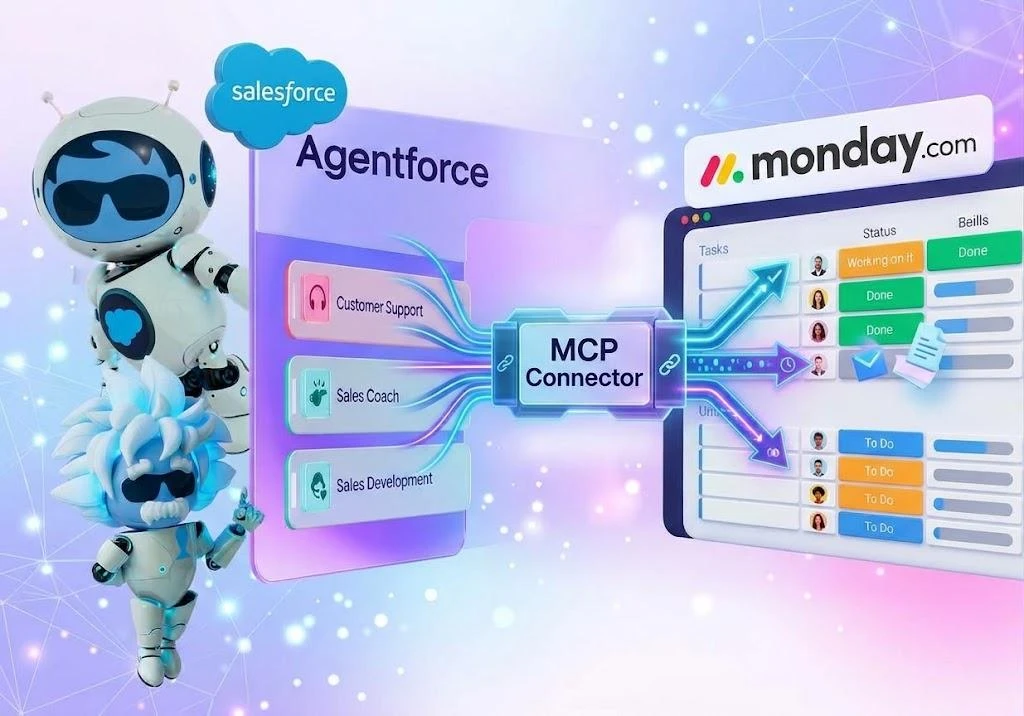
Salesforce admins install the official monday.com connector from Salesforce AppExchange. Agentforce, Salesforce's AI agents, can then read and update boards, items and tasks in monday.com. In the first version, the connection runs through a single monday.com user per Salesforce org, and all actions run on behalf of that user. Per-user sign-in (OAuth) is planned for early 2027, provided Salesforce supports it.
Use case
Sales works in Salesforce, project delivery in monday.com. An account manager asks Agentforce for the status of the client project and has a task created for the delivery team without leaving Salesforce. Because all actions run through one user, this should be a technical user with tightly limited board permissions.
monday agents
Agent Context
Status: Agent Context fully rolled out
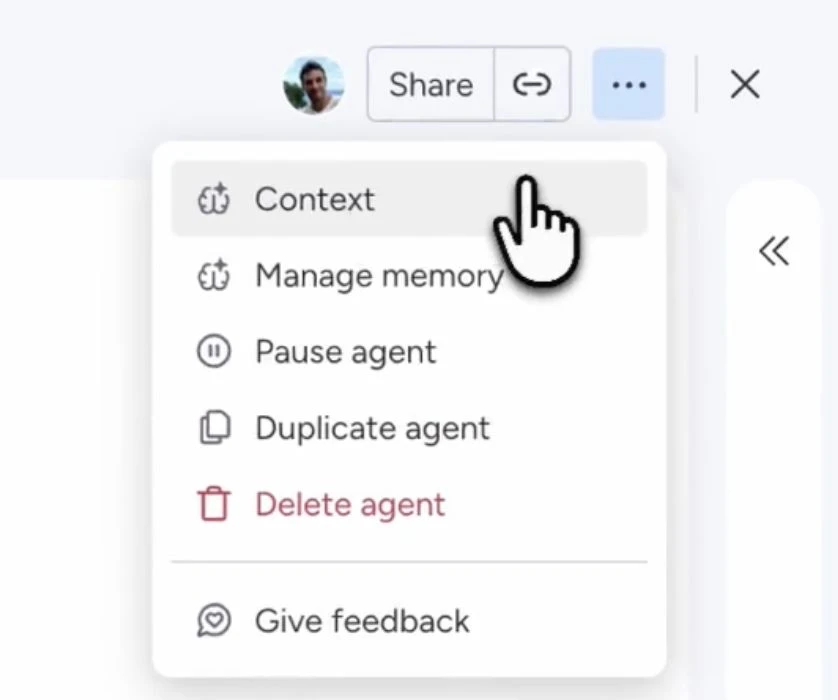
With Agent Context, you connect an agent to a board or doc, and it learns how your team works: who is responsible, which processes and which rules apply. This knowledge flows into its answers automatically. The Agent Brain now also has its own interface. There you can see and edit what the agent knows, and every answer shows the source it comes from.
Use case
An HR agent answers questions about onboarding. A new employee asks who orders her laptop. The agent names the person responsible and shows the onboarding board as its source. You can find more about agents in our post on monday.com AI agents.
Files in the Agent Brain
Status: Gradually rolling out
Agents can now also read files you add to their Brain, such as PDFs, Word documents or Excel spreadsheets. When answering a question, the agent uses board data and files together.
Use case
You upload the expenses policy as a PDF to an agent's Brain. If someone asks whether a hotel at CHF 220 per night is allowed, the agent answers based on the policy.

Connect a whole workspace as a knowledge source
Status: Gradually rolling out
Instead of adding individual boards and docs, you connect an entire workspace. The agent then uses all public boards and docs in it, including ones added later. Private content still has to be added individually.
Use case
The project team connects its workspace to a project agent. When someone creates a new project board, the agent knows about it straight away, without anyone having to update the knowledge sources.
Suggested boards and docs when creating an agent
Status: Fully rolled out
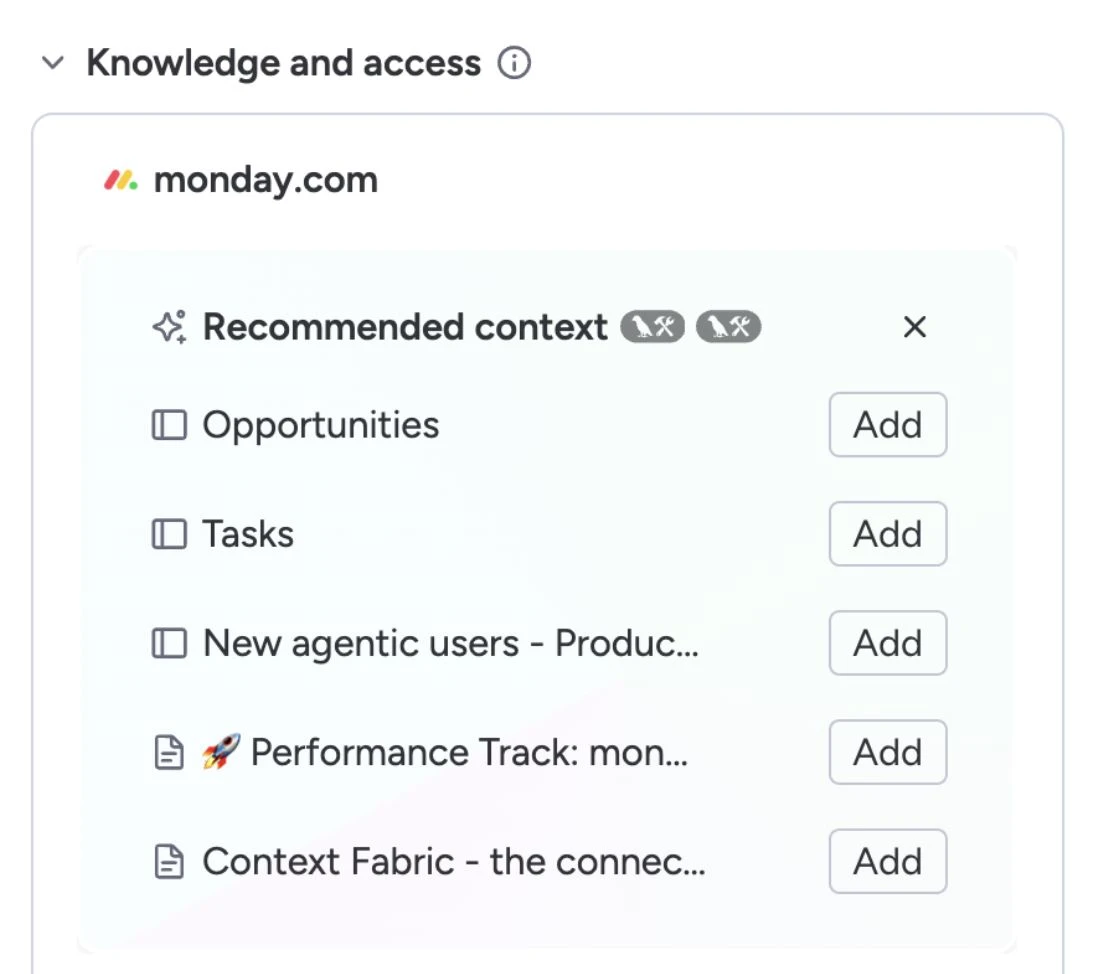
When you create a new agent, monday.com analyses the prompt and suggests the boards and docs you should connect. This way, the agent starts with the right context.
New agent integrations: HubSpot, SharePoint and OneDrive
Status: Fully rolled out
Agents now connect natively to HubSpot, SharePoint and OneDrive. They read, write and process data there and run multi-step processes across several systems, for example routing leads in HubSpot or approving documents in SharePoint.
Use case
An agent checks new leads in HubSpot, creates an item on the sales board for qualified leads and assigns them to the responsible account manager. For systems without a native agent integration, we continue to connect monday.com via Make.

Agent suggestions directly on the board
Status: Gradually rolling out
When you open a board, monday.com shows agents that match the content of that board under “Meet your board's agents”. Previously, there was only one generic suggestion. You launch the right agent with one click.
Use case
On the recruiting board, monday.com suggests an agent that summarises incoming applications. The HR lead launches it right there or can search for other suitable agents.
Transfer agent ownership
Status: Fully rolled out
Admins transfer the ownership of an agent to another person in the admin area, even if the original owner has left the company or been deactivated. Board access, knowledge, jobs, triggers and schedules are kept, and the agent keeps running without interruption.

AI workflows
Roles and ownership in workflows
Status: Gradually rolling out
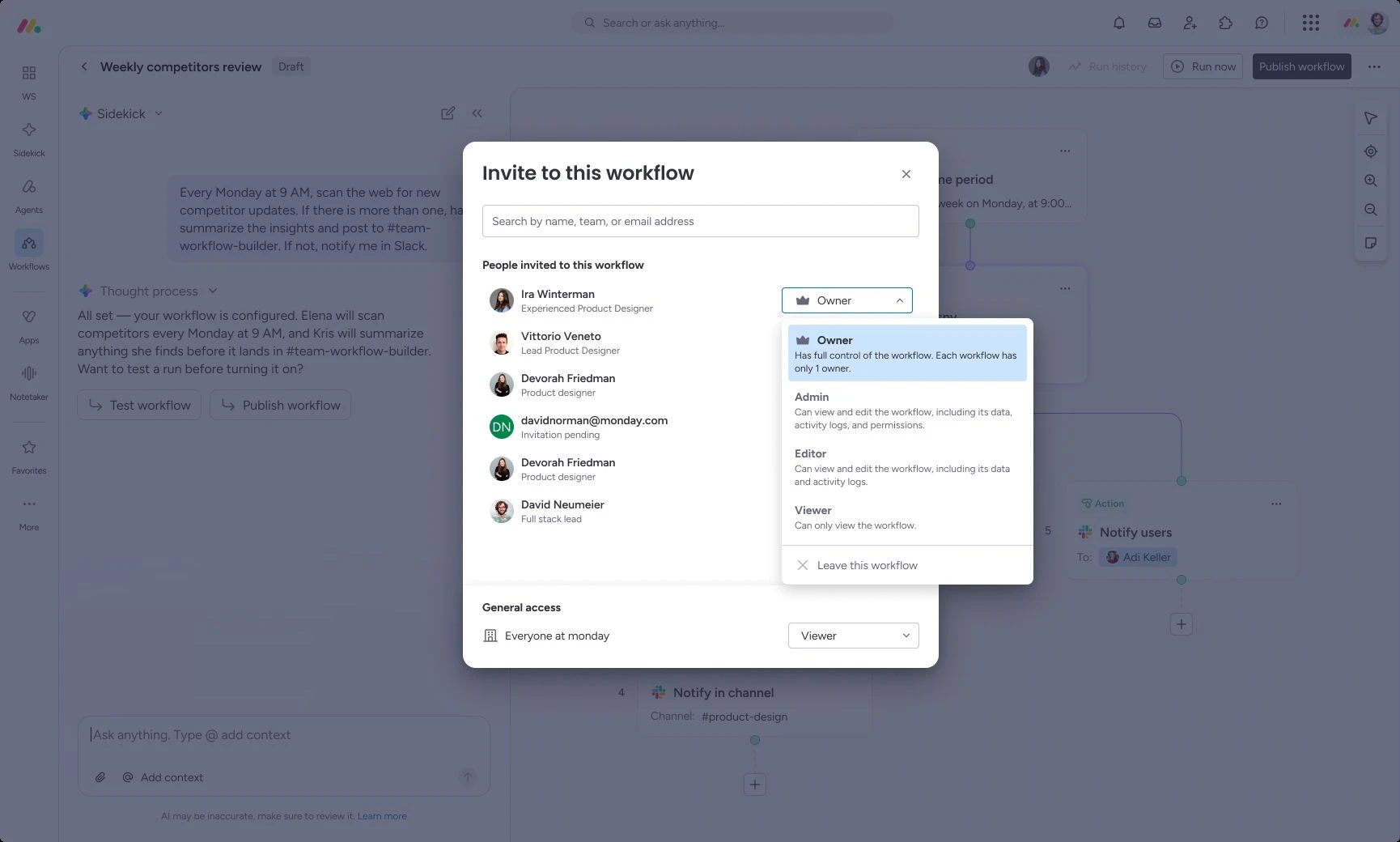
Every workflow now has exactly one owner, whose credentials it runs with. You add other people as editors or viewers. Editors can edit the workflow and see past runs with inputs, outputs and errors. Viewers see the canvas and configuration, but no data from previous runs. Only the current owner can transfer ownership, after which the workflow runs with the new person's credentials.
Use case
The accounts team uses a workflow for invoice approvals. IT is an editor and fixes errors, while controlling is a viewer and sees the process, but no invoice data from the runs.
Search blocks by intent
Status: Fully rolled out
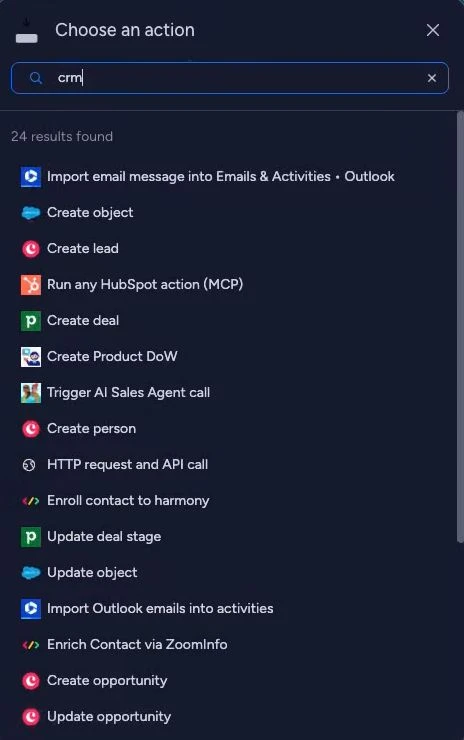
Block search now also understands rough descriptions, not just a block's exact name. The feature is available to accounts with AI enabled.
Use case
You type “send email to client” and get the blocks that send emails, even if none of them is called exactly that.
AI credit usage per block
Status: Fully rolled out (phase 1)
For every workflow run, you can now see how many AI credits each AI block used, what the whole run cost and the average per run over time. For November 2026, monday.com has announced totals across all workflows in the account, including an overview for admins.

Sidekick
Schedule recurring tasks
Status: Fully rolled out
Sidekick now runs recurring tasks in the background. The result lands in a dedicated chat, and a notification shows a preview. There are four templates: Daily Brief, Meeting Prep, Meeting Action Items and What's Urgent Today. You describe your own tasks in the chat. You set the cadence and time yourself, and you can edit, delete or pause each task.

Sidekick on WhatsApp and Telegram
Status: Fully rolled out
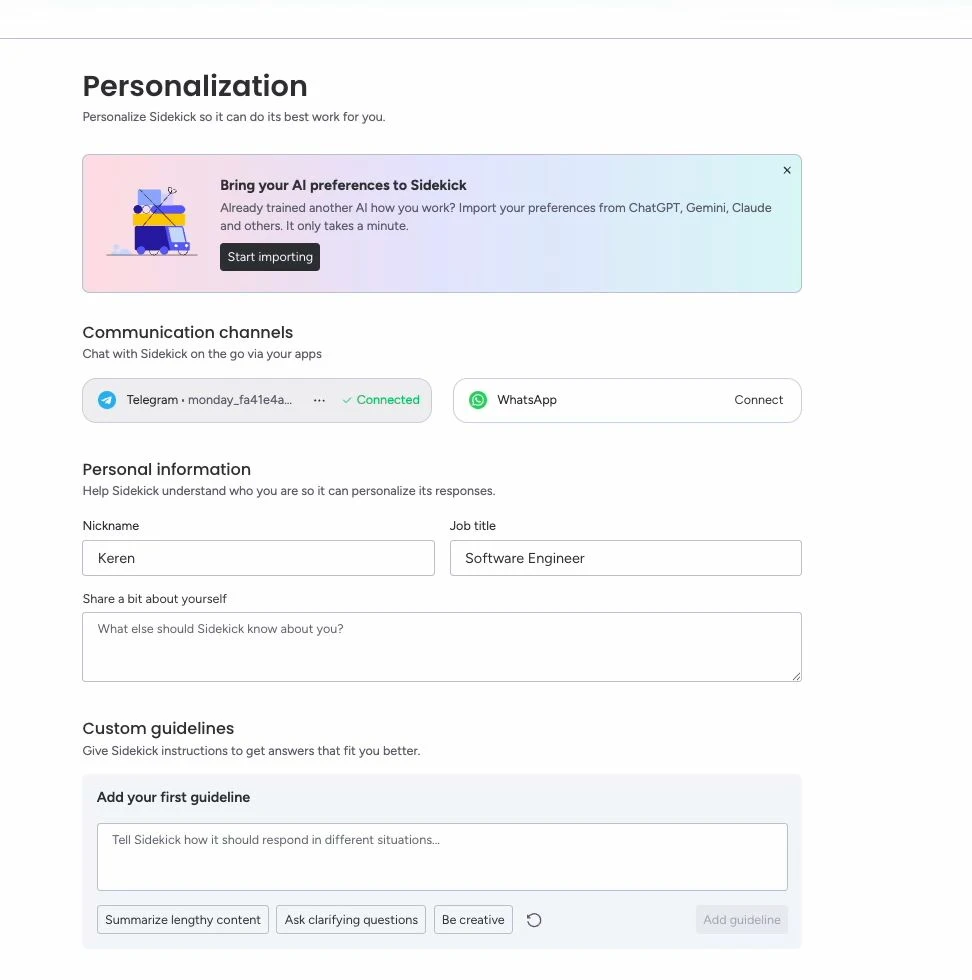
You connect your WhatsApp or Telegram account in Sidekick's personalisation settings and then message it like any other contact. Sidekick has access to your monday.com context. Each person connects their own channel, and admins don't need to set anything up.
Whether employees are allowed to access business data via WhatsApp or Telegram is something you should clarify internally. We have summarised how monday.com handles AI and data protection in monday.com AI and data protection.
Use case
After a call-out, a service technician asks via WhatsApp which job is next and who the contact person on site is.
monday Vibe
Build Vibe apps directly in the Sidekick chat
Status: Fully rolled out
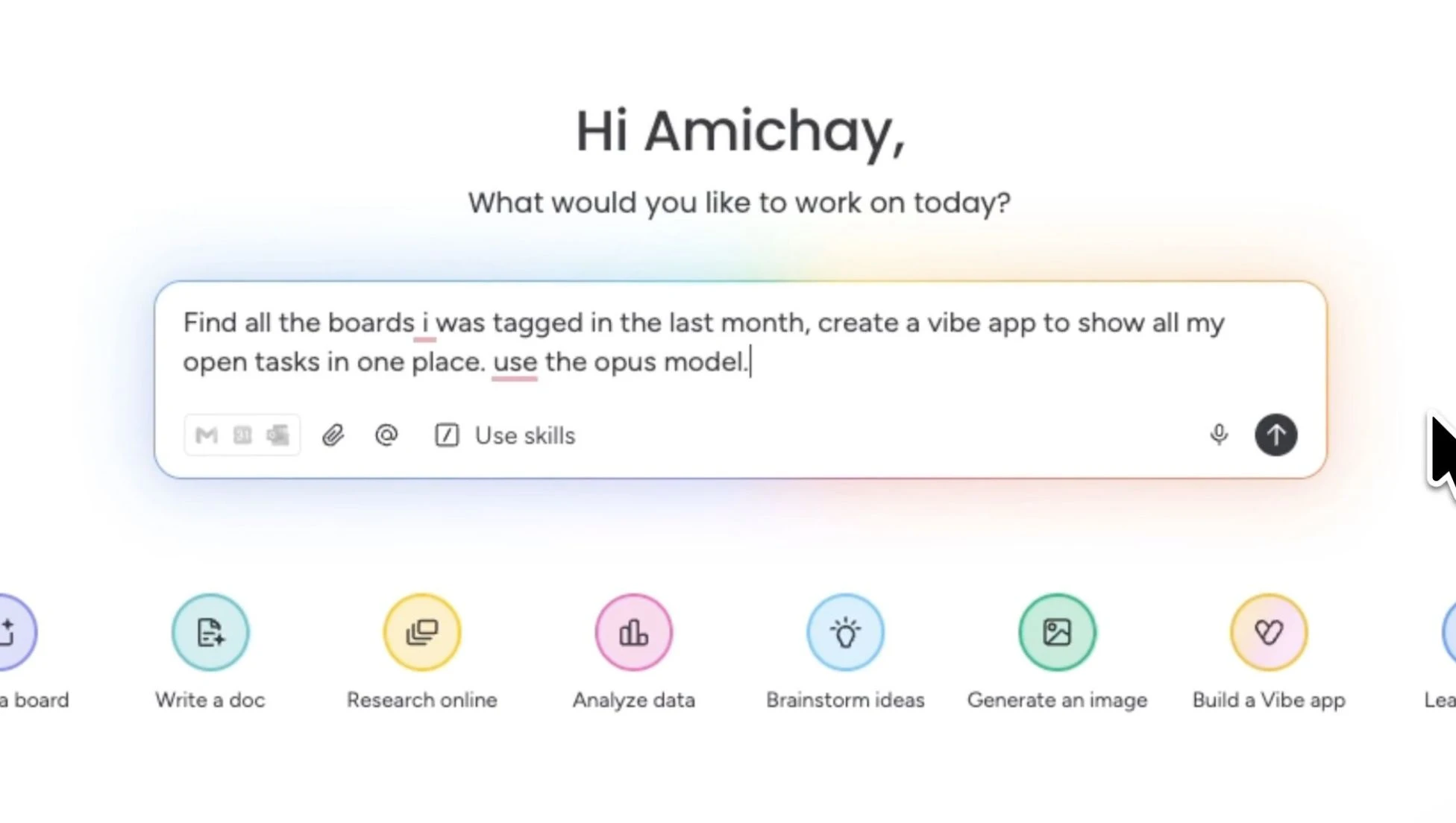
In the Sidekick chat, you can now also create, edit, publish and delete Vibe apps. Sidekick looks for relevant boards and data in the account or draws on previous conversations, so that even the first version fits your work. For each request, you choose the AI model: Gemini 3.7 Flash, Claude 5 Sonnet or Claude Opus 5. In the same chat, you can also ask questions about an existing app without changing it.
Use case
You ask Sidekick for an app that shows all open quotes from the CRM board sorted by expiry date. Sidekick finds the board itself and builds the first version from it.
Share Vibe apps with viewers
Status: Fully rolled out
Users with viewer access can now open Vibe apps. Builders share apps with viewers, such as management or field staff without a member seat, without making the app public. Viewers can search and filter the data in read-only mode, and the permissions of the underlying boards apply. Builders can also hide actions that viewers don't need. The feature is available from the Vibe Growth package (25 apps). On the Starter package, a “Request upgrade” button notifies the admins.
Use case
Management sees the status of all client projects in the project cockpit without needing member seats.

monday service
Subcategories in the service portal
Status: Fully rolled out
Admins can now organise portal content one level deeper, with subcategories inside each category. You decide how they are displayed.
Use case
In the “IT” category, the portal now separates “Hardware”, “Software” and “Access”. Employees find the right guide faster. Find out more about the service product in monday service and AI.

What to check after the October release
If you use agents, open the Agent Brain and check which sources the answers come from. Anything missing or outdated there makes the answers worse. Before you buy more AI credits, take a look at the credit breakdown in your workflows: it shows which AI blocks use the most. And if you have built Vibe apps for people without a member seat, check whether your Vibe package already includes viewer access.

.svg)