


The year-end sprint isn't just one problem
When the third quarter begins in July, most companies are running on several different clocks at once. The project team is reviewing Q2 and needs to allocate capacity for the final push to the end of the year. The sales team is looking at the pipeline and calculating whether the annual target is still achievable is. The support team is preparing for the typicallybusier months of November and December ahead.
Three different challenges – but when every team works in their own tool or in Excel spreadsheets, the connection between the numbers is lost. The sales manager doesn't know if the project team will meet the promised delivery dates. The project management team doesn't know how many new customer projects are coming in during Q4.
monday.com doesn't solve this by making everything more complicated, but by letting work management, CRM , and service run on the same platform and allowing data to be shared where it makes sense.
Why Q3/Q4 planning looks different for each product line
monday Work Management, monday CRM, and monday Service each have different priorities for the year-end sprint:
- Work Management focuses on resources, deadlines, and goals
- CRM focuses on pipeline health and forecast accuracy
- Service focuses on ticket volume and response times
Nevertheless, all three run on the same underlying structure of boards, automations, and dashboards—and all three now offer optional AI features. In practical terms, this means you can plan efficiently using the core functions and only add AI where it truly saves time.
monday Work Management:
H1 review and Q3/Q4 resource planning
Dashboards and goal tracking
For your Q3 review, you primarily need an honest overview: where projects actually stand and where there are discrepancies between actual and target status. Dashboards in monday.com consolidate data from multiple boards, showing progress, workload, and deadlines at a glance. For goal tracking, the gauge widget is ideal, allowing you to display actual values directly against defined targets—perfect for quarterly goals that need to be presented in management meetings, whether they relate to revenue, projects, or capacity.

Capacity planning for the year-end sprint
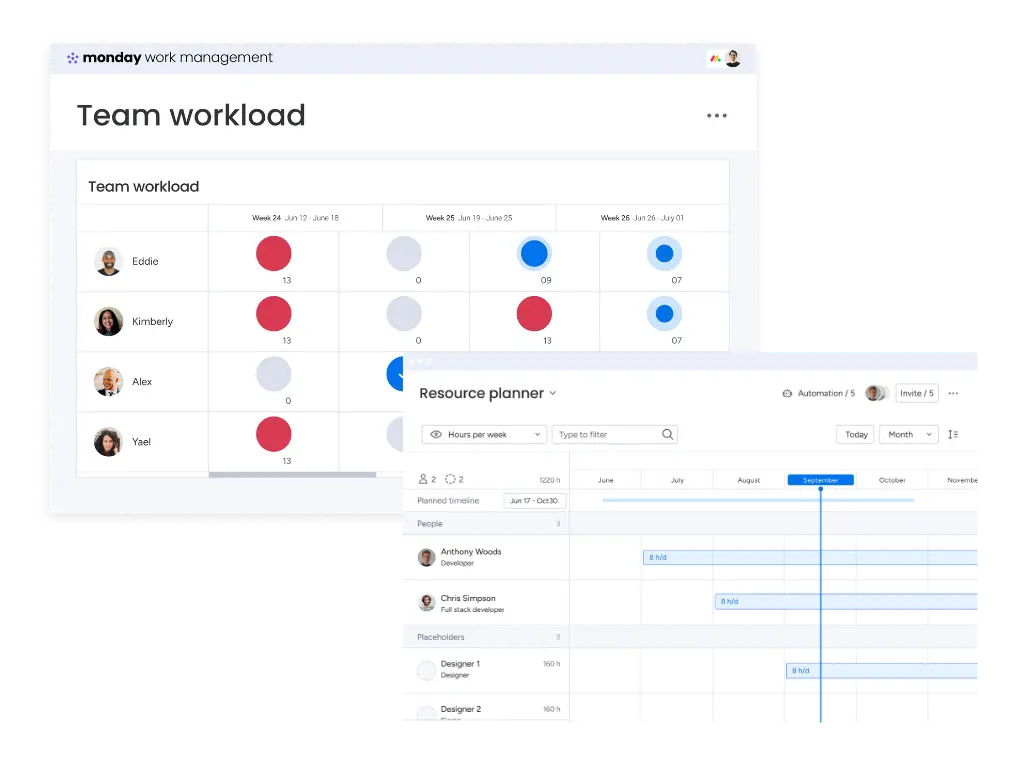
The real challenge in Q4 is rarely planning new projects, but rather realistically assessing how much capacity is actually available—especially with holidays and company shutdowns in December. The Capacity Manager in monday.com visualizes workload, availability, and absences across teams in a central dashboard and can be filtered by role, skill, or location. This works manually and already provides a solid planning foundation.
Automations instead of manual reporting
Recurring tasks like status inquiries, deadline reminders, or compiling weekly reports can be handled by the Automation Builder—using pre-built templates or custom setups with triggers, conditions, and actions. This reduces manual effort, especially during the phase when many reports are due anyway.
Optional AI extension: For those looking to save extra time, the March 2026 update allows you to create automations using natural language instead of clicking through them step-by-step. For capacity planning, there is also AI-powered smart allocation in the Capacity Manager: instead of using placeholders, monday.com suggests suitable team members based on skills, role, and workload. Additionally, monday Sidekick can automatically condense long comment threads or updates into a brief summary when you need to review many boards for your Q3 review.
You can find more on building a solid resource and capacity plan in our use case: Resource planning with monday.com.
monday CRM: Securing your Q4 pipeline and forecast
In the fourth quarter, one question matters most for sales teams: Is the current pipeline enough to hit the annual target, or do we need to adjust?
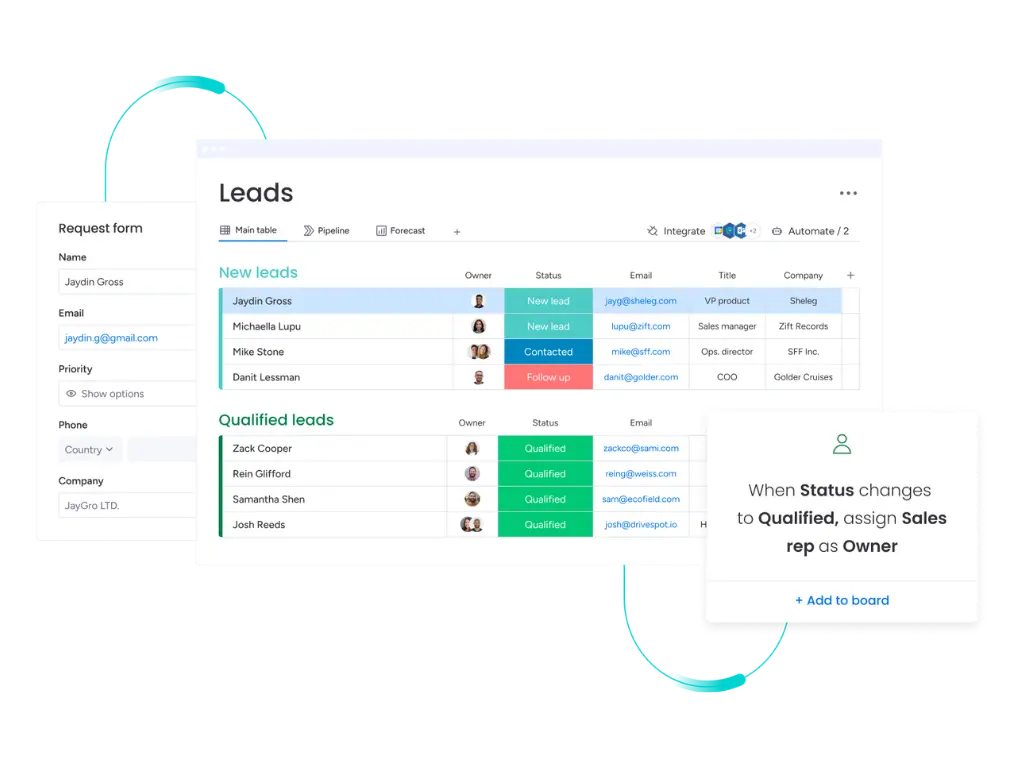
The foundation for this is a well-maintained deals board with clear stages, probabilities, and closing dates—this can be built in monday CRM and serves as the basis for any reliable forecast.
Optional AI enhancement: If you want to streamline pipeline management, monday CRM offers several AI features that work directly with your board data. Deal Insights analyze notes and deal history to estimate the probability of closing, Lead Scoring ranks new leads by conversion likelihood, and the Pipeline Health analysis flags deals that have stalled.
For new customer acquisition during the year-end sprint, there is also an AI Lead Agent currently in beta: It automatically searches for and enriches leads based on a pre-defined Ideal Customer Profile. Additionally, an AI Sales Agent can handle initial outreach and appointment booking. A note on expectations: Both agents are add-on features that rely on a well-maintained pipeline—they don't replace the fundamental work in your CRM, but rather take over repetitive tasks.
Learn more about how you can use monday CRM:
monday Service: Support capacity for the year-end sprint
Support teams are often the first to feel the year-end rush through ticket volume: customers want to finish projects before the year ends, billing questions pile up, and holiday leave reduces your team's capacity. Here, too, the foundation is a structured tickets board with clear priorities, SLAs, and escalation rules, which can be operated entirely without AI.
Optional AI enhancement: monday Service offers AI-powered ticket triage: incoming requests are automatically summarized, categorized, analyzed for sentiment, and routed to the right person. This reduces the time spent on initial screening before actual processing begins—which is especially valuable when Q4 brings more tickets to fewer available staff. Additionally, there are autonomous service agents that can independently resolve recurring, clearly defined requests, while more complex cases continue to go to human agents. Again, these features accelerate an existing process; they are not a prerequisite for surviving the year-end sprint in support.
For a deeper look at AI in customer service, check out our article: monday Service and AI: The smart solution for modern customer service.


.svg)