

Automate routine work, implement projects faster and get answers at the push of a button, the new monday sidekick makes it all possible for you. In this article, you will learn how the smart AI assistant works, which tasks it can take on and how to optimally integrate it into your daily work routine.
What is monday sidekick?
Imagine if your platform had a built-in assistant in the background that jumps in immediately when routine tasks are pending. Integrated directly into your work area, this assistant understands your ongoing processes, takes on recurring tasks and gives you space for the essentials. Whether you're creating content, organising boards, or simply need a more overview, this assistant is there to make your everyday work easier.
Note: Sidekick left the beta phase at the beginning of 2026 and is now the central entry point for AI on monday.com.
How to use the assistant
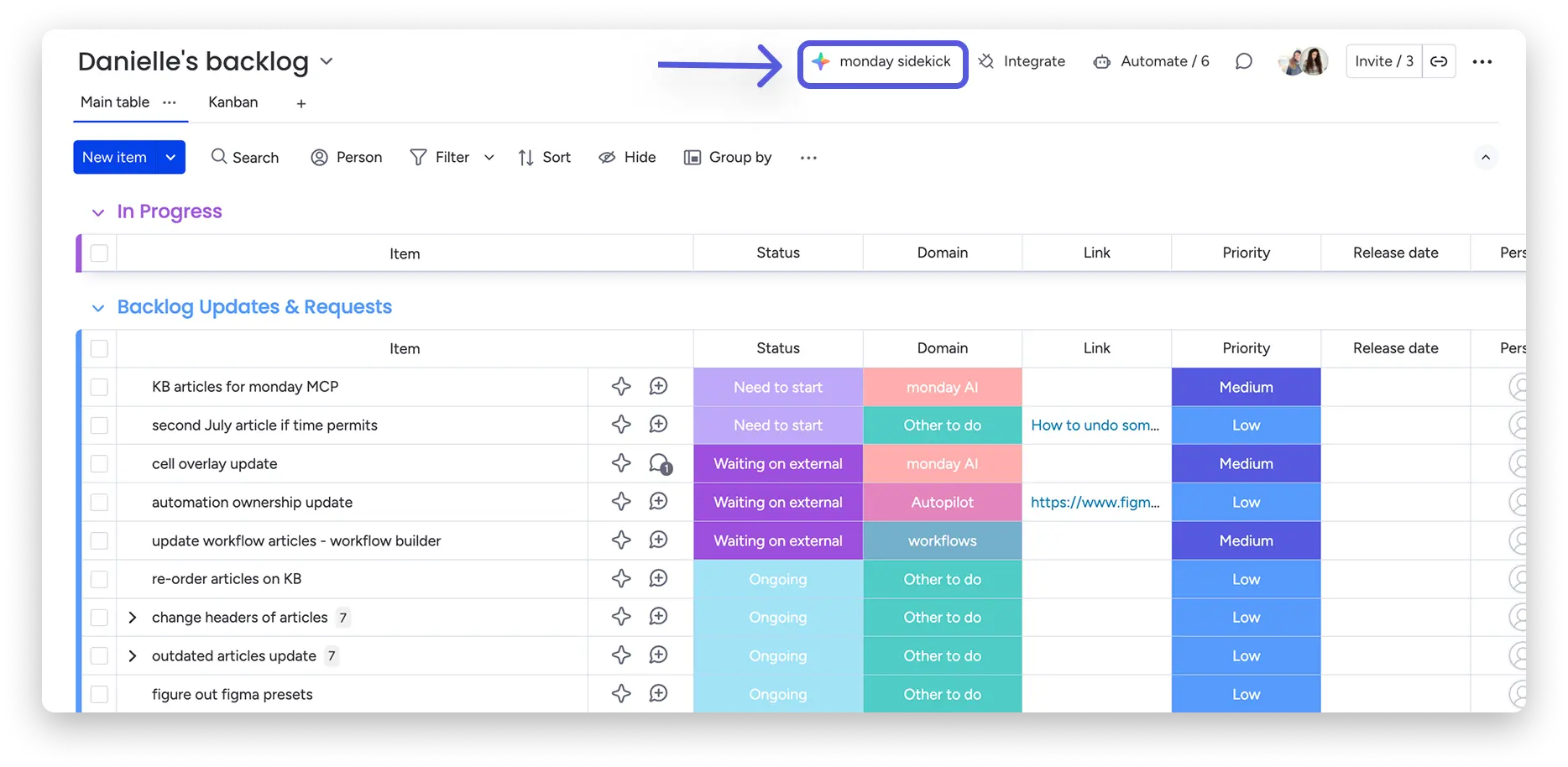
Activating Sidekick is easy and just as intuitive as using it. To start the assistant, simply click on the star AI icon: this is your entry point for all helpful actions. You can find it at the top of your board or next to individual item names.
1. Use at single item level
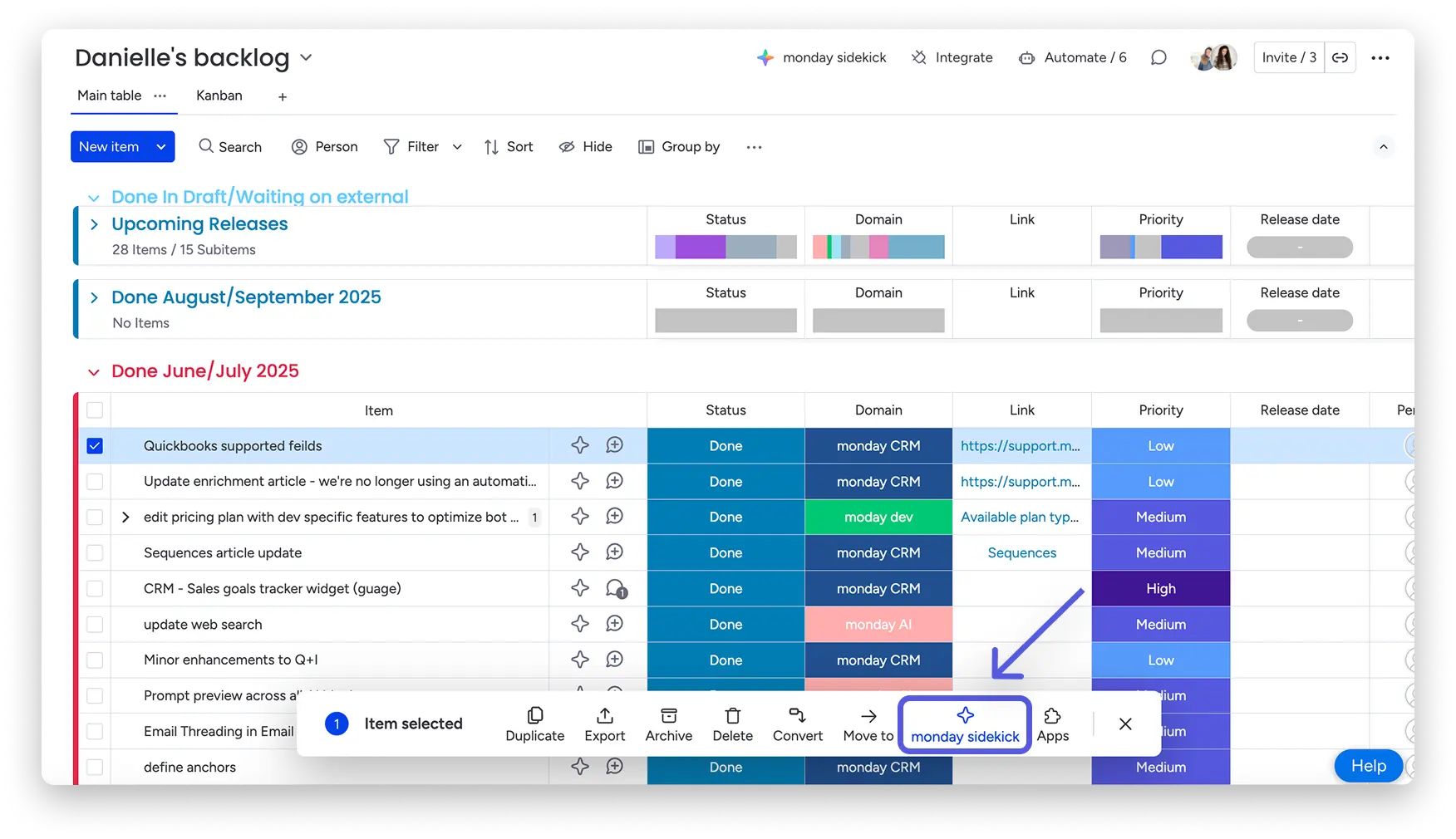
Select a specific item and click on the star icon next to the item. The chat opens and you can ask questions, make changes, or have tasks performed directly for this item. Alternatively, you can check the box next to one or more items (up to ten at a time) and then activate the assistant.
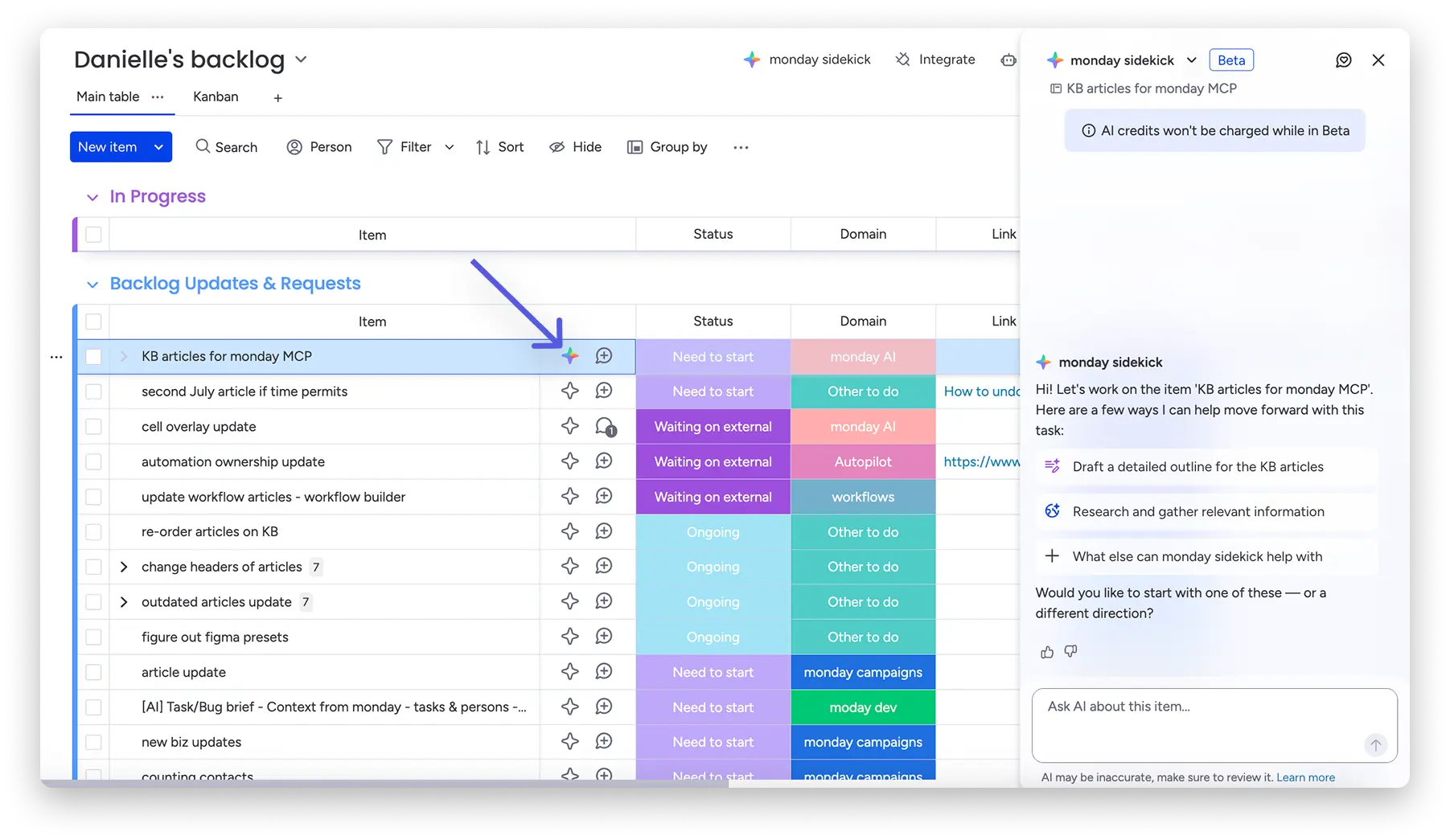
With batch actions, you can select up to 10 items at a time. After you've selected the item, click on “monday sidekick.” The chat will then open and you can ask the monday sidekick to help you with your work.
2. Use for the entire board
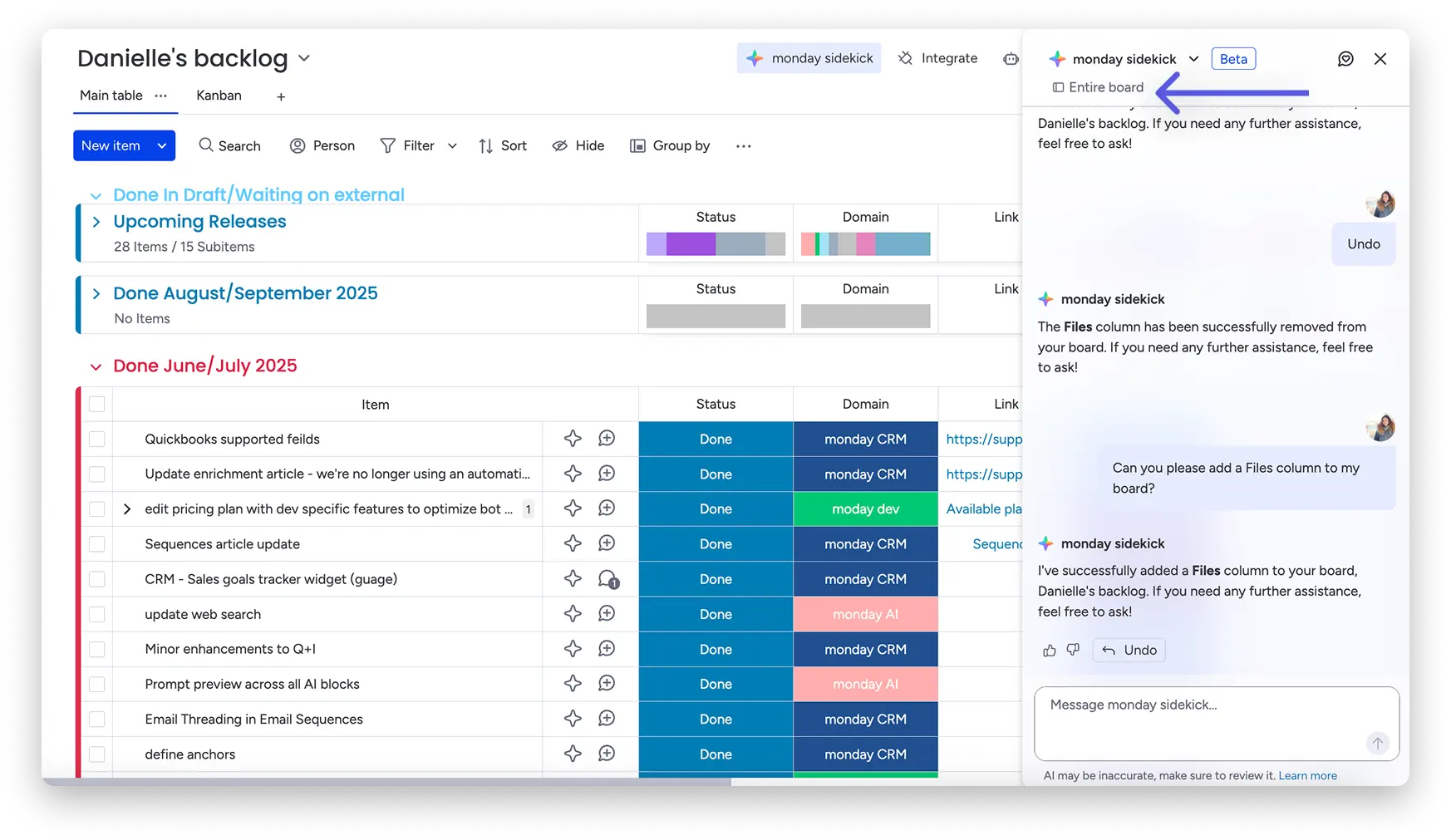
If you click the star icon at the top right of the board, you can have board-level tasks performed, such as creating content, organising groups, or automating status updates. The chat opens and you operate directly on the entire board.
What can you do with monday sidekick?
It was developed to perform a wide range of tasks. Here is a brief overview to get a first impression:
- Collect ideas, write content and streamline processes.
- Manage your board: Create, edit, update, or delete items, groups, columns, and labels.
- Get answers — based on data from your board or directly from the Help Center.
- Provide insights: Identify delays, suggest follow-up tasks, highlight trends, and recommend actions based on team activity.
- Perform calculations directly within your boards.
- Research on the web to incorporate relevant external information.
Use Cases
1: Start marketing campaign faster
Imagine that your marketing team wants to launch a product campaign in three regions, with email, social media, and a landing page. You simply give the assistant a prompt like:
“Start a campaign X for the July product update. Target group: SMBs. Channels: email, social, landing page. Regions: US, UK, DE. ”
The assistant then creates:
- a campaign workspace with goals, messages, and timeline
- Suggestions for task owners and deadlines based on capacities
- A Gantt view for the entire team — from marketing to product
In just a few minutes, an idea becomes a structured plan that would otherwise have taken hours or days.
2: Create and localise content
You need new content, such as email texts, social posts, and landing page copy — for multiple markets. The assistant can:
- Generate initial drafts in your brand tone for all channels
- Translate and adapt content locally — for DE, UK, USA, etc
- Combine feedback threads and automatically route the next approvals
This reduces a lot of coordination and translation effort — and gives the team back time.
3: Project monitoring & early identification of risks
Delays, resource bottlenecks or missing approvals may occur during an ongoing project. This is where the assistant proactively comes into play:
- He monitors schedules and recognises when, for example, the design team is busy.
- He then automatically suggests a solution, such as involving freelancers or rescheduling appointments.
- At the launch date, he prepares, checks whether all content has been approved and planned, creates a one-page deck for the CMO and sets up reporting dashboards
In this way, the assistant not only helps with creation, but also with continuous monitoring and control.
monday sidekick Permissions
You can decide for yourself whether AI features such as monday sidekick are activated in your account To use Sidekick, simply activate the option “Use AI agents” in the permissions. Depending on your use case, you'll need access to some or all of the following features:
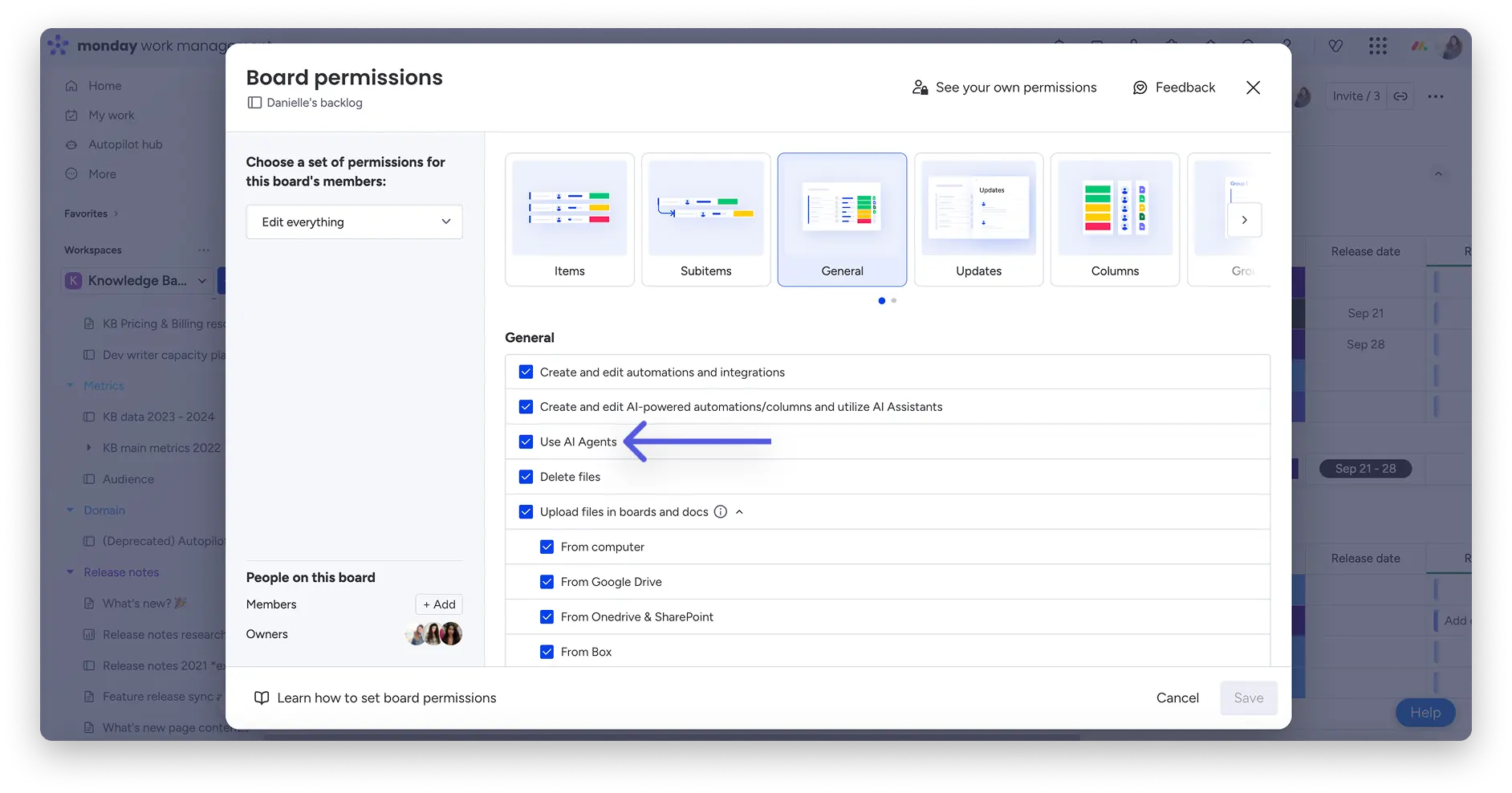
Work permissions:
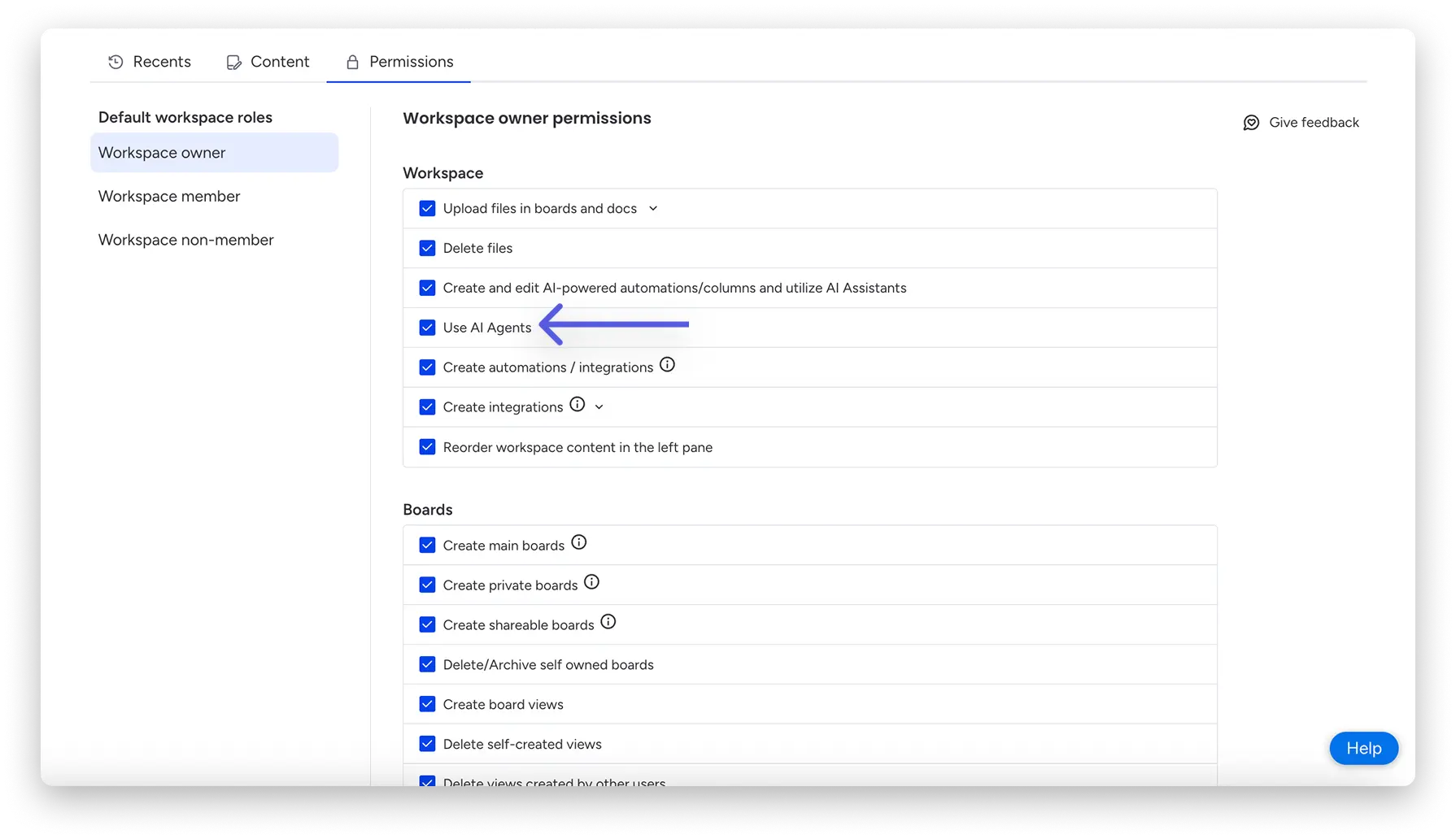
or account-level permissions:
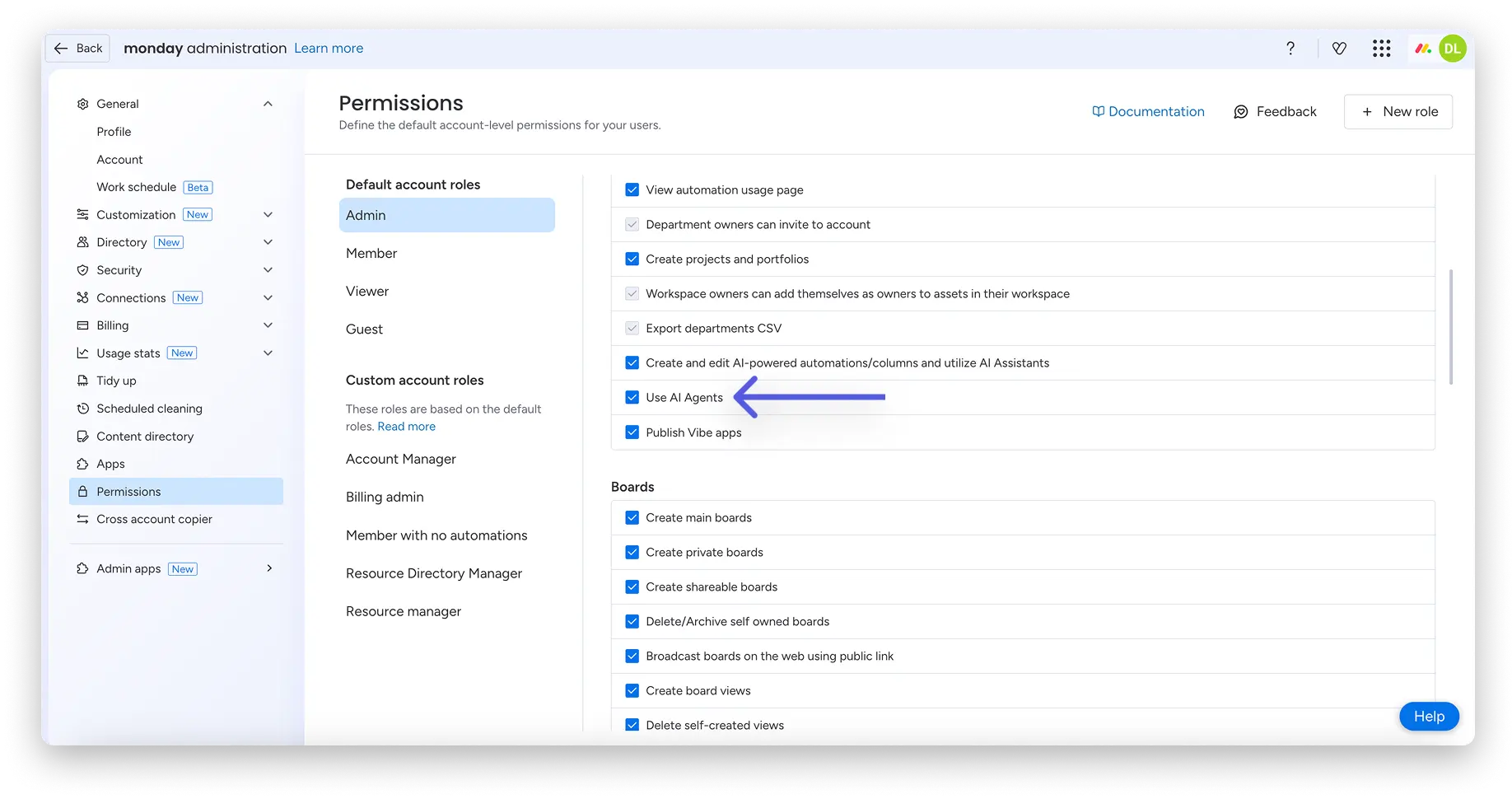
Note: monday sidekick It is still in the development phase, which means that results may not be entirely correct or surprising. However, monday.com is constantly working to improve the function.
Usage & restrictions of monday sidekick
There are three versions available for using monday sidekick: Sidekick Lite, Sidekick Plus and soon too Super Sidekick.
Sidekick Lite
If you're using a Standard or Pro account, you automatically have access to Sidekick Lite with the following features:
- You can send up to 5 messages or actions per day.
- Sidekick only works within a single workspace, so you can only interact with boards and content from the current space.
- Your daily usage limit is reset every day.
Sidekick Plus
- It's included for free with all Enterprise plans.
- Can be purchased separately as an add-on to Standard and Pro plans.
- You'll receive up to 100 messages per day and up to 2 generated images or videos per day.
- Sidekick Plus gives you access to your entire account. So you can act across contexts, no matter which board or workspace you're currently on.
- The limits are deliberately designed so that you can use Sidekick productively on a daily basis.
- Users with the Basic plan can't purchase Sidekick Plus.
Coming soon: Super Sidekick
- Will soon be available as an add-on for Enterprise, Pro and Standard accounts.
- Up to 400 messages per day and 10 images or videos generated daily.
- Here, too, you get full context access to your entire account, ideal for particularly demanding and extensive workflows.
monday sidekick is currently not supported on monday dev or monday CRM boards.
important: If you're using the Basic plan, you won't have access to Sidekick.
You can find more information about the add-ons on the official monday.com pricing page.
Conclusion
With the assistant, you get a tool that not only supports you, but also actively works with you by taking on tasks, structuring processes and freeing you up to focus on what's important. Interested in how you can best use this assistant for your business? Let's analyse your work environment together, create the right conditions and develop a strategy. Contact us and we will show you how to use the feature effectively and purposefully. And if you want to learn more about monday AI, we have another blog post.
.svg)