


What Data Set solves
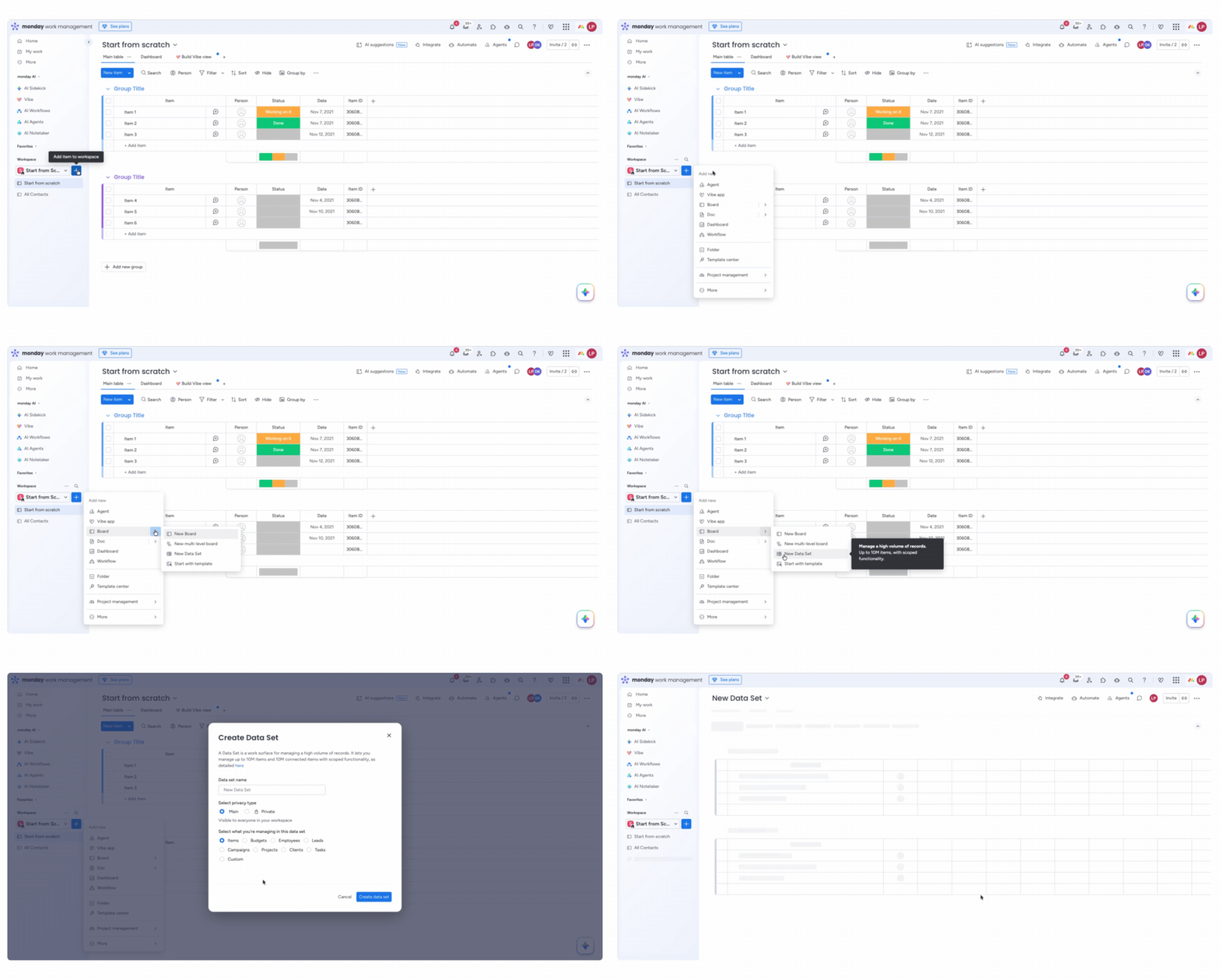
Data Set is a workspace for managing up to 10 million items in a single table. While a standard board on the Enterprise plan supports up to 100,000 items, Data Set is built for teams that need a single source of truth for large volumes of data – such as leads, contacts, tickets, or time tracking – without having to split data across multiple boards.

Data Set compared to a standard board
When a Data Set is worth it
A Data Set is the right choice if some or all of the following points apply to your use case:
- You need a central table as a single source of truth, without splitting data across multiple boards.
- You are working at a scale that a standard board can no longer handle, or you are migrating a data-intensive workflow to monday.com.
- All your teams, AI agents, and workflows need access to the same datasets with the same structure.
- You have a large volume of daily, weekly, or monthly incoming records where deleting or archiving becomes a burden.
In other cases, a standard board is often the better choice: If different teams, regions, or departments each maintain their own lists of the same entity type, each team is often better served by its own board, without having to accept the limitations of Data Set.
Data Set is still not suitable for hierarchical use cases—such as accounts with nested contacts—because it lacks subitems. A standard board or a combination of multiple linked boards remains the better solution here.
Typical use cases
Data Set is designed for active data management at scale, where all entries must reside in a single table:
- Time tracking
- Leads and contacts, as described, for example, in our monday CRM use cases
- Service requests and tickets
- Resource directories (employees, external partners, assets)
- Inventory and product catalog management
- AI-powered data enrichment and agentic workflows
- Migration of large datasets from external systems to monday.com
- Snapshots of large datasets for reporting purposes
What Data Set can already do today
Note: The table view displays only the first 20,000 items at a time—however, you can still access every entry within the full 10 million using search, sorting, and filters.

.svg)