

At first glance, monday.com and Airtable look similar: tables with columns, different views, automations, AI features. In day-to-day use, however, they work very differently. monday.com is a work platform for projects, sales and service. Airtable is at its core a relational database on which teams build their own applications. This comparison shows you what the two cost in 2026, how they differ and how to connect them or switch from Airtable to monday.com.
The core difference
monday.com organises work. A board represents a project, a pipeline or a process, and each row is a task or a deal with a status, owners and dates. The platform is designed for teams to work on these tasks together, communicate and track progress in dashboards. Since May 2026, monday.com has officially been called the AI Work Platform.
Airtable organises data. A base contains several tables that are linked to each other, for example products, suppliers and orders. On top of this, you build interfaces, automations and reports. Airtable is particularly suited to cases where the data structure is at the centre.
monday.com and Airtable at a glance
Prices are per seat or editor per month with annual billing, as of September 2026.
| monday.com | Airtable | |
|---|---|---|
| Starting at | 9 USD (Basic), min. 3 seats, plus AI credits | 20 USD (Team) |
| Free plan | Up to 2 seats and 3 boards | Up to 5 editors, 1,000 records per base |
| Billing | Per seat, sold in buckets | Per editor, readers are free |
| Automations | From Standard (250 actions/month), Pro 25,000 | Free 100 runs/month, Team 25,000 |
| AI | Sidekick, agents, Vibe | Omni, Field Agents |
| Strength | Projects, sales and service with team collaboration | Relational data structures and custom applications |
Pricing in 2026
For the AI Work Platform, monday.com costs 9 USD on the Basic plan, 12 USD on Standard and 19 USD on Pro, per seat per month. Paid plans start at 3 seats. For customers signing up since 6 May 2026, a bundle of AI credits is part of every paid plan. You'll find the details in our monday.com product and pricing overview 2026.
Airtable costs 20 USD on the Team plan and 45 USD on the Business plan per editor per month, or 24 and 54 USD with monthly billing. People who only read or fill in forms don't count as editors. More important than the price per person are Airtable's limits: the Team plan allows 50,000 records per base, the Business plan 125,000. If you need more, you have to move up a plan. For external users, such as customers in a portal, there's a paid add-on.
On 4 August 2026, Bending Spoons announced that it will acquire Airtable. Airtable has not announced any price changes so far. If you're making a long-term decision, though, it's worth keeping an eye on developments.
Features compared
Data model and views
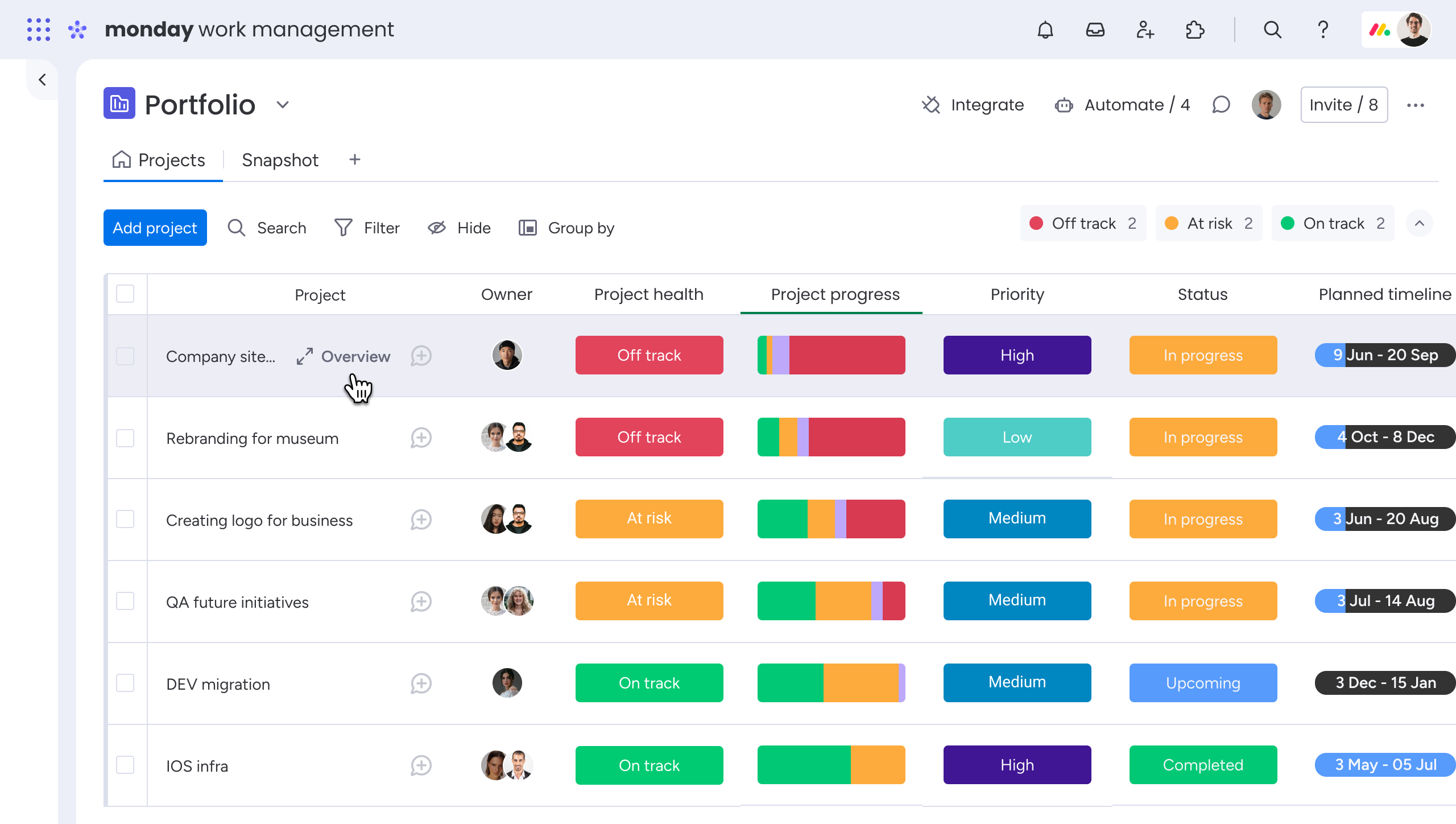
In monday.com, a board consists of groups, columns and items. Boards can be linked to each other, for example a customer board with a project board. You can display the same data as a table, Kanban, Gantt chart, calendar or dashboard.
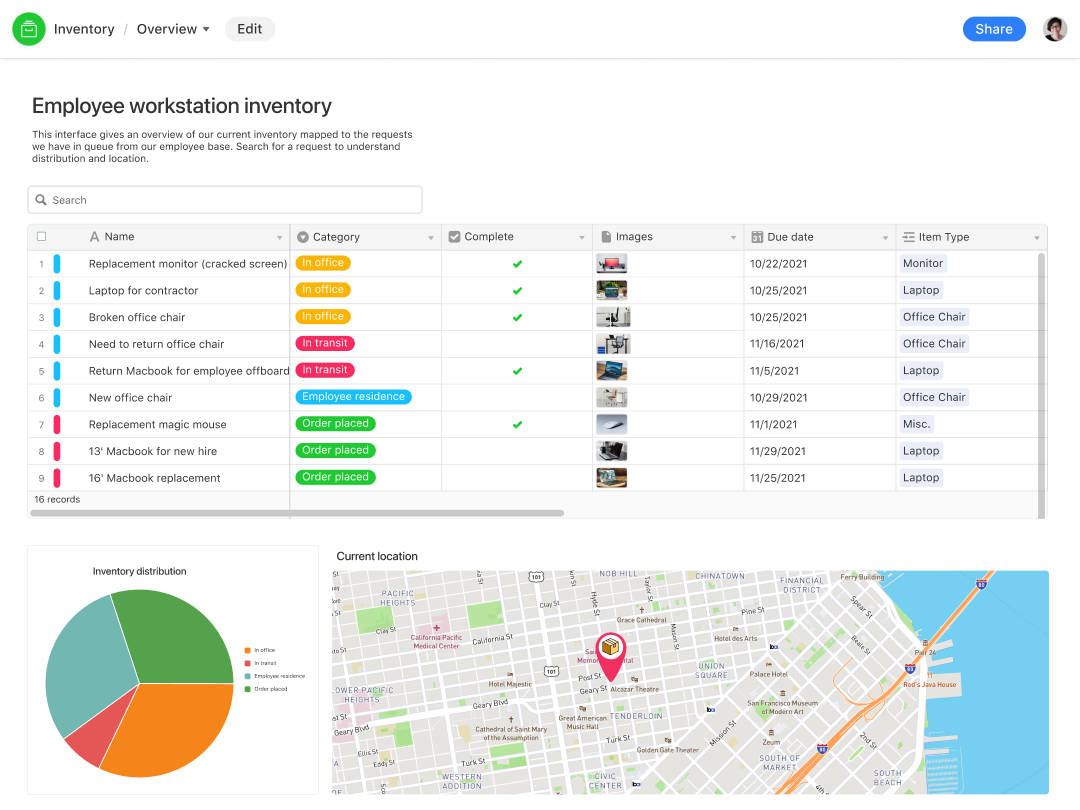
Airtable goes further on the data model. Tables are true relational structures with linked records, lookups and rollups. This is powerful if, for example, you're mapping an inventory with suppliers, items and storage locations. With the Interface Designer, you build your own interfaces on top of this for different roles.
Collaboration
This is where monday.com is ahead. Each item has its own area for updates, files and discussions. Owners, statuses and dates are built in, and notifications run automatically. Airtable has comments and mentions but is less geared towards day-to-day teamwork on tasks.
Automations and integrations
Both tools have built-in automations following the pattern "When X happens, do Y". In monday.com, they're included from the Standard plan; in Airtable, they're available on the free plan but limited to 100 runs per month. Both connect with common tools such as Slack, Gmail or Google Calendar. For more complex workflows across several systems, a platform such as Make is often added in between.
AI features
monday.com offers Sidekick, an assistant that knows the content of your account, agents that handle recurring tasks on their own, and Vibe, a builder for your own apps. Airtable has Omni, an AI builder that lets you create apps and agents by describing them, and Field Agents that fill in fields automatically, such as summaries or categories. Both bill AI usage through credits. You'll find more about monday AI in our overview of monday AI.
When Airtable fits and when monday.com does
Airtable is the better choice when the data structure is at the centre: inventories, product catalogues, content databases or processes with many linked tables. Airtable's pricing model is also good value if many people only read and few edit.
monday.com is a better fit when teams work together on projects, deals or requests and need to track progress. This applies especially if sales, project delivery and service should run in one system. monday CRM, monday dev and monday service are dedicated products for this on the same platform.
Connecting Airtable and monday.com, or switching
Many companies use both tools side by side, for example Airtable as a product database and monday.com for project work. There's no native connection between the two. However, with Make, records can be synced automatically, for example: a new order in Airtable creates a project item in monday.com, and the status flows back.
If you want to switch to monday.com completely, export your Airtable views as CSV files and import them into monday.com. It's worth looking at the structure first: linked tables in Airtable become connected boards in monday.com, and formulas or lookups need to be rebuilt. With many linked tables, migrating through Make is more reliable than a manual import.
Rolling out monday.com with Blinno
Blinno is a monday.com Platinum Partner. We help you decide between monday.com and Airtable, set up the structure in monday.com, migrate existing data and connect the tools you want to keep using. We show how a rollout works in our article Implementing monday.com.
Want to know which tool suits your processes? Book a free first call with us.
Frequently asked questions
monday.com is a work platform for projects, sales and service with a strong focus on team collaboration. Airtable is at its core a relational database on which teams build their own applications and interfaces.
monday.com costs from 9 USD per seat per month (Basic, minimum 3 seats, plus AI credits). Airtable costs from 20 USD per editor per month (Team), and readers are free. Both prices apply with annual billing, as of September 2026.
Yes. There's no native connection, but an automation platform such as Make can sync records between Airtable and monday.com automatically.
Export your Airtable views as CSV files and import them into monday.com. Linked tables become connected boards, and formulas and lookups need to be rebuilt. For complex structures, migrating through Make is more reliable.
monday.com offers Sidekick as an assistant, agents for recurring tasks and Vibe for building your own apps. Airtable has Omni as an AI builder for apps and agents, and Field Agents that fill in fields automatically. Both bill through credits.

.svg)