

monday Agents
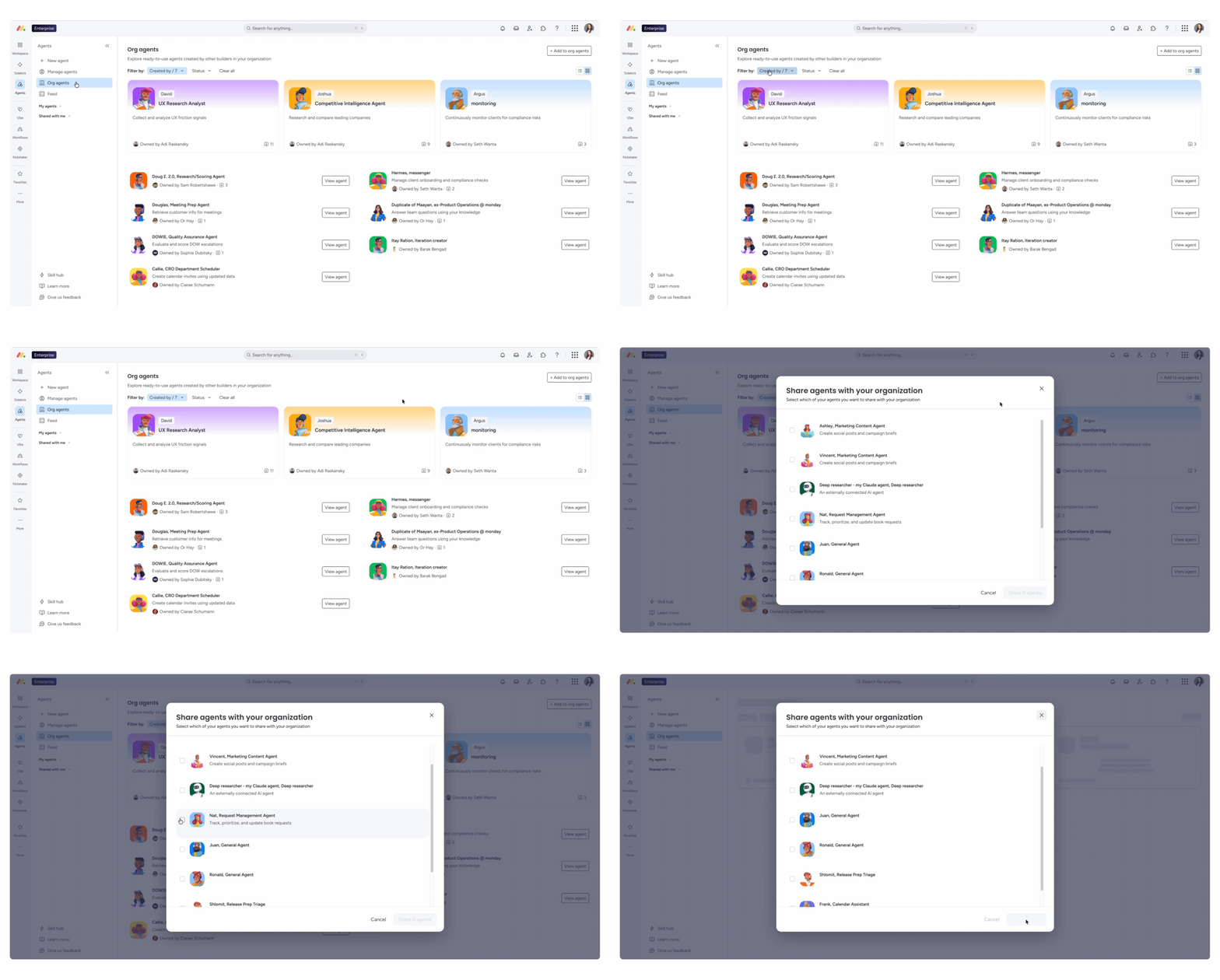
Agents directory for the whole organisation
Status: Gradual rollout
Anyone who has built an agent can now share it with the whole company in one step. The agent then appears in the new Org Agents Directory, where every member of the account can find and use it. Individual invitations are no longer needed.
Example use case
The sales team has built an agent that prepares customer meetings. Instead of sharing it with each account manager one by one, they add it to the directory. The customer success team finds it there and uses it too. You can read more about the agents themselves in our post on monday.com AI Agents.
monday Platform
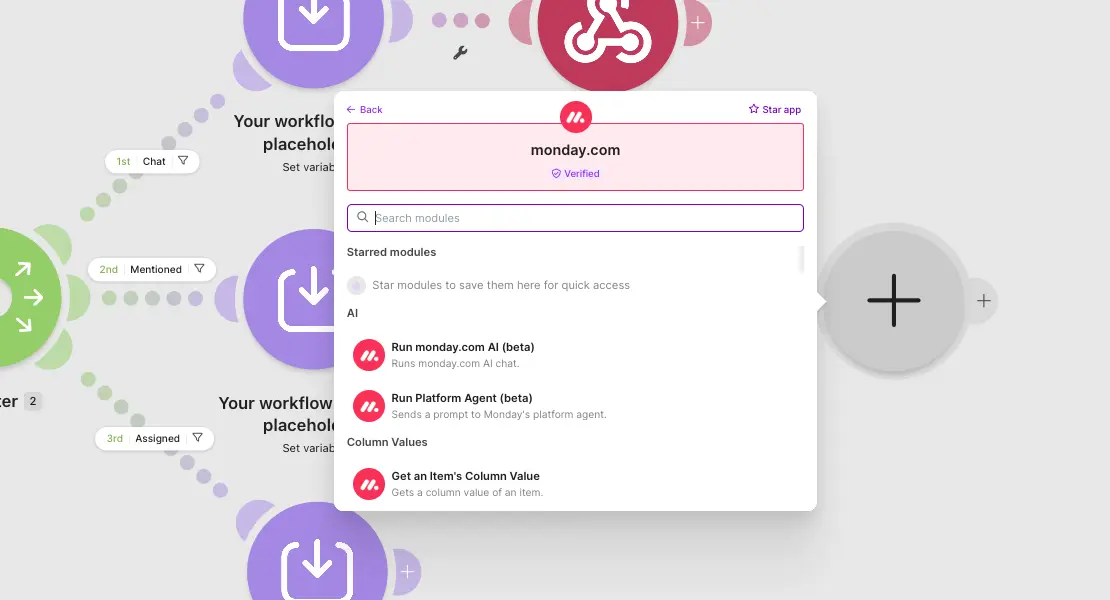
monday AI directly in Make scenarios
Status: Full rollout
The monday.com app in Make has two new modules. "Run monday.com AI" runs single-prompt tasks, such as a summary or a classification. "Run Platform Agent" sends a prompt to a monday agent, which then carries out multi-step tasks in the account. Previously, you needed custom HTTP modules or a separate server for this. That's no longer necessary: it can now be done directly through these modules.
Example use case
A Make scenario picks up new enquiries from the web form, uses "Run monday.com AI" to summarise and categorise them, and then creates an item on the right board. As a Make Gold Partner, we build scenarios like this regularly. The new modules remove part of the configuration that used to be necessary, so we can optimise your workflows even faster and more efficiently.
Daily API limits: email alerts and enforcement from 2027
Status: Gradual rollout
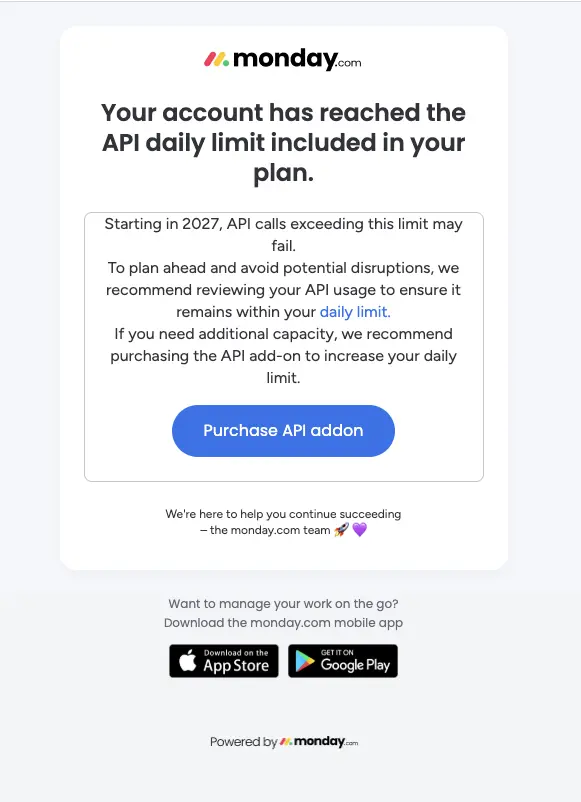
Admins of Pro and Enterprise accounts now receive an email when their account exceeds its daily API limit. From 2027, accounts over the limit will be blocked until the next day. A new Analytics page shows current usage. Detailed reports such as trends, top users and top apps are only visible there on the Enterprise plan or with the API add-on. If you need more capacity, you can buy the API add-on directly from the alert email or via the Account Admin page.
This affects you if you connect monday.com to other systems via Make, n8n or your own scripts. These integrations run through the API and count towards your usage.
Example use case
On the Analytics page, the IT team sees that a single Make scenario accounts for a large share of the calls because it checks for new items every minute. They switch it to a webhook that only fires when something changes.
Reconnecting disconnected projects to the portfolio yourself
Status: Full rollout · Enterprise plan only
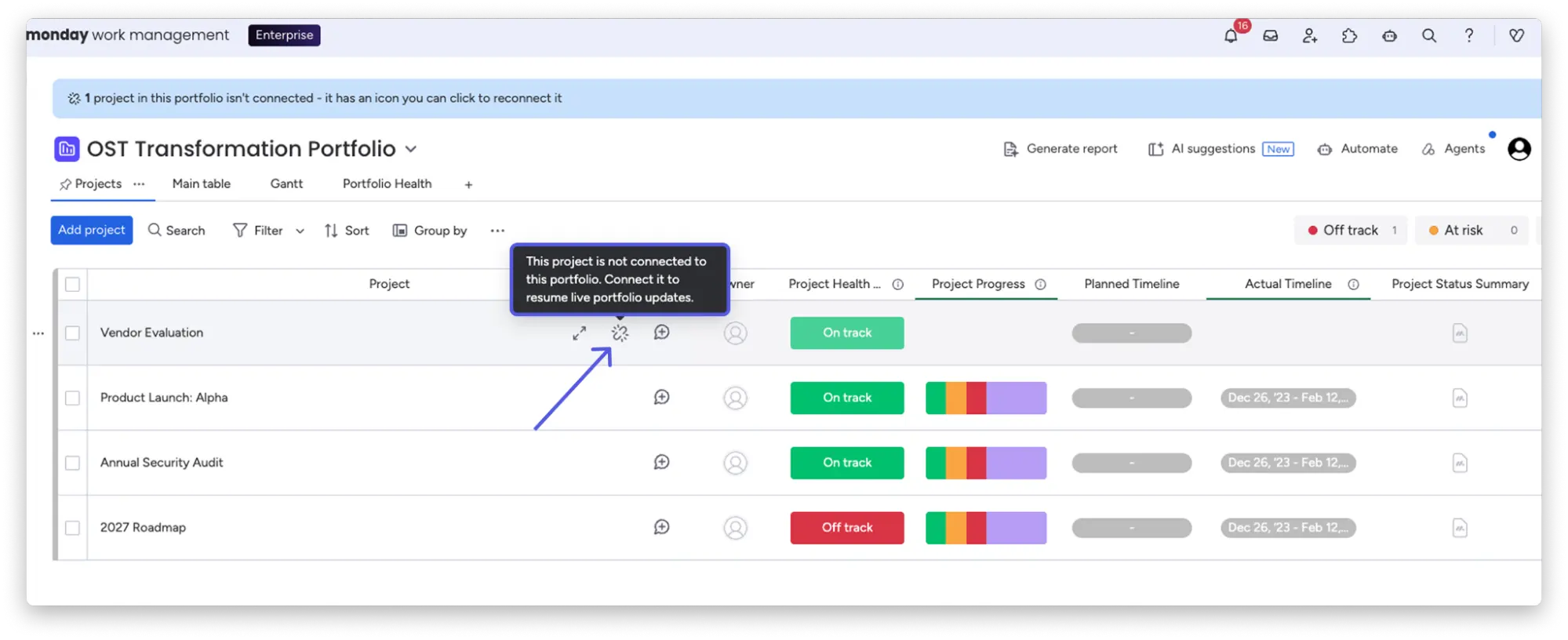
Portfolio managers and PMO teams now see an indicator when a project board is no longer connected to its portfolio item. You can restore the connection directly in the interface, without needing support. No data is overwritten or deleted on either board. Only the sync link is restored.
Example use case
One project's progress is missing from the portfolio. The head of PMO spots the indicator in the row, clicks it and reconnects the board. The project status shows up again in the portfolio and in management reporting.
Querying monday.com data in Google Workspace with Gemini
Status: Full rollout
You can now use Gemini to access live data from your monday.com boards in Gmail, Docs, Sheets and Slides. To do this, install the monday.com app from the Google Workspace Marketplace and ask your questions in the Gemini side panel. The connector is available to all monday.com users with a Google Workspace account. It currently offers read-only access: Gemini fetches data but doesn't create or update items.
Example use case
In Sheets, you ask Gemini to pull the items from your requests board into the current sheet as a table. No manual export needed. We cover which other AI tools can be connected to monday.com in Connecting monday.com to ChatGPT, Claude and Copilot.
monday Vibe
Connecting Vibe to any API and using your own AI models
Status: Full rollout
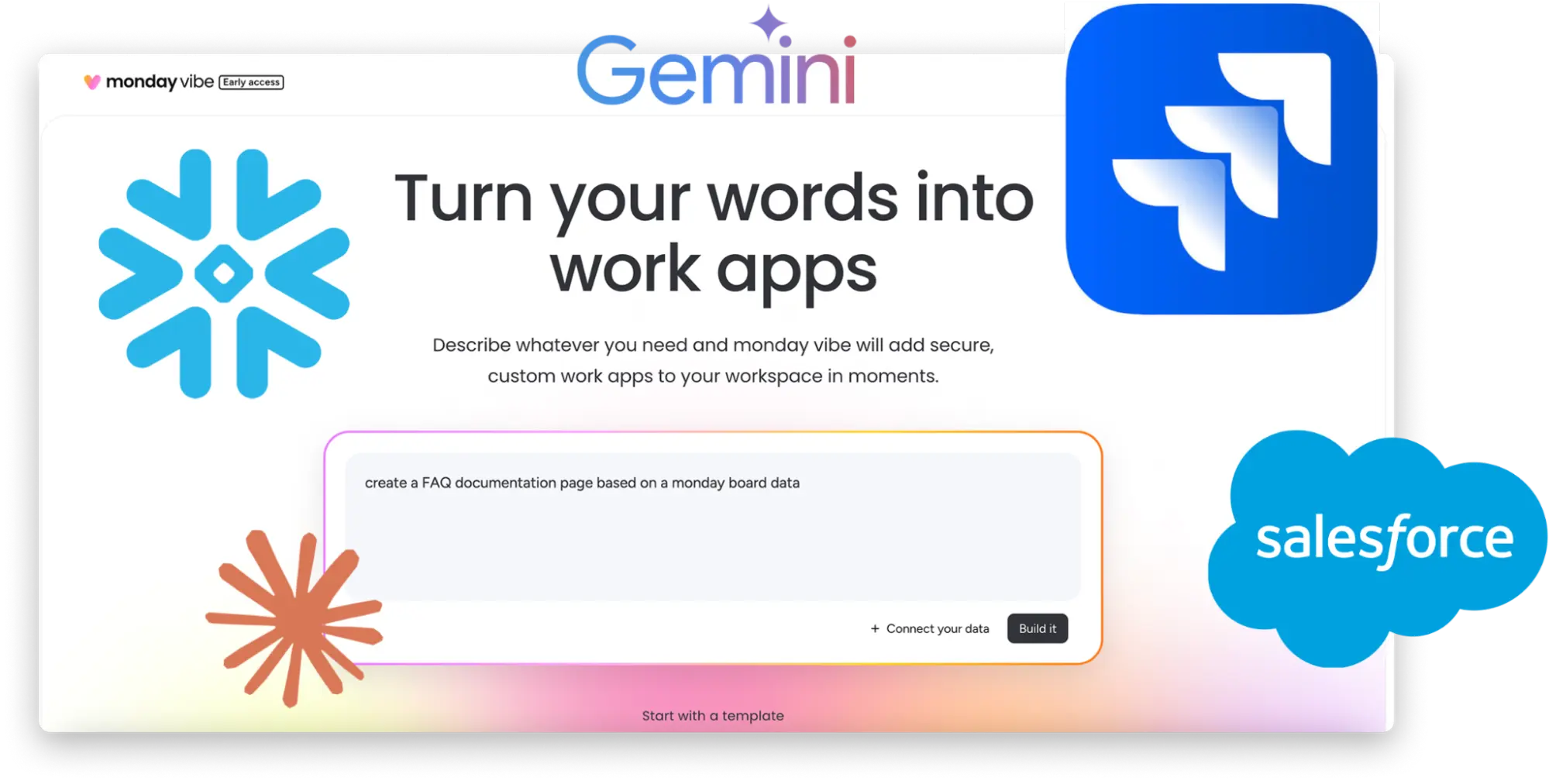
Vibe apps can now connect to any external service that supports API key authentication, such as Jira, Salesforce, Snowflake or internal tools. You set this up in the Vibe interface, without code.
Bring Your Own Model (BYOM) is also newly available: you add your own API keys for Gemini, Claude or OpenAI and manage your AI budget directly in Vibe.
BYOM is particularly relevant for companies that may only use specific, approved AI models internally. These models are now available in Vibe too, and the costs run through your own budget with the provider. We've summarised how monday.com handles AI and data privacy in monday.com AI and data privacy.
Example use case
A Vibe app shows open support tickets from Jira next to customer data from the CRM board in monday.com. Account management sees both on one page.
Adjusting Vibe apps with a sketch
Status: Full rollout
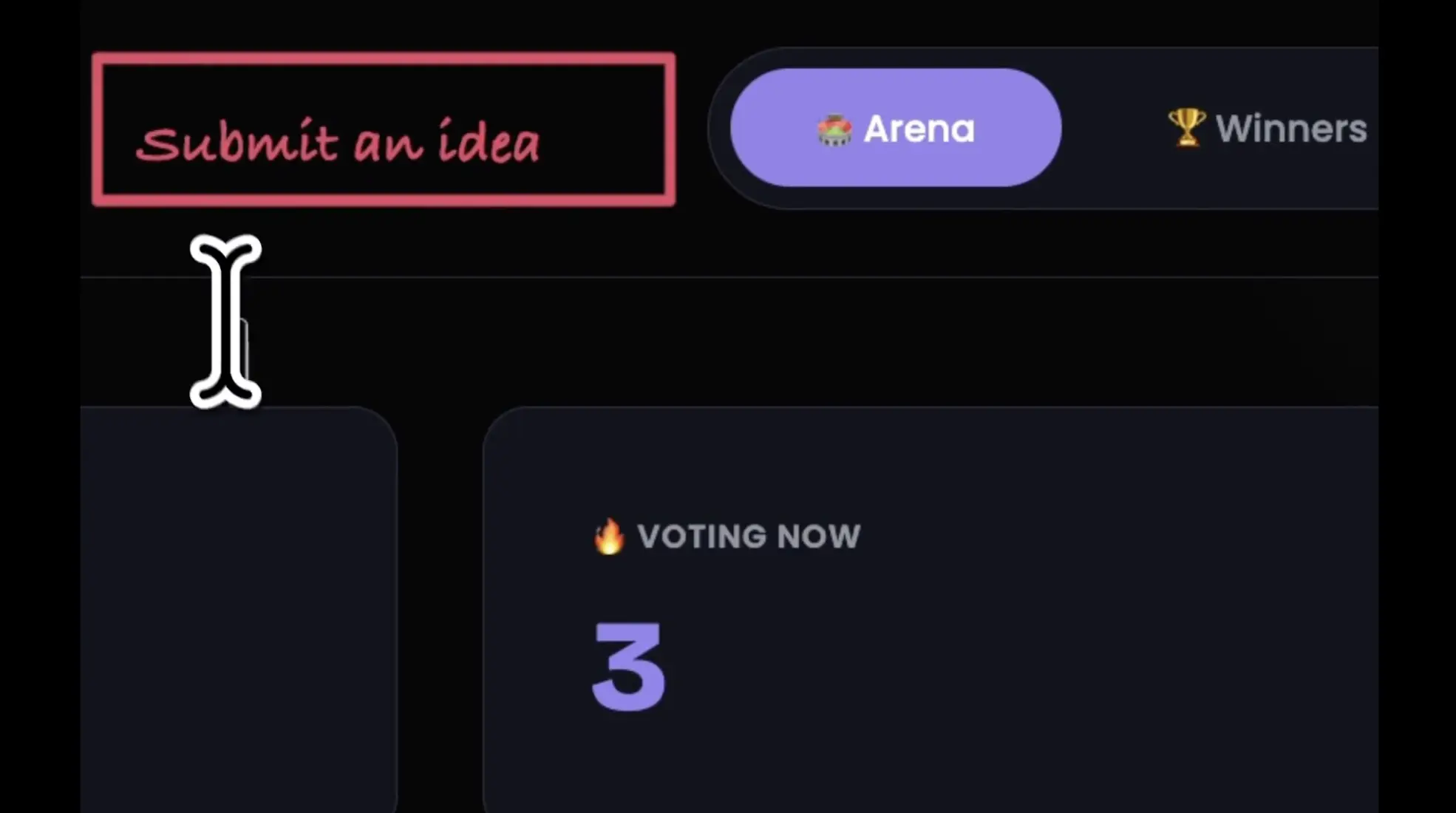
Instead of describing a change in a prompt, you draw directly on the app. You can circle or highlight areas, draw rectangles for new elements and add text notes. Vibe reads the sketch and updates the app's code.
Example use case
You draw a rectangle at the top of the overview and write "Submit an idea" inside it. Vibe adds a button in that spot, without you having to explain the position in words.
Editing boards directly from the Vibe chat
Status: Full rollout
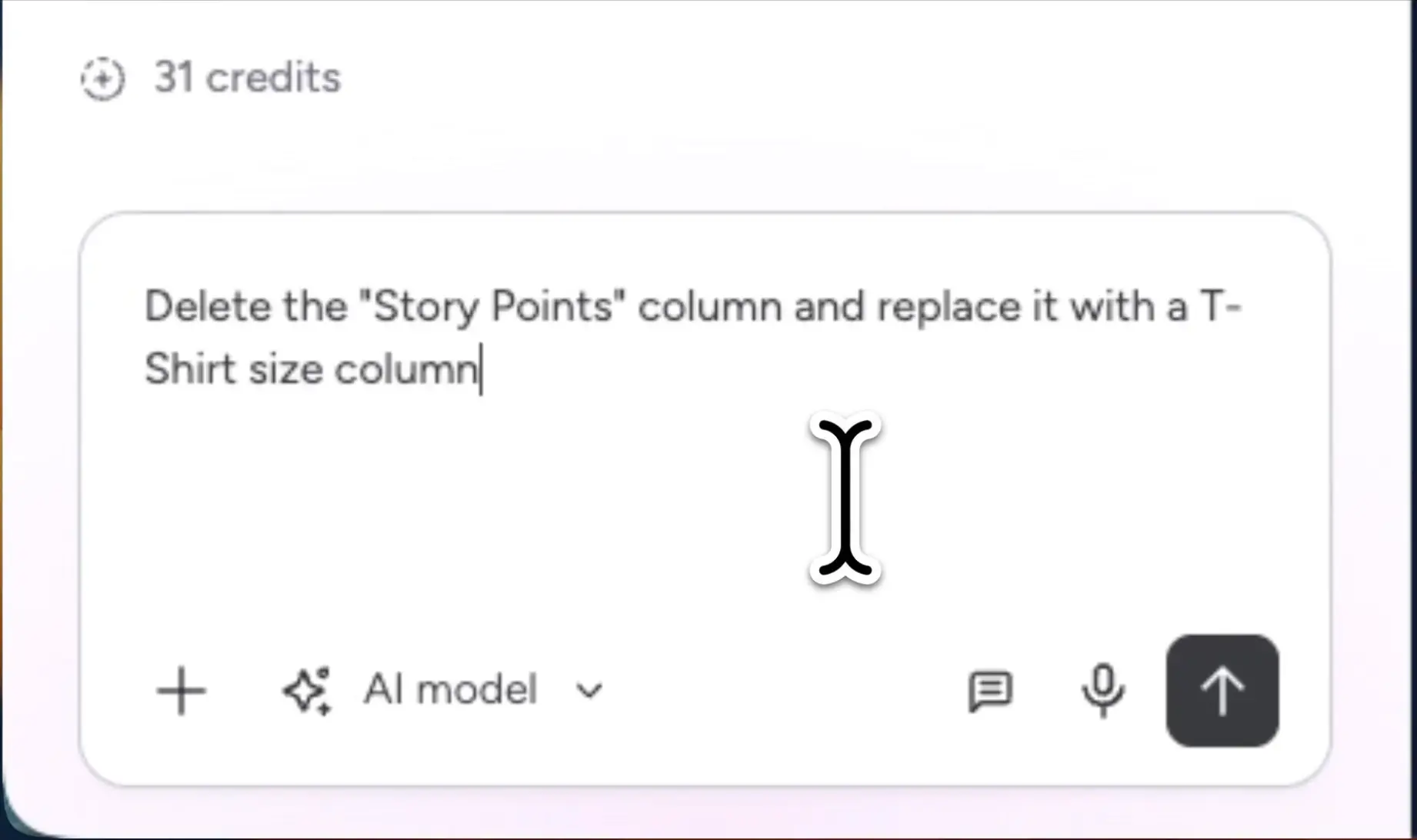
In the Vibe chat, you can now also change the connected board: add or rename columns, manage items, delete boards and import new boards from CSV or XLSX files. Before any change that deletes data, Vibe asks for confirmation.
Example use case
You write: "Delete the Story Points column and replace it with a T-shirt size column." Vibe shows the confirmation step first and then makes the change.
Duplicating Vibe apps and connecting them to other boards
Status: Full rollout
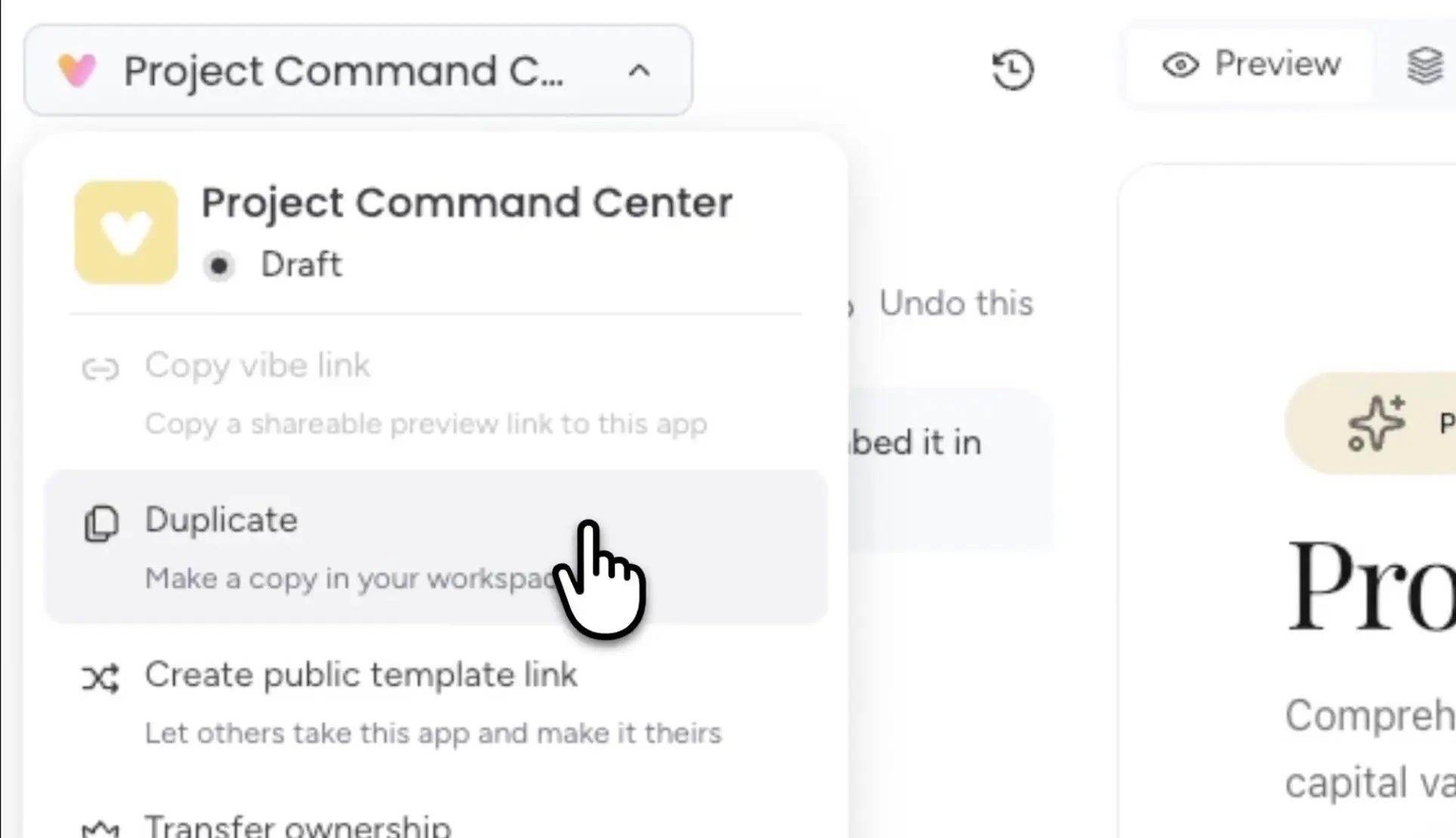
Vibe apps can now be duplicated and connected to new boards. This lets you use the same app for several teams, projects or clients without rebuilding it. With a public template link, other accounts can also take the app and connect it to their own boards. For testing, you can duplicate a live app onto a test board.
Example use case
A service provider builds a client portal once and connects copies of it to each client's boards. New features are tested on a copy with a test board first, so the clients' live apps stay untouched.
Building a Vibe app with several people
Status: Full rollout
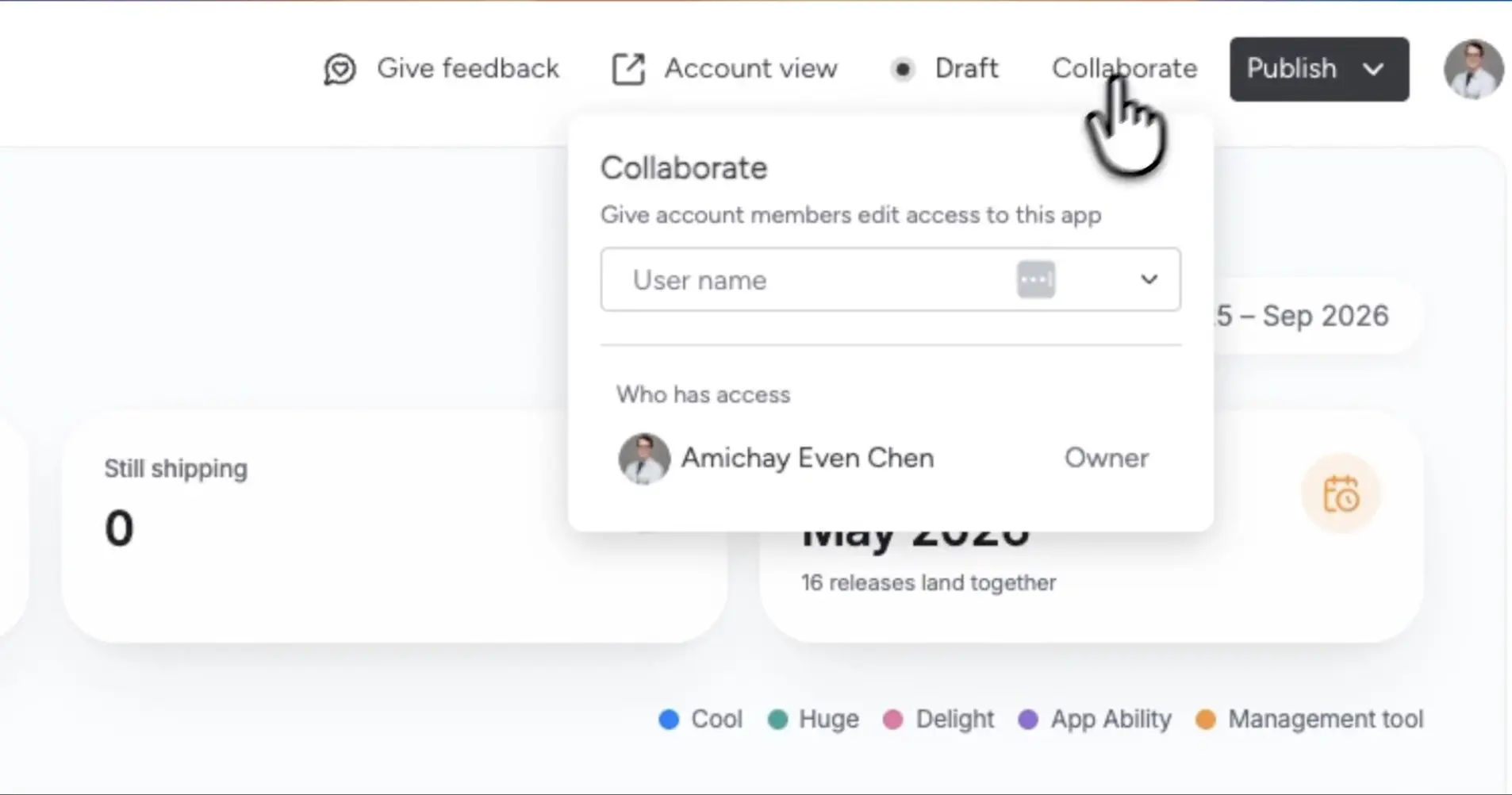
You can now invite teammates to a Vibe app as editors or collaborators, without handing over ownership. Editors get full build access. Collaborators can review the app and troubleshoot, but can't make changes. Admins can be added as collaborators to publish the app on the builder's behalf. Every prompt is attributed to the person who sent it.
Example use case
Two people from finance build an expenses app together. IT joins as a collaborator, reviews the app and publishes it once everything is in order.
Vibe Memory: set your standards once
Status: Full rollout
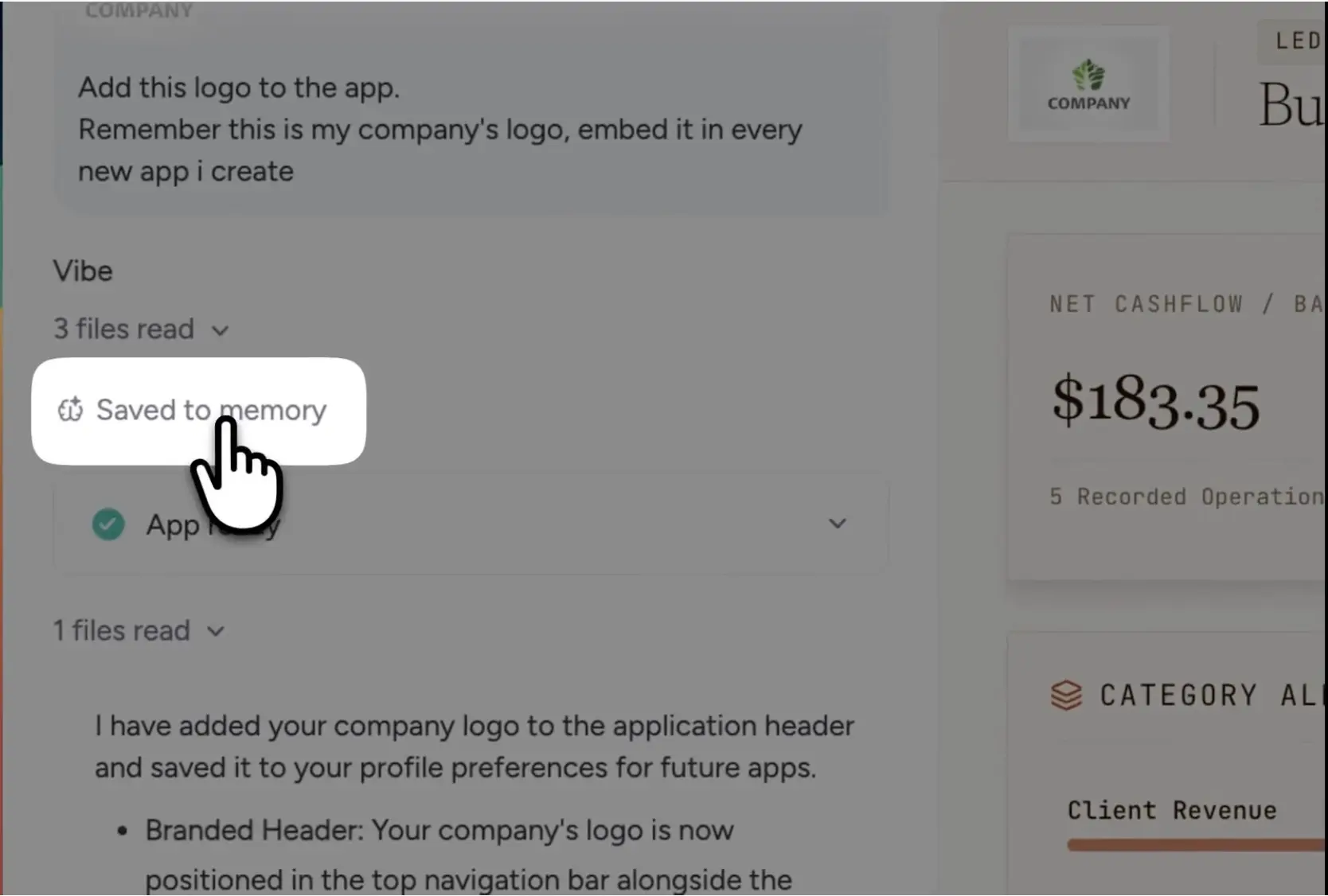
Vibe now remembers preferences such as brand colours, logos, working styles and rules, and applies them across all apps. There are three levels: App Memory for the rules of a single app, User Memory for an individual builder's personal preferences, and Account Memory for brand standards that admins define for the whole account.
Example use case
Marketing adds the logo and colours to Account Memory. From then on, every new app starts in the corporate design, no matter who builds it.
Stop button in the Vibe chat
Status: Full rollout
If a generation heads in the wrong direction, you can now stop it with the new Stop button, adjust the prompt and carry on. While a change is still being applied, you can also queue further prompts. This saves AI credits that would otherwise be spent on an unusable generation. We explain how AI credits work in our post on monday.com AI credits.
Example use case
Vibe starts redesigning the whole app in dark grey, even though you only wanted to change the header. You stop it, make the prompt more precise and Vibe changes only the header.
What to check after the September release
If you've connected monday.com to other systems via Make, n8n or your own scripts, check your API usage now. There's still time before 2027 to rework scenarios or budget for an add-on. If you work with Vibe, set up Account Memory first so that all new apps follow the same standards.
.svg)