

The starting point: two different philosophies
Many SMEs in the DACH region face the same question: is it worth investing in a specialised all-in-one marketing tool like HubSpot, or is a campaign module that sits directly inside the CRM you already use enough? Since monday.com launched "monday campaigns" at its Elevate conference in autumn 2025, this question has become very concrete for monday users. We take a closer look at what the tool can really do today – and where HubSpot still has the edge.
What is monday campaigns?
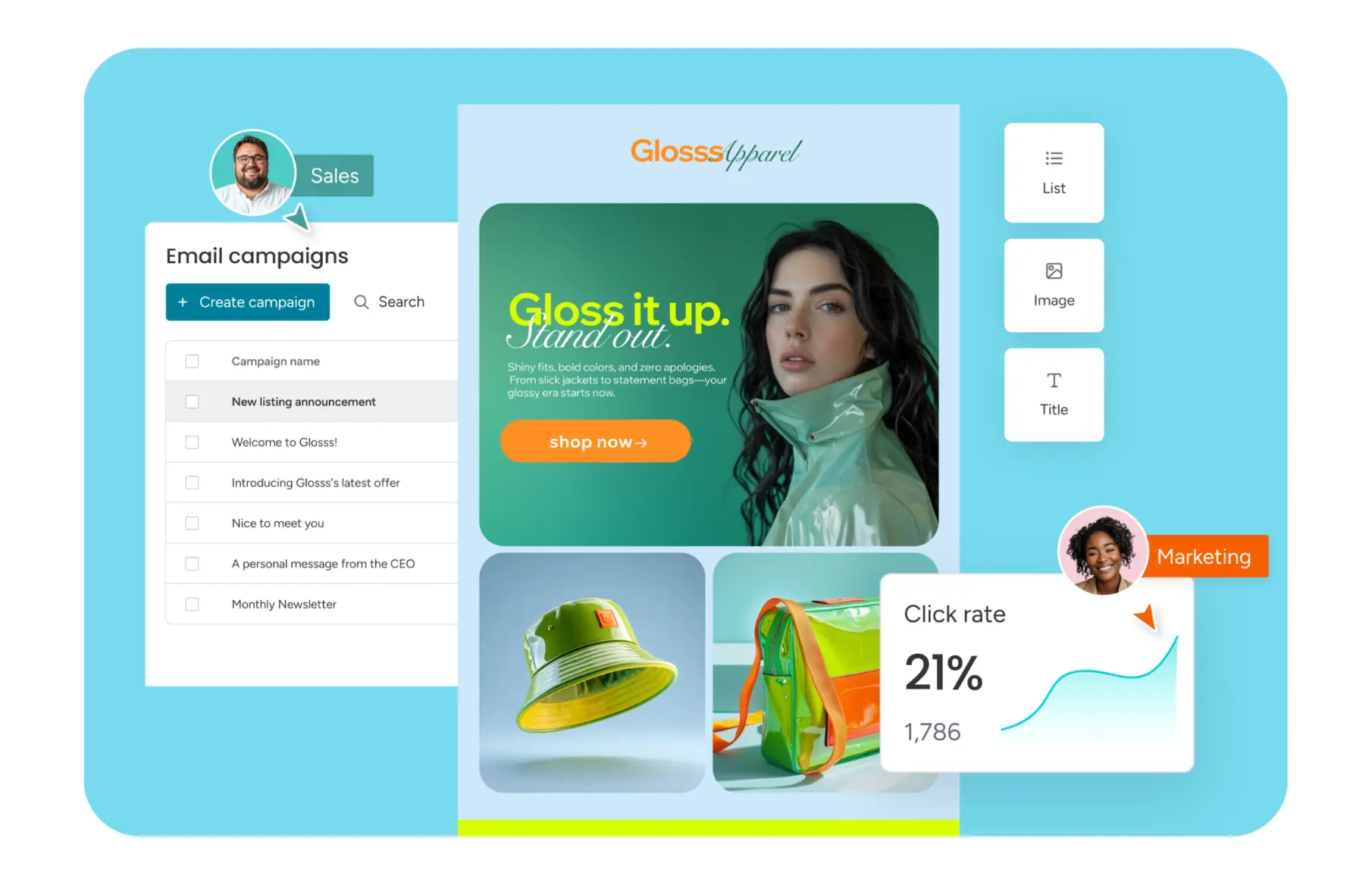
monday campaigns is an email marketing product that builds AI into the workflow throughout: from a single text prompt, the AI generates a complete, on-brand campaign including copy and design. A research agent also scans CRM data, calendars and market signals to proactively suggest the next sensible campaign.
Important for context: monday campaigns also works entirely without monday CRM – you can import contacts, build campaigns and send them without ever touching the CRM. Only once you add monday CRM do you get automatic contact syncing, engagement data directly in the contact timeline, and real-time revenue attribution from the first email click through to the closed deal.
monday campaigns features at a glance
- AI campaign creation: A complete email from a single prompt in under a minute
- Drag-and-drop editor: No coding or design skills required
- Live segmentation: CRM lists update automatically along with your contact data
- Automated workflows: Triggered by CRM updates or contact behaviour, including from Work Management, with delay logic and multi-step sequences
- Sending infrastructure: Runs on SendGrid, with DKIM/SPF/DMARC authentication and a delivery rate of 98–99%
What monday campaigns can't do (yet)
The product is deliberately focused: at present it covers email marketing and landing pages only. If you already need social media scheduling, native ads management, or a fully-fledged CMS for landing pages and a blog, you'll hit limits.
What is HubSpot Marketing Hub?
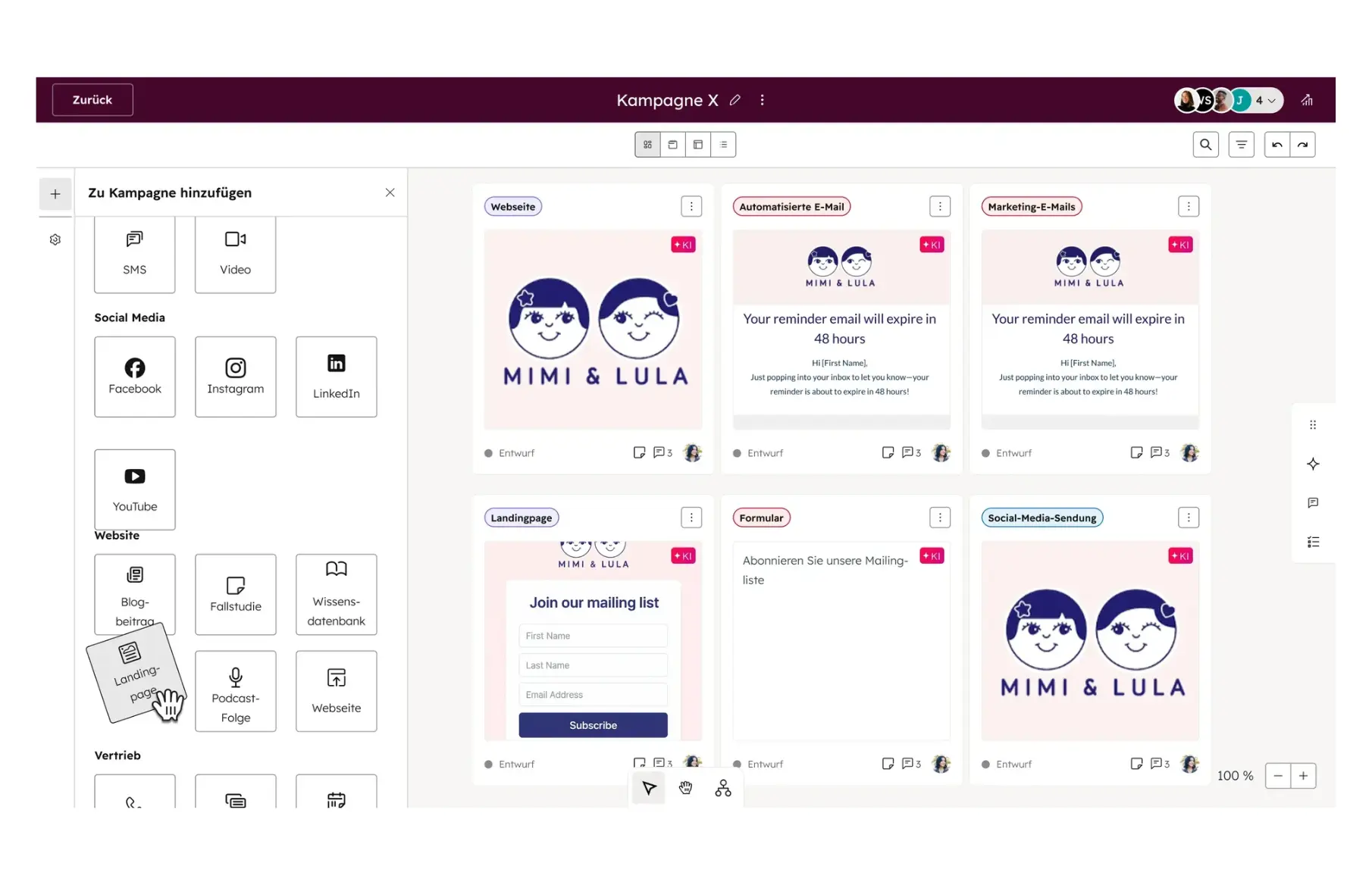
HubSpot Marketing Hub is the far more broadly positioned counterpart: an all-in-one suite with email marketing, forms, landing pages, a fully-fledged CMS for website and blog, native social media scheduling, ads management across multiple platforms, and advanced lead scoring and attribution reporting. The CRM integration is native but modular – unlike monday, where campaigns and CRM run on the same data.
The key difference: CRM-native vs. modular suite
The core difference isn't down to individual features, but to the architecture. With monday campaigns there's no synchronisation between the CRM and the campaign tool, because both access the same data. Changes are visible immediately. At HubSpot, Marketing Hub and the CRM components are separate, if well-connected, modules.
For teams already working with monday CRM, this means: a single source of contacts, no duplicate data upkeep, and sales sees campaign engagement directly in the contact timeline. For teams with more complex, multi-channel marketing programmes, HubSpot offers the more mature toolkit – particularly for lead scoring, attribution and native AEO optimisation, which HubSpot has already built into its content tools.
Feature comparison in detail
| Criterion | monday campaigns | HubSpot Marketing Hub |
|---|---|---|
| Core approach | Campaigns run directly on CRM data, for revenue-driven marketing | Marketing execution at scale, across channels |
| Tool consolidation | Replaces a separate marketing tool, as it's part of the CRM suite | Stand-alone, broadly equipped suite |
| CRM integration | Fully embedded, no synchronisation required | Native, but built in a modular way |
| AI usage | Built in throughout workflows, analytics, content and design creation | Support for content and campaign creation |
| Email creation | Drag-and-drop editor plus AI chat, easy to customise | Mature, but less flexible for individual customisation |
| Segmentation | Live CRM lists that update automatically | Advanced segmentation logic |
| Marketing automation | Workflows triggered directly by CRM and Work Management updates | Advanced, specialised workflows for lead nurturing and lifecycle marketing |
| Reporting & attribution | Revenue attribution taken directly from CRM data (deals, pipeline, revenue) | Advanced attribution and funnel analytics |
| Social media | Manageable via workflows, no dedicated social tool | Native scheduling, publishing and analytics |
| Content management (CMS) | No CMS of its own, external tools needed for website/blog | Fully-fledged CMS for website, blog and SEO |
| Visibility in AI search systems (AEO) | Not natively supported | Native AEO tools and content optimisation |
Beyond the pure feature list, there's another difference that shows up in practice: because monday campaigns is part of the Work OS, campaign processes (briefings, approvals, creative workflows) can be attached directly to existing monday boards, rather than being managed in a separate tool. HubSpot, on the other hand, scores where teams already run an established, cross-channel marketing setup with many third-party integrations – switching would cost you well-established processes and integrations.
Cost comparison
The pricing models are fundamentally different:
monday campaigns
Usage-based billing according to the number of marketing contacts, not per seat.
- Pro plans start from USD 50/month (billed annually) for up to 2,000 contacts,
- scaling up to 52,000 contacts on Pro, or up to 100,000 on Enterprise.
- A 14-day trial with no credit card required is available.
HubSpot Marketing Hub
There are four tiers to choose from:
- Free
- Starter (from approx. USD 20/seat/month, 1,000 contacts),
- Professional (from approx. USD 890/month for 3 seats and 2,000 contacts, plus a one-off onboarding fee of USD 3,000),
- Enterprise (from approx. USD 3,600/month, 5 seats, 10,000 contacts).
These figures come from both providers' public US price lists (as of spring 2026); for customers in Switzerland it's always worth requesting an individual quote, as local terms and discounts can vary.
Data protection and compliance
monday.com currently offers three data regions, all of which run on Amazon Web Services (AWS):
- US (default region, including Northern Virginia)
- EU (Frankfurt, Germany)
- APAC (Australia)
Your data region is set automatically based on the location of the first user who sets up an account; switching afterwards isn't possible with a single click and instead requires setting up a new account in the region you want.
monday campaigns meets GDPR, SOC 2 Type II, ISO 27001 and HIPAA requirements. For Swiss companies, this means the foundations for GDPR/Swiss FADP-compliant use are in place, though the specific setup depends on your own monday configuration.
Who is each tool suited to?
monday campaigns is a good fit if you:
- already work with monday CRM, or want to introduce it
- mainly need email marketing rather than a full multi-channel programme
- want fast campaign creation with AI support and direct revenue attribution
- want to consolidate your tool stack instead of maintaining CRM and marketing tool separately
- want to closely connect campaign processes to your existing Work Management workflows
- are looking for a lower entry price than comparable all-in-one suites
HubSpot Marketing Hub is a better fit if you:
- need a fully-fledged CMS for your website, blog and landing pages
- want to manage and evaluate ads centrally across multiple platforms
- need advanced lead scoring and multi-touch attribution
- have a larger marketing team with well-differentiated processes
- have already invested heavily in a large ecosystem of third-party integrations
Conclusion
There's no universally "better" tool – the answer depends on what your marketing stack looks like today. For most SMEs in the DACH region who already work within the monday ecosystem or focus primarily on email-driven growth, monday campaigns is often the more natural choice – thanks to its direct CRM connection, faster setup and lower entry price. If, on the other hand, you need a mature multi-channel suite with CMS, ads and lead scoring, HubSpot Marketing Hub remains the more comprehensive solution.
.svg)