

With its AI Agents, monday.com has launched a real game-changer: for the first time, you can create AI agents directly within monday.com that act independently rather than merely assisting. No separate tool, no prompt window, no manual follow-up. The agents take on recurring tasks, make decisions based on context and act end-to-end – right where your team plans, tracks and collaborates. In this post, you’ll find out what monday.com AI Agents can really do, how to launch your first agent and why this isn’t a traditional automation feature.
What you can expect from this post
- What are monday.com AI Agents and how do they differ from automations?
- Expert Agents vs. Custom Agents: What’s the difference?
- Step by step: How to create your first agent.
- An overview of the agents’ core capabilities.
- Real-world examples for marketing, HR, IT, legal and more.
- ecurity and governance – who controls what?
- FAQ: The most important questions at a glance.
What are monday.com AI Agents?
monday.com AI Agents are AI agents that are embedded directly within monday.com and work autonomously for you – within the context of your boards, data and workflows. They are not chatbots that you can ask questions of. They are digital team members who:
- Read and interpret data (boards, documents, dashboards, linked tools).
- Analyse and synthesise the data to derive insights or identify next steps.
- Make decisions based on logic and real-time context.
- Take action – create tasks, set statuses, send emails, generate content.
In short: agents don’t just assist, they take action.
AI Agents vs. Automations – what’s the difference?
That’s the question most people ask, and it’s a fair one.
Traditional automations follow fixed rules: ‘If A happens, then do B.’ They’re quick to set up, but inflexible. They can’t recognise exceptions, interpret context or generate anything.
AI agents are taking things further:
For example, an agent can read an incoming support ticket, assess its urgency, draft a suitable response from the knowledge base and assign the task to the right team member – all in a single step, without any manual intervention.
Sidekicks vs. AI agents – which is the right choice in which situation?
This often leads to confusion – so here’s a clear distinction:
monday Sidekick is like a personal AI assistant for you. You ask questions, get answers – interactively, in a conversational style. Sidekick is great for research, drafts and summaries.
AI Agents are built for execution and tasks on a large scale. They run autonomously, on a schedule or via triggers, and handle processes end-to-end – with guardrails and control.

Two types: Expert Agents and Custom Agents
Expert Agents – ready to go
Expert Agents are pre-built agents in monday.com designed for specific use cases. You don’t need to configure them; you can simply select them in your monday environment, activate them and get started.
Currently available:
🏢 Work Management
- PMO Agent – Keeps your projects on track, identifies bottlenecks and generates status reports.
📊 CRM
- Sales Lead Agent – Automatically identifies and prioritises leads based on your ICP.
- Sales SDR Agent – Conducts initial discovery calls, qualifies leads and hands them over to a human for further processing.
🎧 Service
- Customer Support Agent – Responds to tickets with personalised replies based on ticket history and the knowledge base.

Custom Agents – your agent, your rules
With the AI Agent Builder, you can create your own agent in minutes, with no technical knowledge required. You simply describe in plain language what you want the agent to do, and monday.com takes care of the orchestration. Find out more in the next section.
How to create your first agent – step by step
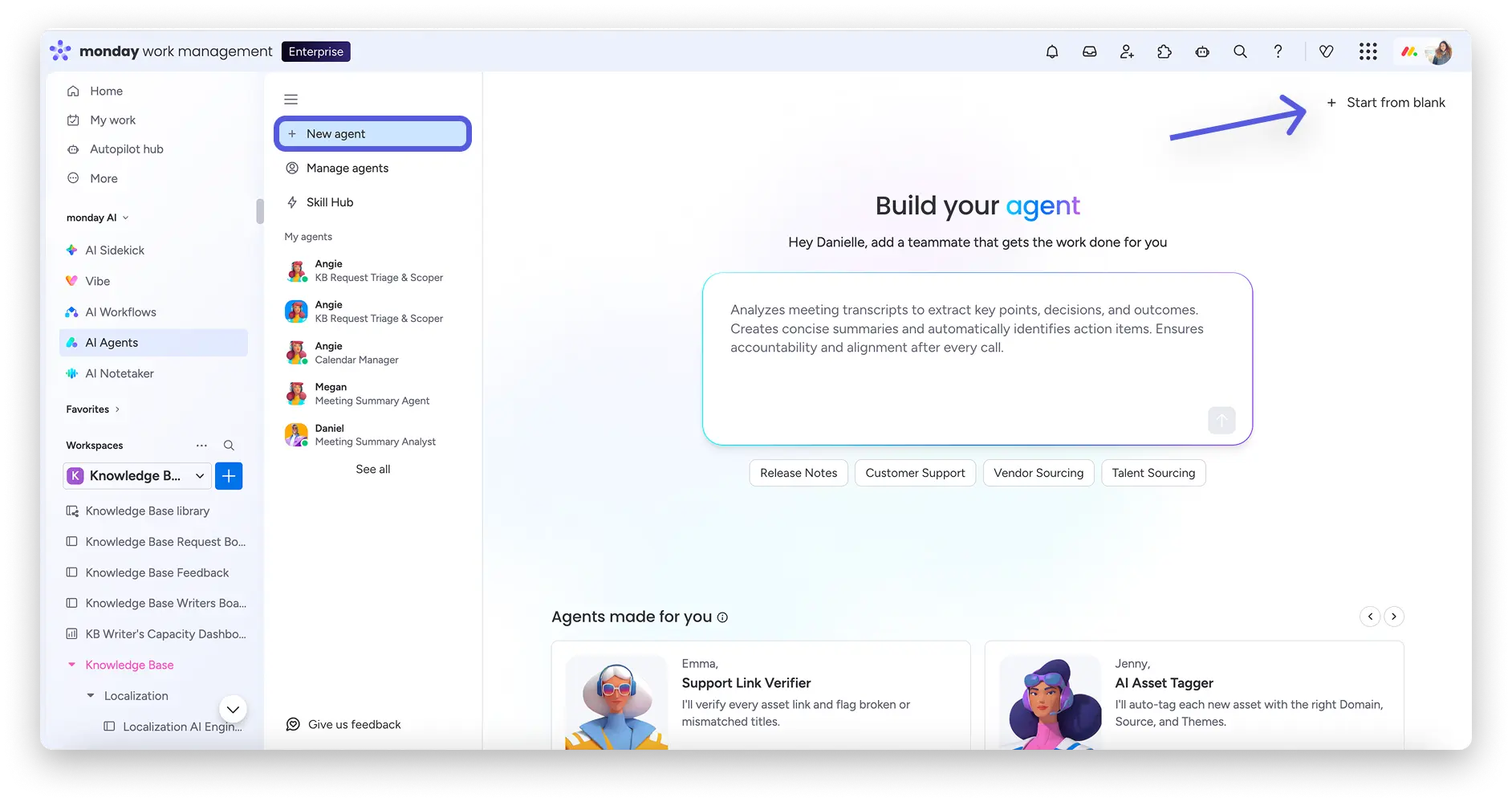
1. Go to the AI Agents tab
On the left-hand side of your monday.com workspace, you’ll find the AI Agents tab. Click on ‘+ New Agent’ to get started.
2. Choose a template or describe your agent
You can choose from over 20 pre-built templates for specific tasks or describe your agent from scratch. The description is written in natural language.
Example: “I’d like an agent for our sales team who can retrieve new leads from the CRM dashboard, assess them against our ICP and draft outreach emails.”
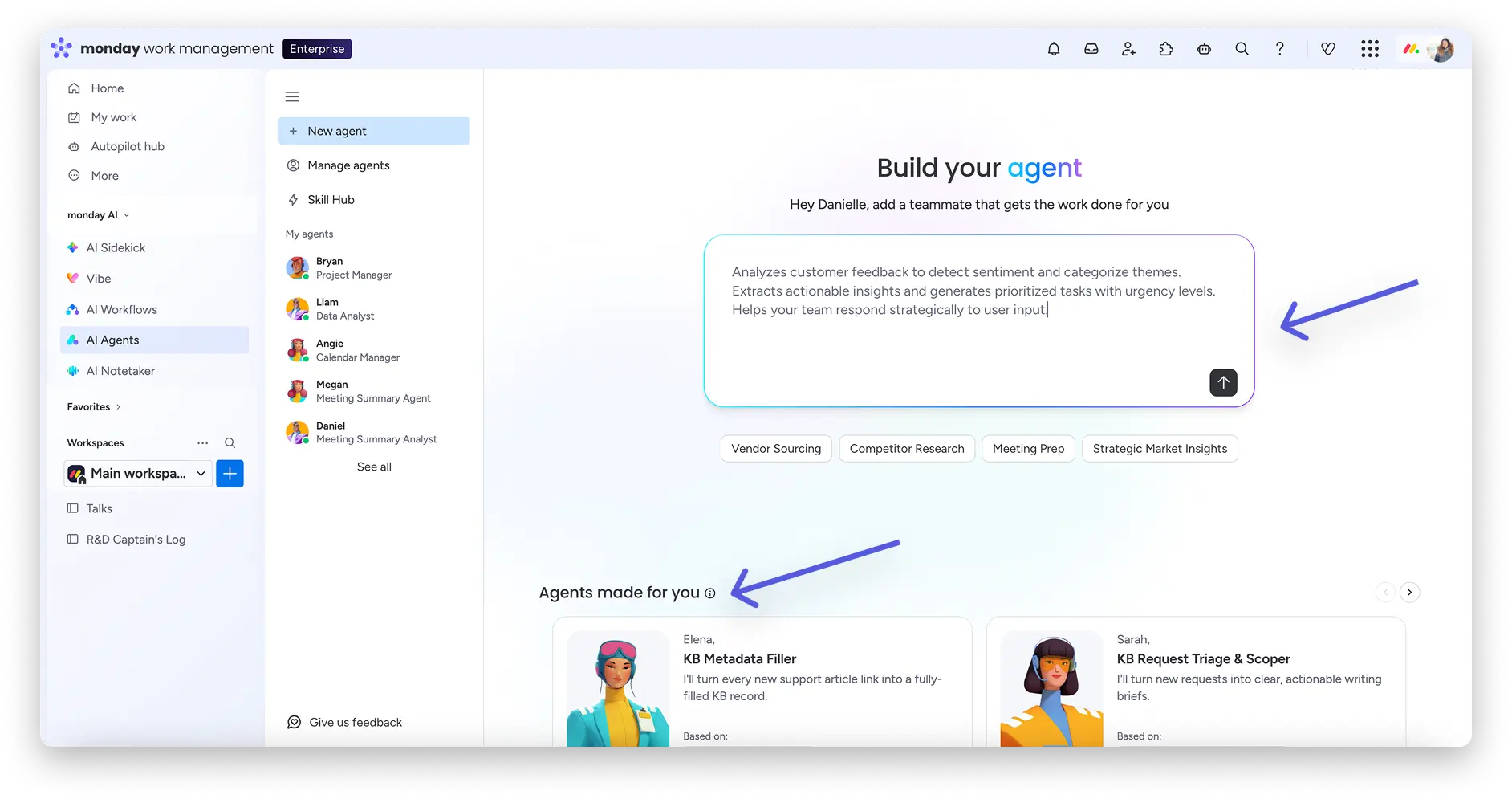
3. Define the «Brain» (Instructions)
At the heart of every agent is the Brain Tab. Here, you can specify:
- What the agent should do (goals and actions).
- How it should communicate (tone, format, rules).
- Which variables it should take into account (e.g. fields, email content).
Tip: Be specific. The clearer the instructions, the better the performance.
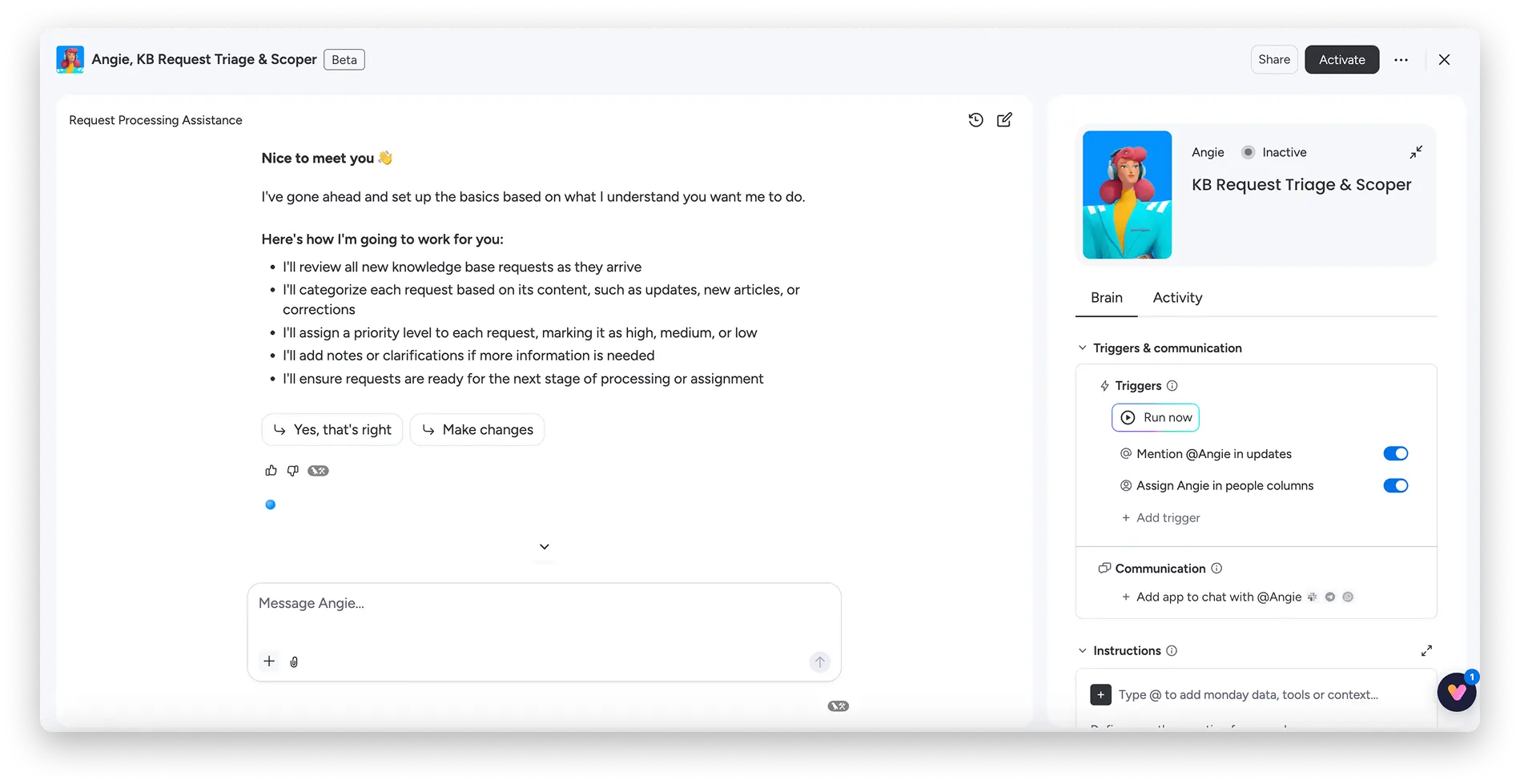
4. Set triggers
Now set the appropriate triggers and decide when your agent should be activated. You can customize this to suit your specific needs:
- On a schedule (daily, weekly, etc.)
- When changes occur in your boards (status update, new item, etc.)
- Manually – when you activate it with the click of a button
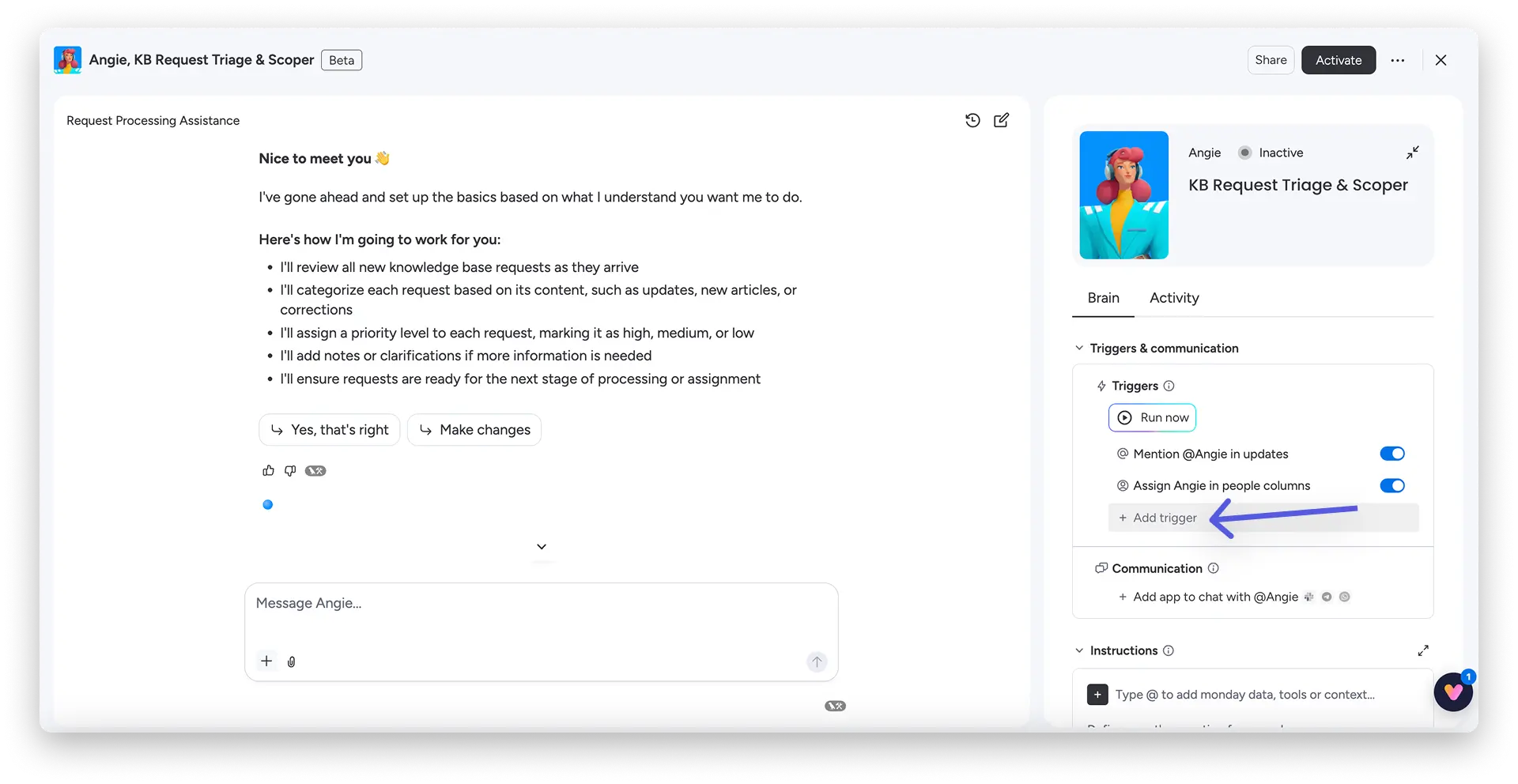
5. Configure Knowledge & Access
Specify which boards, docs, and files the agent has access to, and whether they have read-only or read-write access. You can also upload files to provide the agent with additional context.
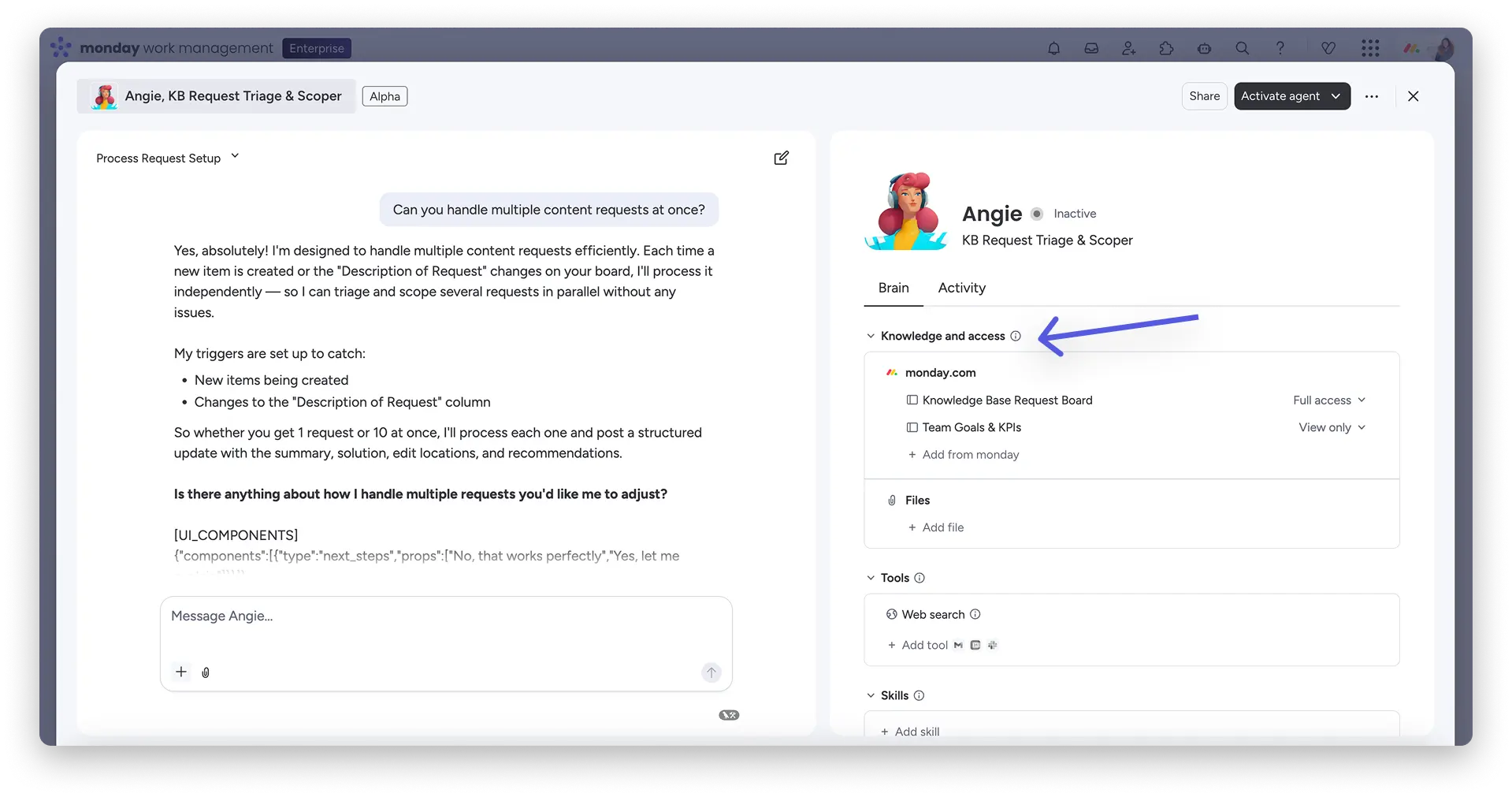
6. Validate and activate
Test the agent using the Conversation section in the Builder before you go live. The agent will show you exactly what it would do. You can then make adjustments without having to rebuild everything from scratch.
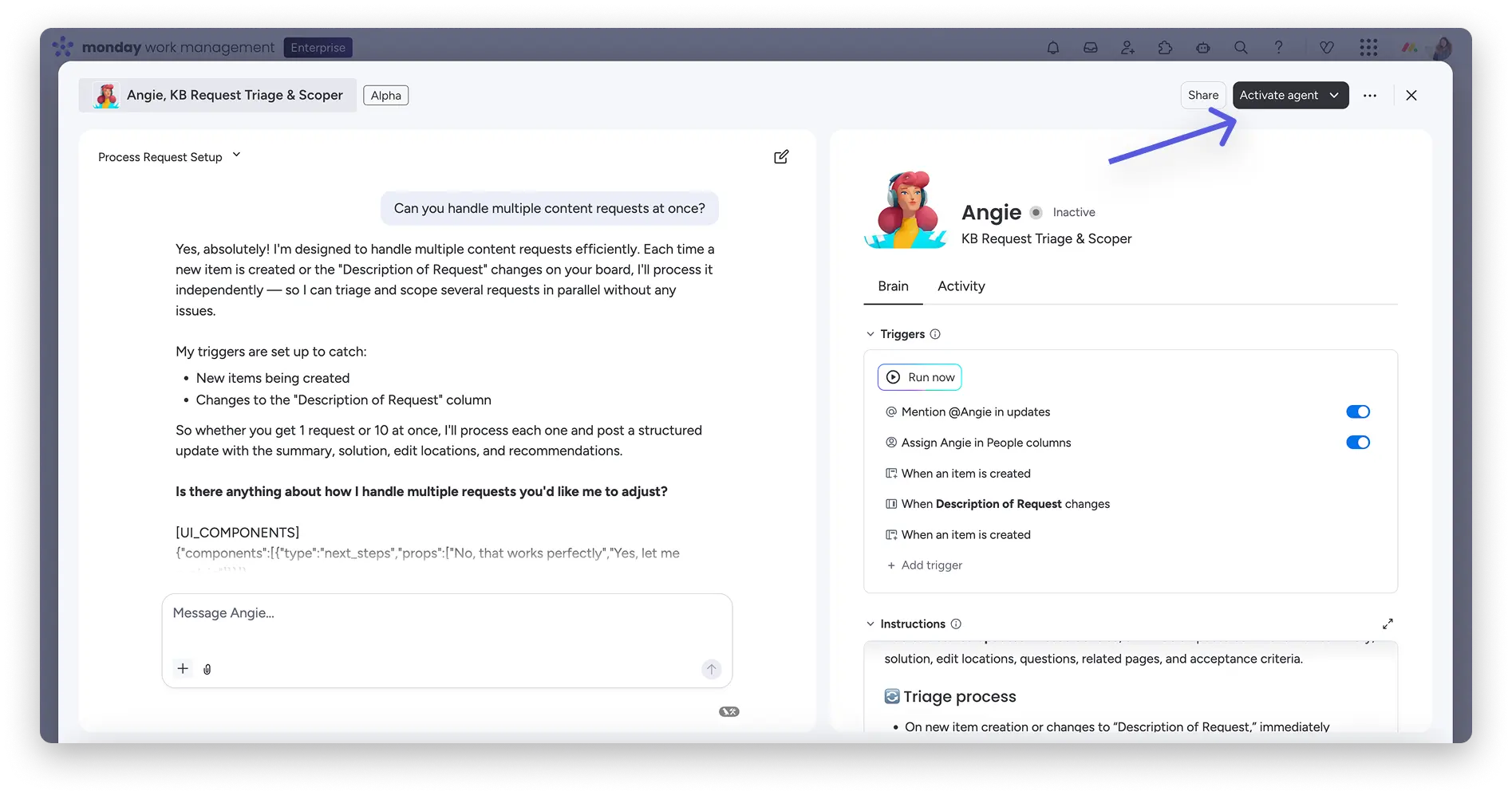
Core Skills: What an Agent can really do
Understanding and "thinking" about context
Ein Agent liest und analysiert deine monday.com Boards, Docs und Workflows. Er geht über «Wenn A, dann B» hinaus – er erkennt Ausnahmen, bewertet Prioritäten und zieht den grossen Überblick.
Making decisions
Agents apply your rules, thresholds, and criteria. They can triage, prioritize, escalate, and identify what indicates urgency or risk.
Trade end-to-end
Agents create items, update statuses, assign owners, generate drafts, and log results—all directly in monday.com. They always get things done, at scale, with guardrails in place.
Integrate external systems
Agents aren't limited to monday.com. They can retrieve external data (e.g., from calendar integrations), send emails, or trigger workflows on connected platforms. However, this only happens if you've set it up that way. Otherwise, the agent works exclusively with data from your monday.com environment.
Manage knowledge
Connect your knowledge base and define what the agent uses as the source of truth. This ensures that the output remains consistent and accurate.
Triggers and Timing
You control when and how often your agent acts—on a schedule, based on events, or manually.
Real-world examples: What agents on your team can do
Marketing
- Create a social media post from a blog link and schedule it.
- Analyse competitors’ social media, identify trending keywords, and create three ad variations.
- Analyse campaign ROI, generate a performance report, and update the marketing calendar.
HR
- Scans CVs against job descriptions and sends out invitations.
- Searches LinkedIn for passive candidates, summarises their profiles and creates personalised outreach emails.
- Carries out a skills gap analysis, creates a training programme and generates welcome emails for new employees.
IT
- Intake & Triage Agent: Every ticket is classified, prioritised and routed – automatically and in seconds.
- SLAs are set, and relevant knowledge base articles are linked.
- Knowledge Agent: Continuously monitors the health status of each article and identifies content gaps based on ticket patterns.
- Incident Agent: Classifies incidents by severity, notifies the correct team in real time and ensures that post-mortems take place.
Legal
- Checks NDAs for three specific ‘red flag’ clauses.
- Searches internal repositories for similar previous contracts, summarises any discrepancies and generates a PDF draft ready for signing.
-
PMO
- Sends status update reminders to owners of overdue tasks.
- Aggregates status updates from multiple Slack channels and workspaces into a weekly summary.
- Identifies project bottlenecks, creates a risk mitigation document and generates Gantt charts for stakeholders.
CEO / Executives
- Operator Agent: Automates meeting preparation, initiative prioritisation and decision tracking.
- Org Health Agent: Identifies revenue risks, cost leaks and failing initiatives through account-wide signal analysis.
- Strategy Consultant Agent: Identifies cost-saving and growth opportunities and generates a recommended action plan.
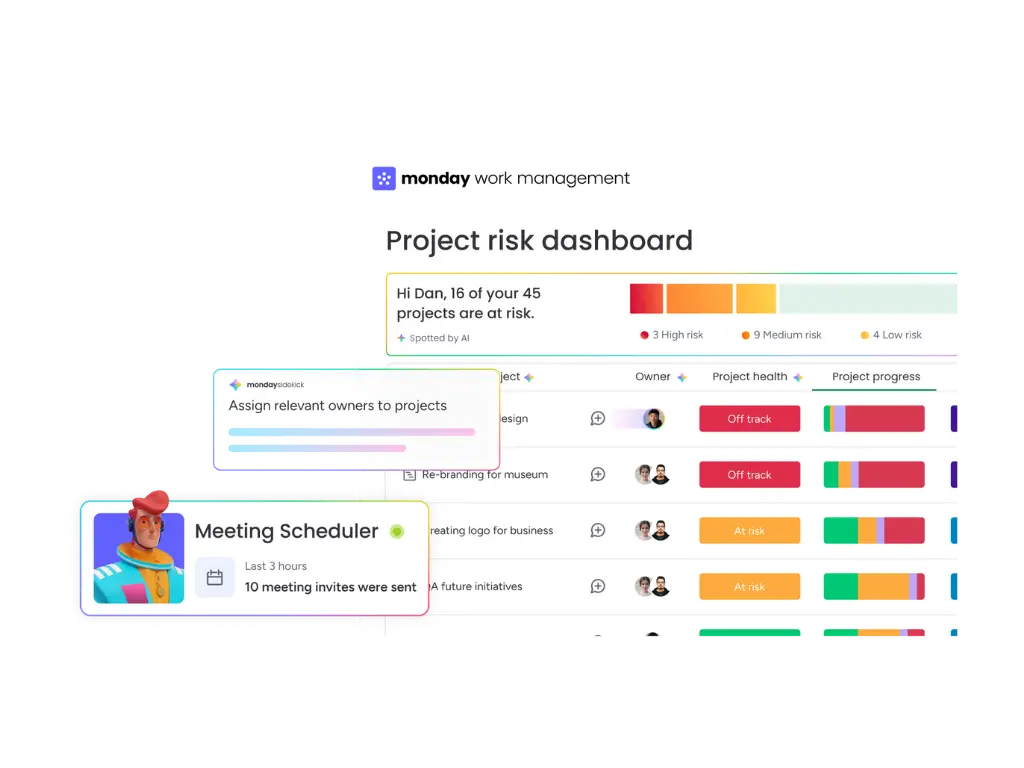
Governance & Security: Who controls what?
Control is crucial when it comes to business use. monday.com has taken this into account right from the start.
Define access scope
Each agent operates strictly within the monday.com permissions framework. It can only:
- Access boards, documents and integrations that have been explicitly linked.
- Act within the scope of the creator’s permissions.
- Perform only those actions that have been explicitly configured (read or write).
The agent cannot see or interact with a resource that has not been explicitly connected.
Two levels of control
- Agent Access (Data & Tools): What the agent is permitted to do.
- User Access (People): Who is permitted to interact with the agent – as a viewer or editor.
Admin-Level Governance
The AI Permission Centre provides admins with a central control panel:
- Enable or disable AI agents
- Restrict access to sensitive resources
- Control who is allowed to create agents
- View all agents in the Agent Directory (including status, creator and credit usage)
Full transparency via the Activity tab
Every action taken by every agent is logged in the Activity tab:
- What triggered the agent?
- What did it do?
- When did it run?
- How many credits did it use?
- Status: Completed, stopped, failed?
This gives you full traceability and makes it easy to spot errors.
Conclusion: AI agents are not just a feature – they are a new way of working
monday.com AI Agents herald a new era of collaboration. Instead of burdening your team with repetitive tasks, Agents take care of exactly that – autonomously, at scale, and within your existing monday.com environment. You set the goals, you set the rules, you stay in control. And your team gains time for what really matters.
Whether you start with an Expert Agent or build your own custom agent – getting started is easier than you think.
Would you like to know how you can use monday.com AI Agents in your business? Blinno will guide you through the setup, configuration and scaling of your agents. As a monday.com Platinum Partner, we know the platform inside out – and will work with you to find the solution that suits your team.

.svg)