

What’s new on monday.com in March 2026? This month brings a wave of updates – from a central AI control centre for admins and a completely revamped Automation Builder to new Vibe features that take app building to the next level.
As a monday.com Platinum Partner and CRM Specialist Partner based in Switzerland, we at Blinno have summarised all the new features for you, so you know what has changed in your account and how you can make the most of the new features.
monday Work OS
Improved Automation Builder
Update status: being rolled out gradually
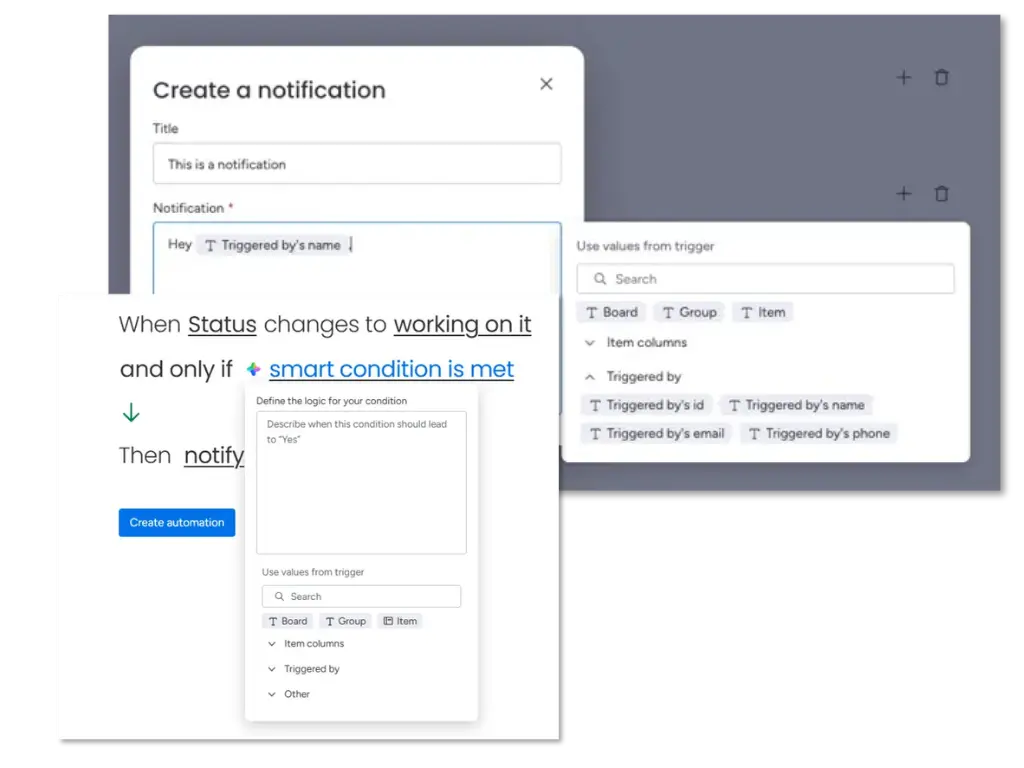
The Automation Builder has been completely overhauled and now offers significantly more options when creating new automations from scratch. Whilst existing automations and those created from templates continue to use the familiar Builder, new automations benefit from: AI generation via natural language, a consistent building experience for items and sub-items, dynamic trigger values, flexible AI-driven condition blocks, the ability to reorder actions, and enhanced integration options.
Anwendungsbeispiele
Instead of manually clicking through a complex automation workflow, you simply describe it in plain language: “When a ticket is set to ‘In Progress’ and the priority is High, notify the team lead and automatically create a sub-item for the QA review” – monday.com builds the automation for you.
AI Control Center
Update status: being rolled out gradually | only for enterprise
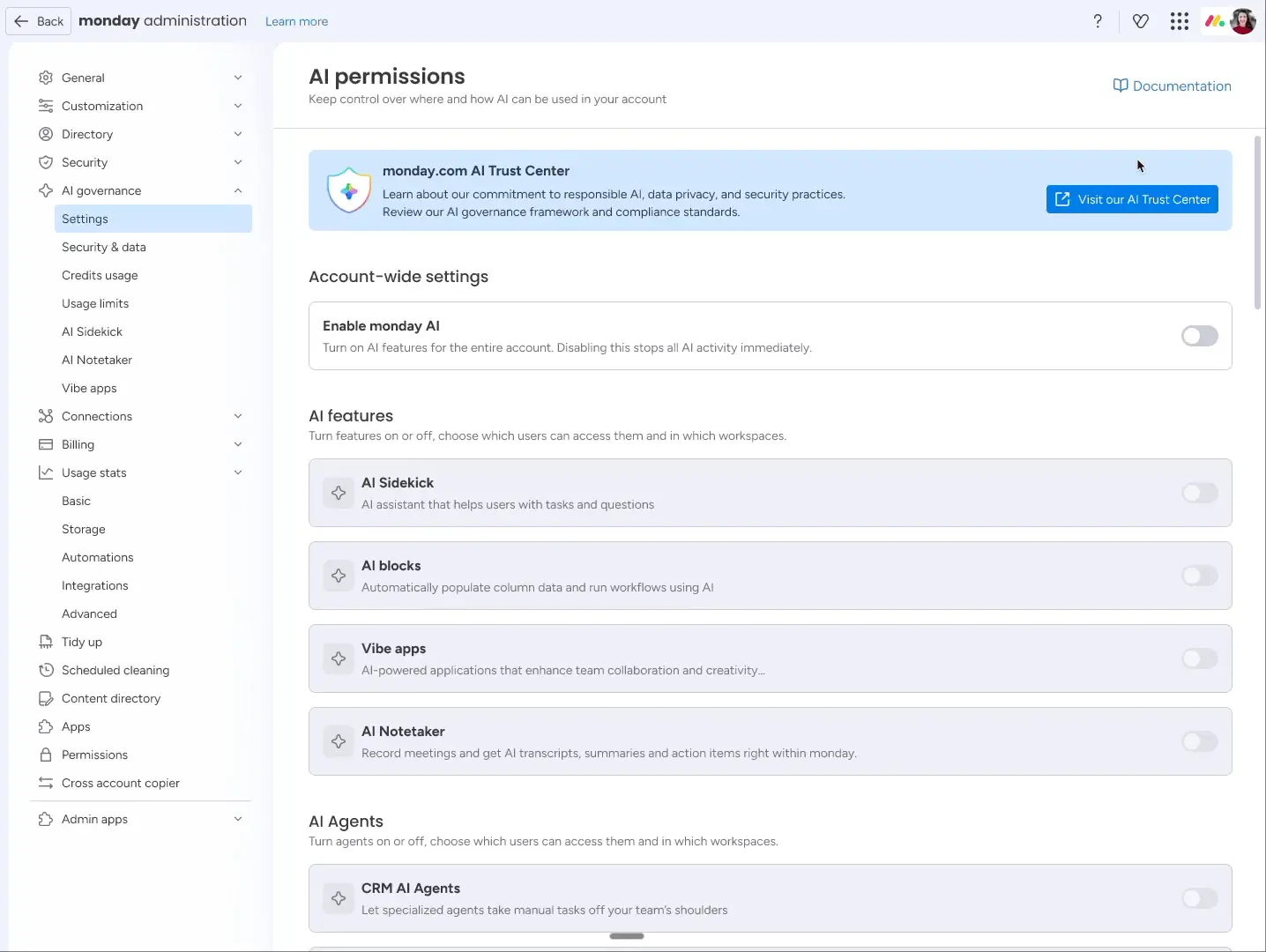
As an admin, you now have access to a central dashboard that allows you to view, filter and export AI credit usage by user and by function. This ensures complete cost transparency and helps you manage AI usage within your organisation in a targeted manner.
Application examples
Your company uses monday.com across various departments. With the AI Control Centre, you can set it up so that the sales team has access to all AI features, whilst the finance team is only allowed to use certain AI functions – all without having to configure each workspace individually.
User impersonation
Update status: fully rolled out | Enterprise only
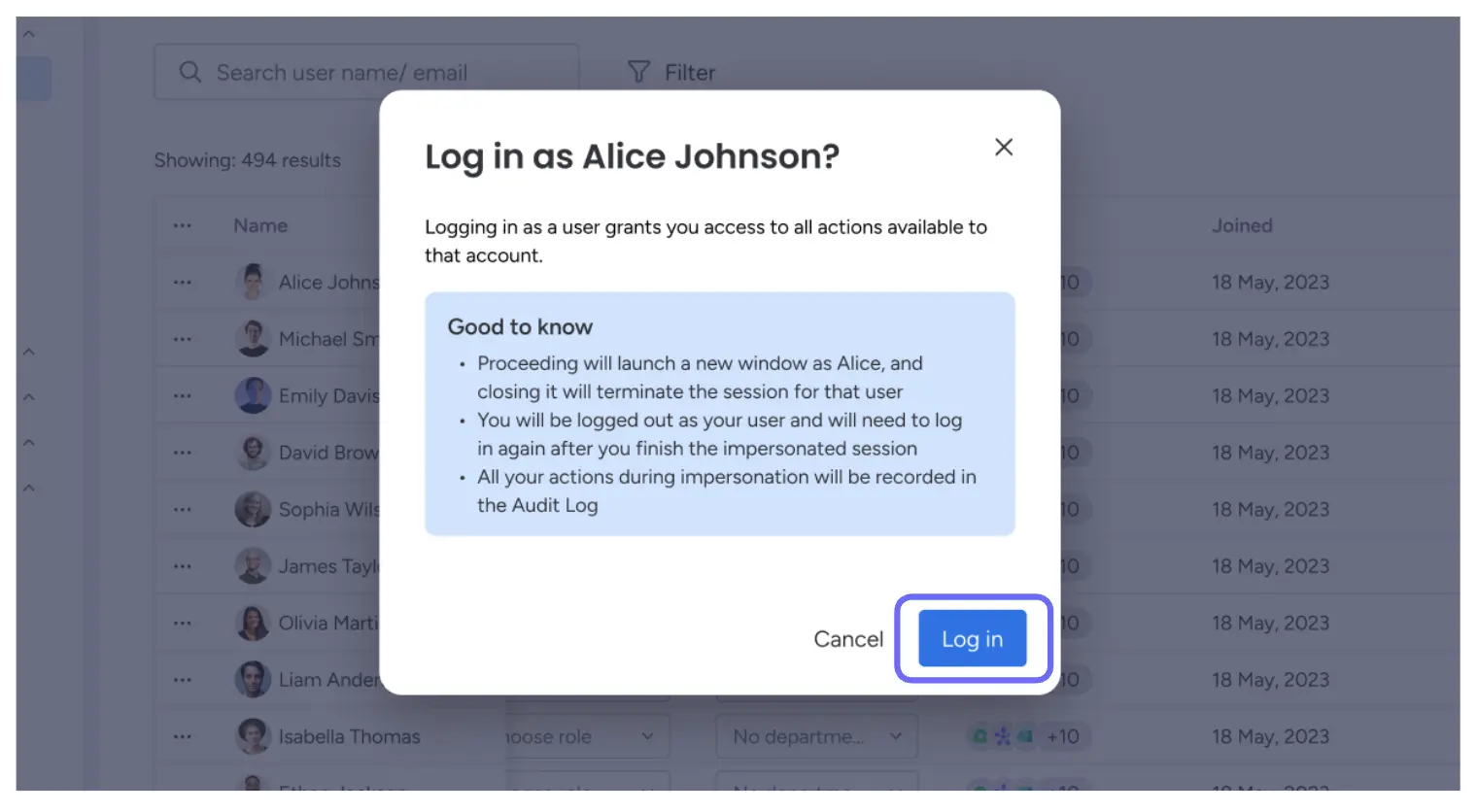
Enterprise administrators can now securely log in as a specific non-administrator user to view and navigate the account from that user’s perspective. Each impersonation session is time-limited, cannot access other administrators or managed services, and is fully recorded in the audit log.
Application examples
An employee reports that they cannot see certain boards. Instead of lengthy troubleshooting calls, as an admin you can view their screen directly, identify the problem and resolve it without needing their login details or compromising compliance.
Scheduled export to Excel
Update status: being rolled out gradually
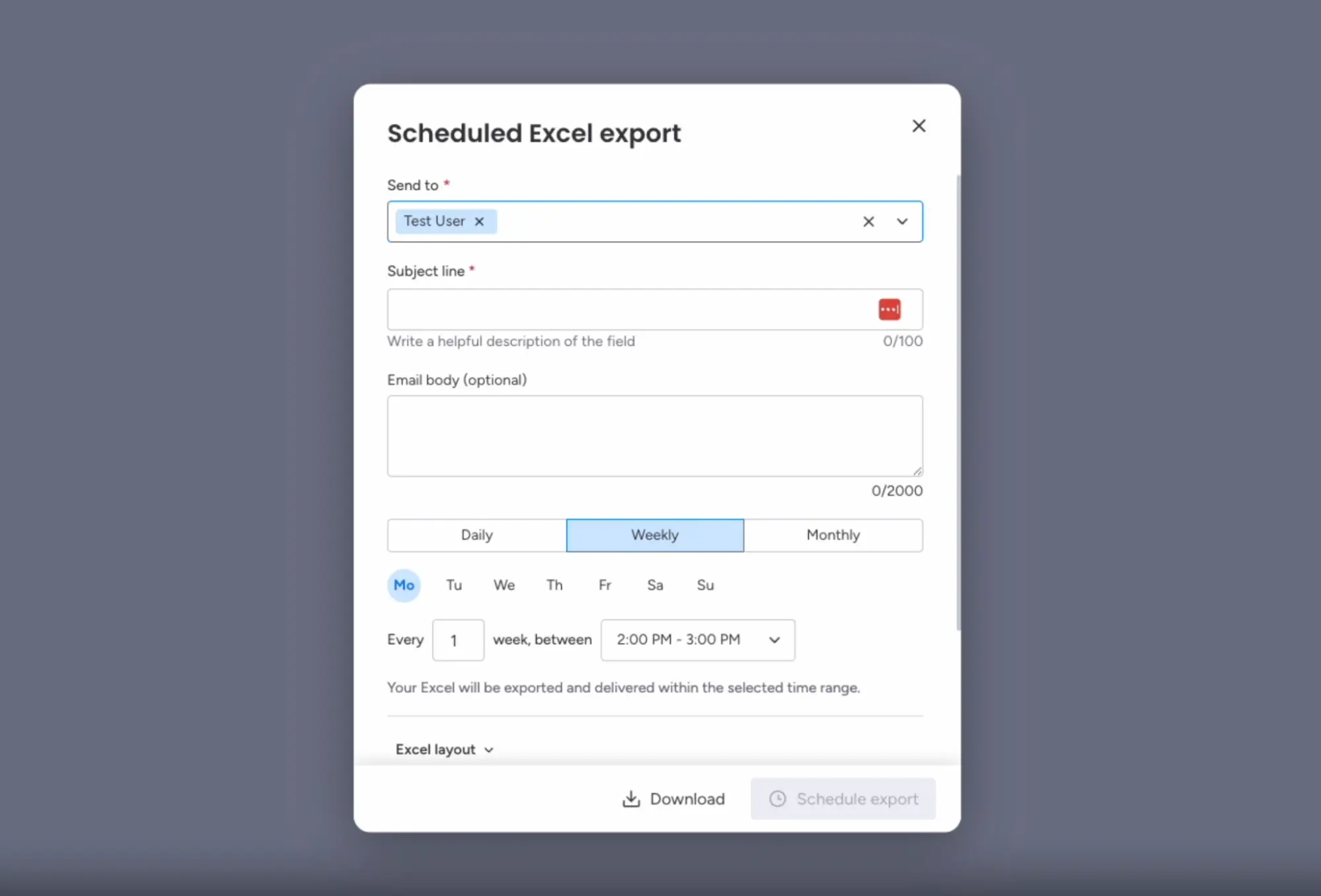
You can now fully automate the recurring export and email delivery for each board. Set the time and frequency (one-off or recurring), select the recipients, and monday.com will automatically send a snapshot of the board – including all current data, columns, filters and sorting options.
Application examples
Your management team expects an up-to-date status report in Excel format every Monday at 8 am. With a scheduled export, you set it up once and forget about it; the report arrives automatically and on time in the inboxes of the right people.
Document Hub / Repository
Update status: being rolled out gradually
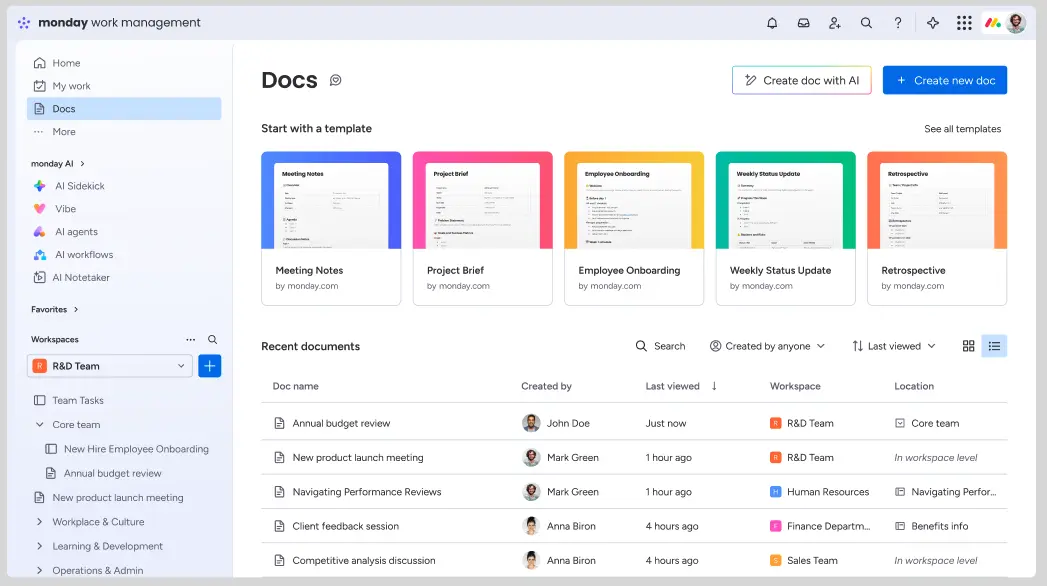
All documents in your monday.com account are now accessible in one central location: the new Docs Hub. Whether a document is stored in a workspace, a view or a column, you can find it using the searchable, filterable list view, which works in a similar way to Google Drive for all monday.com documents.
Application examples
You remember that a project briefing document was created three months ago, but you can’t recall which workspace it’s in. In the Docs Hub, you can simply search for the title or filter by creation date and find it in seconds.
Improvements to the ‘Extract Information’ AI block
Update status: being rolled out gradually
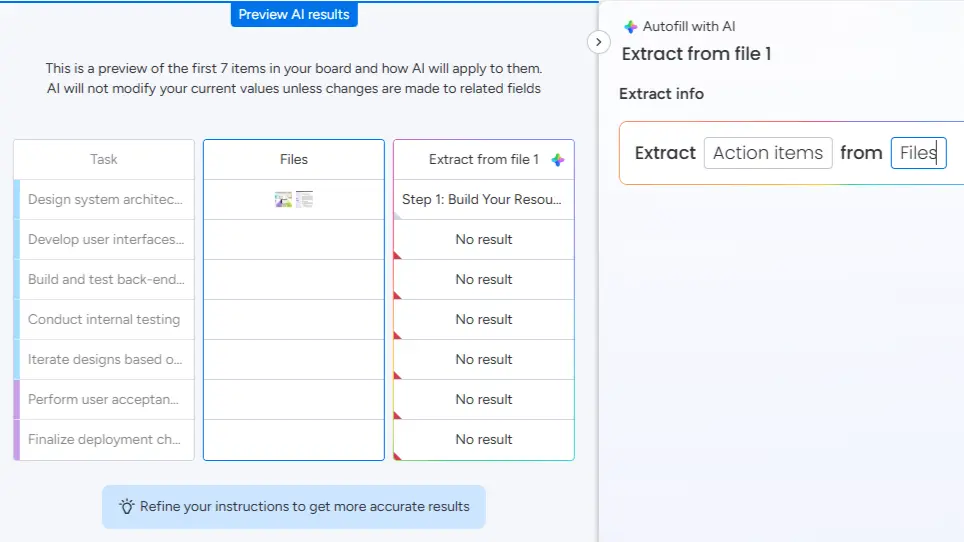
The Extract AI Block has been equipped with a significantly more powerful extraction engine. It can now extract structured information from multiple files simultaneously, handles complex documents (e.g. scanned PDFs, embedded images), supports new formats such as TXT and PPT, and works reliably in multiple languages.
Application examples
You’ll receive quotes from suppliers in various languages and formats. The improved Extract AI Block automatically extracts relevant information such as price, delivery date and terms from all documents and populates your dashboard without the need for manual data entry.
Smart Autofill for AI blocks
Update status: being rolled out gradually
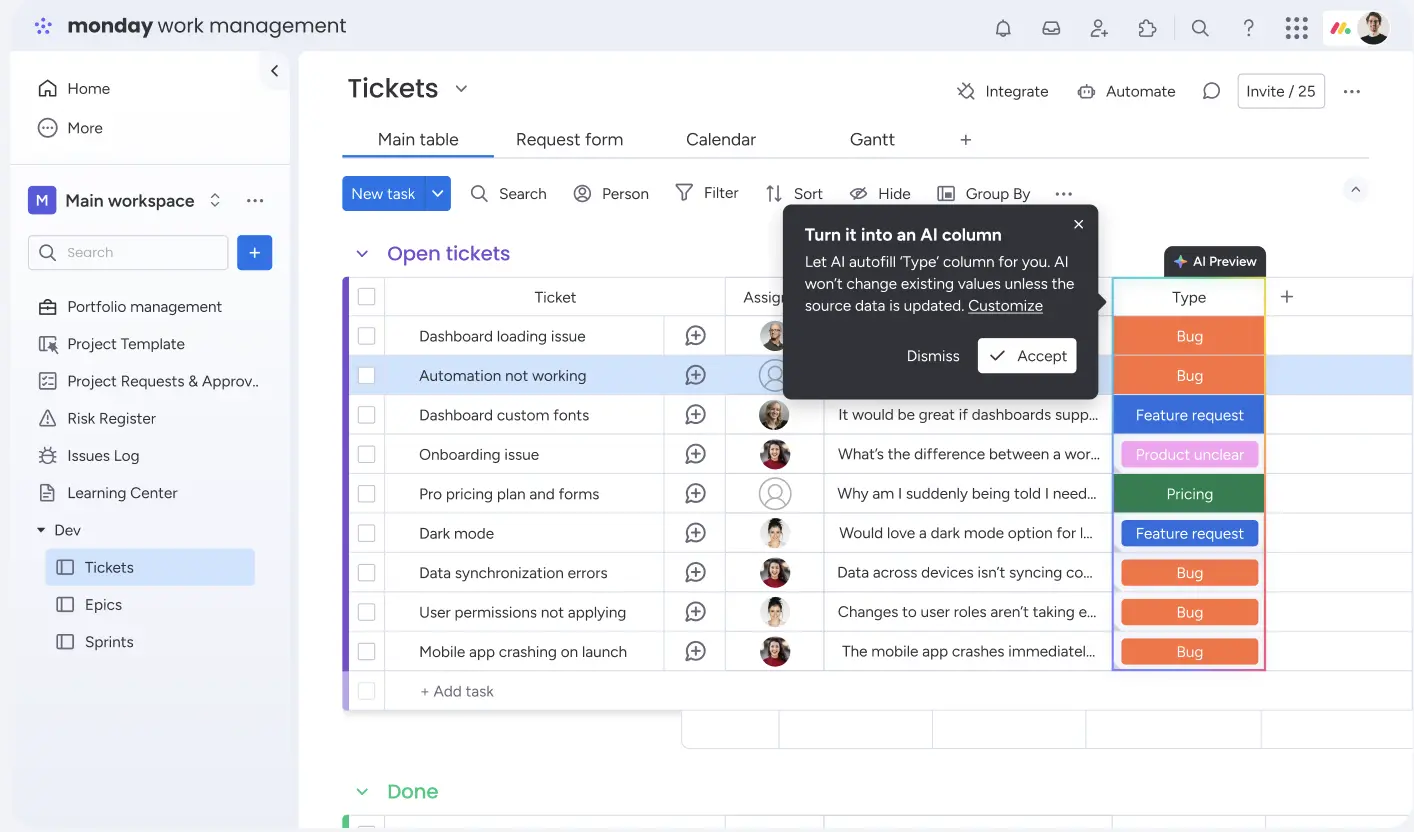
The proactive AI autofill feature automatically recognises patterns in how you manually fill board columns and immediately suggests an AI configuration to automatically fill the remaining empty cells. With a single click, all visible empty cells are filled – without having to write prompts or manually configure AI blocks. The initial rollout focuses on Categorise and Extract AI blocks.
Application examples
You manually categorise the first five tickets on your support board by type (bug, feature request, question). monday.com recognises the pattern and asks you if the remaining 45 tickets should be categorised automatically – you click ‘Accept’ and you’re done.
monday Vibe
Manual update for Vibe Apps
Update status: being rolled out gradually
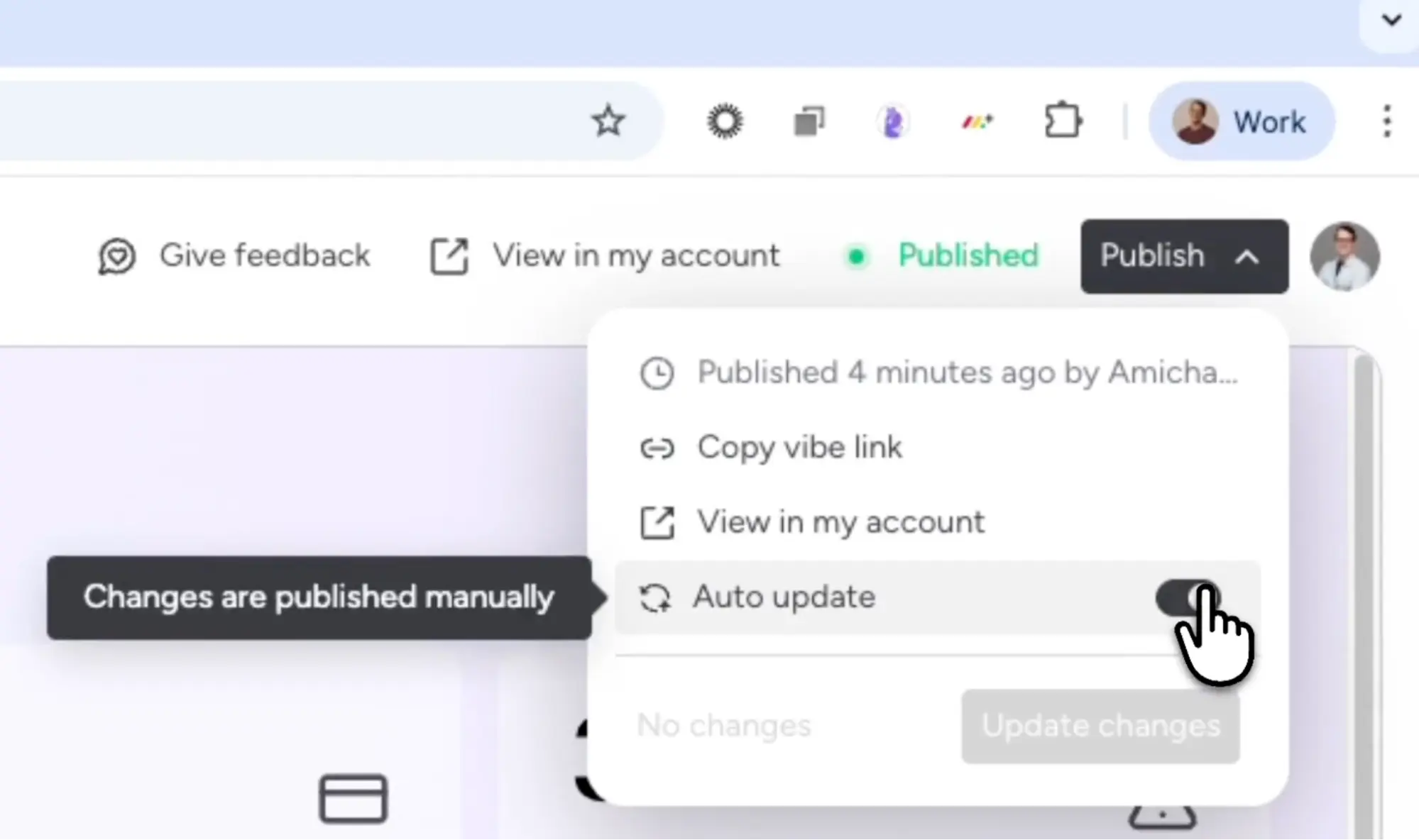
Users can now disable the ‘Auto-Update’ feature for published Vibe apps. This separates the development phase from the live phase: you can safely edit apps in draft mode without affecting the live version. Only when you explicitly click ‘Update changes’ will the changes become visible to everyone.
Application examples
You are working on improving your internal HR app, which is used by 50 staff members every day. With the manual update feature, you can develop and test at your own pace without ‘breaking’ the live app, and then roll out the changes in a controlled manner.
Email Integration in monday Vibe
Update status: fully rolled out
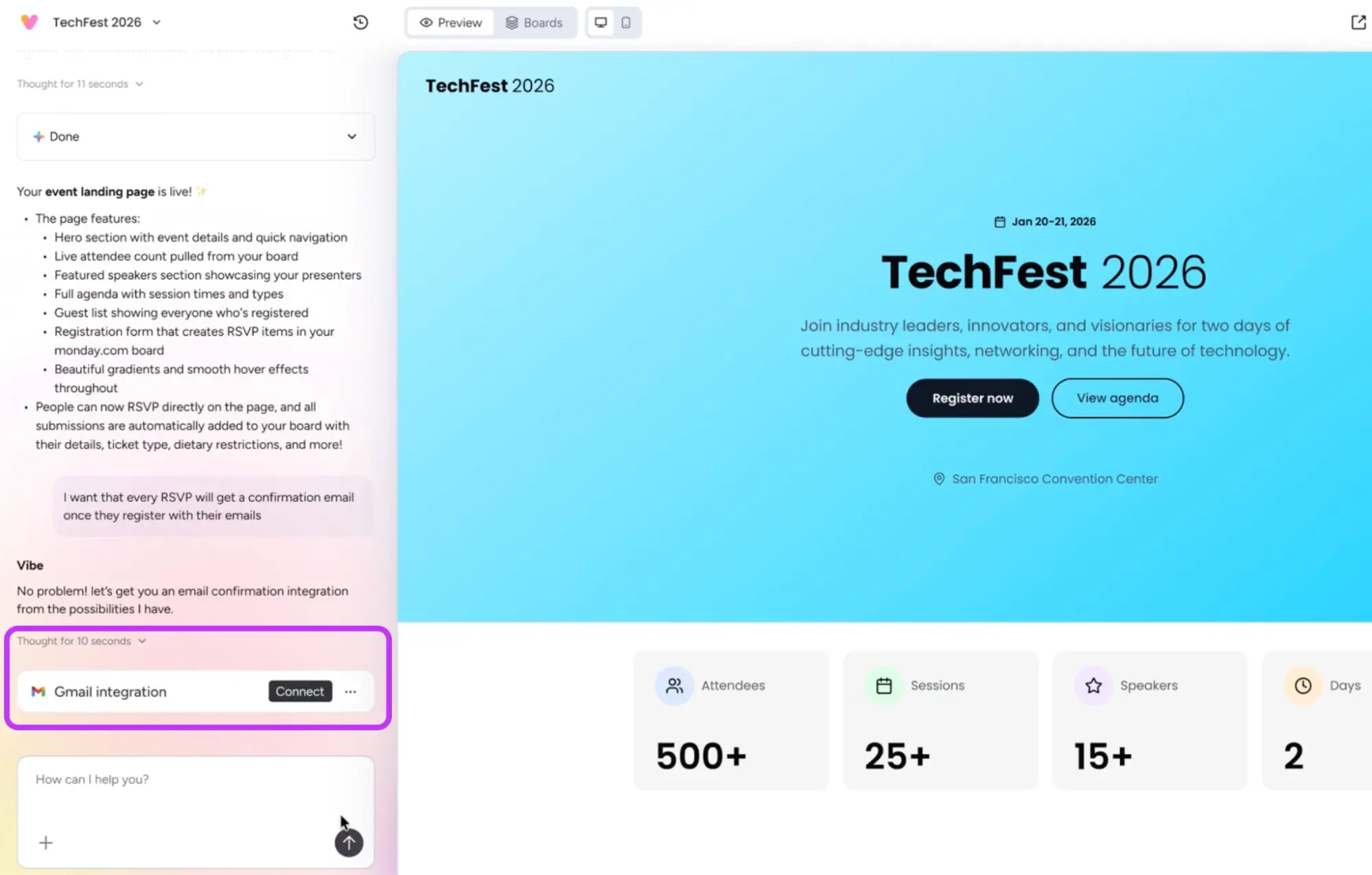
Vibe Builders can now connect external tools such as Gmail and Outlook directly within the app creation chat. Vibe automatically detects when an integration is needed and guides you through the connection process in real time, without interrupting the building flow.
Application examples
You’re building an event registration app in Vibe and want every new participant to automatically receive a confirmation email. Vibe recognises this need and offers to connect to Gmail or Outlook directly within the chat; you click ‘Connect’ and the email functionality is set up.
Chat Modus
Update status: fully rolled out
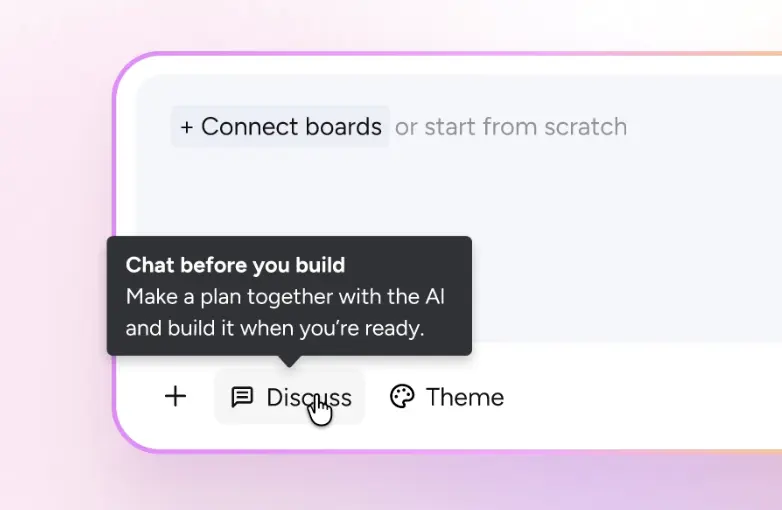
monday Vibe introduces two distinct interaction modes: Chat Mode (‘Discuss’) and Build Mode. In Chat Mode, you can brainstorm, ask questions and refine ideas without triggering any code changes. Changes are only actually implemented once you switch to Build Mode.
Application examples
Before you build a complex workflow app for project management, use Chat Mode to discuss with Vibe which logic works best, which boards should be linked, and which steps should come in what order. Only once the plan is in place should you switch to Build Mode.
Themes selector in monday Vibe
Update status: being rolled out gradually
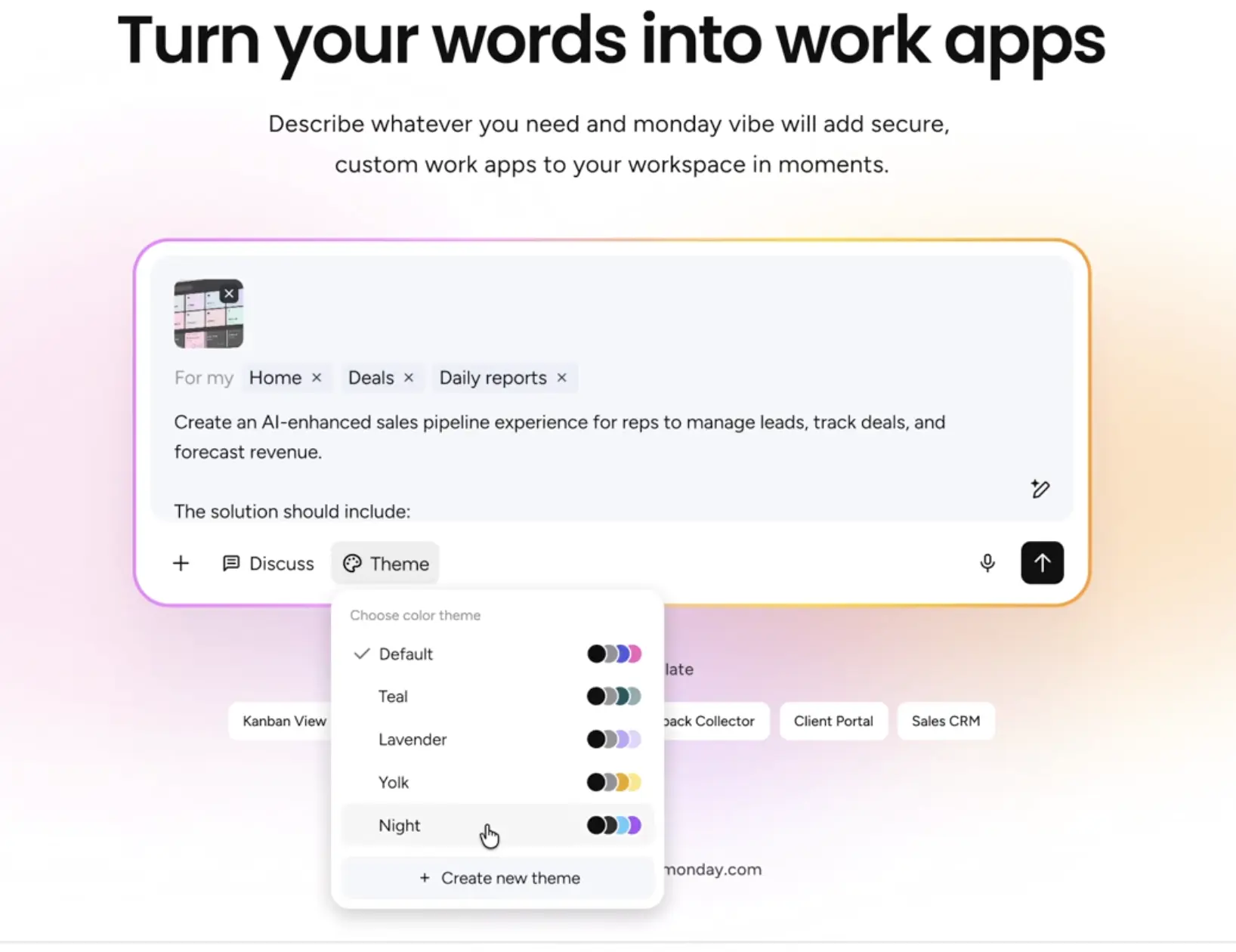
App builders can now select predefined themes such as Light, Dark, Modern or Branded directly within the Vibe Prompt interface to instantly control the visual identity of their apps. This replaces the tedious trial-and-error process of prompting and enables consistent layouts, colours and typography – without having to redefine the functional requirements each time.
Application examples
You’re building a customer portal app and want it to match your company’s corporate design. With the Theme Selector, simply select ‘Branded’, specify your primary colours, and the app will automatically apply the visual styling – professionally and consistently.
monday Sidekick
Create a Reporting Board View using Sidekick
Update status: being rolled out gradually
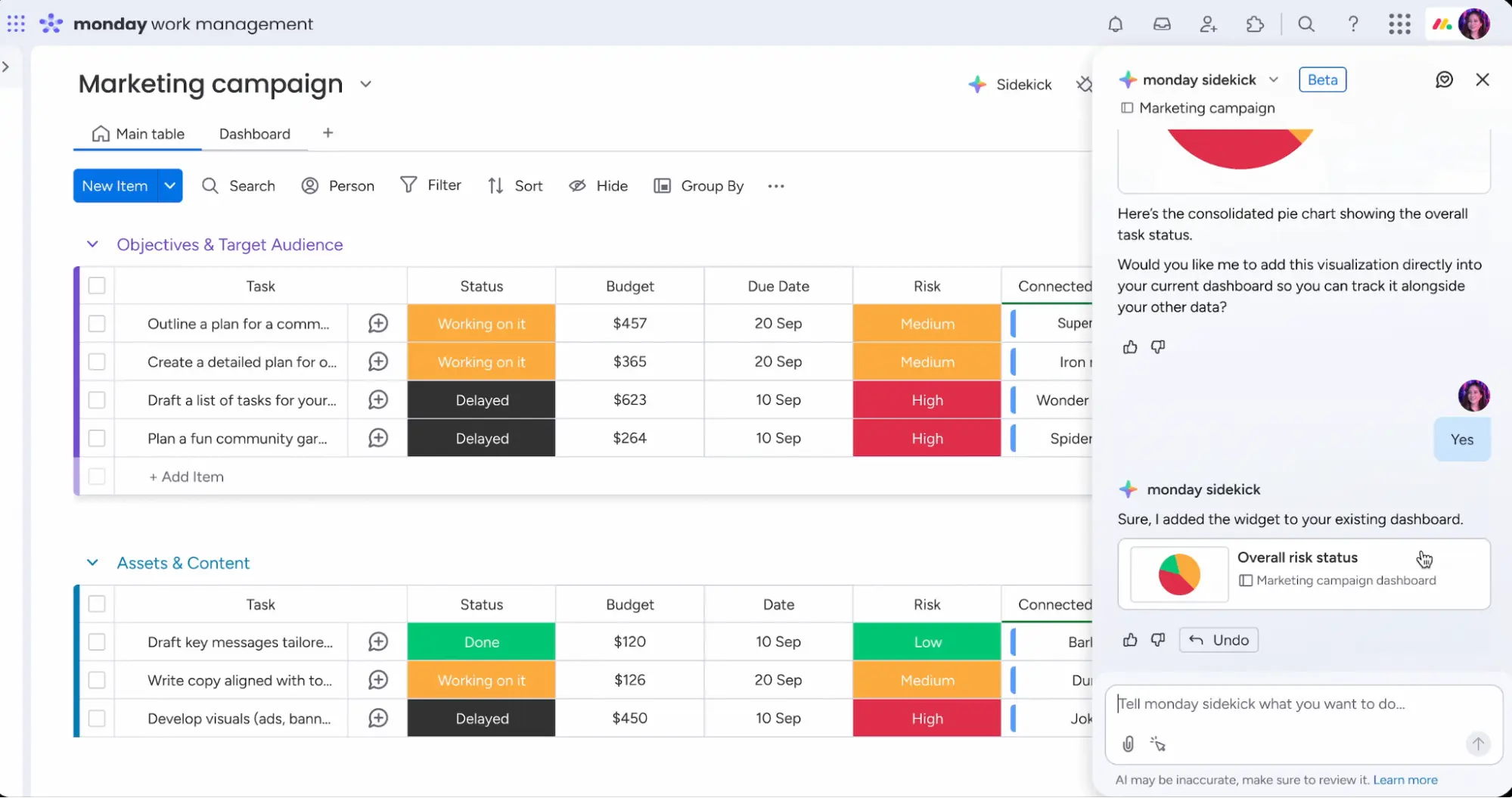
Board users can now create and refine reporting views and charts directly within boards using natural language, without any manual configuration. Simply describe the data you want to see, and Sidekick will create the new board view and then allow you to edit it directly.
Application examples
You say to Sidekick: “Create a report showing how many tasks each employee has completed this week, broken down by priority” – Sidekick generates the report for you in seconds, without you having to click through any settings menus.
monday Service
Merge duplicate tickets
Update status: fully rolled out
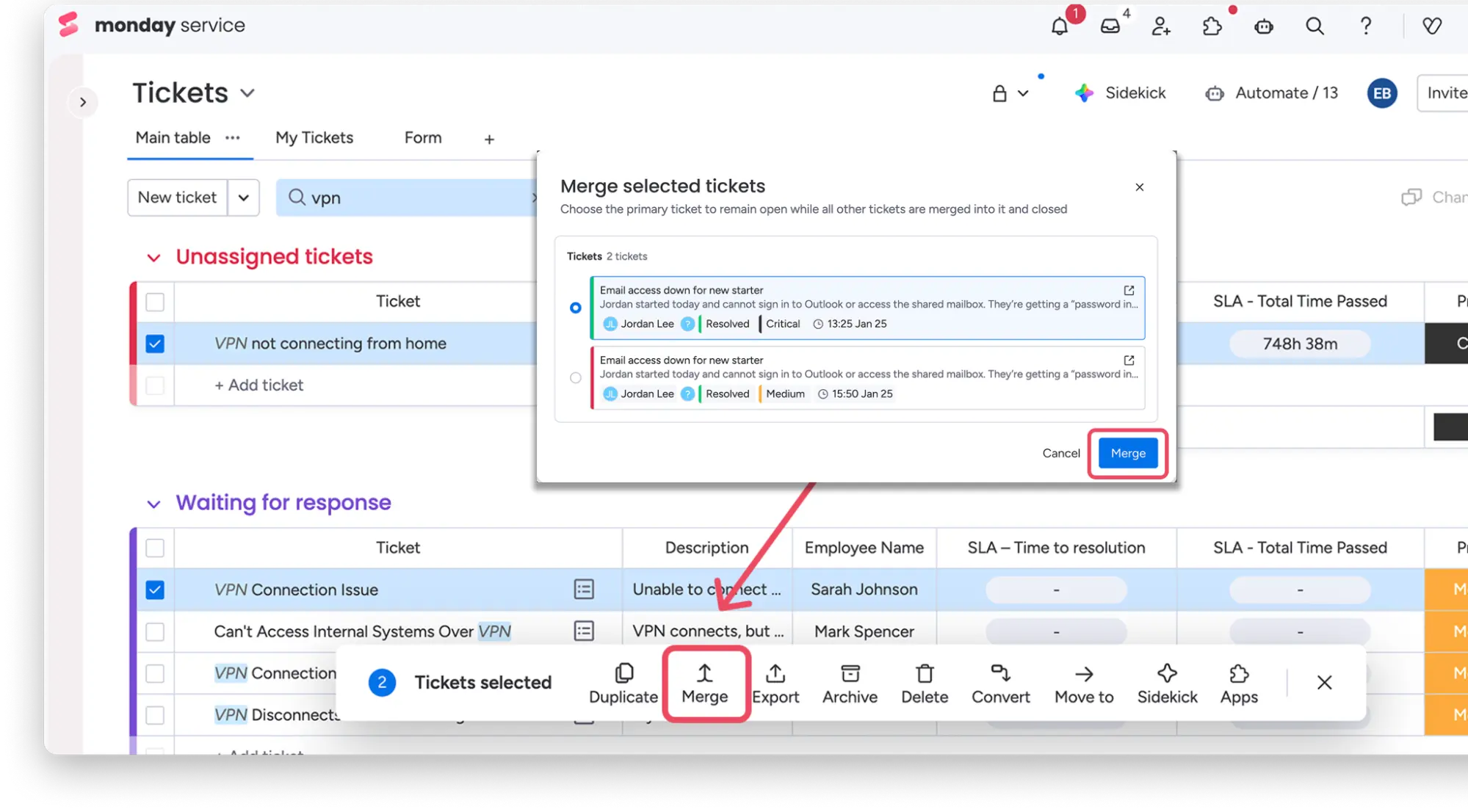
Agents can now merge multiple duplicate tickets into a single primary ticket. All communication and the requesters are centralised, thereby eliminating redundant work and providing a clear ‘single source of truth’ for each issue.
Application examples
Following a system outage, 20 tickets are received reporting the same issue. Instead of writing 20 separate replies, the agent merges all the tickets and responds to the issue once – all ticket holders automatically receive the reply.
Access to the public portal via email confirmation
Update status: fully rolled out
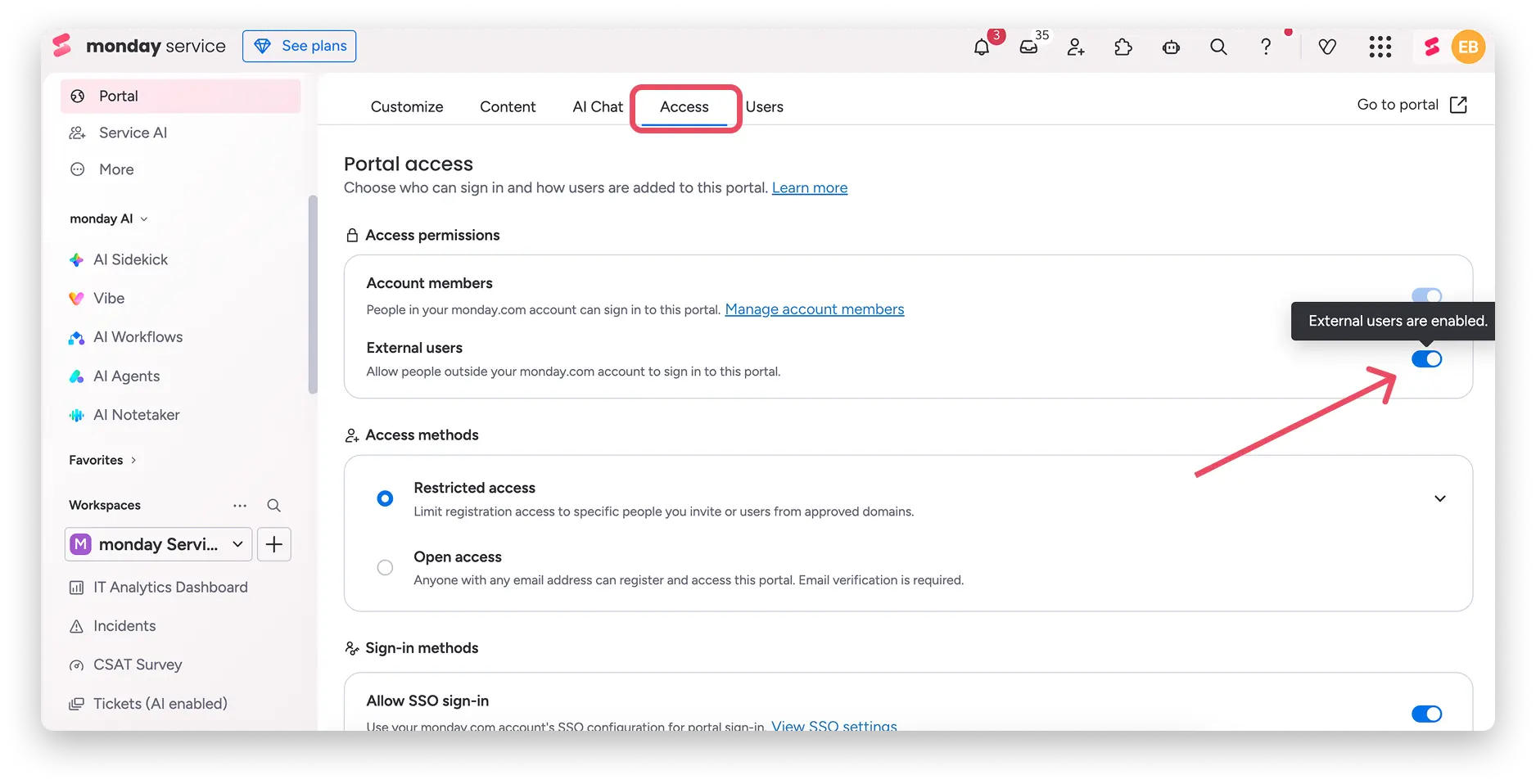
Portal owners can now enable ‘Open Access’, allowing any user with any email address to register for the portal. Security is maintained through mandatory CAPTCHAs and email verification. This removes the previous restriction to specifically invited users or predefined email domains.
Application examples
Your company offers self-service support to external customers via a monday Service Portal. Until now, you’ve had to invite each customer manually. With Open Access, customers can register themselves, saving you administrative effort, and new partners gain immediate access.
monday CRM
Email campaigns and activities
Update status: fully rolled out
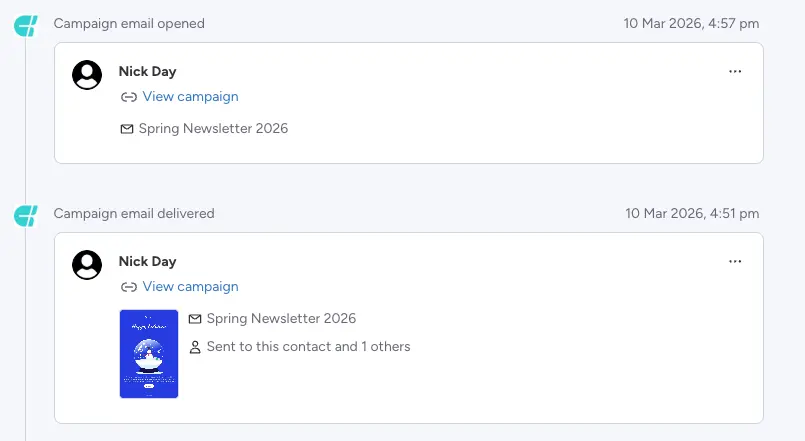
monday Campaigns users can now view sent campaigns directly in the Emails & Activities timeline within the contact board in the CRM – including a small preview of the template and a link to the full campaign view. This provides a 360-degree view of every touchpoint with the customer.
Application examples
Before a meeting with a client, your sales rep sees that the contact opened the Spring newsletter last week and clicked on the product link. They can focus the conversation specifically on that product – without having to switch between the CRM and the campaign tool.
MCP Connector for Notetaker
Update status: fully rolled out
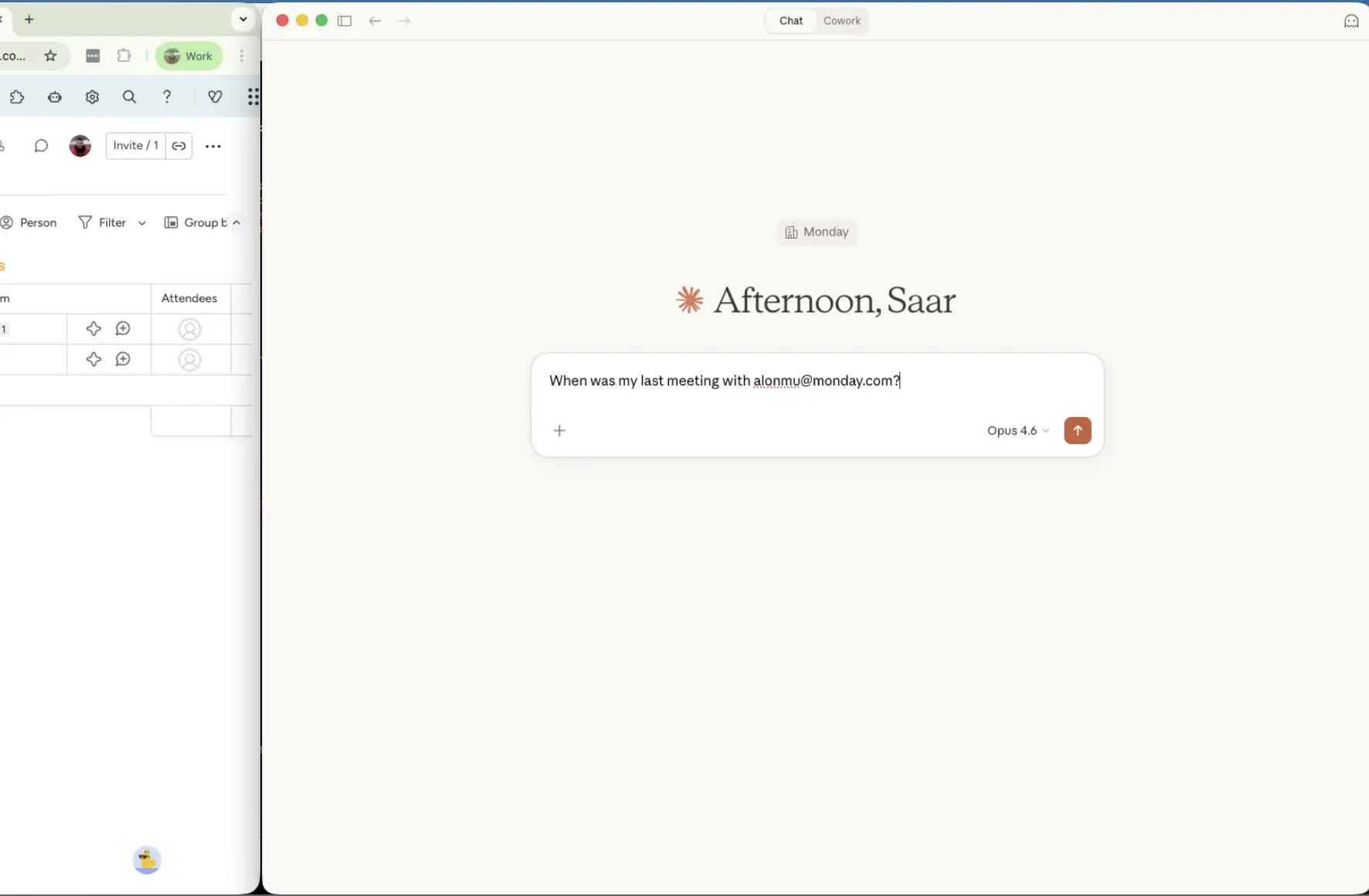
The Notetaker is now connected to monday MCP, so you can retrieve everything you need to know about your calls directly via a query. Examples: “What are the key action items from my last three meetings?” or “Summarise the feedback from the client meeting on the Q3 roadmap.” This turns meeting notes into an active source of knowledge.
Application examples
After a busy project week involving seven meetings, you ask the MCP Connector: “Which tasks were mentioned as blocked this week?” you’ll immediately receive a structured overview without having to read through a single transcript manually.
Conclusion
March 2026 is a big month for monday.com – especially for teams that want to not only use AI but also manage it effectively. The AI Control Centre gives enterprise admins the governance they need, whilst Smart Autofill and the improved Extract AI Block ensure that AI features become much more accessible to all users. Added to this are Vibe updates that make building apps more professional and secure, as well as improvements in CRM and service that make teams more efficient. Want to know which of these updates are most relevant to your team and how you can make the most of them? Then get in touch with us – we’ll help you out.
.svg)