


Have you always wanted to build your own app in monday.com, but without a team of developers or programming skills? Then monday Vibe is just the right tool for you.
With monday Vibe, you can use artificial intelligence to create customised business apps simply by providing a description in natural language. In this article, you will learn what monday vibe is, how so-called "vibe coding" works, and what possibilities the tool opens up for you.
What is monday Vibe?
monday Vibe is an AI-powered app builder within monday.com. Instead of writing code, you simply describe in words what app you need, and the AI generates a working, secure application directly in your monday account.
What does "vibe coding" mean?
Vibe Coding describes the creation of apps through text input rather than programming. You formulate your requirements, add details in the chat and iteratively adjust the design or functions. The AI then takes care of the technical implementation and you don't have to write a single line of code.
Who can use monday Vibe?
The creation of Vibe Apps is available for paying monday.com accounts.
Important:
- Test accounts can create apps, but cannot publish them.
- Free accounts cannot create Vibe apps.
Once the app is published, members and guests will be able to see it, provided they have access to the connected boards.
How to create your first monday Vibe app
1. Access via monday.com/vibe
Go to monday.com/vibe and log in with your account.
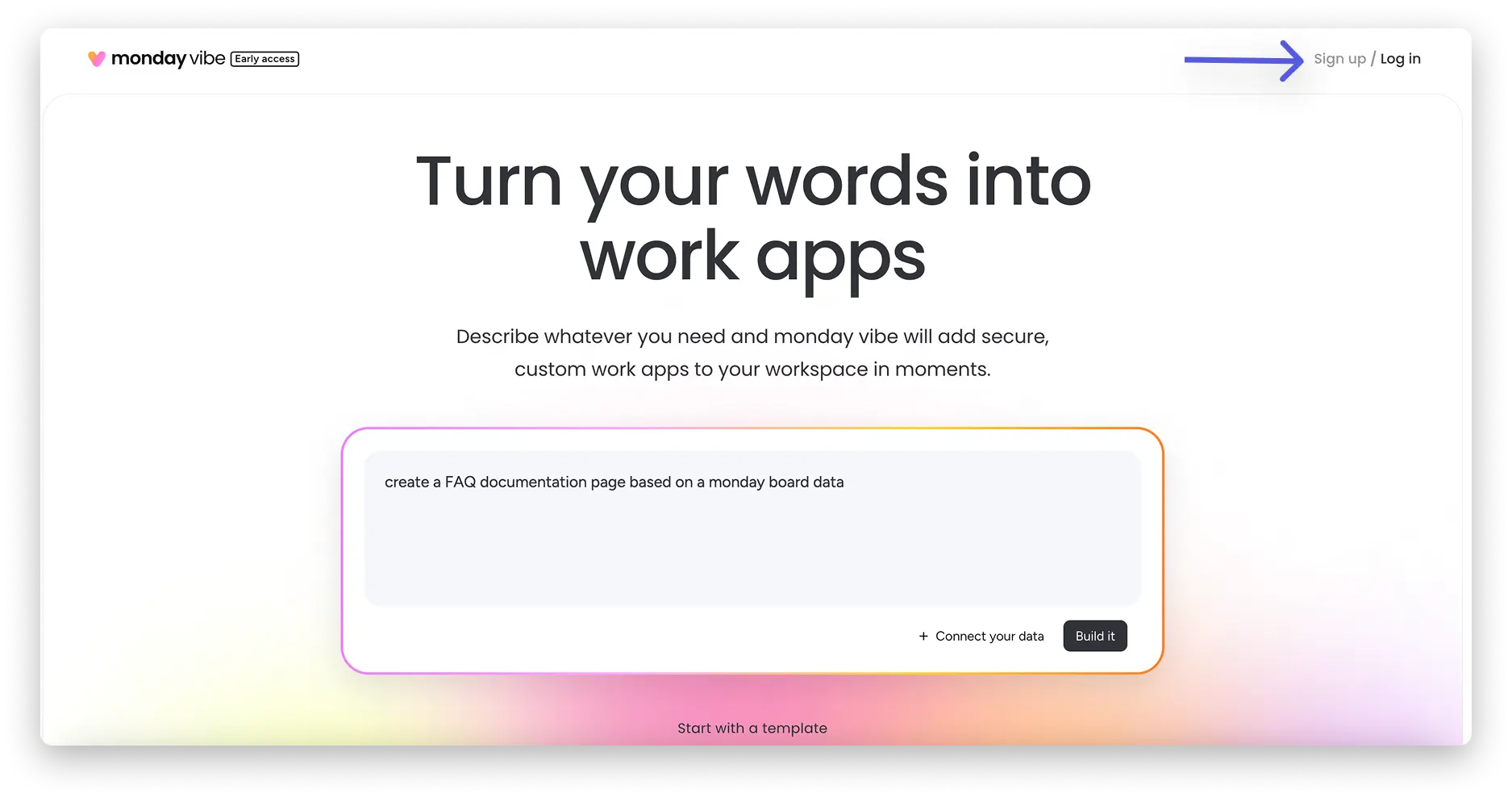
2. enter prompt
Describe your desired app or choose a prepared template.
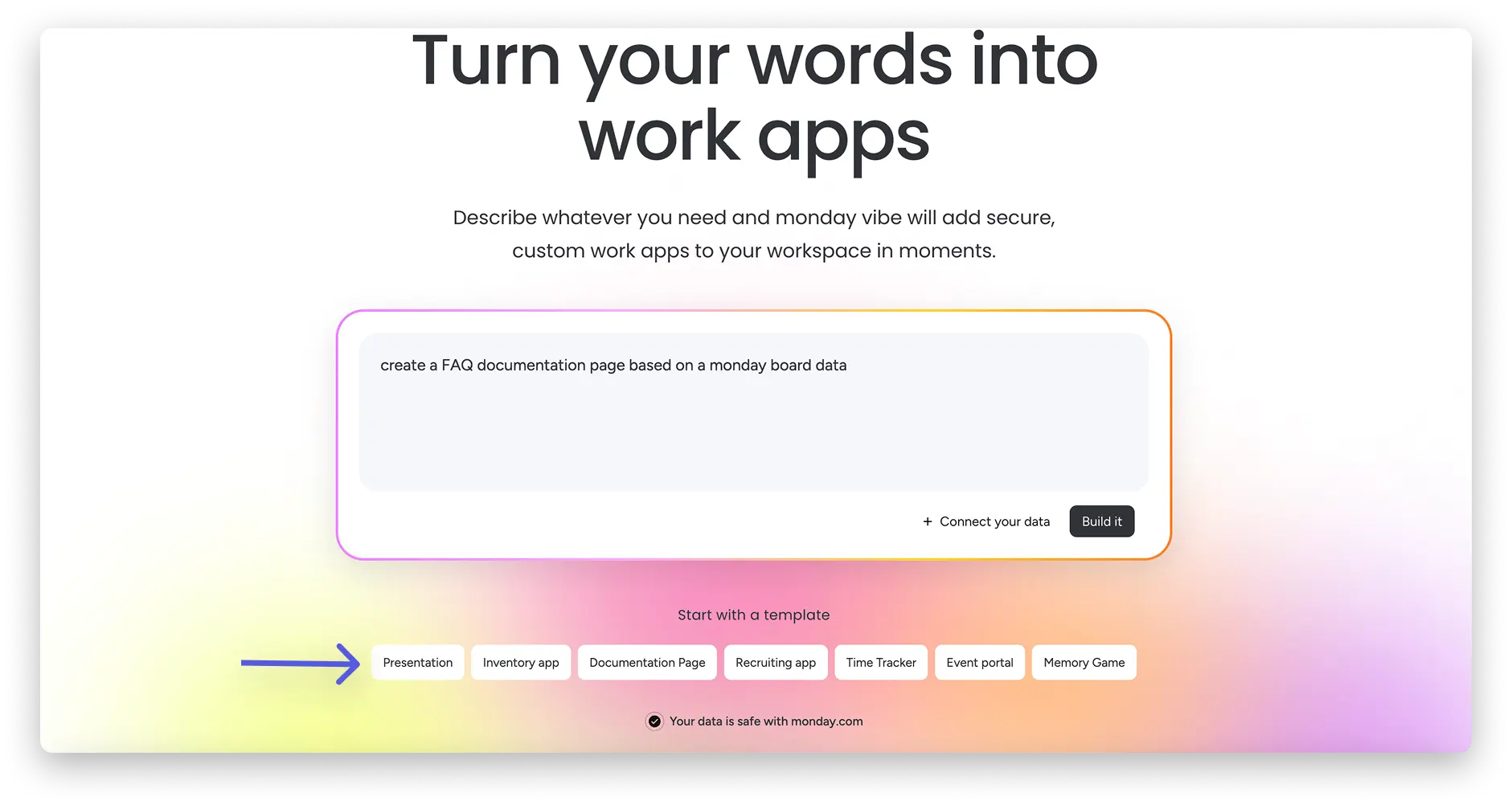
3. Connecting data
Via "+ Connect your data", you can select boards whose data you want the app to access.
Tip: The more context you provide, the better the result will be.
4. Preview & customisation
Your app will be displayed in the builder. You can enter change requests directly in the chat, for example:
- Add filters
- create a chart
- switch to dark mode
- make the layout responsive
5. Publish
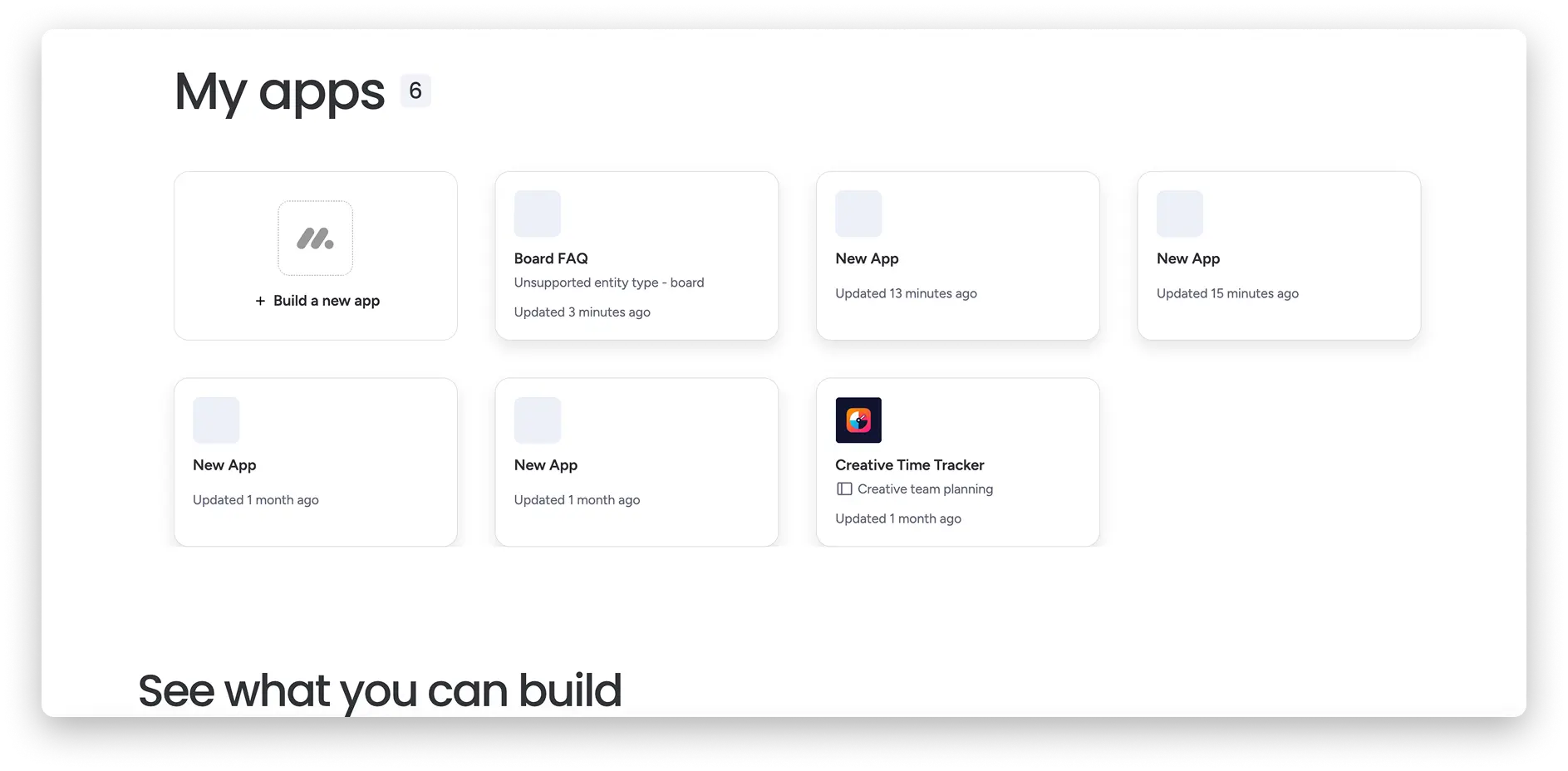
Click on "Publish" to install the app in your workspace. You will then find it under "My apps".
Discuss instead of building straight away: the "Discuss" function
Before creating the app, you can brainstorm with Vibe in "Discuss" mode.
Possible questions:
- "Help me plan a time tracking app."
- "Can Vibe read formula columns?"
- "What features could we add?"
- "Why isn't my button working?"
This allows you to structure your idea before implementing it.
Create Vibe apps directly within monday.com
You can use monday Vibe not only via the landing page, but also directly in the platform:
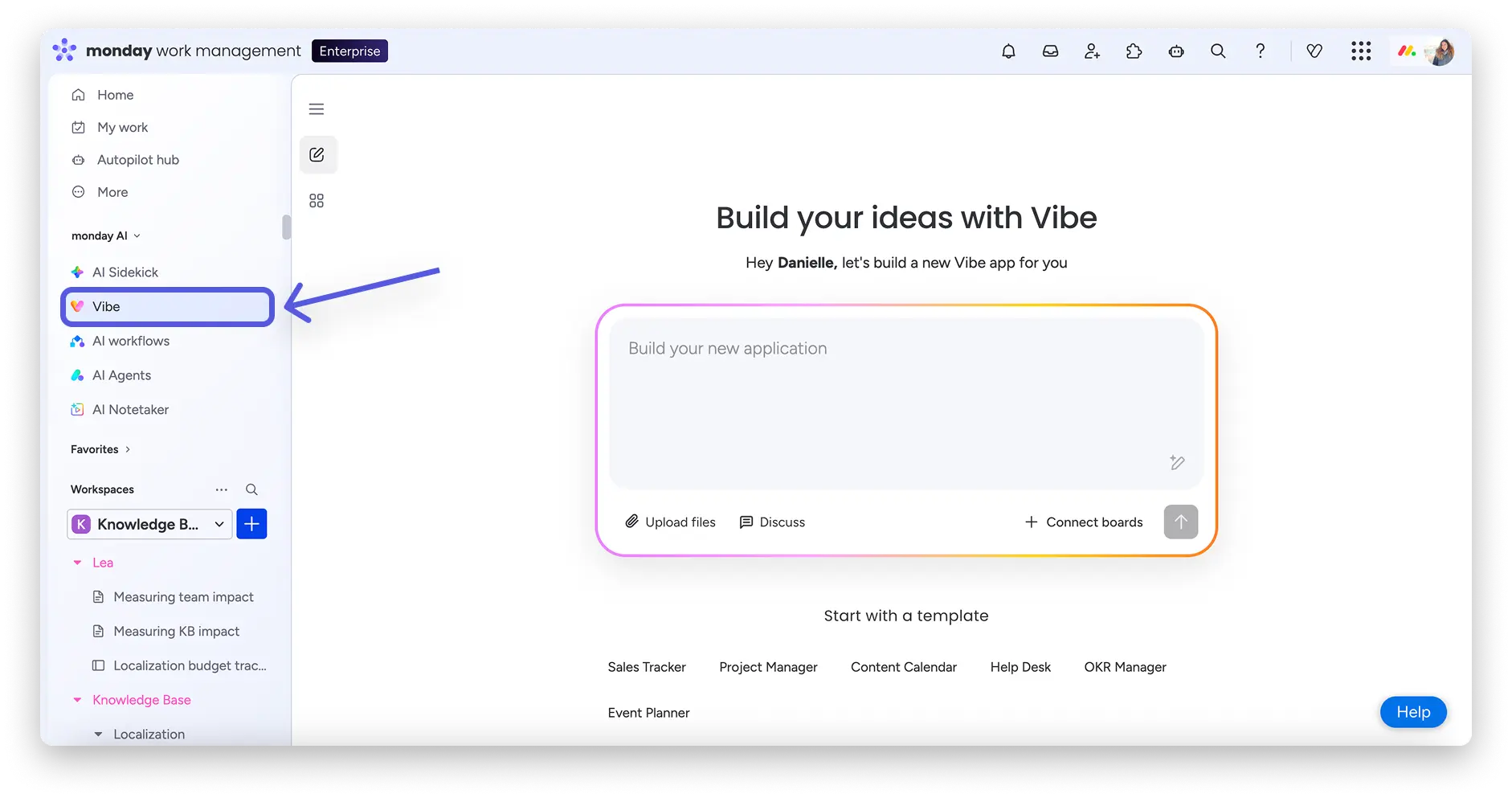
Via the left-hand menu (being rolled out gradually)
Click on "Vibe" in the menu on the left-hand side:
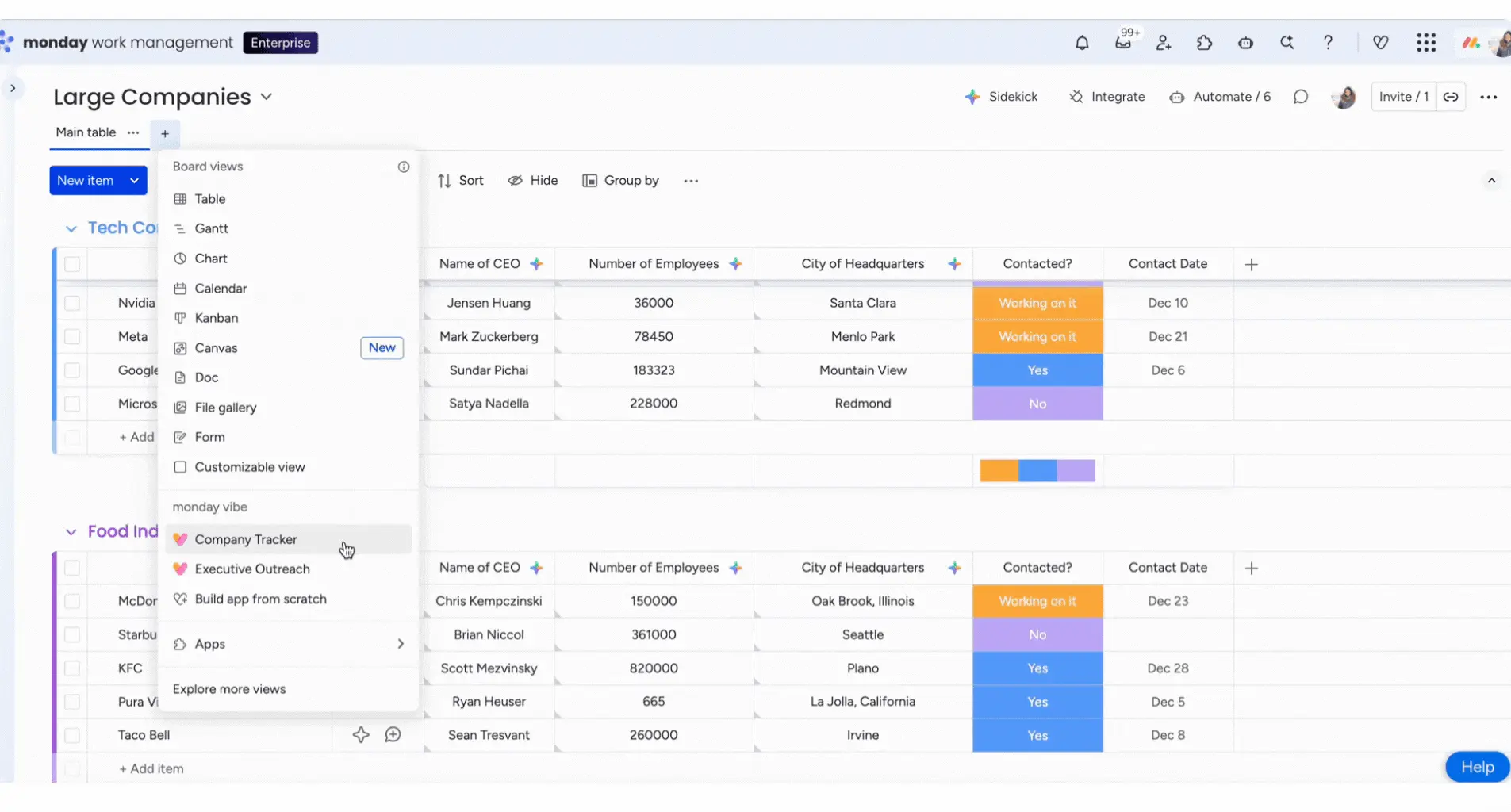
Directly from a board via the toolbar
You can also create a Vibe app directly from the board by either clicking the 'Vibe' button in the toolbar at the top right of the screen or adding a board view by clicking the plus sign button at the top of your board.
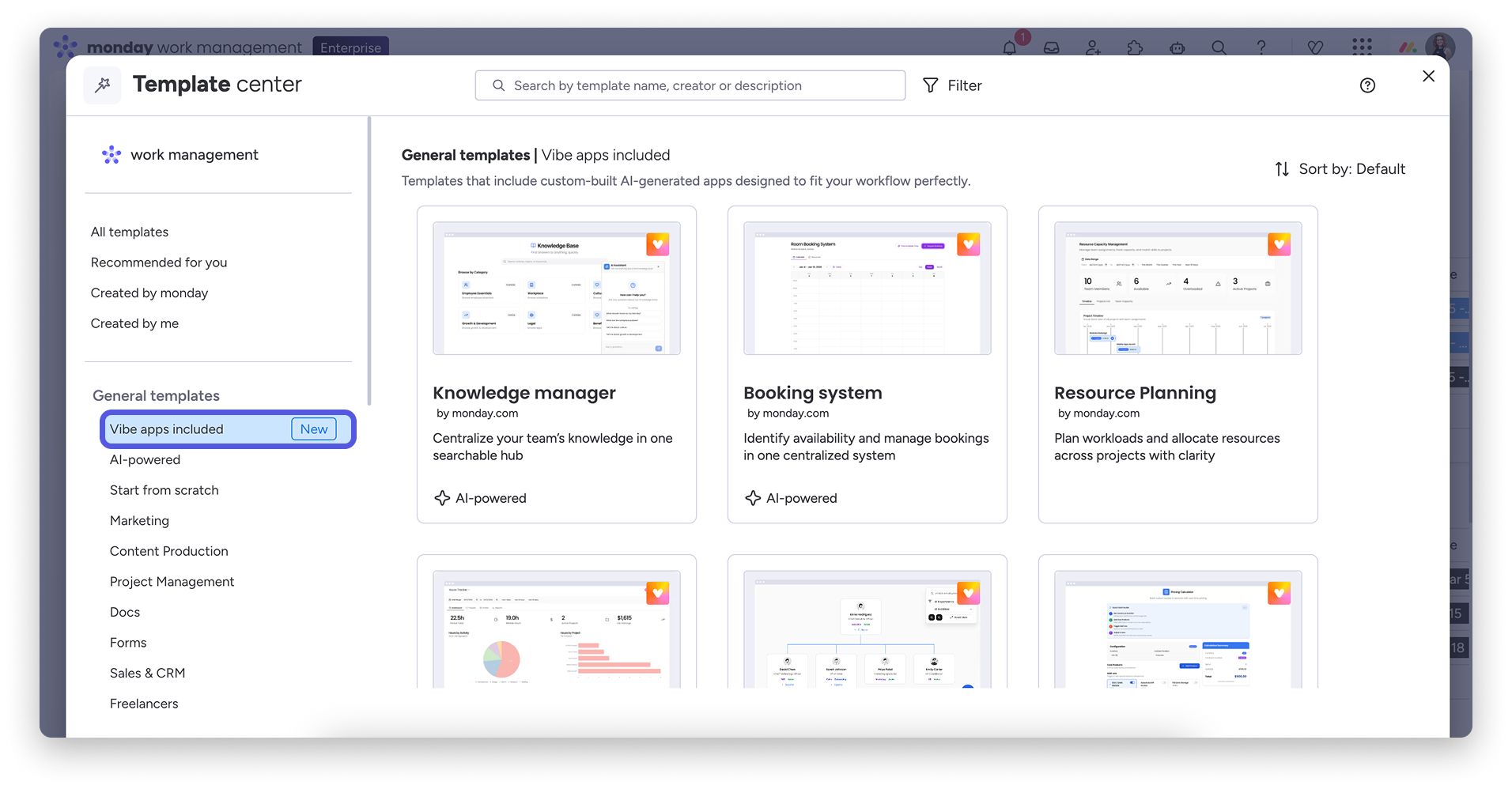
In the Template Centre with ready-made Vibe templates
If you don't want to start from scratch, you can select a suitable template from the template centre to get started.
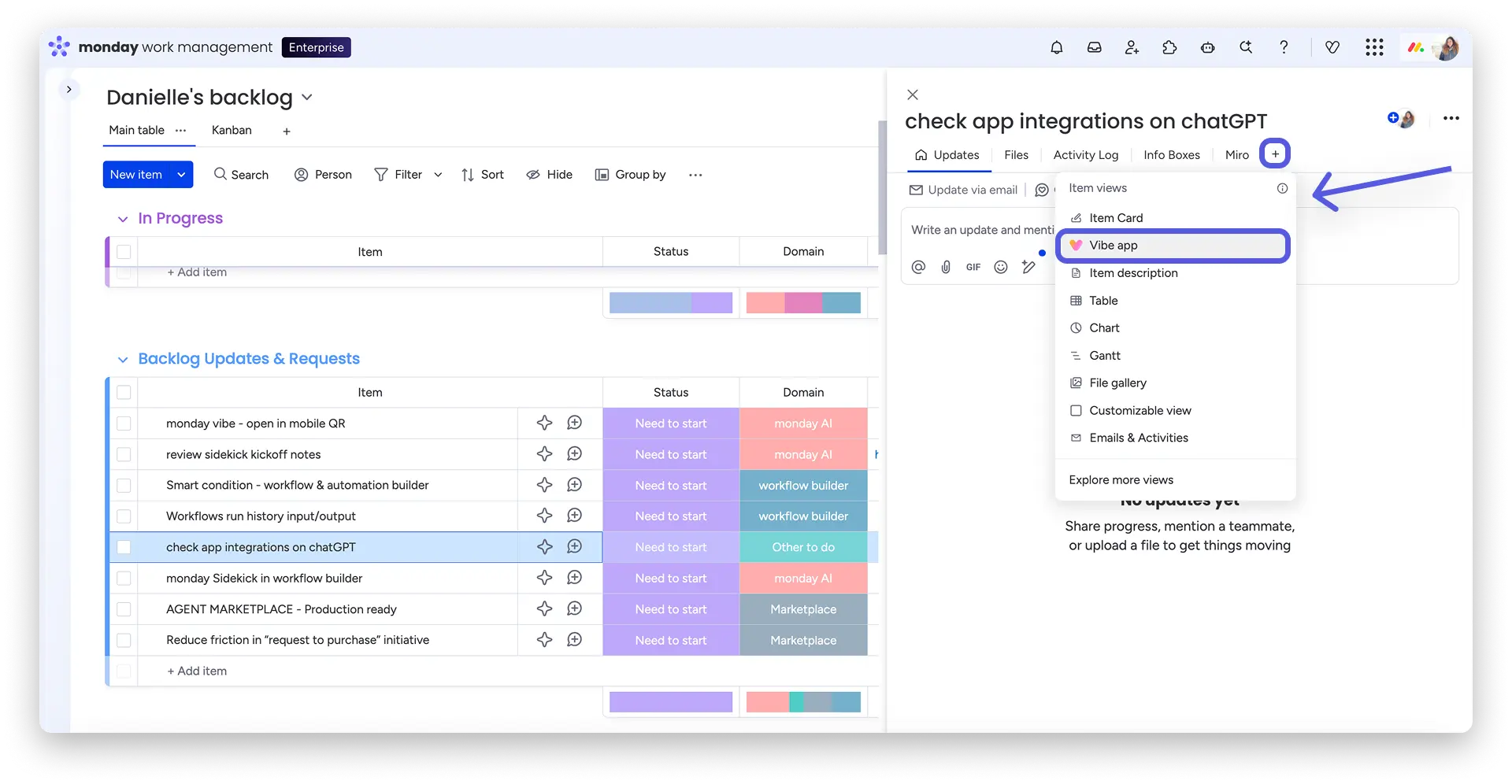
Creating a Vibe app at item level
You can also create a Vibe app at item level by going to the item page, clicking on the plus sign to create a new item view, and then clicking on "Vibe app".
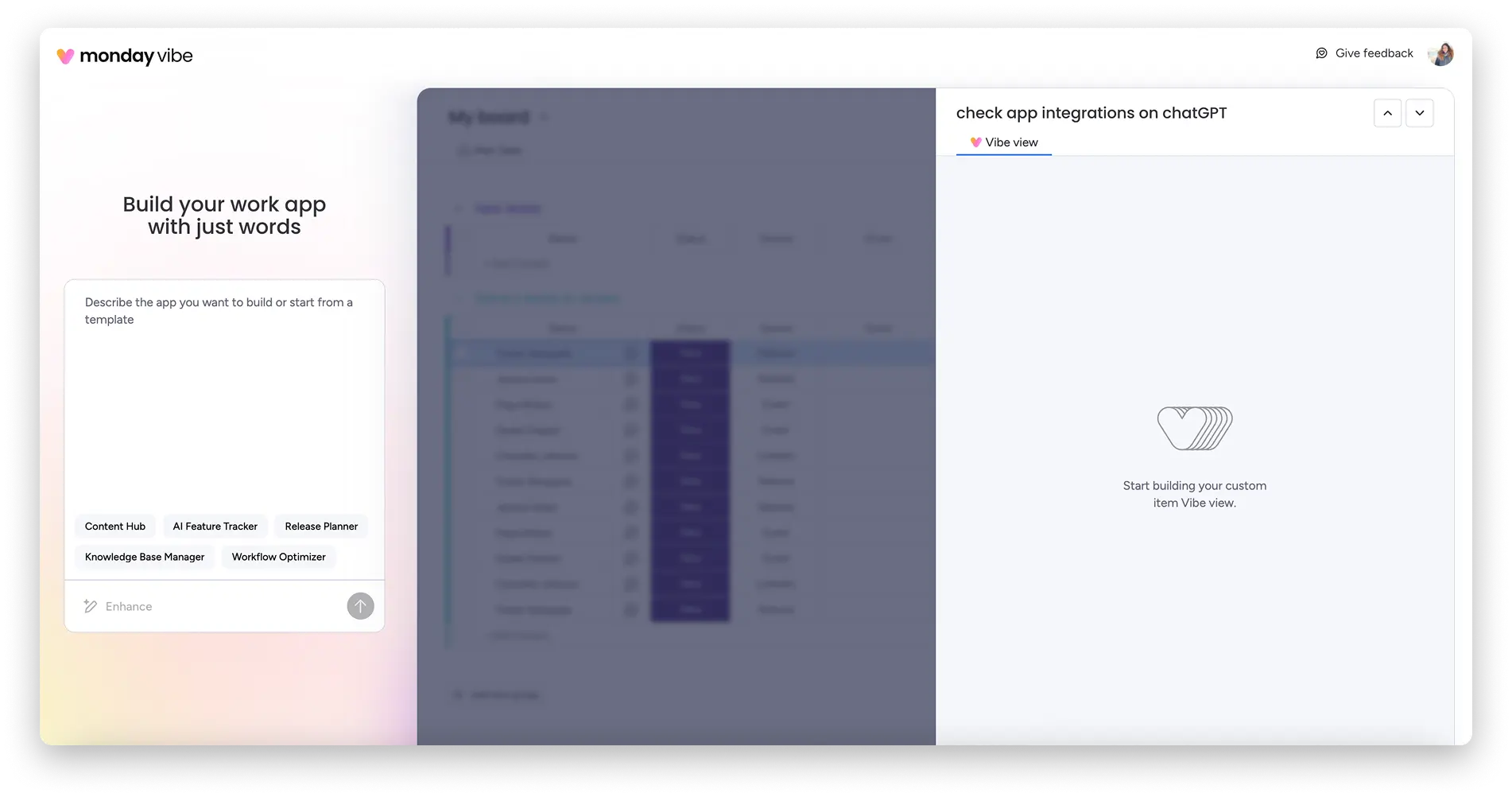
This will open the Vibe Editor and launch a new Vibe app for that specific item. Enter your prompt to begin creating your custom item vibe.
Multi-board apps: Combine data from up to 5 boards
You also have the option to create Vibe apps that use data from up to 5 boards. This creates a full-page app that appears in the left pane of your monday account.
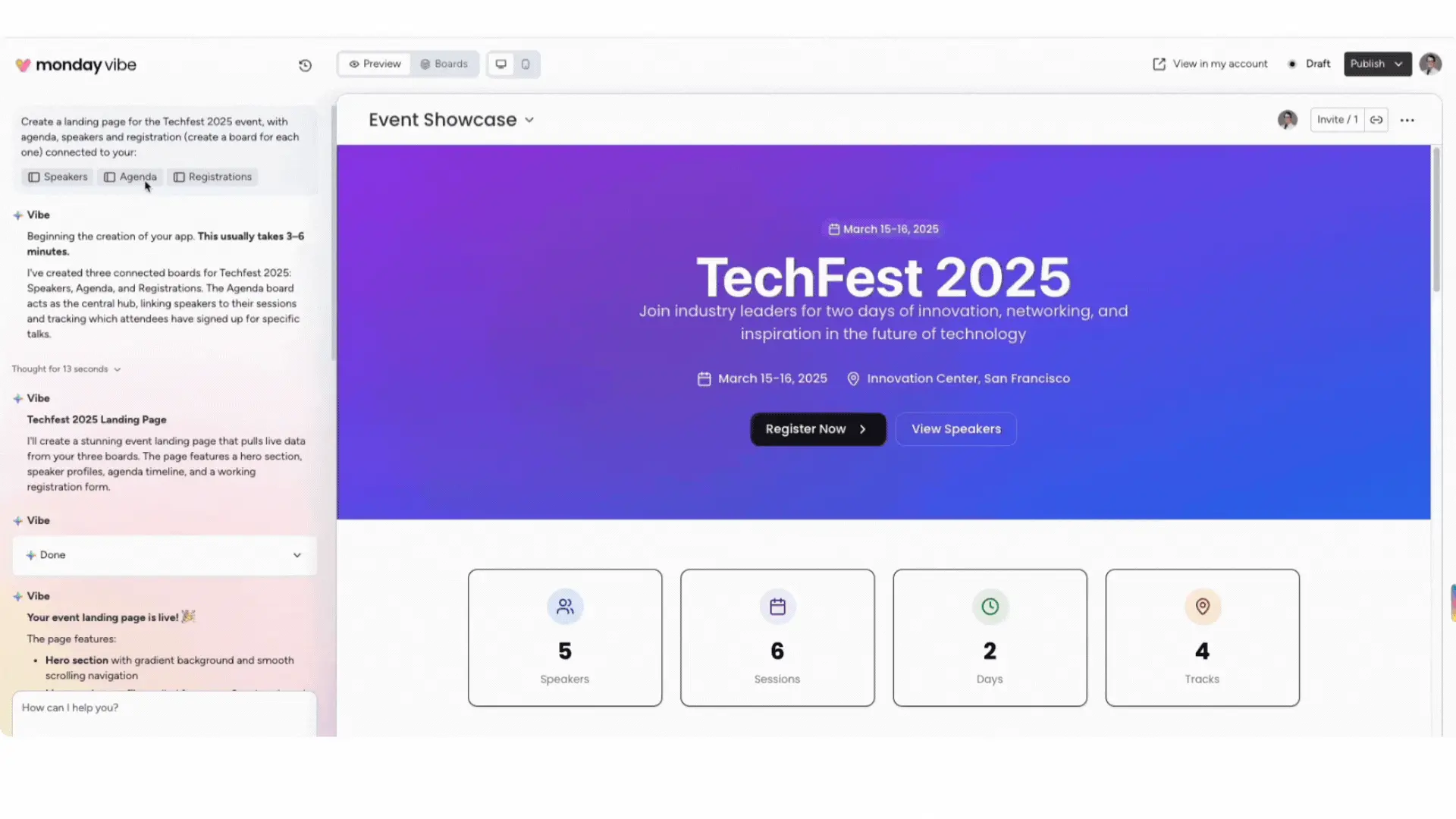
Examples
- A central dashboard with data from multiple departments.
- An onboarding system with separate content and tracking boards.
- A ticket system with automatic transfer of completed tickets.
During the initial setup, you can select up to 5 boards to use or ask Vibe to create the boards for you. To connect multiple boards to your Vibe app, click on the '+ Connect your data' button in the bottom right-hand corner:
Note: Connecting and creating boards is only possible in the first prompt.
Integrating AI functions into Vibe apps
You can enhance your app by actively combining it with AI functions or web search.
Simply specify in the chat:
- "Use AI"
- "Search the web"
Possible use cases
- Chatbots based on internal knowledge data.
- Competitive analyses with online research.
- Automatic social media post generation.
- AI-generated insights for project dashboards.
- Automatic updates in board items.
When using AI functions, each AI call from your Vibe app consumes 8 AI credits. For example, the system consumes 8 credits for each of the following actions:
- Every response generated by your app's chatbot.
- Every post generated by the app.
- Every time the dashboard reads your board and updates itself.
- Every update to a board's items (note: the app consumes 8 credits per individual update, regardless of whether multiple updates are made to the same item).
Tip: You can ask your Vibe app in the app's chat how many credits it will use! Just ask, "How many credits does this app use?"
Guide to getting the best results with monday Vibe
To ensure that your app works exactly as you want it to, it is worth formulating your first prompt carefully.
How should your first prompt be structured?
For optimal results, you can use this structure as a guide:
- What do you want to build? For example: a sales dashboard.
- Who is the app intended for? For example: a sales representative.
- What tasks should it perform? For example: record and manage deals.
- How should it look and feel? For example: modern design in dark mode.
The clearer and more specific you are in your wording, the better the AI can implement your requirements.
How can you customise an app created with monday Vibe?
Making adjustments is very simple: just write your change requests directly in the chat.
Examples of typical adjustments:
- Add filters.
- Make the layout responsive.
- Switch to dark mode.
- Create a chart.
- Add a hover effect.
You can continue to develop your app at any time, without any technical knowledge.
And remember: you can customise your app at any time. That way, you can get the most out of monday Vibe.
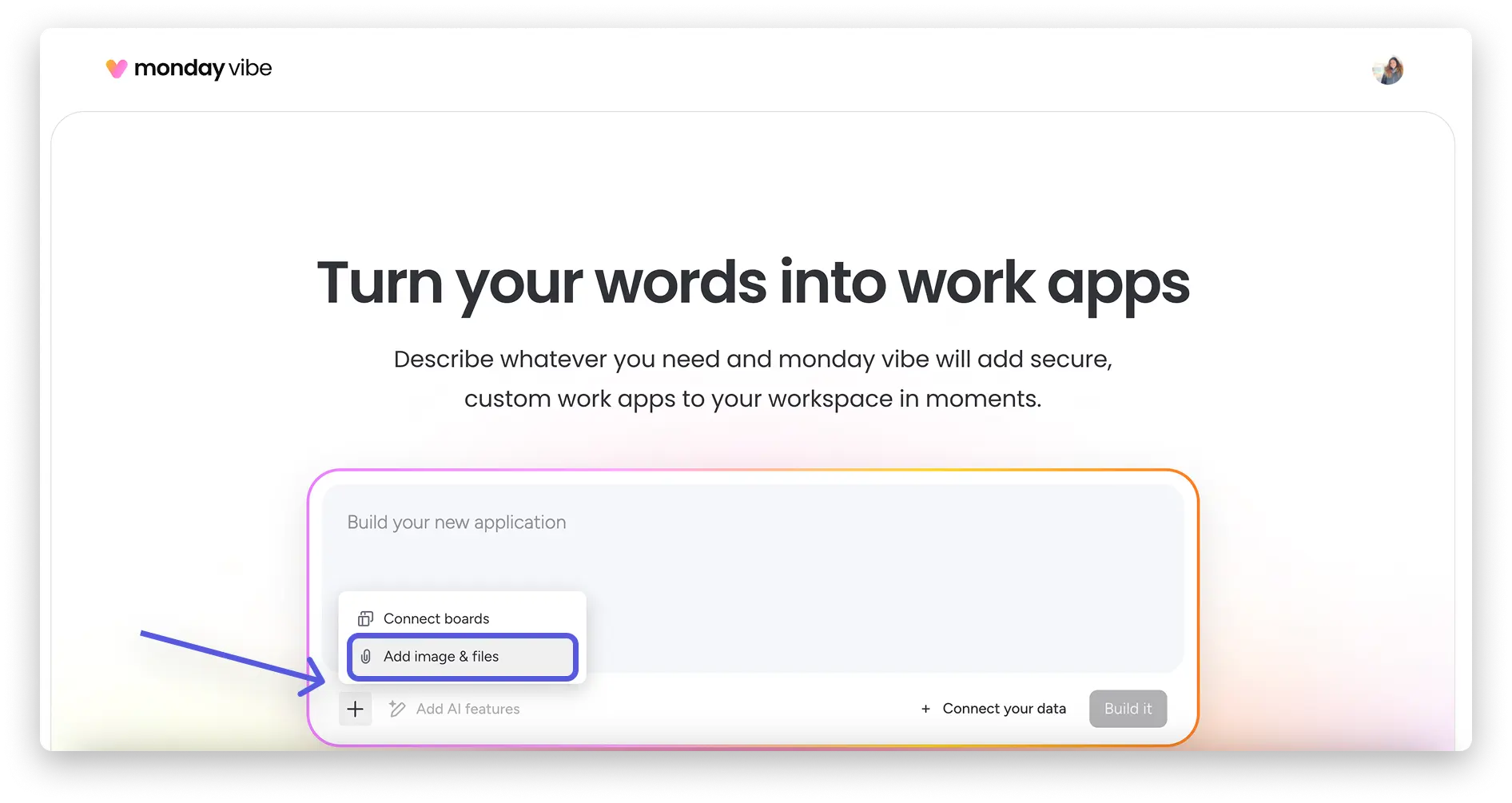
Upload images and files as context
You can upload screenshots, PDFs or images (PNG, JPG, JPEG, WEBP) to give the AI visual orientation.
Examples
- Upload Figma design as a template.
- Screenshot of a UI bug for troubleshooting.
- Customer logo for appropriate branding.
- Sketch of a desired dashboard.
-
The files serve as context and are not automatically integrated into the app.
E-Mail-Integration in Vibe Apps
monday Vibe automatically detects when your prompt requires an integration – for example, for email.
Examples
- Automatically send emails when a button is clicked.
- Organise incoming messages.
- Convert conversations into tasks.
-
You will be asked to connect your Gmail or Outlook account.
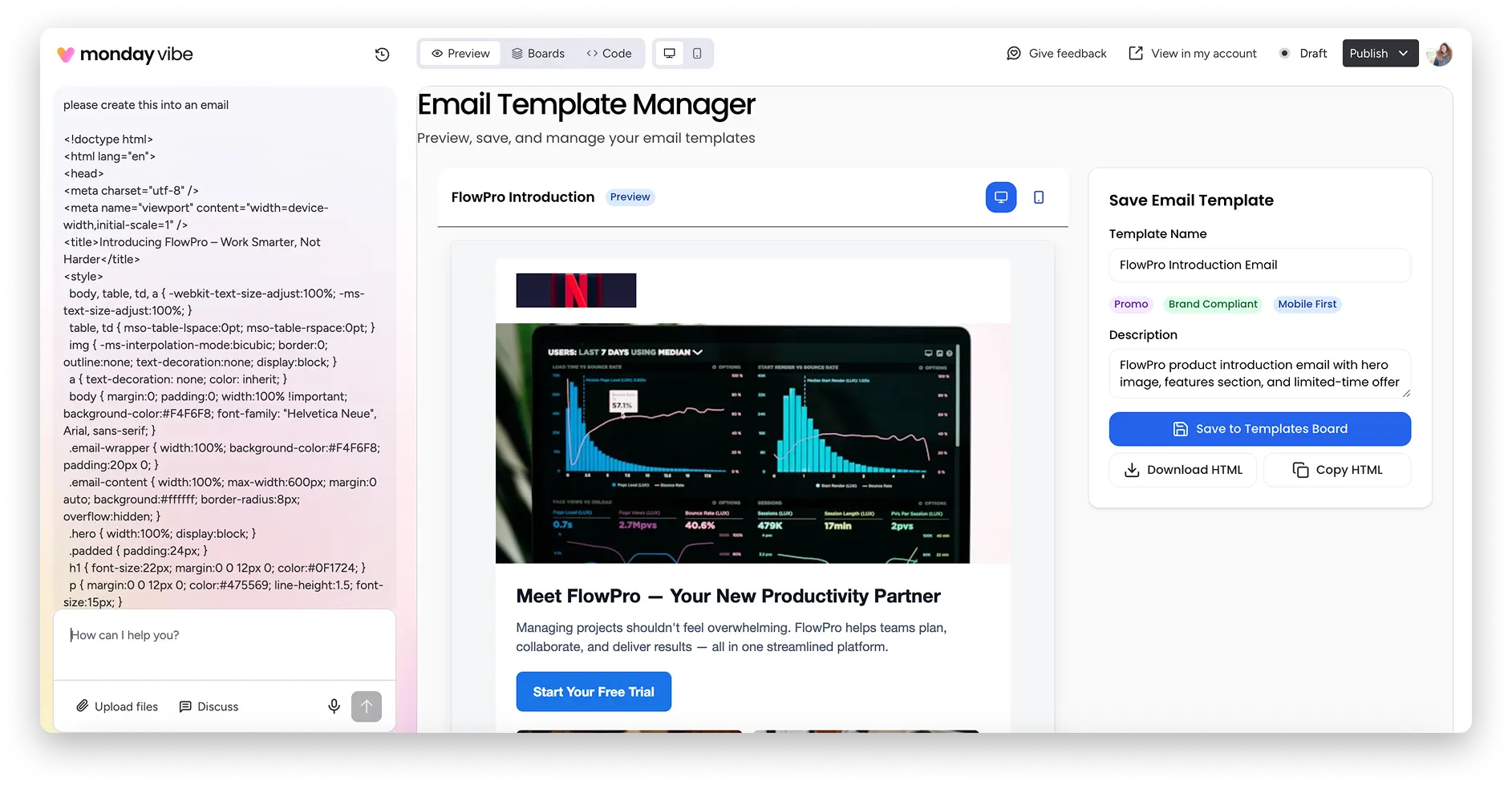
Sending formatted emails with HTML and attachments
Want to send professionally designed, branded emails? That's possible too. In your Vibe app, you can format the email text with HTML and customise it to suit your needs.
This is how it works:
- Enter your HTML code directly into the email text field.
- The email will be sent with exactly this formatting.
File attachments are also possible.
Important:
- The file must already be stored in a files column of the respective item.
- The Vibe app can then automatically send this file as an attachment.
- The maximum file size per attachment is 5 MB.
This allows you to seamlessly integrate email communication into your workflows, directly from your individual monday Vibe app.
Set Vibe App as your home page (Enterprise)
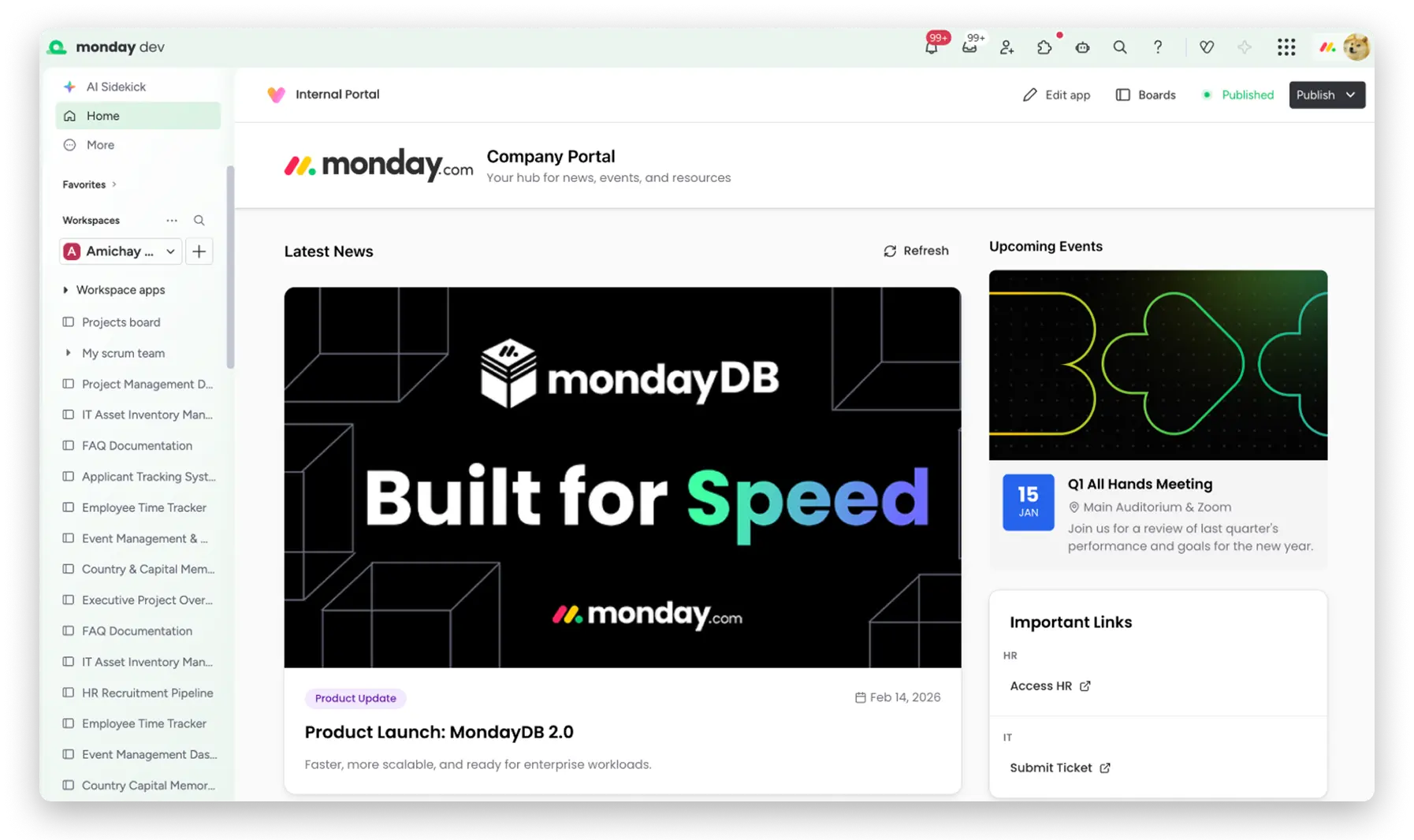
Enterprise administrators can define a published Vibe app as the account home page.
Use Cases
- Onboarding hub
- Internal portal
- Operational cockpit
- Company dashboard
Configuration
Administration → General → Account → Account home page → Select Vibe apps.
This is what the start page of the Monday platform looks like by default:
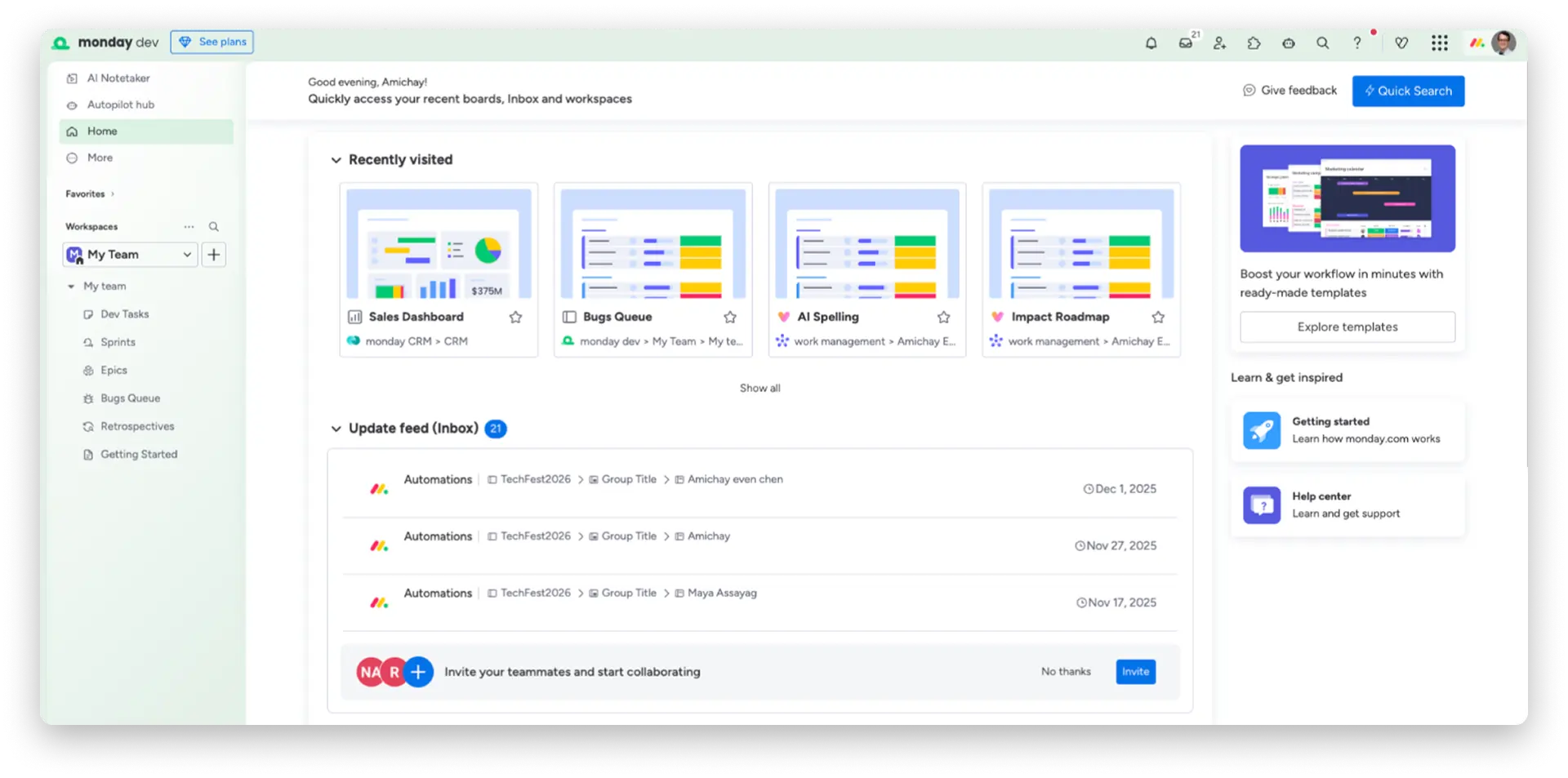
This is what it looks like after the home screen has been changed to a Vibe app:
Permissions and costs for monday Vibe
When working with monday Vibe, there are two things you should know: who is allowed to publish apps and when costs are incurred.
Control permissions & who can publish apps
You can disable the Monday Vibe in your account by disabling all AI features in the administration area. If you are an account administrator, navigate to the Administration section, click on Customisation, then on "Features" and enable or disable the AI features as required.

Can I restrict who can use monday Vibe?
Enterprise accounts offer the option of granting permission to publish Vibe apps only to certain user roles. This permission is enabled by default for administrators and disabled by default for all other user roles. Without these permissions, users can create private Vibe apps that only they can access, but they cannot publish them to make them visible to other users in the account.
When do you pay for monday Vibe?
Creating and testing your Vibe apps is free as long as you only use them for yourself. You only pay once you actually publish the app and share it with your team. monday Vibe is a paid add-on and is billed per published app on your account. You can choose the tier that fits your account's needs and scale as you grow!
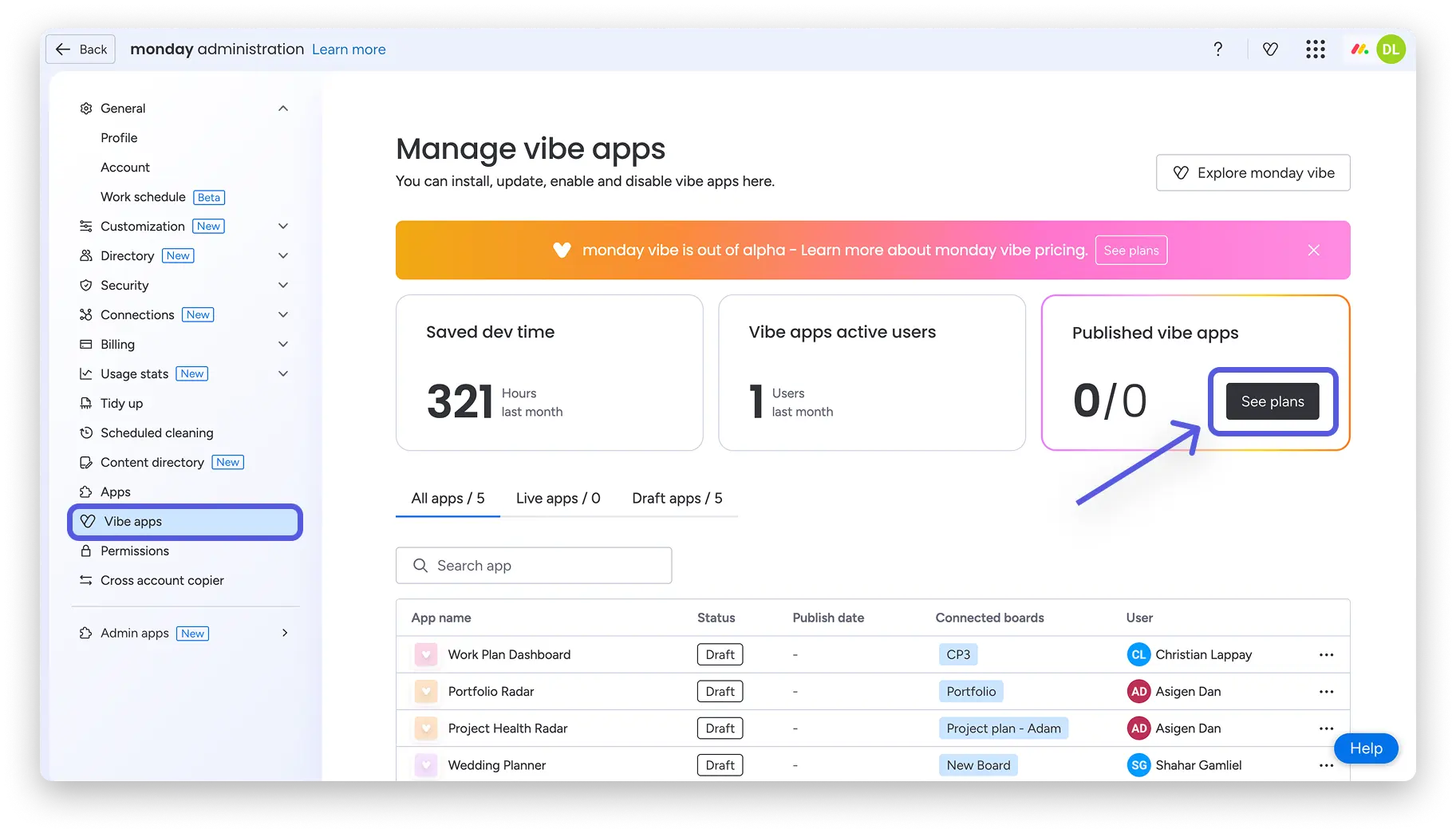
To view the plans and pricing, click on your profile picture in the top right corner of your monday account, then click on 'Administration'. Next, click on 'Vibe Apps' and then 'View Plans'.
Conclusion: Your own apps faster than ever before
monday Vibe is changing the way companies create digital solutions.
In case of:
- Weeks of development
- Complex coordination
- External developers
you get:
- Customised business applications
- Direct integration with your existing data
- AI-powered enhancements
- Maximum flexibility
.svg)