

Do you plan your marketing campaigns in monday.com but then switch to a separate email tool to send them out, juggling contact lists between systems and wasting valuable time in the process? That’s a thing of the past. With monday campaigns, monday.com brings a native email marketing solution straight into your familiar working environment. In this article, you’ll find out what monday campaigns can do, how to get started, and why it’s a real game-changer, especially for teams already using monday.com.
What is monday campaigns?
monday campaigns is an AI-powered email marketing platform that can be used either as a standalone product or fully integrated into monday CRM.
The aim: You can plan, create, send and analyse campaigns – all within a single workflow, without having to switch between tools or go through unnecessary handover processes.
For teams already using monday.com for project planning, CRM or work management, this is a logical next step: your marketing plans and customer data are already in the system – monday campaigns turns them into real, sent-out campaigns in just a few minutes.
What can you send using monday campaigns?
- Newsletters
- Pomotions & Offers
- Event Invitations
- Customer Updates,
- Product Updates
- Welcome Emails
- Survey Emails
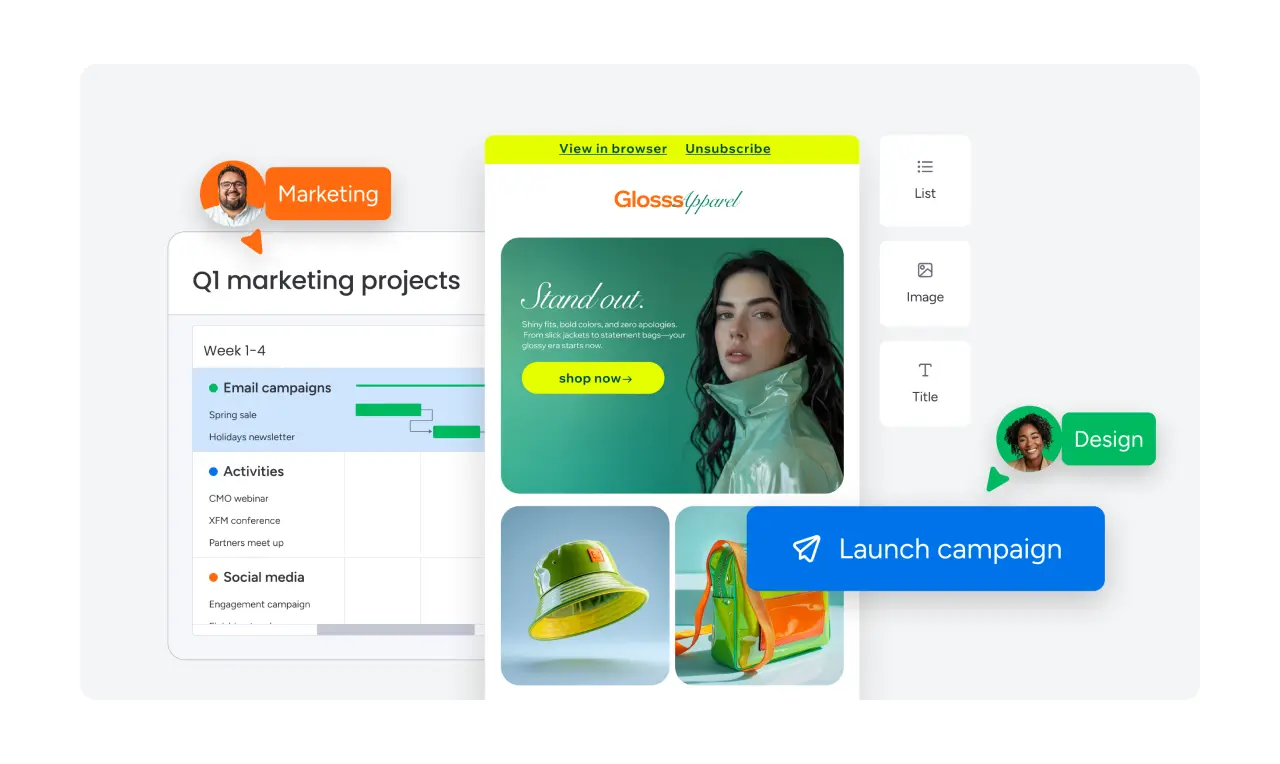
monday campaigns at a glance: Create, automate, optimise
Create: On-brand emails without any design skills
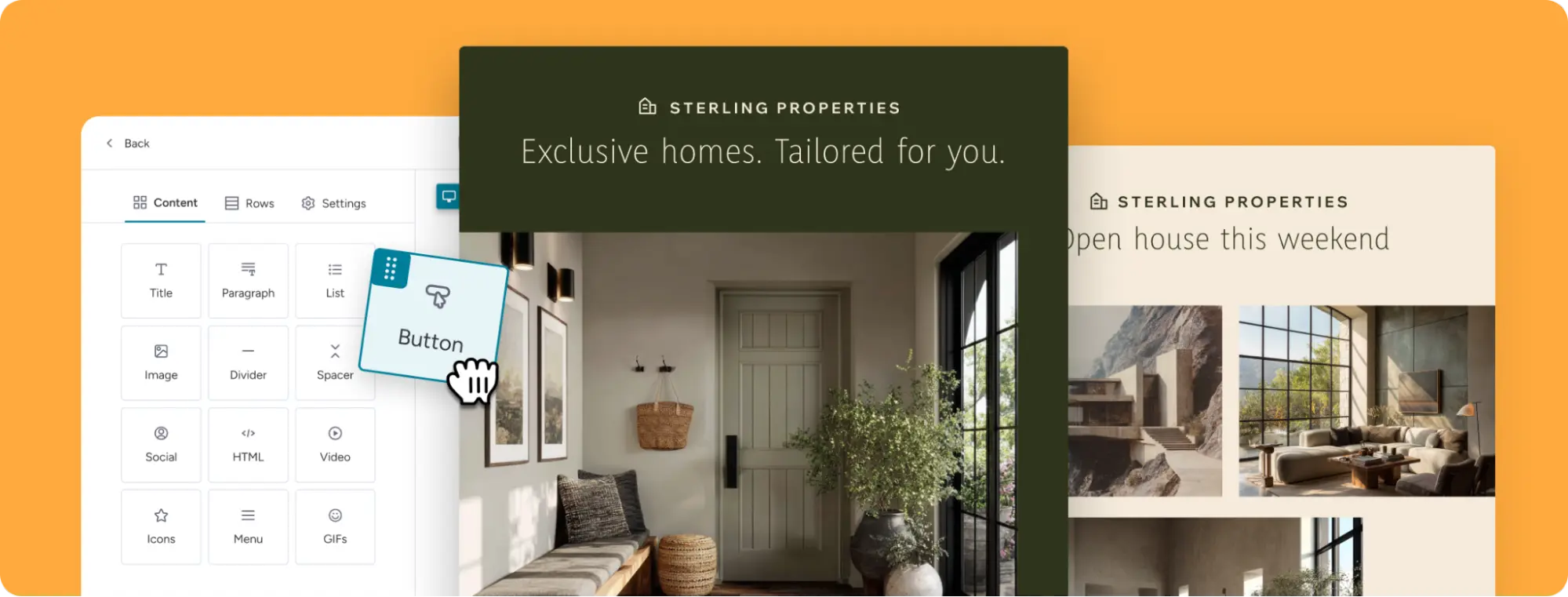
The first step in any campaign is the email itself. monday campaigns offers you a drag-and-drop editor that allows you to design professional emails without writing a single line of code or needing any prior design experience. You can either start with one of the existing templates or build your layout entirely from scratch using the drag-and-drop editor.
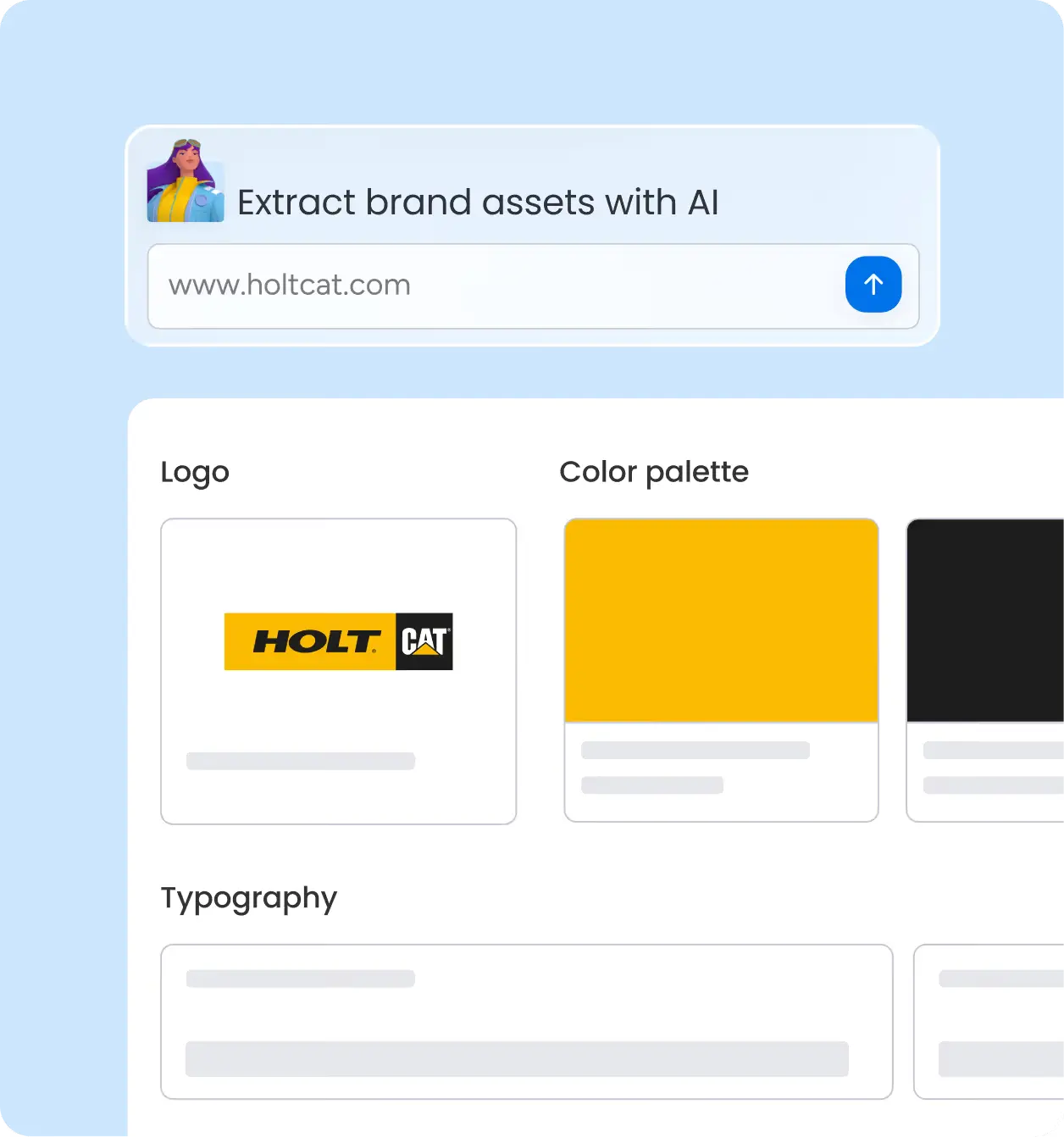
Particularly handy: the AI Brand Kit. During onboarding, the AI analyses your website or company page and automatically extracts your logo, colour palette and typography. The result: every one of your campaigns instantly reflects your brand identity – consistently, with no manual effort required.
Use Case
You’re a marketing manager at a SaaS company. Instead of importing your brand manual into a new tool, you simply enter your website URL into monday campaigns – and the AI extracts everything you need in seconds. With a few quick tweaks, you’ll have your email design ready in no time!
Automation: the right message at the right time
Automation is at the heart of modern email marketing platforms, and monday campaigns delivers exactly what you’d expect from a tool natively integrated into monday.com.
You can set up automated workflows that respond to CRM events, work management activities or customer behaviour. For example:
- When a contact in the CRM is set to ‘Lead’ → Send a welcome email automatically
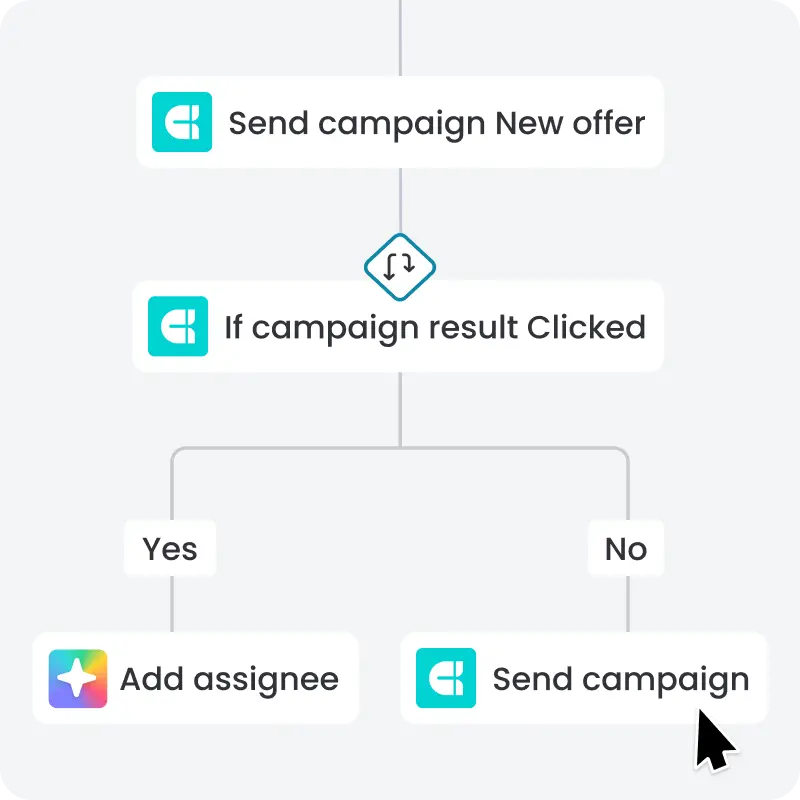
- When a contact clicks on a campaign (True/False path) → Send a follow-up email or reminder
- When a board status changes to ‘Ready’ → Send the campaign to a defined group
Target audience segmentation
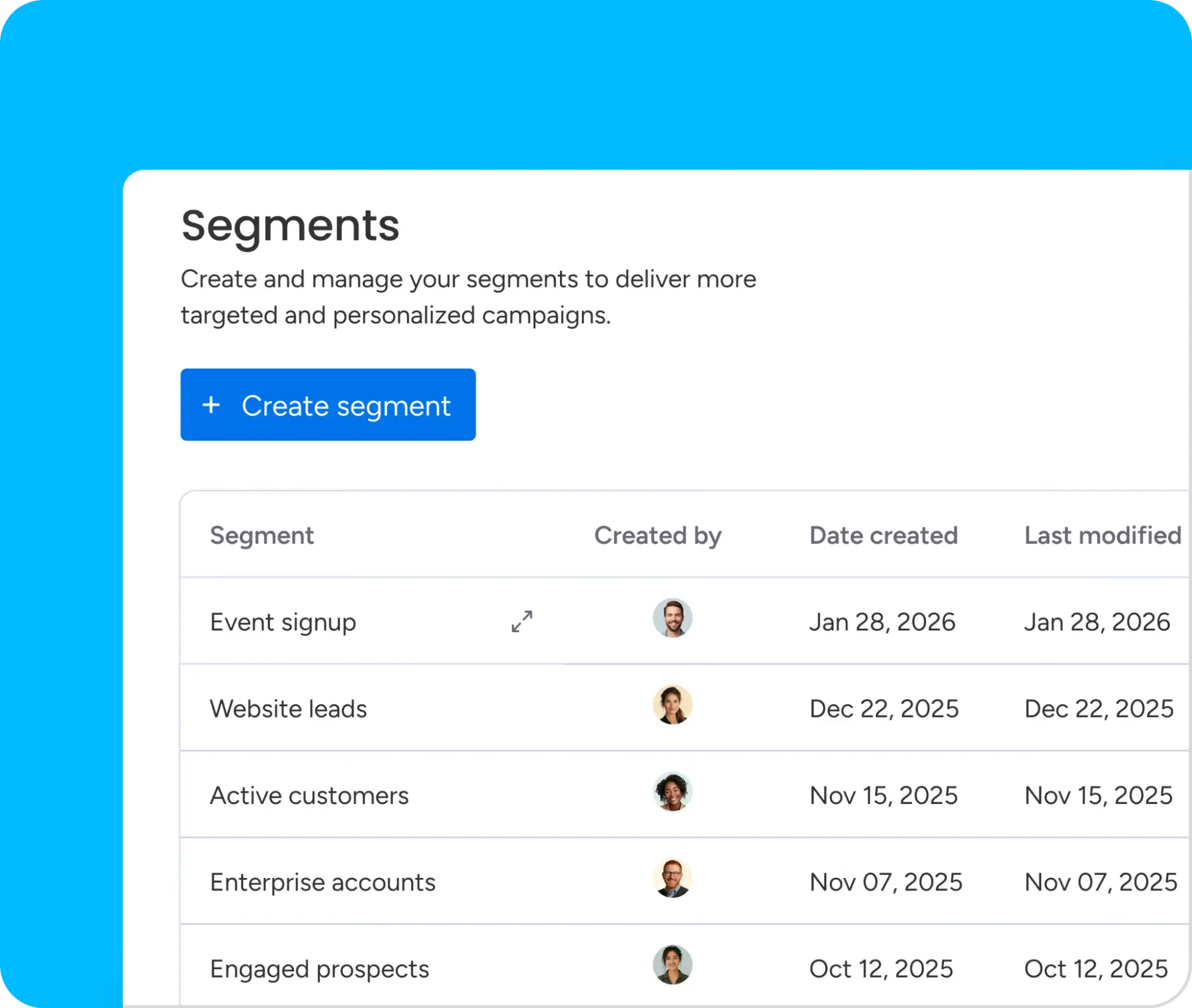
The contact lists in monday campaigns update dynamically in real time, based on your CRM data. This means your segmentation is always up to date – without the need for manual updates.
However, you can also segment your marketing email campaigns by group without using the CRM. To do this, simply go to the ‘Segments’ tab and set up all your groups for the various emails there. This makes it easy to send different emails to different target groups, using various filter categories such as status, location or other monday fields.
Use Case
An education company automatically sends an invitation email to all leads who have expressed an interest in a specific product package in the CRM – triggered by a status change on the board.
Optimieren: Ergebnisse sehen, die zählen
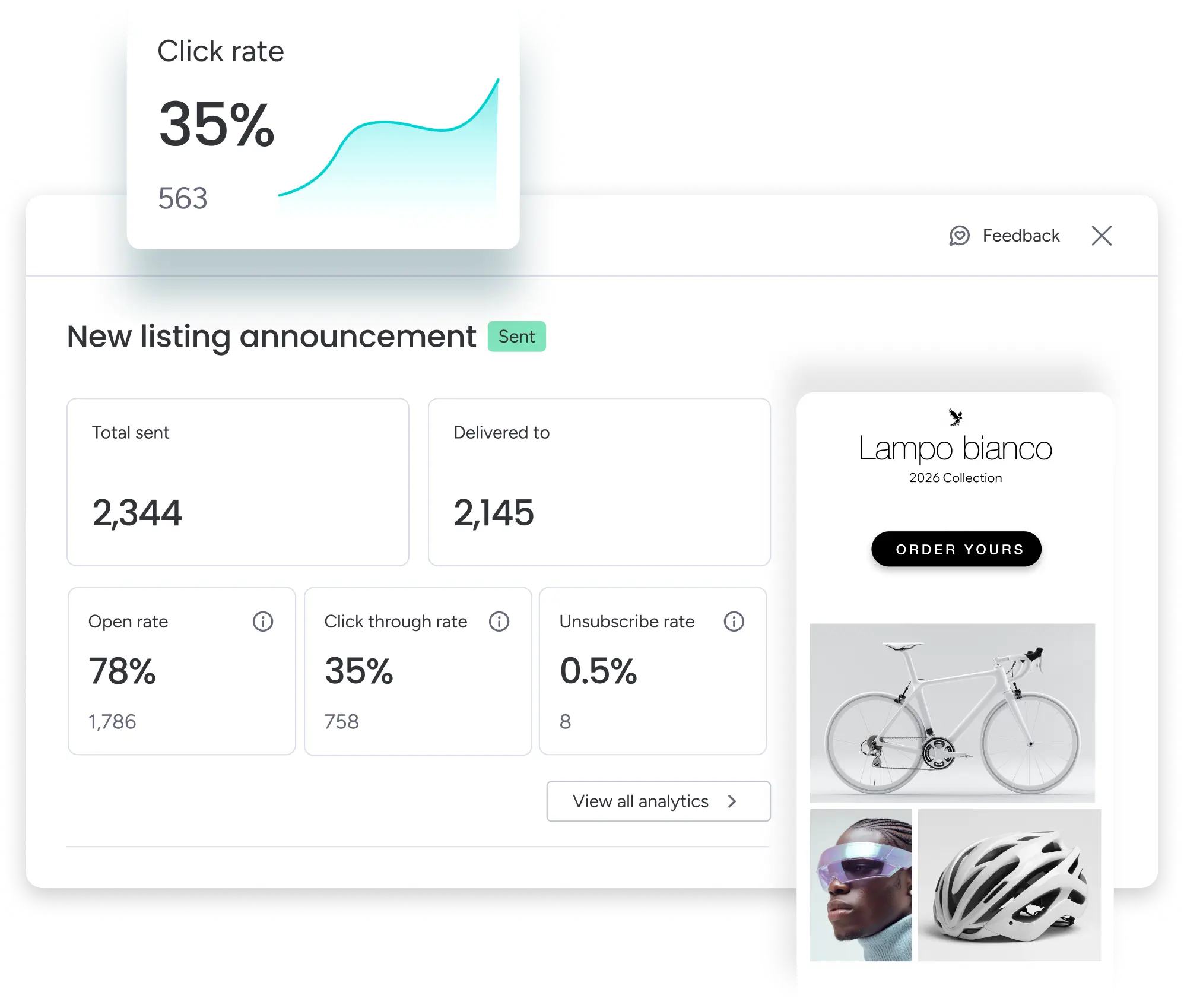
Once your campaign has been sent, monday campaigns shows you clear analytics directly within the platform:
- Total Sent & Delivered: How many emails were actually delivered
- Open Rate: How many recipients opened the email
- Click-Through Rate (CTR): How many clicked on links
- Unsubscribe Rate: How many unsubscribed
The key difference compared to traditional email marketing tools:
monday campaigns links your campaign data directly to your CRM data. So you can see not only who opened the email, but also which leads took action as a result, which deals changed and how much revenue a campaign ultimately generated. That’s genuine revenue attribution, not just vanity metrics.
AI features: The smart side of monday campaigns
AI Campaign Creation Agent: Create campaigns in seconds
You tell your AI what you want to send out, and it creates a complete campaign for you in under a minute. Text, structure, design – everything is automatically generated based on your objectives and your brand kit. This isn’t just a simple copy-and-paste tool: the AI Campaign Creation Agent understands your marketing objectives, selects a suitable structure and generates content that’s ready to use straight away. You can, of course, still customise the result – but the starting point is already ready to go.
Use Case
‘Create a campaign for our new product range, target audience: existing customers, tone: friendly and informative.’ → A complete email is ready in less than 60 seconds.
AI Research Agent: Your next campaign theme – automatically
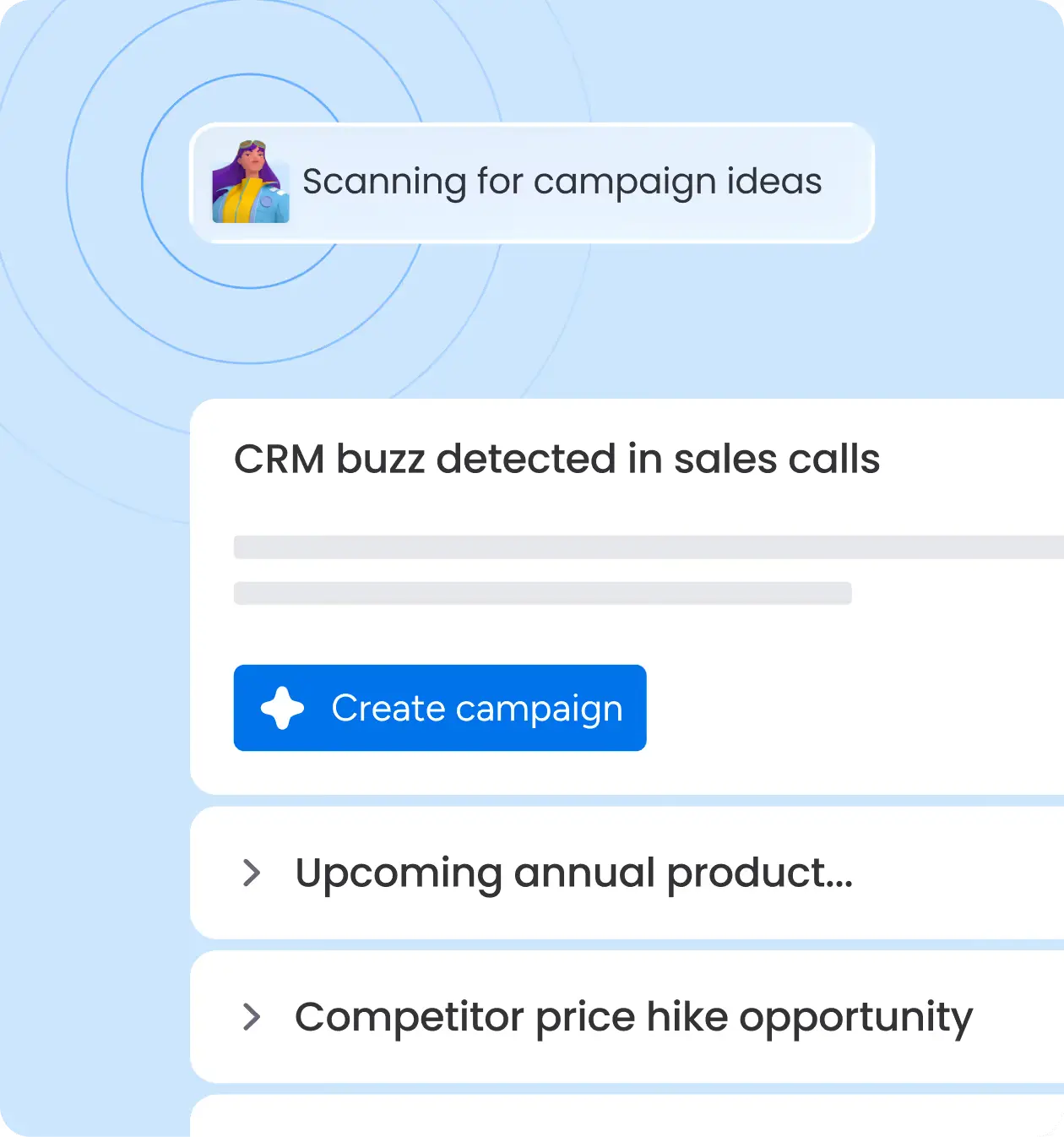
No idea what to send next? The AI Research Agent scans your CRM, your calendar, competitor signals and the latest market data, and proactively suggests campaign ideas – at just the right time. This means you’ll never miss an opportunity again. Whether a competitor is raising a price, a new product is launching on the market, or your sales team frequently mentions certain topics in customer conversations – the Research Agent brings this to your attention and immediately suggests a suitable campaign.
AI Assistant: Just ask, and it’ll happen
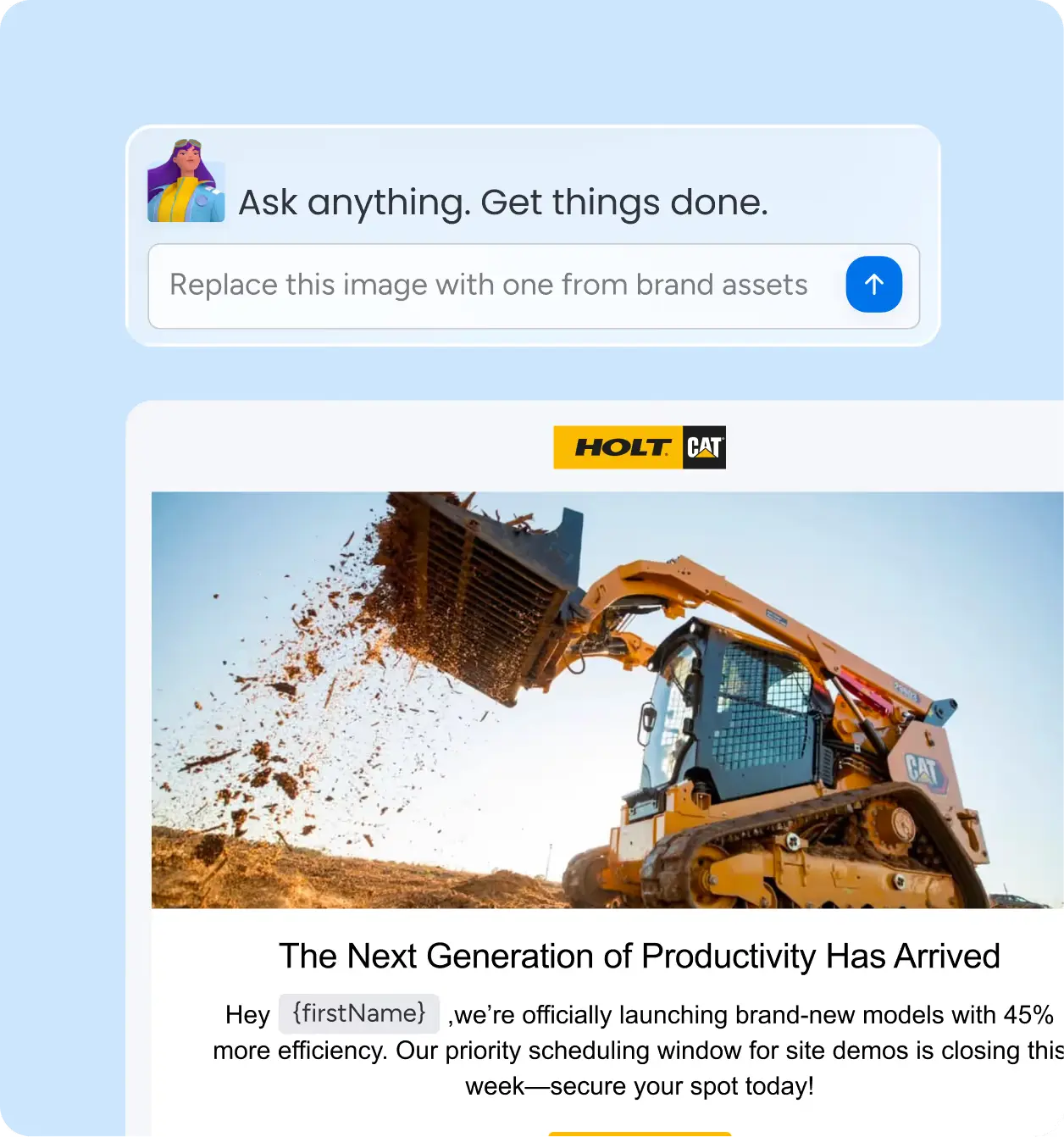
The AI Assistant is your ever-ready helper within the campaign. You can give it natural language instructions and it will carry them out straight away, without you having to leave the campaign.
Example
- Replace this image with one from our brand assets – show me two options.
- Make the subject line clearer and shorter.
- Analyse the performance of the last campaign and give me three suggestions for improvement.
Why monday campaigns are a must-have for monday.com teams
No need for an extra tool
The strongest argument in favour of monday campaigns is its native integration. Anyone already using monday CRM or monday Work Management doesn’t need to introduce a new platform, manage new logins or synchronise data between systems. Everything happens right where the data already is. This massively reduces tool switching, unnecessary handoffs between teams and repetitive set-up work.
A workflow – from planning to dispatch
Traditional set-ups look like this: marketing planning in monday.com → exporting contacts → importing into Mailchimp or HubSpot → creating a campaign → manually transferring the results back into the CRM. With monday campaigns, this disconnect is eliminated. You stay within a single system – from the initial idea right through to the final analysis.
Automatic audience synchronisation
As your contact lists are directly linked to the CRM, your segments are always up to date. No more manual updates, no more out-of-date exports. If a contact’s details change in the CRM, this is immediately reflected in your campaign target group.
Availability & Prices
Who can use monday campaigns?
monday campaigns is available on Pro and Enterprise plans. It works both as a standalone product (without monday CRM) and as a native add-on for monday CRM.
You can import contacts, create campaigns, send them to your list and track results, even without a CRM. With monday CRM, the possibilities become significantly more powerful: contacts synchronise automatically, campaign engagement appears in CRM activity timelines, and you get true revenue attribution.
Important: Only the starting prices are listed below. It’s best to visit the monday.com website and check the relevant prices there if you need more contacts. If you have any questions, just get in touch with us!
14-day free trial period
You can try monday campaigns for free for 14 days – no credit card required. The trial gives you full access to all features, including the AI Campaign Builder, drag-and-drop editor, workflow automation, template gallery and analytics dashboard.
Please note: Email sending during the trial is limited to 5 campaigns or up to 250 emails to verified internal addresses – ideal for setting up and initial testing.
Conclusion: Marketing and sales finally on a single platform
monday campaigns is more than just an email tool – it’s the logical extension of monday.com’s ‘Work OS’ philosophy to marketing. You can plan, create, send and analyse everything in one place. The AI features make campaign creation dramatically faster, and the native CRM integration ensures that sales and marketing are finally working from the same data. If your team already uses monday.com but has been running its email marketing in a separate tool, now is the perfect time to change that.

.svg)