

The last two months have been full of exciting new features at monday.com, with a focus on AI power, automated processes, more control for admins and lots of UX improvements. Particularly noticeable: AI and Sidekick are being consistently expanded, WorkCanvas is moving even closer to the core of the platform and new automations and CRM functions make everyday life easier for teams of all sizes.
Here you can find the most important highlights from the December & January updates from monday.com, summarised concisely for you:
monday Work OS
New MCP connectors: Figma, Make & ChatGPT
Status of update: fully rolled out
Using Monday Communication Protocol (MCP), you can now connect external AI tools such as Figma, Make and ChatGPT directly to monday. For example, Figma designs can be automatically generated from a briefing board or tasks can be completed in natural language via ChatGPT. This reduces media breaks and simplifies complex workflows — ideal for cross-functional teams and AI enthusiasts.
Application examples
For creative & product teams (Figma, Make):
- Automatic design start: A designer inserts a briefing link from Mmonday into Figma, the AI analyses the content and automatically creates a first draft design.
- Status updates without changing tools: After completing a mockup, a simple AI command such as “Mark the task as completed in monday and inform the PM” — all directly from Figma.
For Operations & Management (ChatGPT):
- Virtual Executive Assistant: A manager asks ChatGPT for a summary of all blockers in the engineering board — immediately and without tedious scrolling through columns.
- From meeting to action: Notes in ChatGPT are used to create and assign tasks directly to the right board with a single command — without manual intervention.
Scheduled export of dashboards as PDF to external recipients
Update status: Fully rolled out
Dashboards can now be automatically sent as a PDF to any email address, even to recipients who do not have access to monday.com. This allows reports to be sent to external partners or customers without having to invite additional users. Admins retain full control over content and recipients.
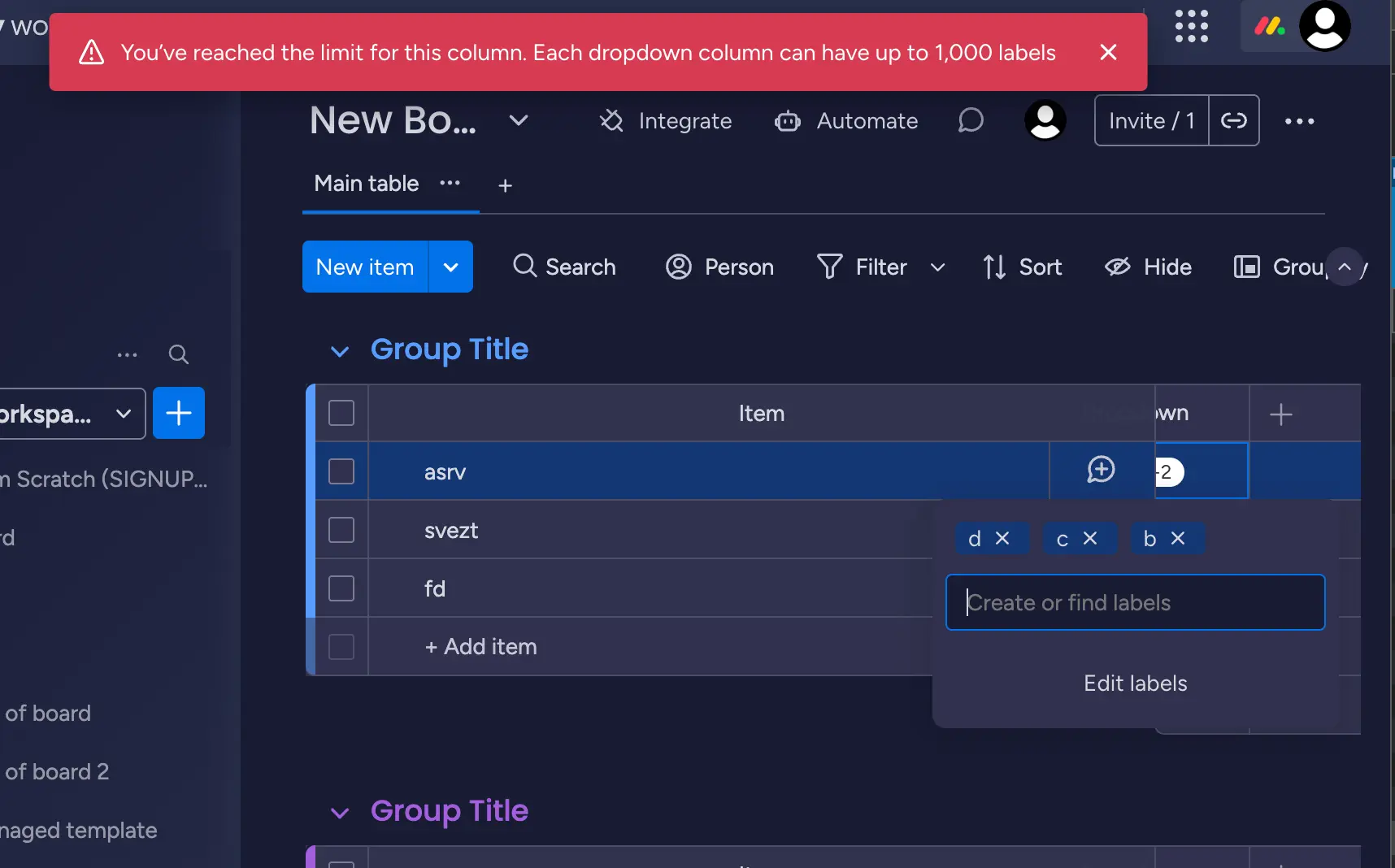
Dropdown columns with up to 1,000 entries
Status of update: Fully rolled out (from November 17, 2025)
The maximum number of values in a drop-down column has been increased to 1,000. Up to 20,000 drop-down values are now possible per board. This is ideal for companies with extensive data models, e.g. for product catalogs, regions or categories.
Edit workdocs in the mobile app
Status of update: fully rolled out
From now on, you can edit workdocs on the go directly in the monday mobile app. This allows you to work together as a team in real time, no matter where you are.
Show individual texts in the calendar widget
Update status: fully rolled out — Enterprise
In the calendar widget, you can now freely choose which text is displayed — e.g. project name, customer number, or contact person. This provides a better overview and a more individual presentation of your appointments.
Add AI columns to templates
Status of update: fully rolled out
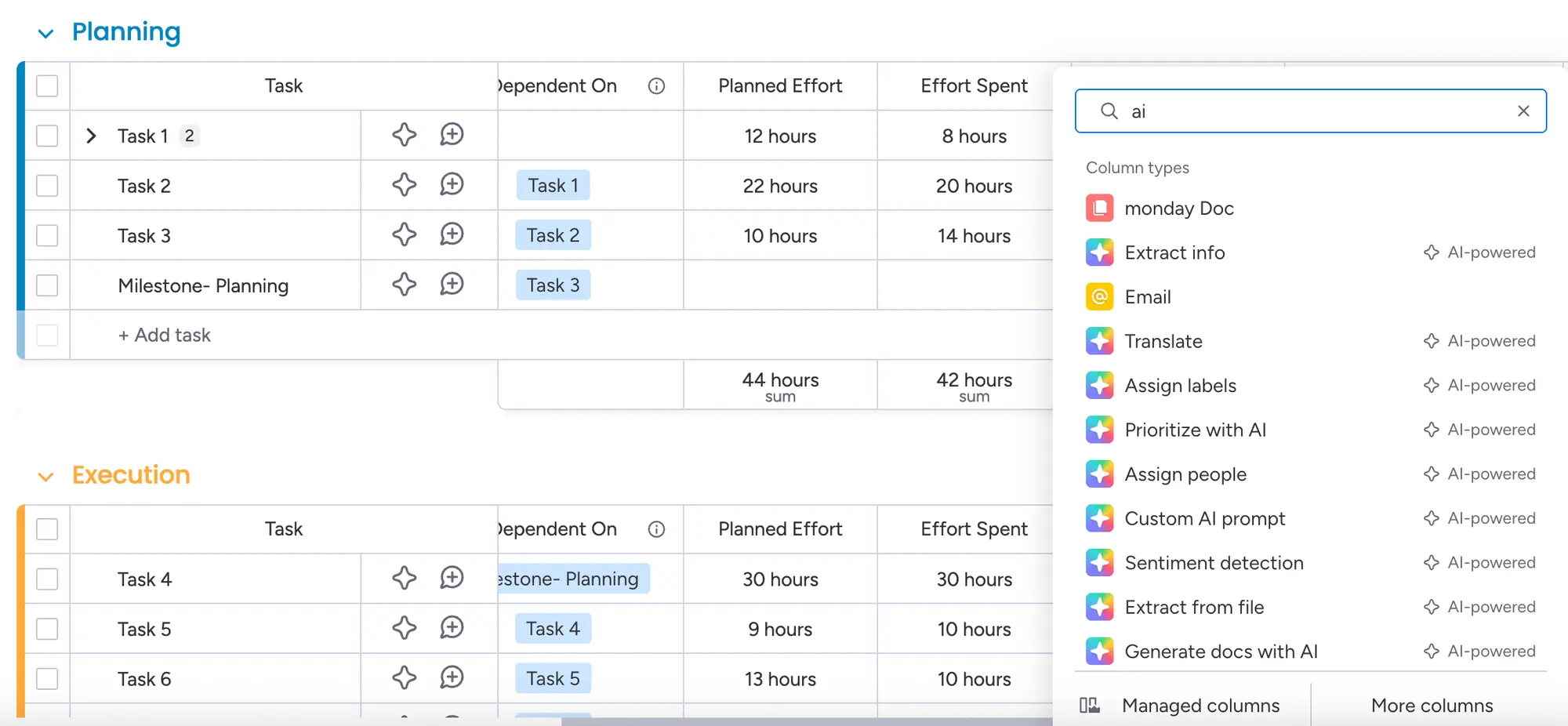
All solution templates on monday.com now support AI columns. This means that as soon as a template is duplicated, intelligent fields for automated analyses, summaries or text creation are already built in. This makes AI an integral part of new workflows.
Application examples
- Ideal for teams that want to scale their workflows while consistently and automatically delivering AI features.
Open content in overlay
Status of update: fully rolled out
Assets such as images or documents can now be opened directly in the overlay, in a central modal window. This makes it possible to view, edit and comment on content without leaving the page.
Application examples
- Useful for marketing, creative, and project teams who access content while working without getting out of flow.
Recently used” in the left menu
Status of update: fully rolled out
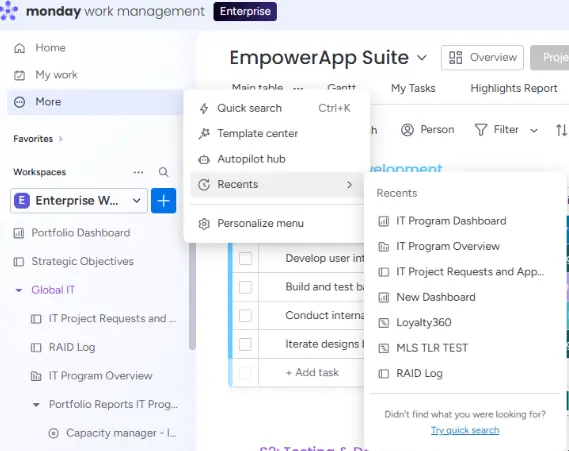
In the left navigation area, under “More”, you will now find a new feature called Recents. This shows you your last 7 opened assets — boards, docs, dashboards — directly to click on.
Application examples
Perfect for anyone who quickly switches between projects or needs to access the same content over and over again.
monday workflows
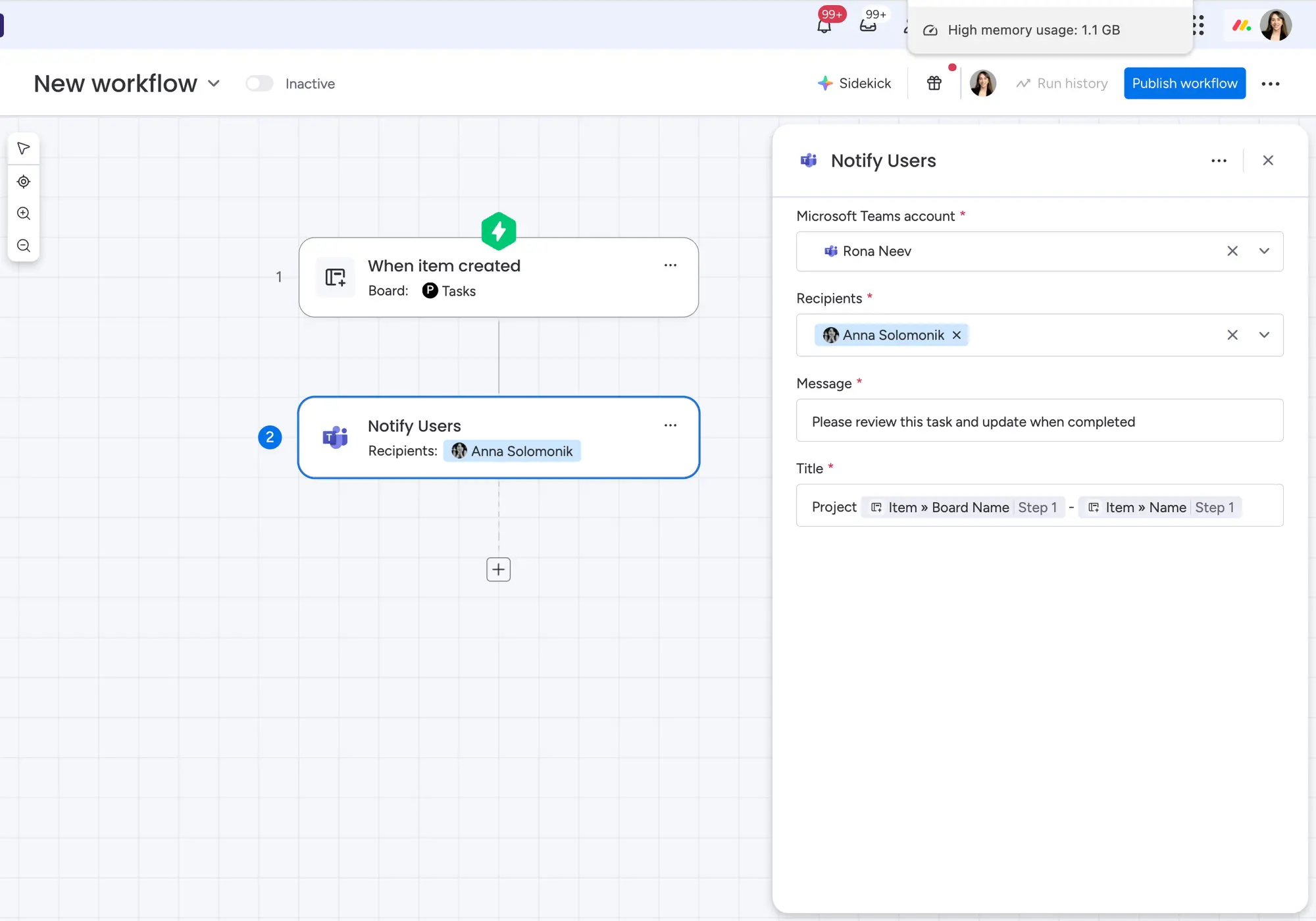
Microsoft Teams messaging integration
Status of update: fully rolled out
With the new feature, users can send messages directly from a workflow to individual people or groups in MS Teams, as part of automation.
Application example
For teams that are heavily embedded in Microsoft 365, this means a closer integration of communication and workflow.
Improved email features
Status of update: fully rolled out
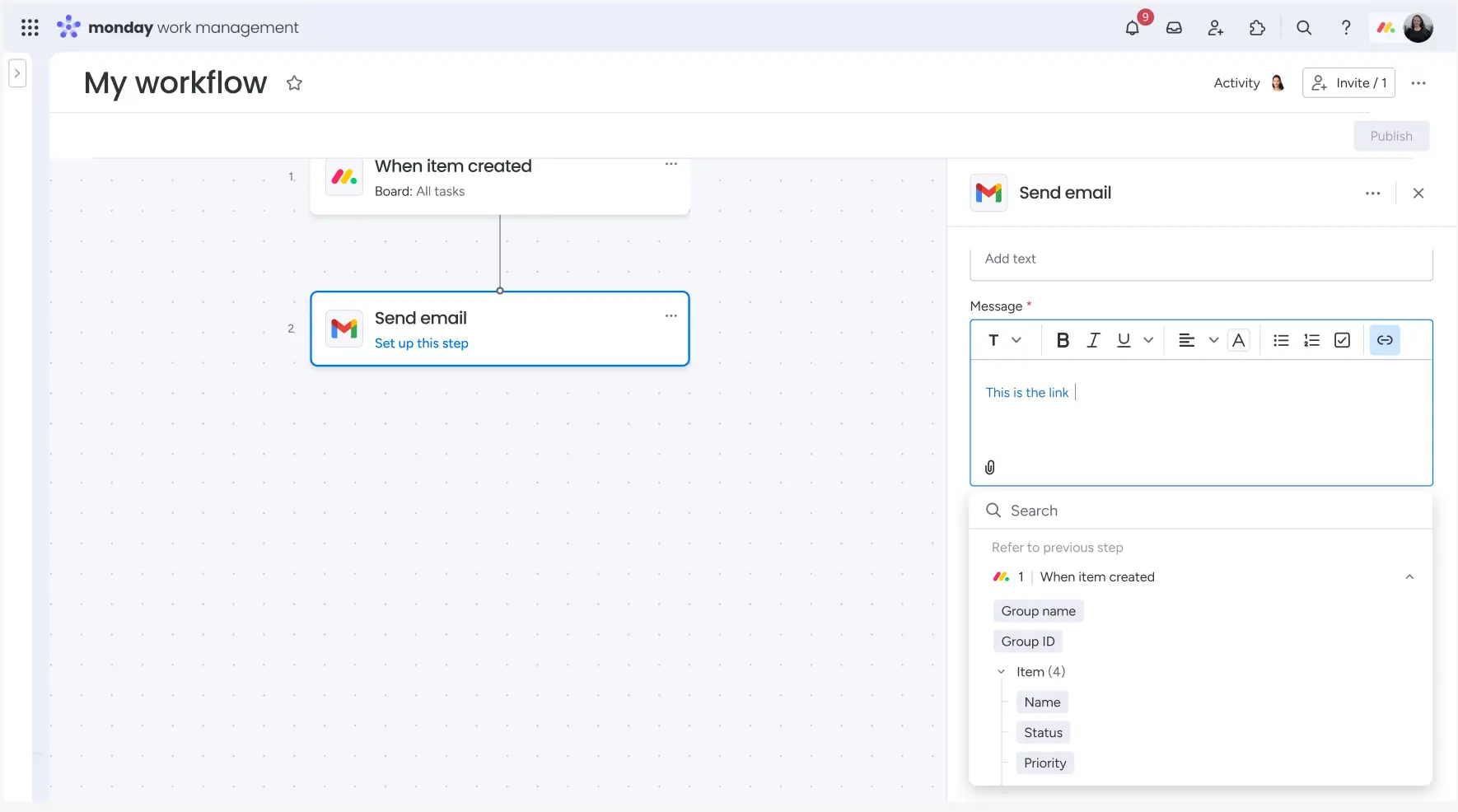
Emails via Gmail/Outlook can now be made more beautiful (rich text), provided with file attachments and direct links, and sent to contacts from the “People” column. This is useful in sales, project management, or support — wherever communication is controlled directly from the workflow.
monday Workforms
Personal and file questions for subitems in forms
Status of update: fully rolled out
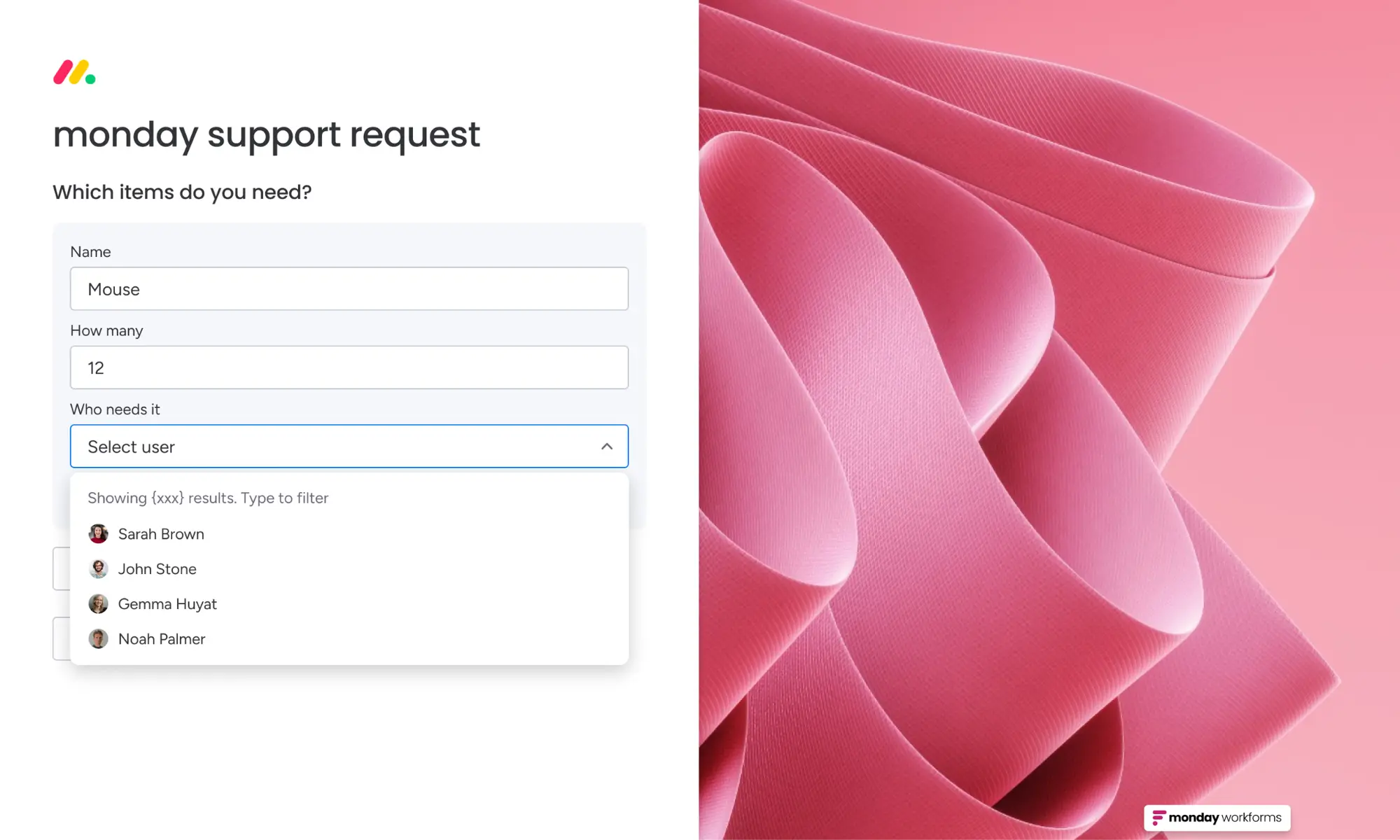
WorkForms now support assigning people and file uploads within Subitem questions. This makes it possible to create detailed forms in which, for example, a responsible person and an attachment can be added per subtask.
Application examples
- HR: Enter tasks with responsible employees directly in the form
- IT support: upload screenshots separately for each bug
Custom branded forms (with AI)
Update status: fully rolled out (Enterprise only)
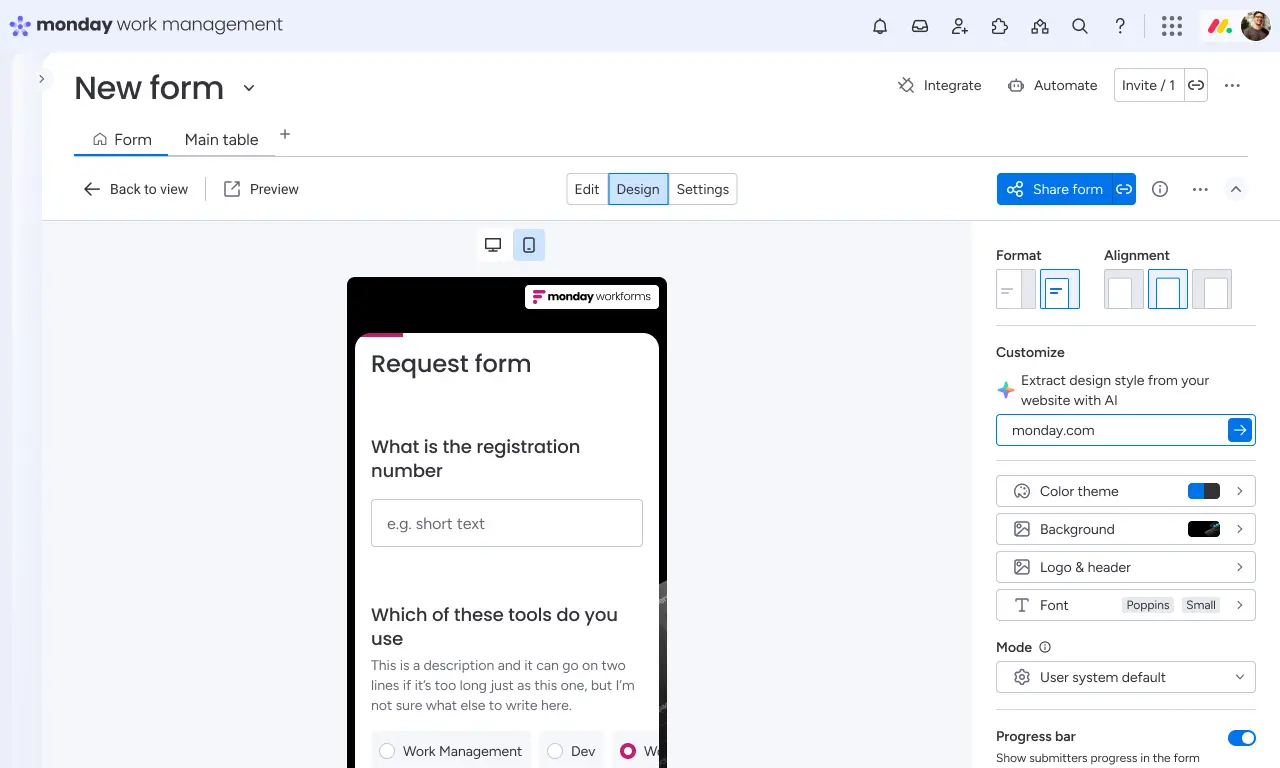
Simply insert the web link from your website into Forms and the forms automatically adapt to your brand: including colors, logo, fonts. However, the design can of course still be adjusted before publication.
This feature is ideal for marketing and HR who want to create professional forms in seconds without designing manually.
Mmonday Workcanvas
Create canvas templates automatically with AI
Status of update: fully completed
With monday AI, you can now generate a visual canvas template with a simple prompt. Example: You enter “Q1 Roadmap” and receive a structured template with sticky notes and areas.
Link access rights to monday permissions
Status of update: fully rolled out
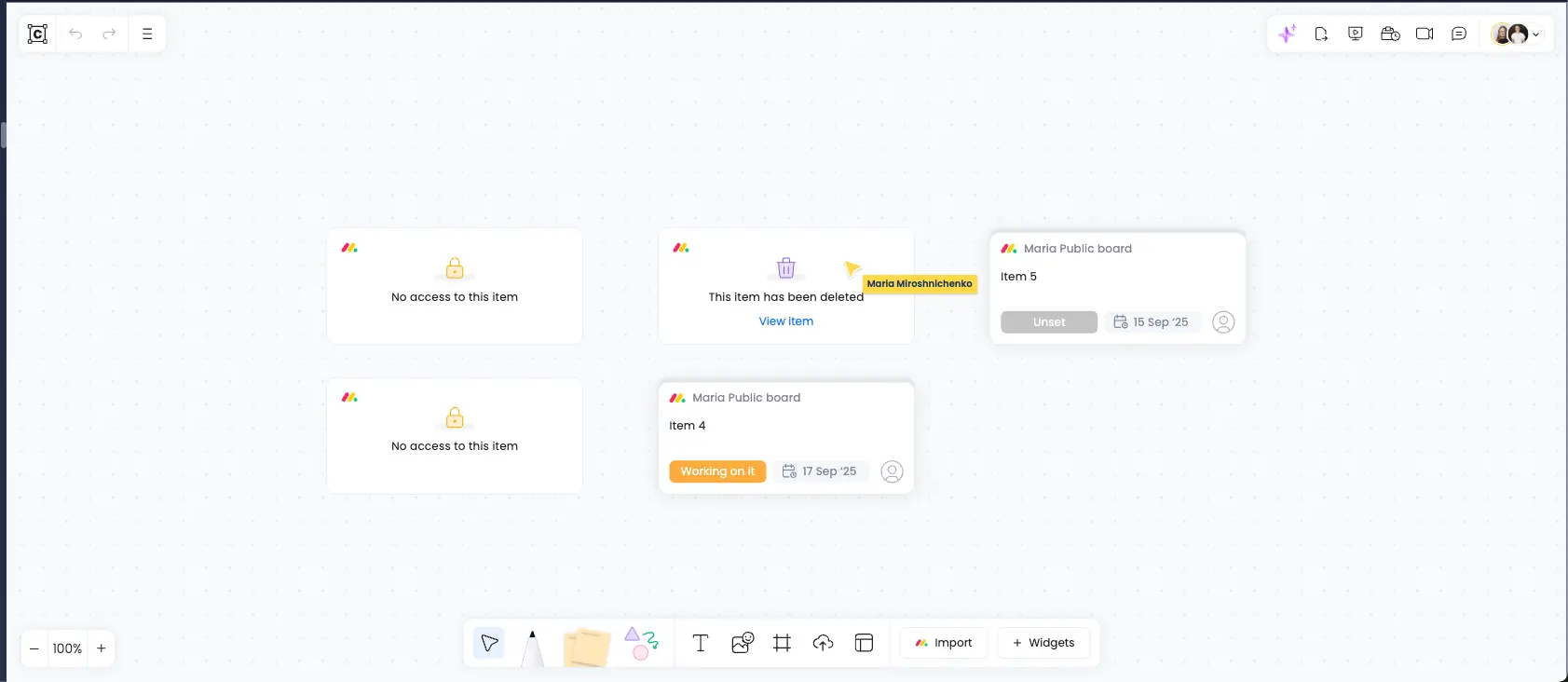
WorkCanvas now takes existing access rights into account in monday. This means that only those who have access to a board or group on monday can also see the connected content in Canvas. This increases data security and reduces confusion among external users.
monday workflows
21 new integrations in Workflow Builder
Status of update: fully rolled out
The monday.com workflow builder has been expanded with 21 new integrations, including tools such as Google Calendar, Outlook, and Zoom. This means that over 100 new automation blocks and actions are now available to connect monday.com even more seamlessly with your tool stack.
benefits
With the new integrations, you can make sales, marketing and productivity-related workflows even more efficient. This makes working with external tools much easier and can be controlled centrally, directly in monday.com.
Application examples
- Automatically start zoom calls as soon as a new task meets certain criteria.
- Automate calendar entries for meetings directly from tasks.
- Sync Outlook mail with tasks in monday.com.
The full list of new integrations is available through your CSM/account manager.
New “Smart Condition” block for automations
Status of update: fully rolled out
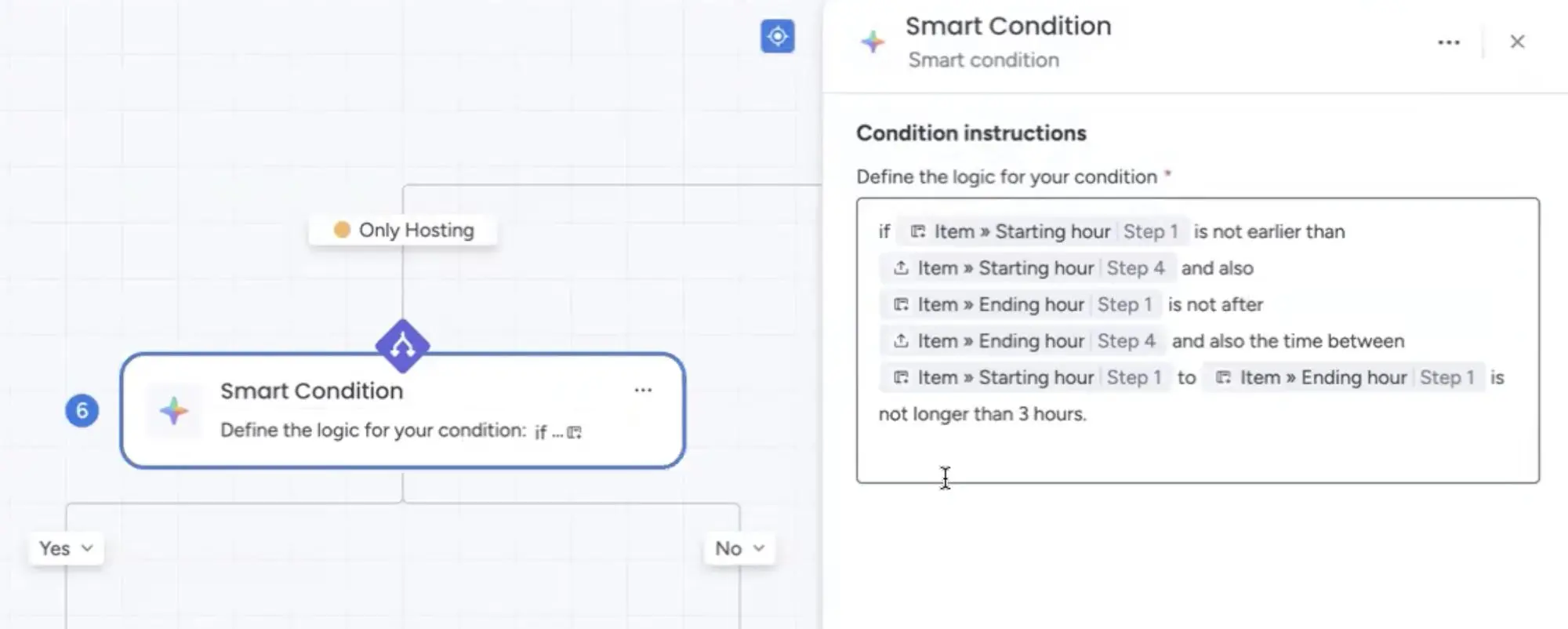
With the new Smart Condition Block in Workflow Builder, you can now easily formulate complex automation conditions in natural language. The AI recognises your description, interprets it and converts it directly into precise automation logic. This not only saves time, but also makes sophisticated processes accessible to all users.
benefits
The new block makes creating workflows much easier. Especially with complex conditions that previously required formulas or additional columns, everything is now possible in one step. This creates reliable and clearly structured automations with significantly less effort.
Application examples
- “If a deal is over 10,000 CHF and the status is' Approved ', send a message to management.”
- “If the deadline is closer than 3 days and no owner has been assigned, the team leader will automatically assign.”
- “If a ticket is marked as critical and is open for more than 24 hours, escalate to the support lead.”
monday Sidekick
monday Sidekick now in Workflow Builder
Status of update: fully rolled out
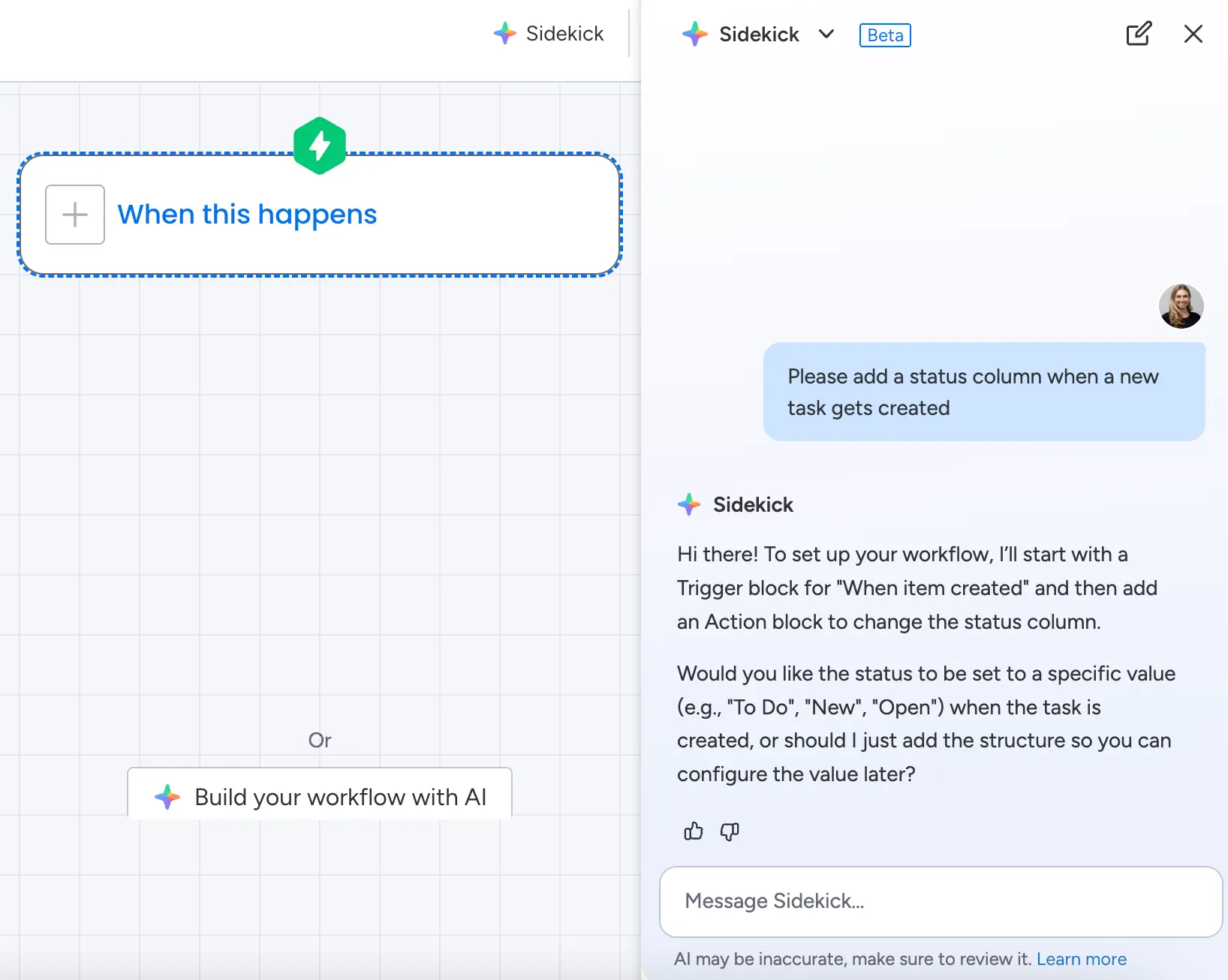
monday Sidekick is now available directly in Workflow Builder! It allows you to create, customise, and analyse complete workflows easily via AI-powered entertainment. Regardless of whether you want to set up new automations, replace existing blocks or understand complex processes better: Sidekick removes the technical hurdle and guides you step by step through setting up your automations.
Application examples
- “Create a new workflow for me to escalate support tickets”
- “Show me which conditions apply most frequently in this workflow”
- “Add a block that notifies the responsible project manager if the deadline is missed”
Assigning users is now even easier
Status of update: fully rolled out
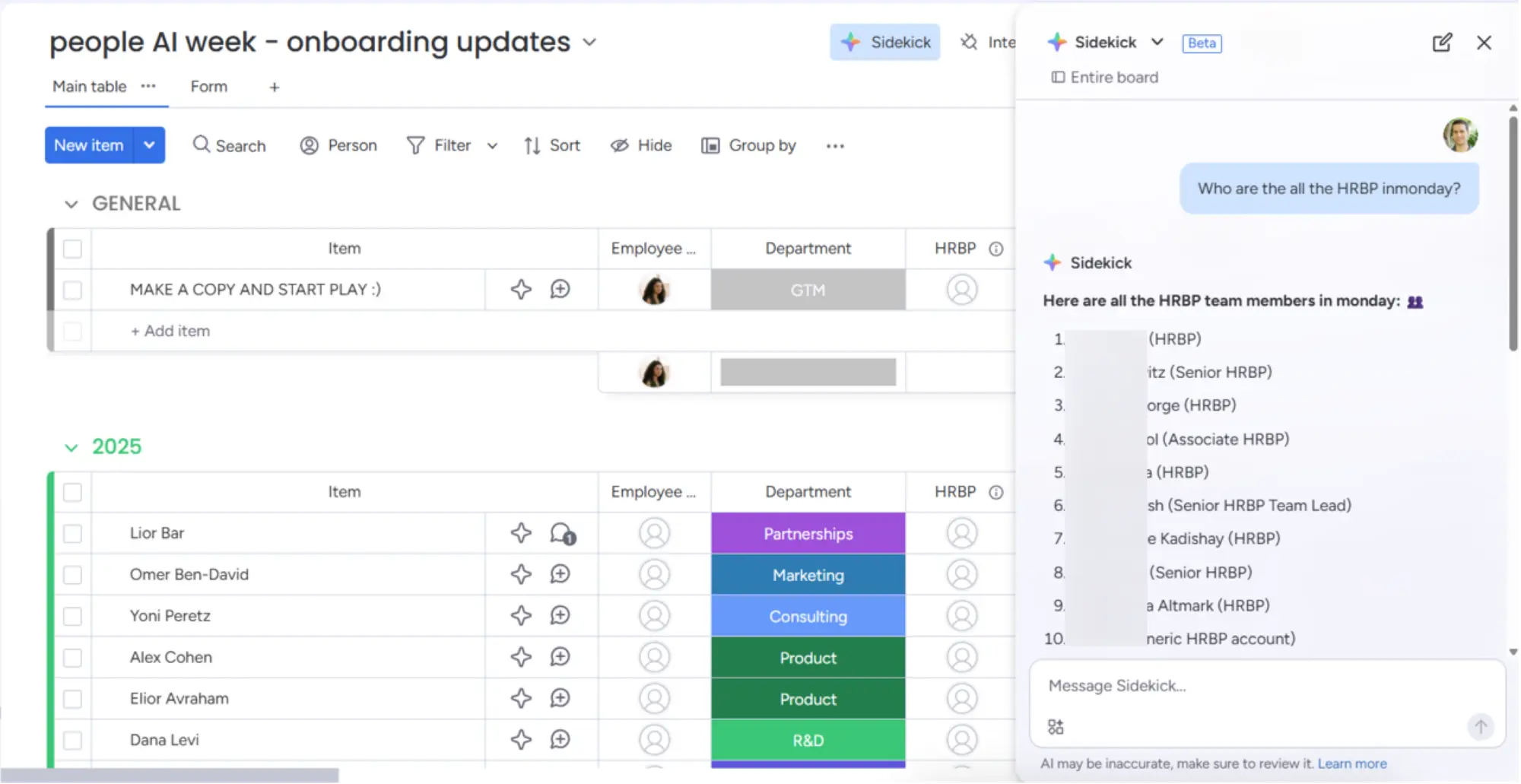
With the latest update, you can now assign tasks to anyone in the entire account via monday Sidekick, not just board members. Sidekick accesses account-wide data such as name, role, and email, making task distribution significantly more flexible.
What does that do you get?
This extension makes it much easier to assign tasks. You no longer have to pay attention to whether a person is already subscribed to a board. Instead, you can search for and assign the right person directly from Sidekick — without manual detours.
Application examples
- You want to assign a new task directly to the responsible team leader — without prior board subscription.
- You ask Sidekick, “Assign this task to someone from the support team” — and the assistant finds the right person for you.
- You manage tasks centrally for different departments and don't want to laboriously search for individual members anymore.
Generate images and docs with AI
Status of update: fully rolled out
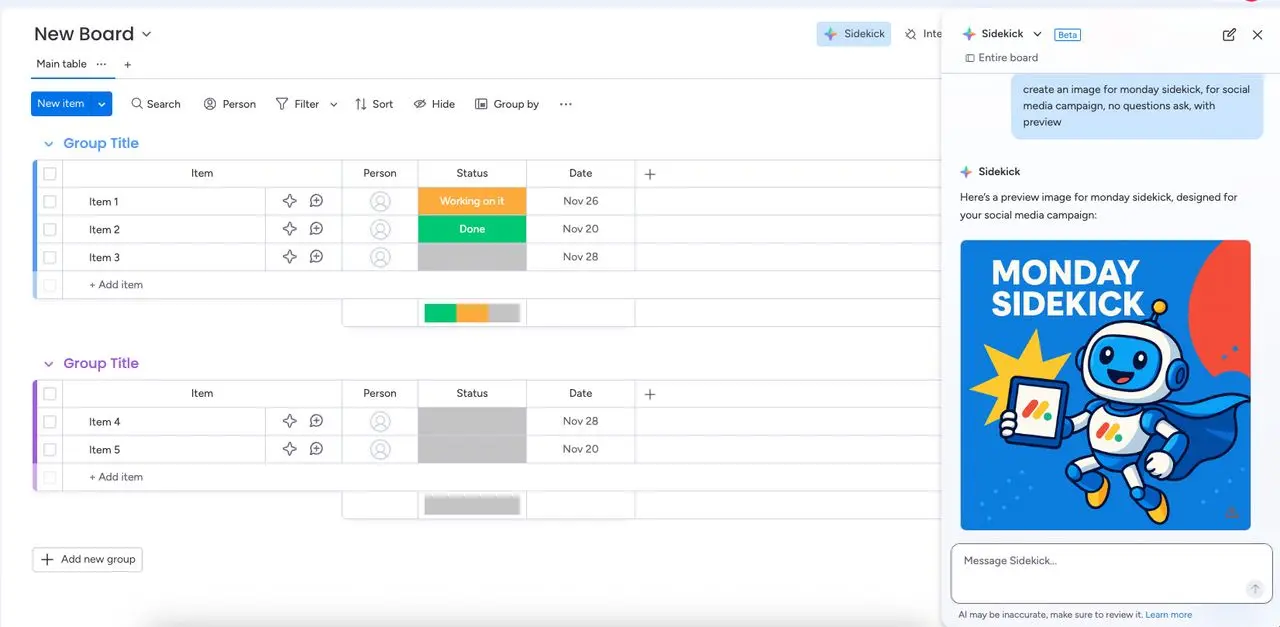
With the new update, you can use monday Sidekick to create high-quality images and monday Docs directly in the workflow, without changing tools or copy-pasting.
What's new?
- Thanks to the integration of OpenAI's latest image model, creative teams can now create professional visuals directly in monday.com, ideal for marketing, communication and design.
- Sidekick can now also automatically transfer generated texts to a new workdoc in the right folder — with just one click, without manually copying or changing views.
Application examples
- Marketing teams use Sidekick to create images for campaigns or social media posts — without using external tools.
- A project team lets Sidekick summarise meeting notes and instantly save them to a doc — ready to share.
- Content managers use Sidekick to visualise ideas and immediately save them as an editable document.
monday Vibe
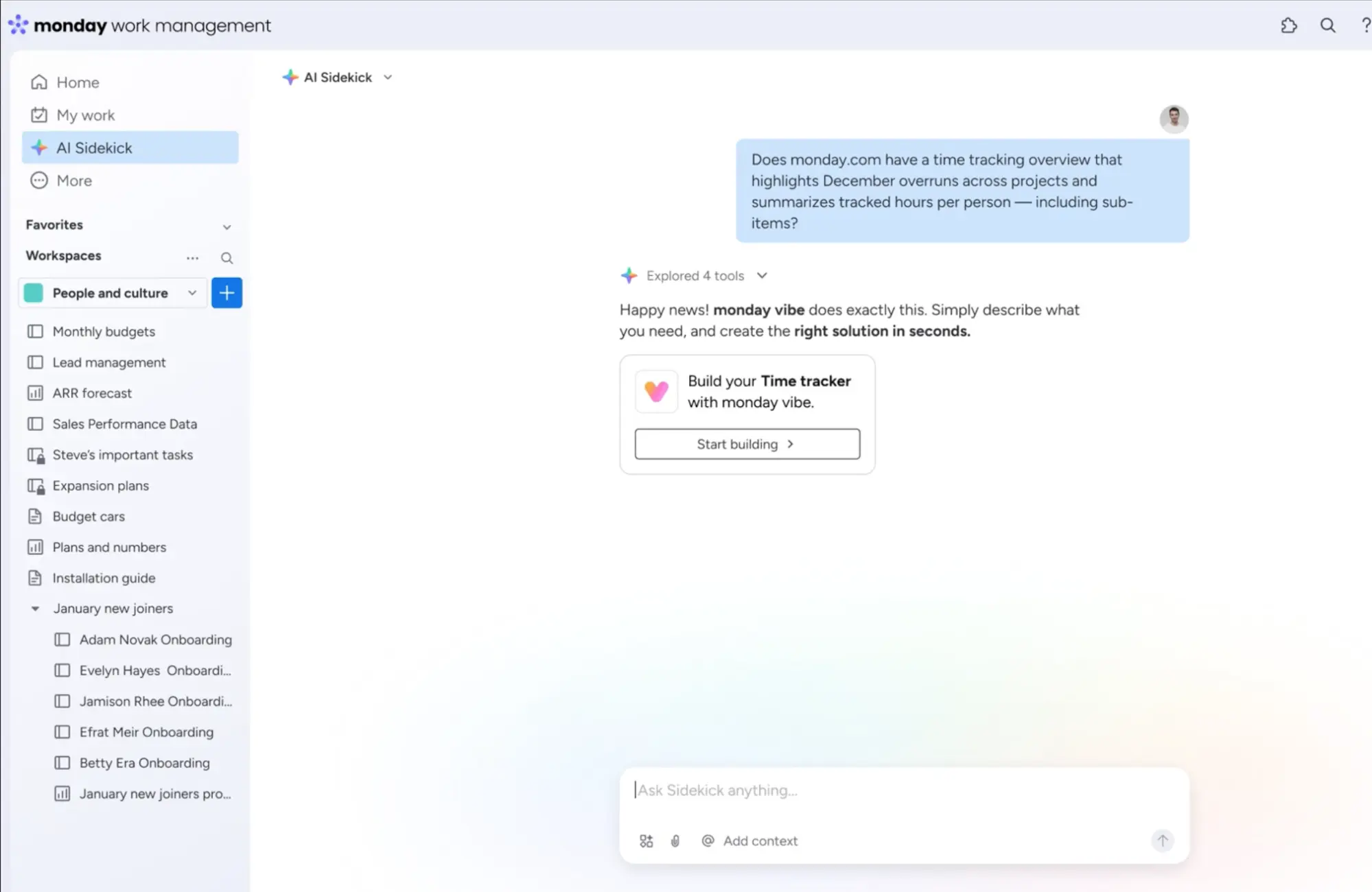
Start Vibe from Sidekick
Status of update: fully rolled out
Sidekick now recognises when your input fits monday Vibe better and automatically suggests you start Vibe, including a matching template.
Application examples
This is useful when creating workflows, onboarding flows, or other use cases that are better represented in Vibe.
Replace account home page with Vibe
Status of update: fully rolled out
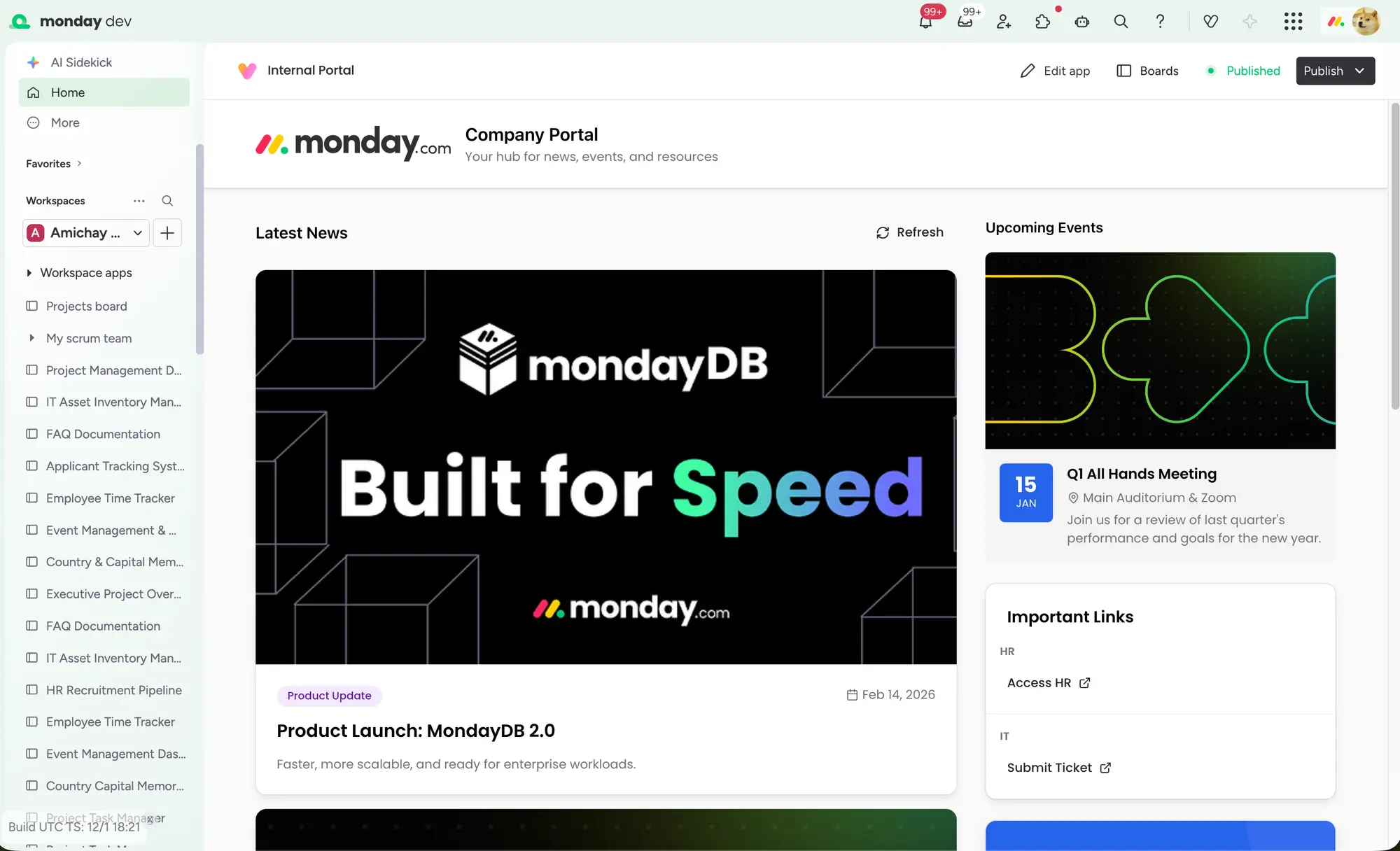
Admins can now replace the normal monday.com homepage with a fully customisable Vibe app, as an interactive onboarding or communication hub, for example. This is ideal for larger teams or companies that want to design a brand-specific entry-level experience or dynamic homepage.
monday CRM
AI Notetaker: individually customisable thumbnail
Status of update: fully rolled out
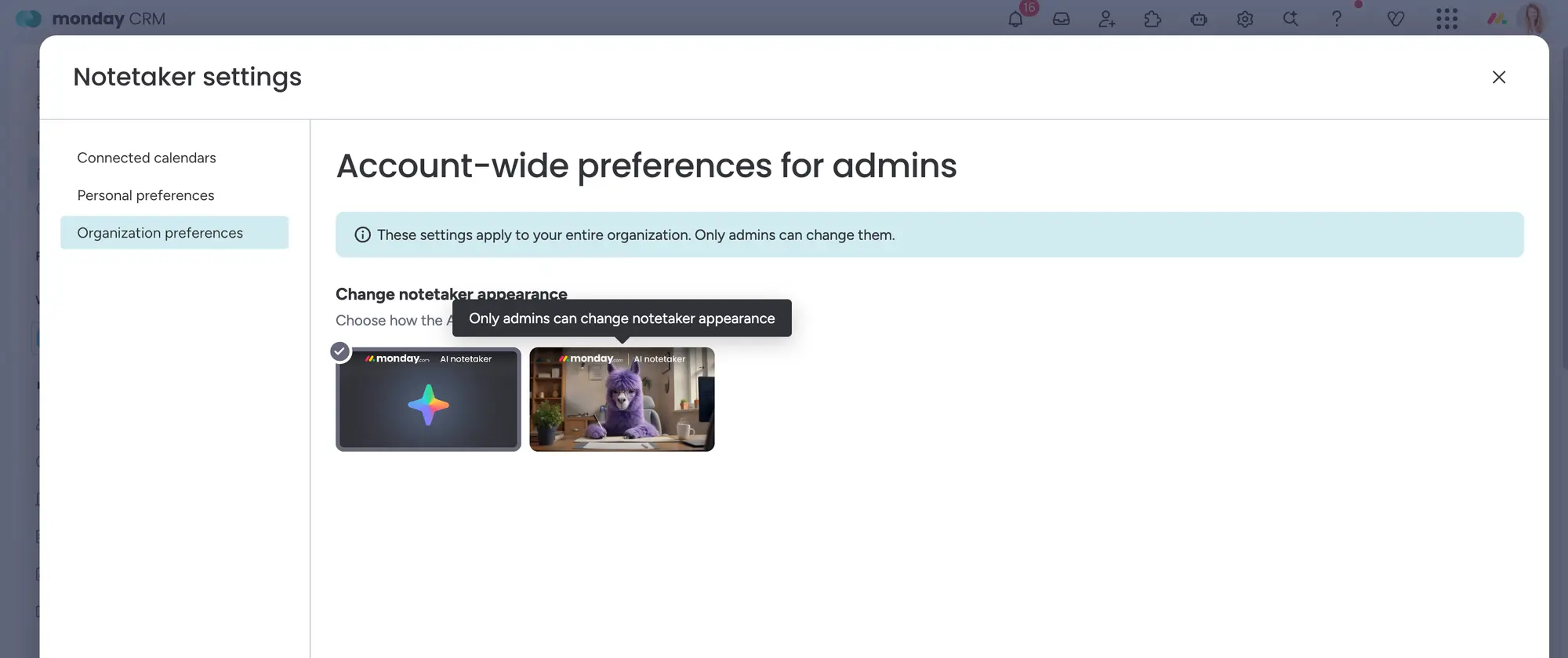
From now on, admins in monday CRM can decide for themselves how the AI Notetaker is displayed in the system: Either with the previous llama icon or with a more neutral AI icon.
What's new?
- The preview image (thumbnail) of the Notetaker can be adjusted in the settings.
- The choice between the playful llama and a professional AI symbol offers more flexibility in the brand image.
What does that do you get?
Many companies want to maintain a professional image, especially in formal or external meetings. This update was frequently requested and fulfills exactly this request. Ideal if you want to use the Notetaker functionality without sacrificing seriousness.
AI Lead Agent
Status of update: fully rolled out
A new AI agent takes over lead sourcing based on your Ideal Customer Profile. This allows you to find suitable contacts in a more targeted manner, which are fed directly into your workflow. This is ideal for sales teams who want to identify qualified leads faster and integrate them directly into CRM sequences.
Deal Insights: Next Best Action
Status of update: fully rolled out
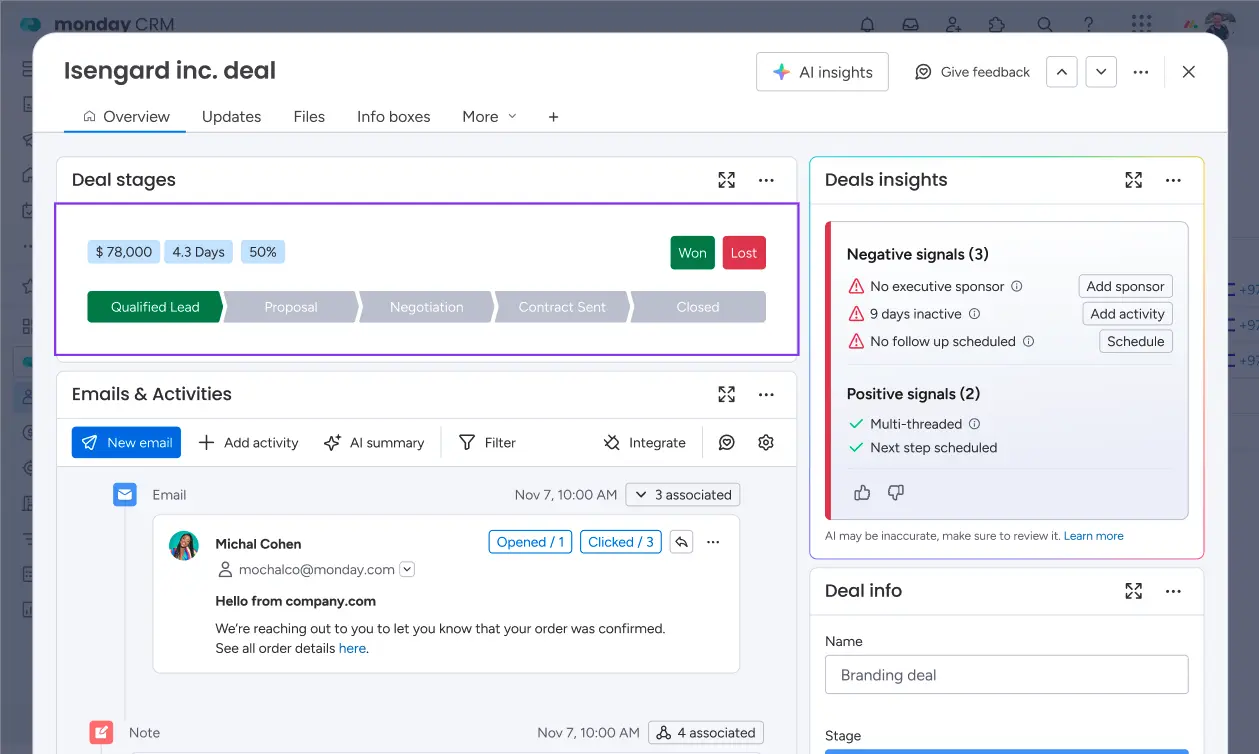
monday CRM provides proactive advice on critical deals and shows which next steps make sense — such as sending a follow-up or adjusting the closing date.
Application examples
- Salespeople identify vulnerable deals early on and improve forecasts and closing rates.
monday Service
Entra Directory Sync (formerly Active Directory)
Status of update: fully rolled out
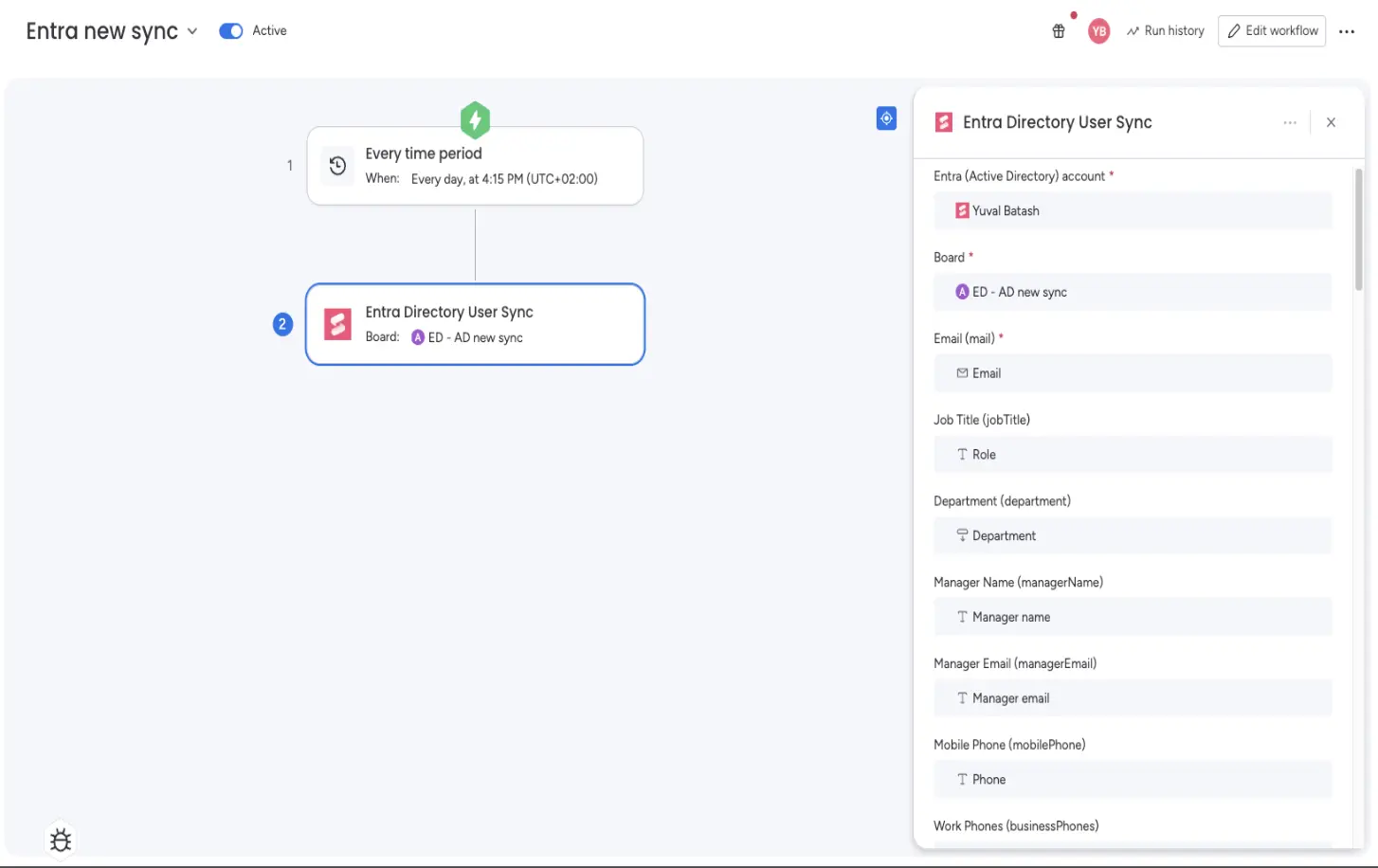
The new Entra Sync module replaces the old AD synchronisation. It now supports fields such as location, role, or manager to assign tickets more dynamically. It is perfect for IT teams that want to efficiently integrate complex organisational structures into workflows.
Conclusion
The updates at the start of the year include everything that modern teams need: more AI power, deeper integrations, higher efficiency, and new options for even more individual workflows. Whether in CRM, Dev, Service or with Vibe, monday.com continues to grow into a central platform for digital collaboration.
.svg)