

In June 2026, monday.com rolled out another strong set of updates – and this time, the focus is clearly on scalability, AI-powered automation and the further development of the Vibe platform. Whether you use monday.com for project management, as a CRM or for your customer service, these new features will make your day-to-day work noticeably more efficient.
monday Platform
monday DB 3.0
Status: Being rolled out in stages
The database engine behind monday.com has been completely overhauled. Monday DB 3.0 processes significantly larger volumes of data, and you’ll notice the difference straight away: boards with more than 20,000 entries and dashboards with over 50,000 elements now load noticeably faster, without you having to configure a thing. For organisations that use monday.com as their central enterprise operating system, this opens up a whole new dimension: boards with up to a million entries, massive CRM pipelines and company-wide reporting are now a reality.
Example of use
Your sales team manages thousands of contacts and deals on a single board. Until now, the dashboard took a noticeably long time to load, but with Monday DB 3.0, you can see the overview in seconds, even if you’re all accessing it at the same time.
Extract Block Enhancements
Status: Fully rolled out
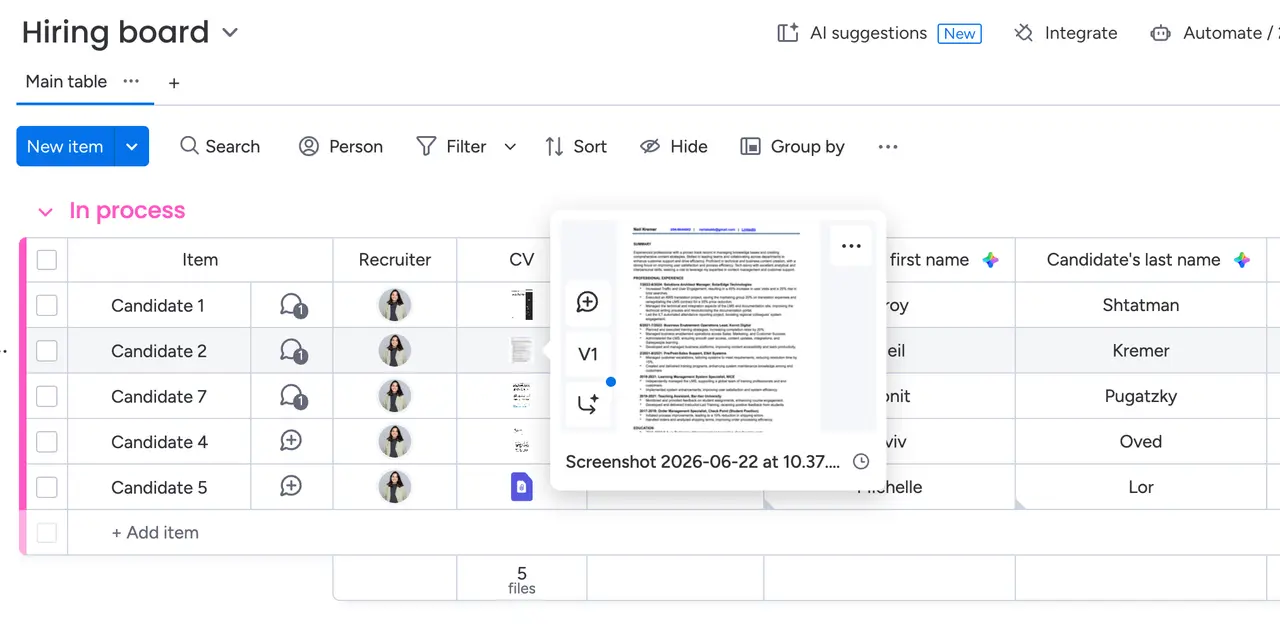
The Extract Block – familiar from AI automations – can now process a significantly wider range of file formats. Newly supported formats include image formats such as PNG, JPG, JPEG and WEBP, as well as scanned PDFs, which were previously unreadable. Structured data, tables and layouts are extracted directly from these files without you having to configure anything.
The upgrade also improves extraction quality for all existing file formats. Shorter set-up time, better results.
Example of use
You’ll receive scanned delivery notes as JPEG files every day. Previously, you had to enter the data manually – now monday.com automatically extracts the relevant information and populates your board.
Updating the AI column formula
Status: Fully rolled out
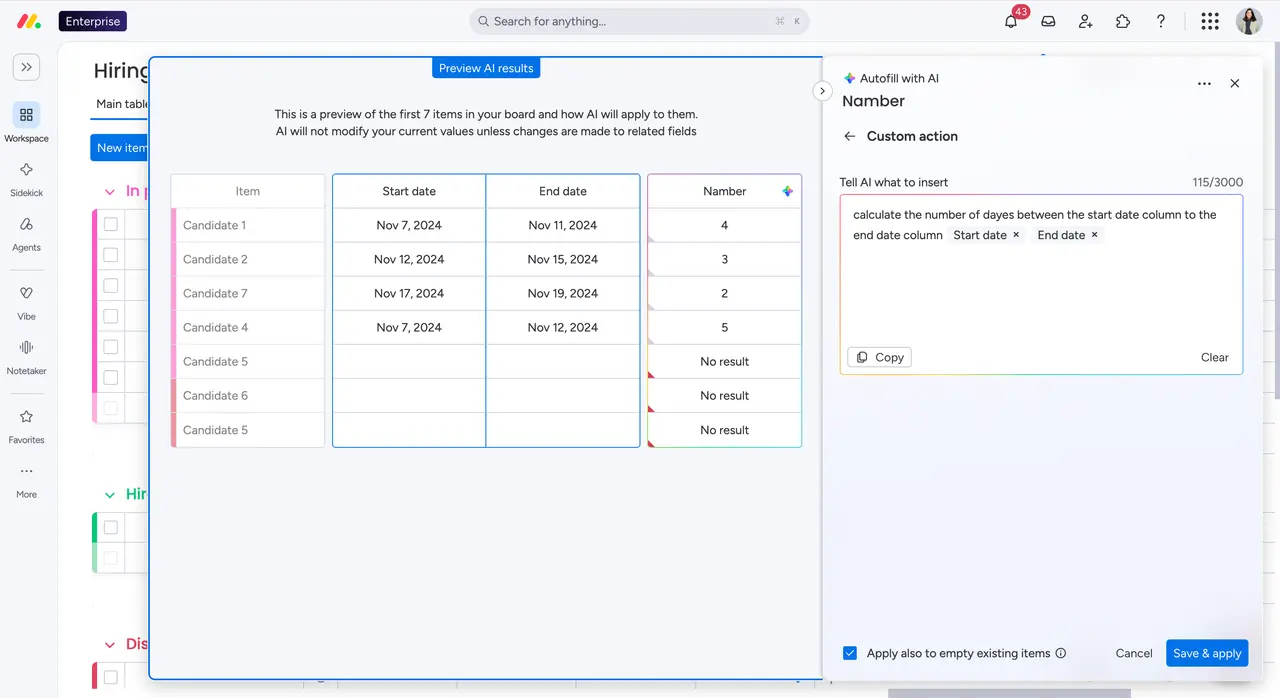
AI columns in monday.com can now handle complex calculations: age calculations, working day counts, ROI percentages and weighted averages. A unified Formula Tool replaces older, error-prone tools and ensures consistent and accurate results for numerical, date and time-related calculations.
Example of use
You want to automatically calculate how many working days there are between the project start date and the deadline. Instead of entering this manually, you simply tell the AI column what to do and you’ll get the correct value straight away.
monday Vibe
Public Vibe Apps
Status: Fully rolled out (Full release expected in late June / early July)
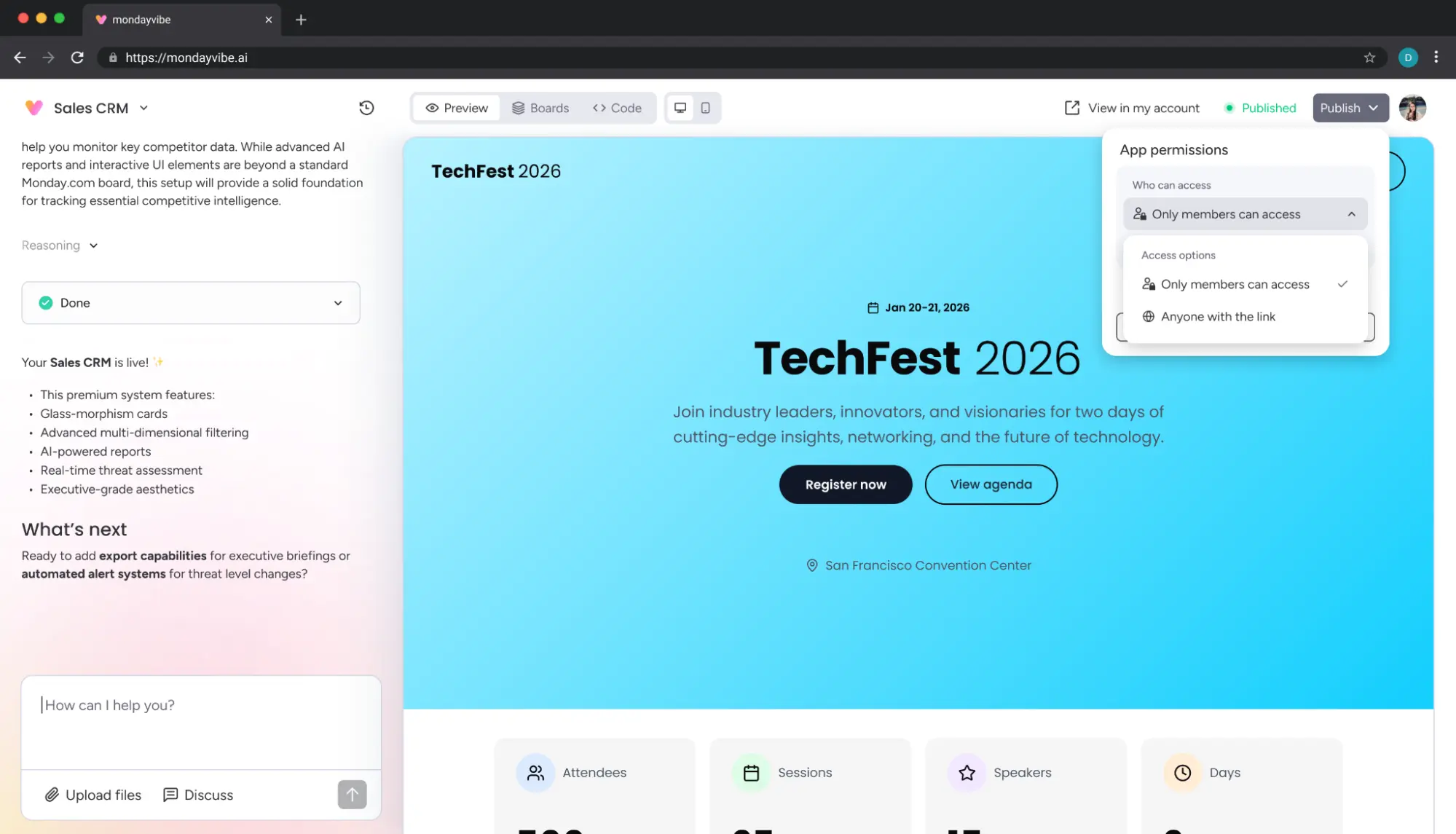
You can now publish your Vibe apps on the open internet. Anyone accessing the app does not need to have a monday.com account – interaction is still possible. This transforms Vibe from an internal productivity tool into a genuine application platform for external users. Possible use cases include customer portals, public forms or status-based project communication with external parties.
Please note: This feature is available exclusively to accounts with the Vibe Growth Package (25-apps plan). In Enterprise accounts, only administrators have the permission to publish by default.
Example of use
Your team is building an event registration page directly in Vibe. Customers can sign up via the public link – all the data is automatically sent to your monday.com board.
Copying apps across multiple accounts
Status: Fully rolled out
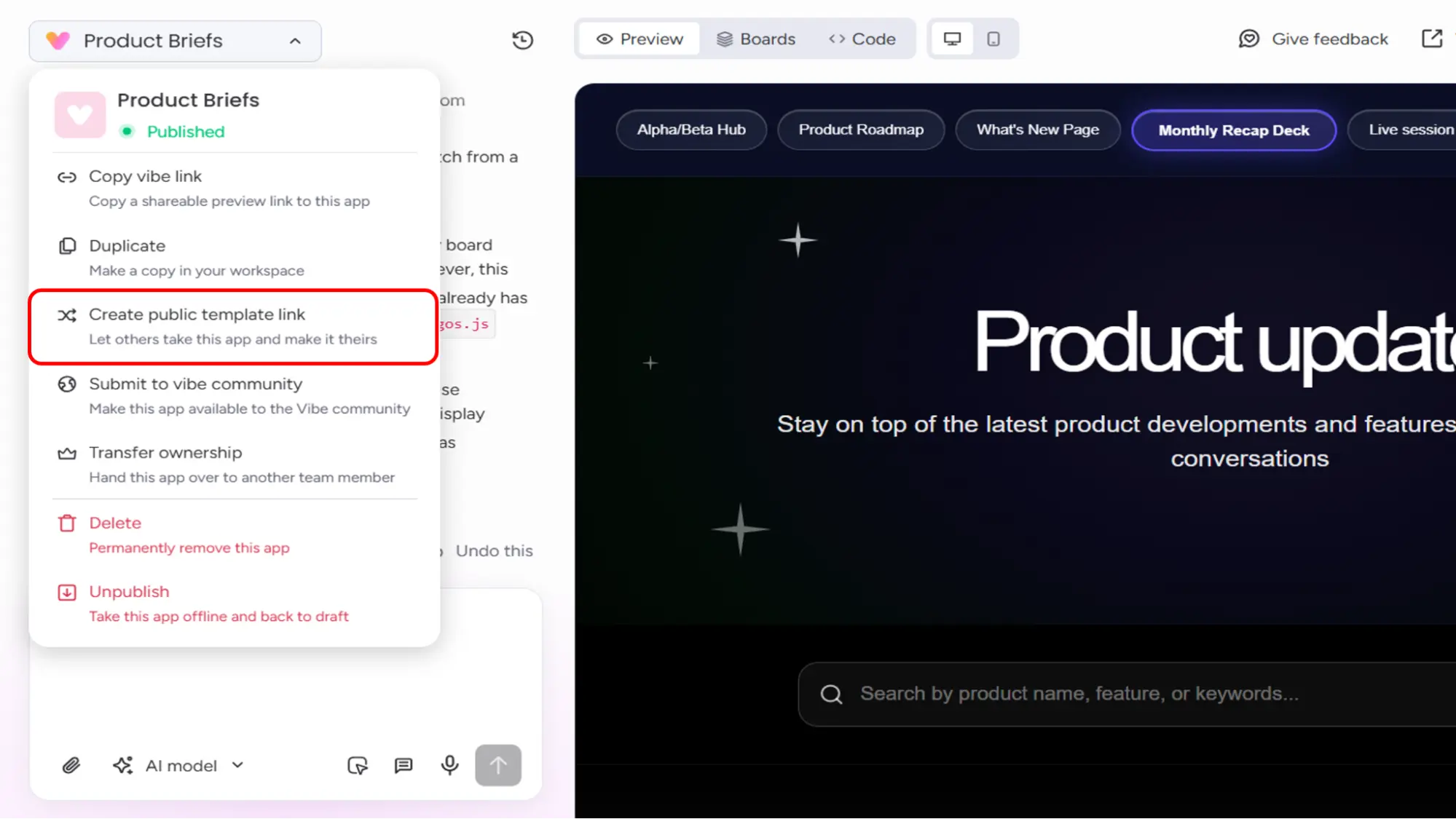
Apps can now be copied to any monday.com account – even across different accounts – using a single public template link. During the import process, you choose which account and which workspace the app should be installed in. Each copy is independent and can be further developed separately. For Blinno and other monday.com partners, this means that ready-made solutions can be made available to customers in seconds, without the need for manual replication.
Example of use
You’ve built a tried-and-tested project setup as a Vibe app. With a single link, your team can deploy this app to ten different client accounts – without having to set up a single new board.
Add or redesign boards for existing apps
Status: Fully rolled out
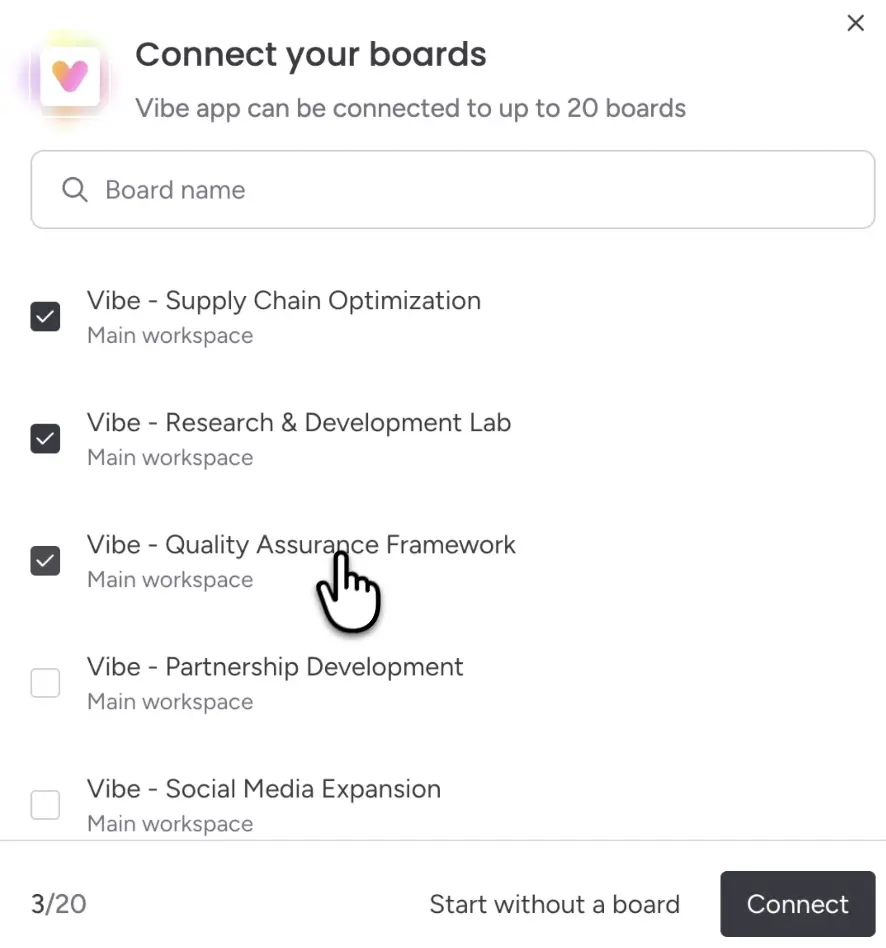
Existing Vibe Apps can now be expanded directly within the Vibe Editor: you can connect additional boards, create new boards, add columns or restructure them – all without leaving the app or rebuilding it. This turns Vibe Apps into dynamic systems that evolve alongside your work. Depending on your plan, you can connect up to 5 (Standard) or up to 20 boards (Vibe Growth / Custom) per app.
Example of use
You’ve built an app for onboarding, but now you’d also like to integrate capacity data from the HR dashboard. No need to start from scratch – you can connect the dashboard directly within the editor.
Advanced input and output functions
Status: Fully rolled out
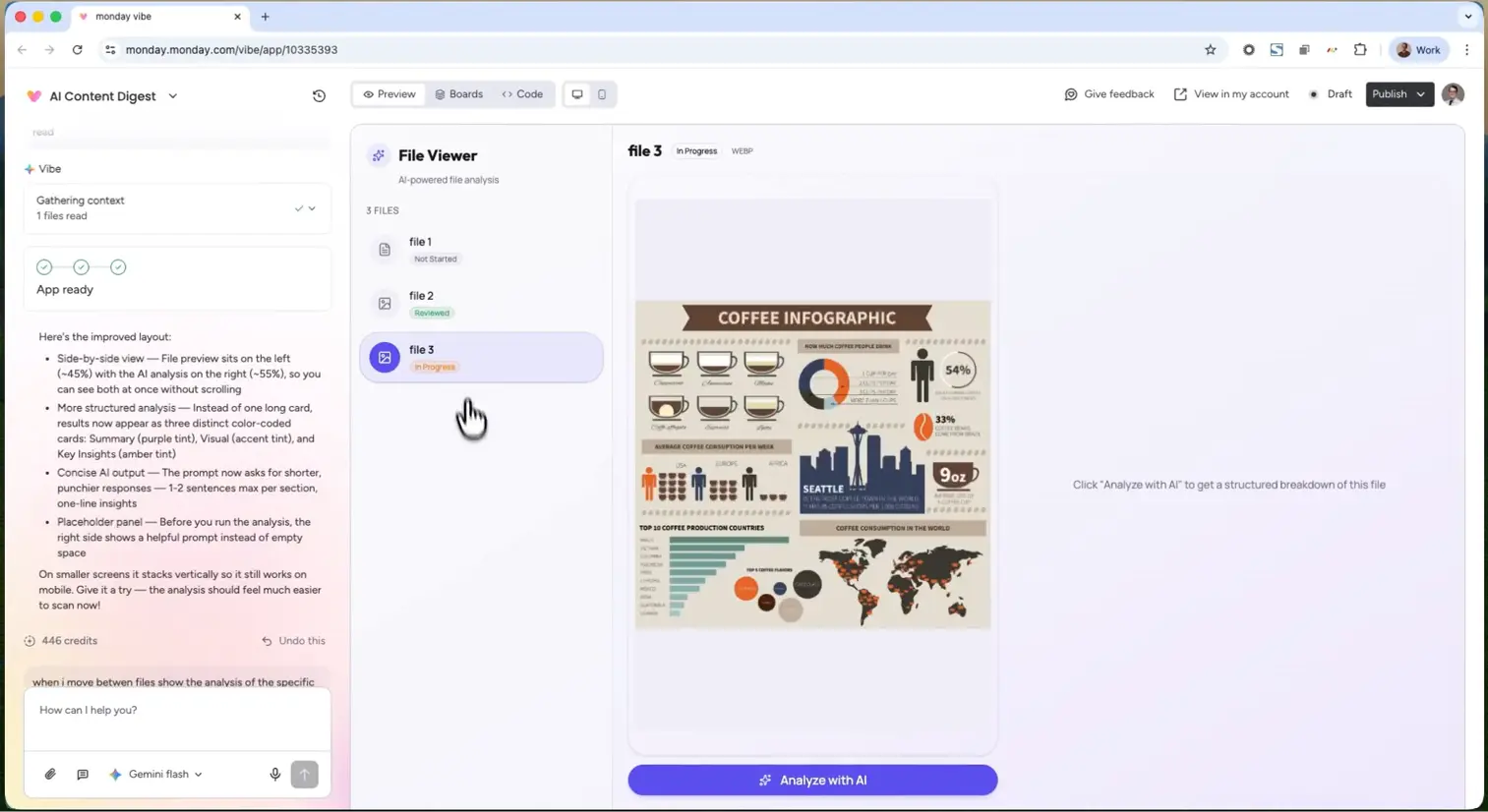
Vibe Apps are becoming even more powerful: you can now enrich board data via mobile barcode and QR code scans, import data from unstructured files (images, PDFs, invoices, forms) using AI extraction, and process meeting transcripts directly. When exporting, fully editable Office files – including formulas and macros – are available.
Example of use
Your warehouse team scans parcels using their smartphones – the barcode data is sent straight to the Vibe App Board and automatically triggers follow-up actions.
Import from CSV/XLSX file
Status: Fully rolled out
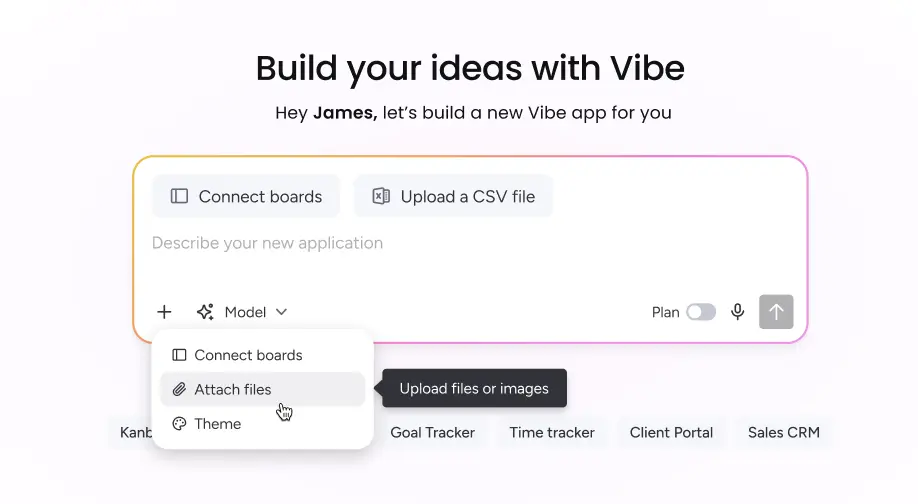
When creating a new Vibe app, you can upload a CSV or Excel file straight away. Each row automatically becomes an element, and each column a field – with no manual configuration required. CSV, XLSX and XLS files with up to 5,000 rows are supported.
Complete overview of credit usage for administrators
Status: Fully rolled out
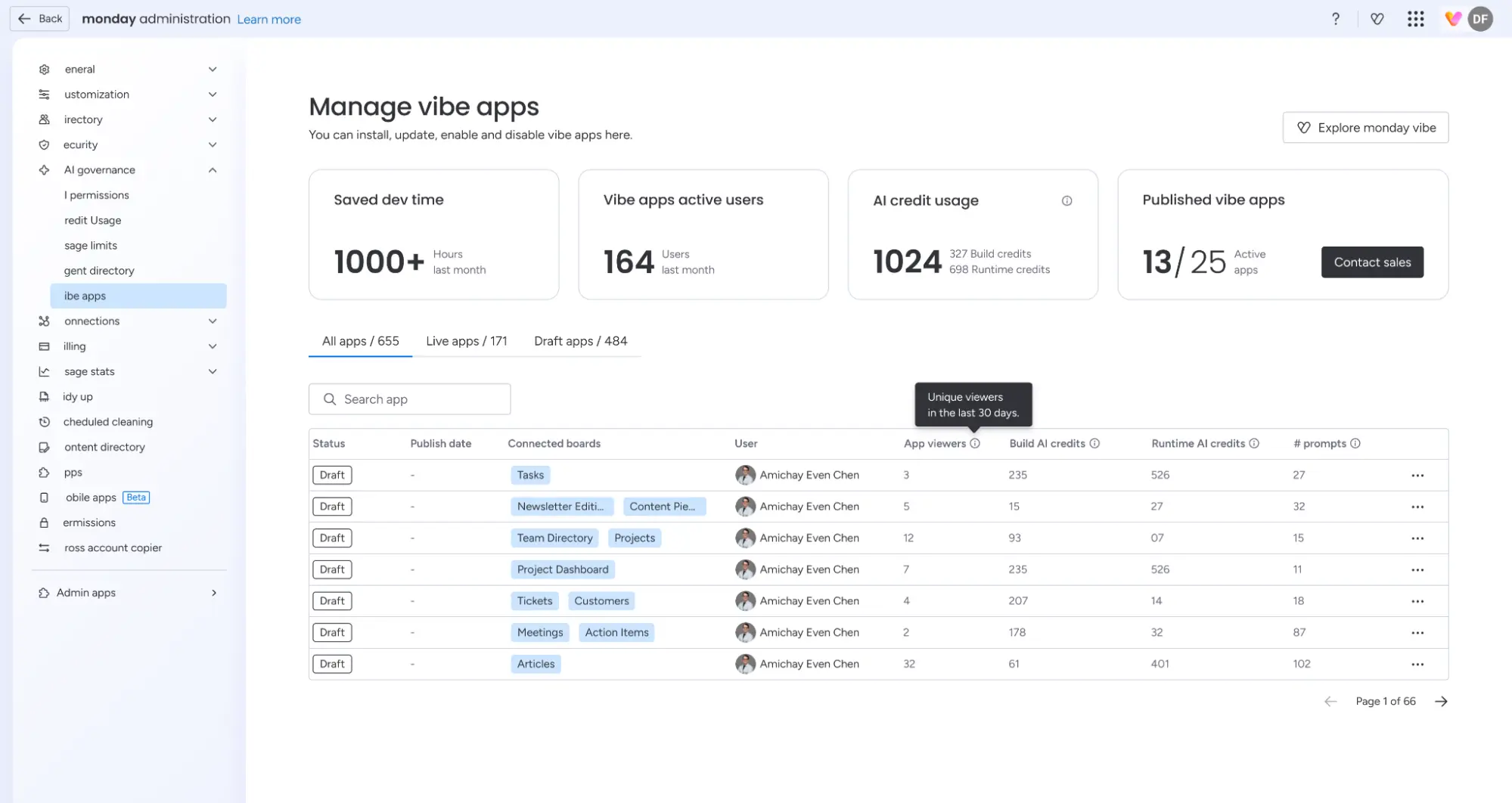
Admins can now see exactly how AI credits are distributed across all Vibe apps – broken down into build credits and runtime credits, per app, including prompt activity and app calls over the last 30 days. You can find this view under: Administration → AI Governance → Vibe Apps
monday Service
SLA types and control systems
Status: Being rolled out in stages
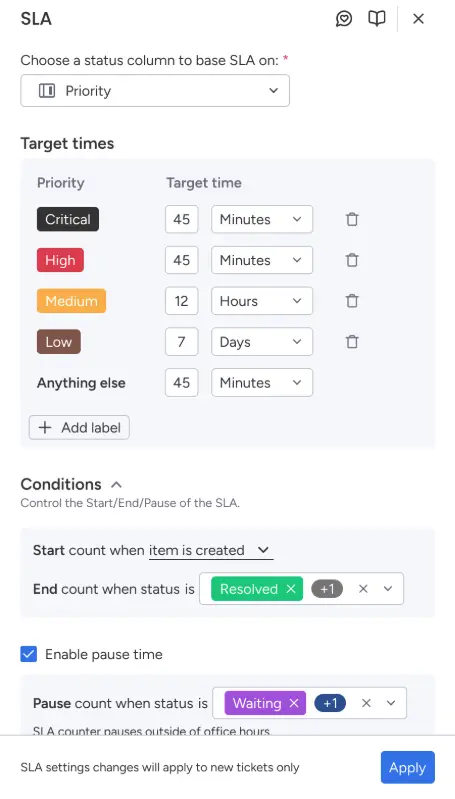
Full flexibility for Service Level Agreements at last: you can now define your own SLA rules to suit your processes. You can configure when to start, pause and stop the SLA timers, set various service milestones (e.g. initial response time, resolution time) and define different priority levels.
Particularly valuable: SLA timers can be paused whilst waiting for a customer’s response – meaning there are no more artificial SLA breaches. A real game-changer for compliance and audit documentation.
Example of use
Your support team has different SLA targets for critical and standard tickets. You set the rules once, and monday.com automatically monitors compliance – and pauses the timer as soon as the ball is in the customer’s court.
Proactive suggestions with Sidekick
Status: Being rolled out in stages
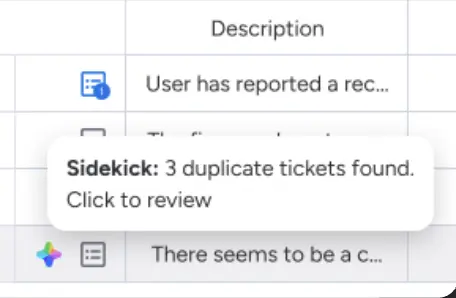
The Sidekick AI assistant is now proactive: it automatically identifies potential duplicates amongst open tickets from the last 30 days – based on sender, title, description and category. If a match is found, it suggests merging the tickets. This keeps your board tidy, avoids duplicate work and consolidates customer communication into a single thread.
Example of use
Three customers have reported the same issue, using slightly different wording. Sidekick recognises the overlap and suggests merging all three tickets into a single one – your agent only has to deal with it once.
monday CRM
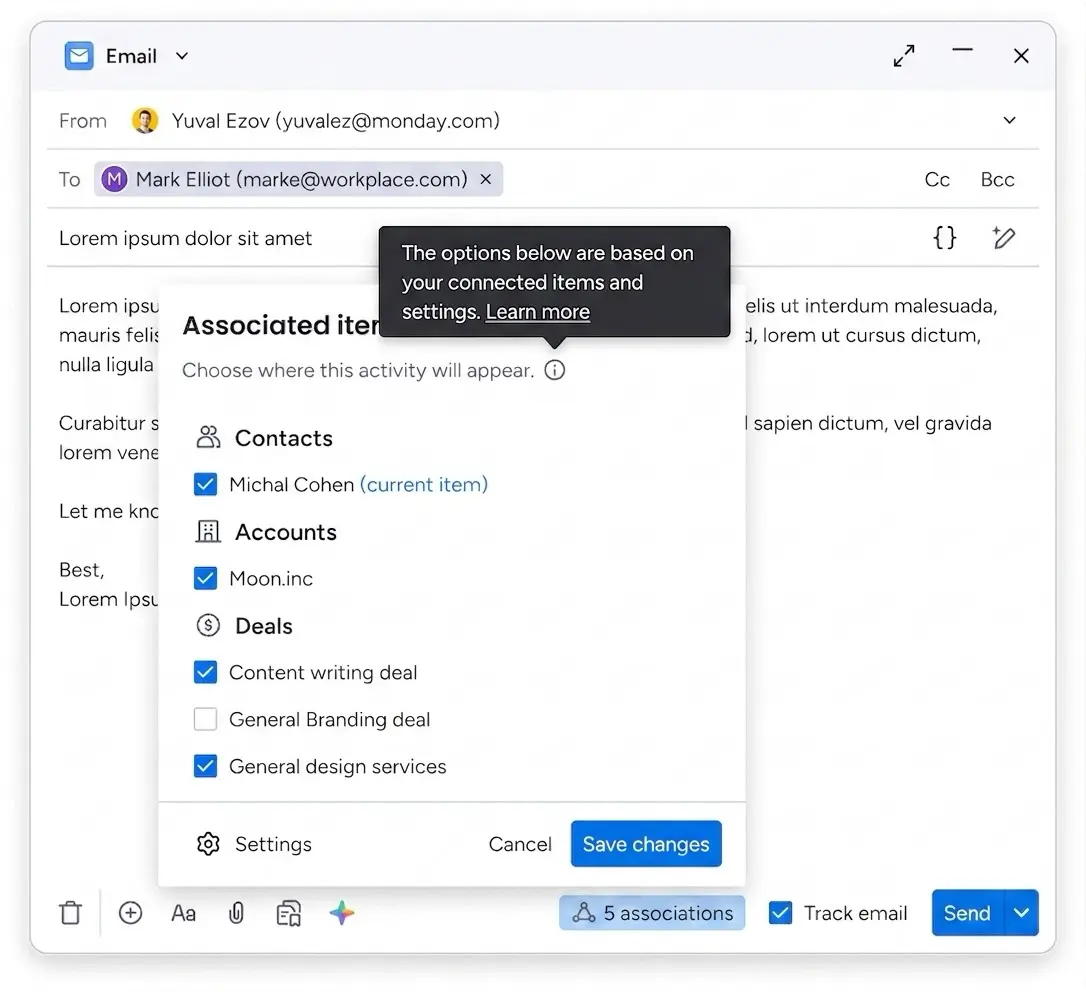
Manual email association
Status: Schrittweise ausgerollt (Full Release Ende Juni)
Sometimes monday CRM assigns an email to the wrong contact, account or deal. That’s now a thing of the past: you can now manually specify where an email appears in the CRM, either before or after sending it. Links to contacts, accounts and deals are fully customisable.
Example of use
You’re writing an email to a contact who is associated with several deals. Instead of letting monday.com decide, you can choose which deal the conversation should be assigned to
Overview of forecasts and targets
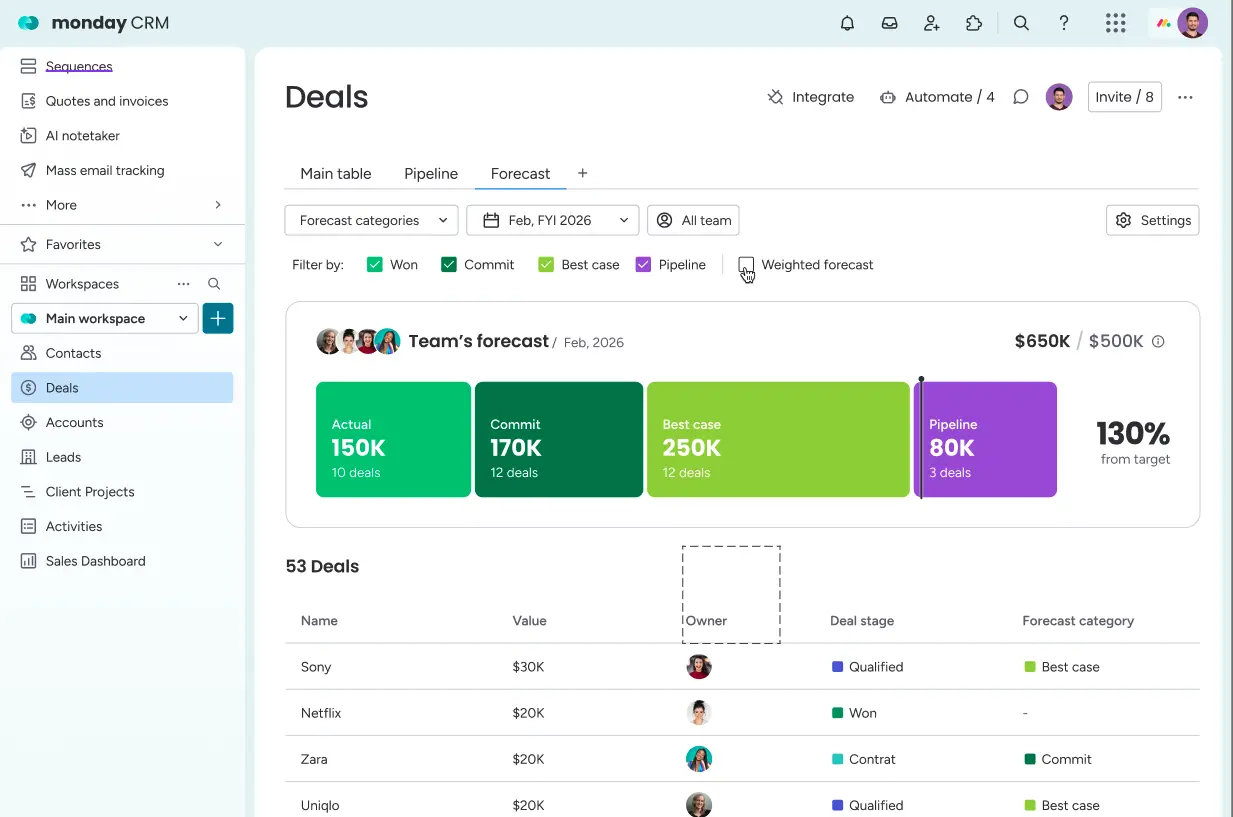
Status: Being rolled out in stages
Sales managers now have access to a dedicated forecast view directly within the CRM Deals Board. You can set time-bound sales targets, measure performance against targets (not just against the pipeline) and use forecast categories (Commit / Best Case / Pipeline). This creates a consistent sales language within the team and makes revenue forecasts more reliable.
Example of use
Your sales manager wants to know whether the team is on track for Q3. With the forecast view, he can see at a glance: committed deals, best estimates and the open pipeline – directly in the CRM, without having to export to Excel.
ZoomInfo-Integration
Status: Fully rolled out
monday CRM and ZoomInfo are now natively integrated. You can enrich lead and contact data directly from the board, or fully automatically via a workflow trigger that enriches new entries as soon as they are created.
Example of use
Your sales team receives new leads every day. Instead of spending hours searching for contact details, new entries are automatically populated with ZoomInfo data – job title, company, email address – all in one go.
monday Work Management
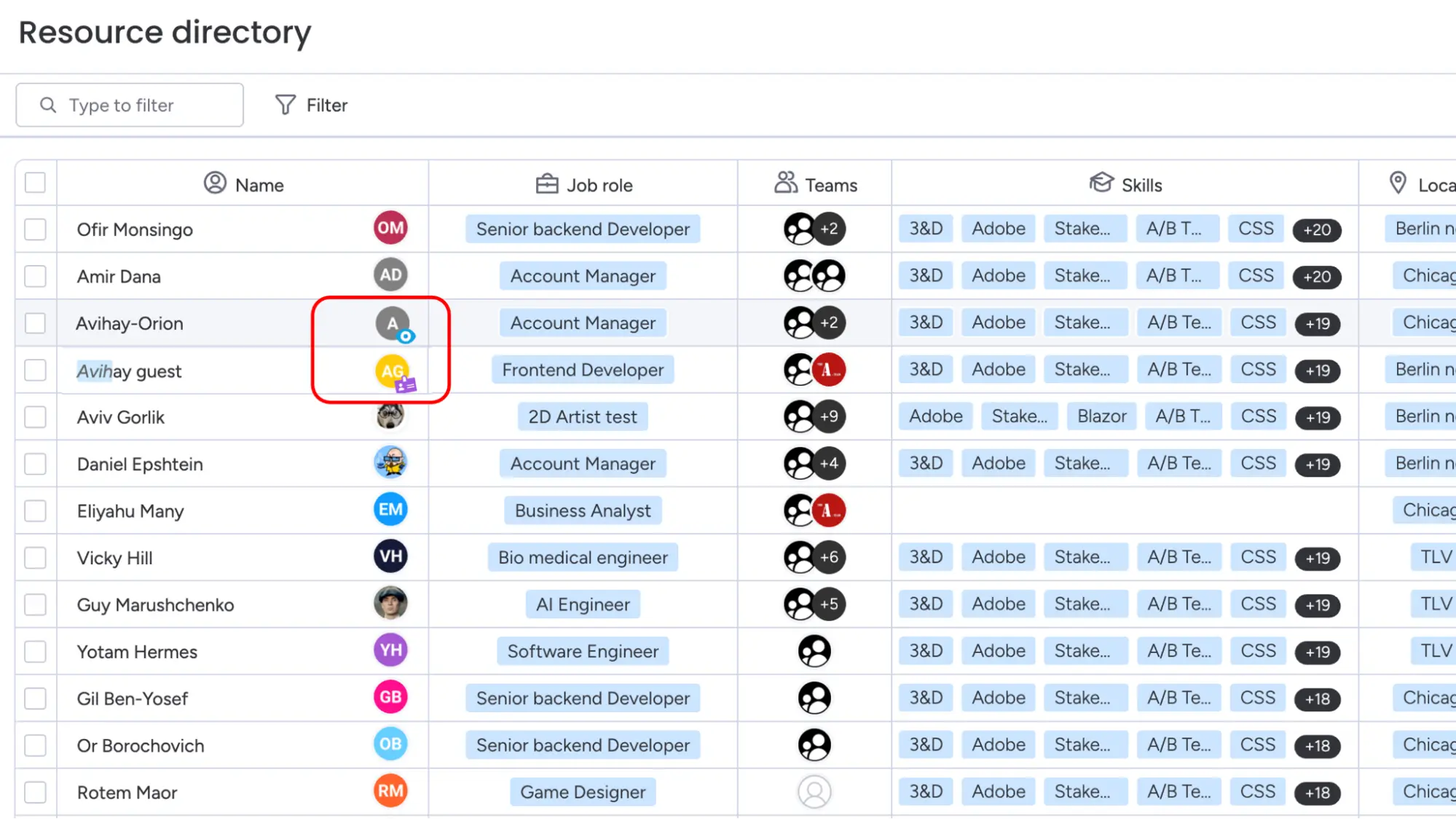
Audiences and guests as resources (resource management)
Status: Fully rolled out – Enterprise only
Until now, only full account members could be managed as resources. From now on, you can also add Viewers and Guests – that is, external partners and freelancers – directly to the Resource Directory. They can be assigned, filtered and grouped in the same way as internal resources: in the Planner, the Capacity Manager and the Resource Column.
This finally gives PMOs complete transparency over all project resources, regardless of the account type.
Example of use
You work with three external agencies. Until now, you’ve had to track their capacity manually in separate lists. Now, all resources are visible and can be planned centrally on monday.com.
Conclusion
June 2026 is a big month for monday.com: from the completely revamped database engine and public Vibe Apps to flexible SLA rules and native ZoomInfo integration – the platform is expanding in all directions at once. Particularly impressive: Vibe is rapidly evolving into a fully-fledged application platform, and AI is no longer just an add-on, but is firmly integrated into workflows, columns and service processes.


.svg)