

February brings another big wave of changes to monday.com, with a clear focus on AI governance, smart automations, better transparency in AI actions, and massive improvements for enterprise teams. Here you can find all important February 2026 updates from monday.com, summarised in a compact and practical way.
monday Work OS
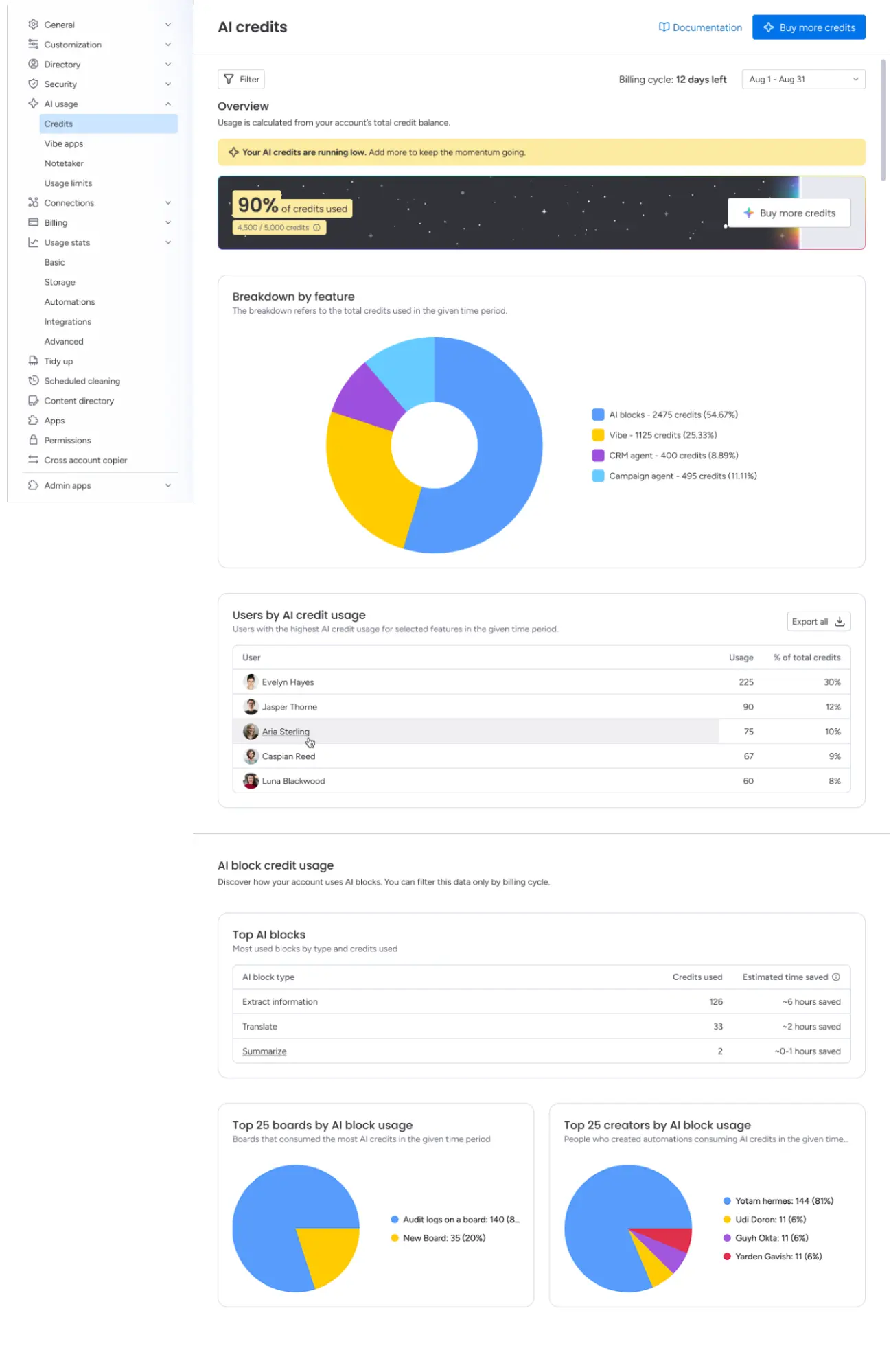
Monitor AI credits per user and feature
Status of update: fully rolled out
As an admin, you now have access to a central dashboard with which you can view, filter and export the consumption of AI credits per user and per function. This ensures complete cost transparency and helps you to manage the use of AI in your organisation in a targeted manner.
Application examples
- For admins & IT managers: You can see at a glance which users or teams consume a particularly large number of AI Credits and can take targeted measures.
- For finance departments: Export consumption data as CSV and use it directly for internal budget planning or audits.
View and filter AI flows in the activity log
Status of update: fully rolled out
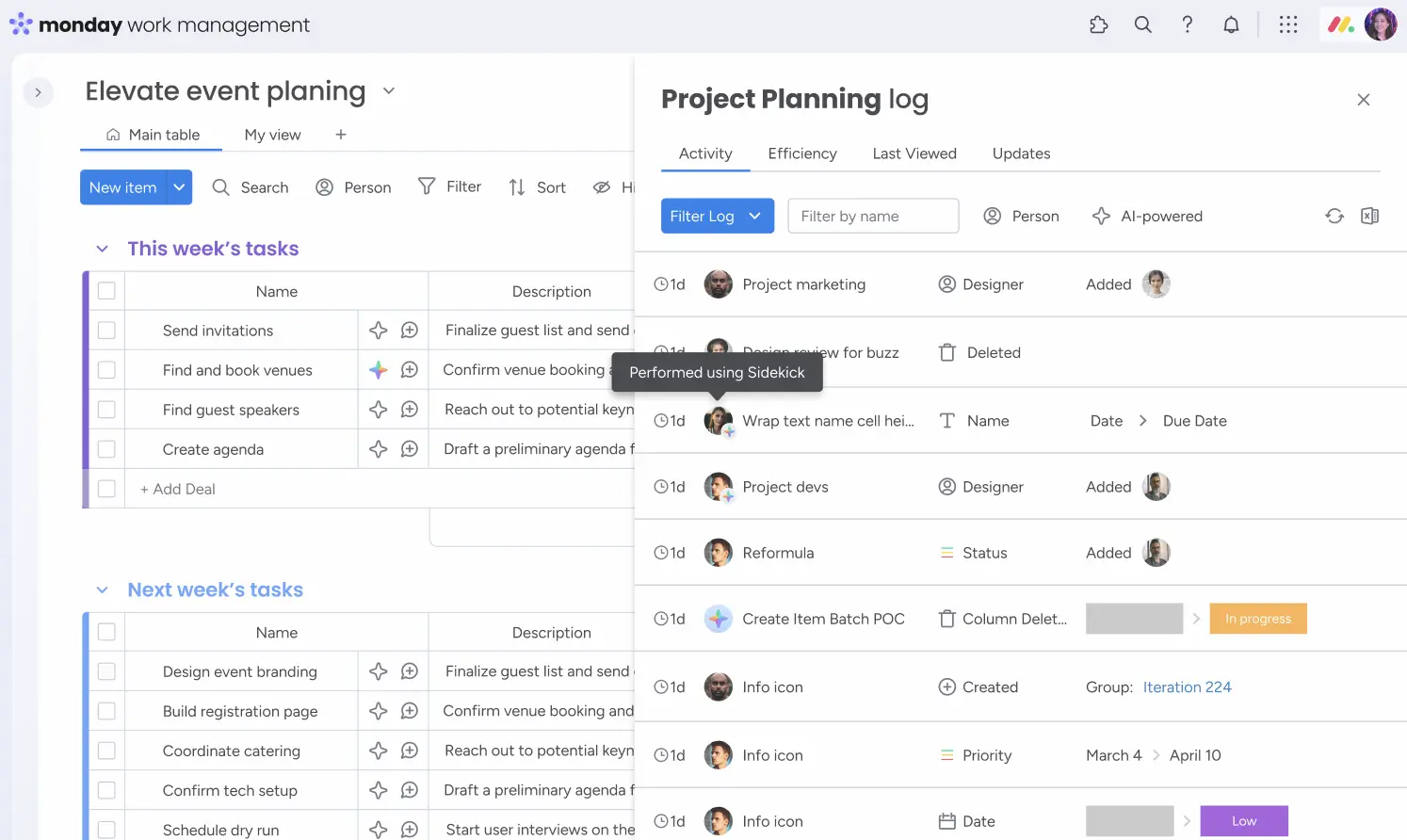
The activity log now transparently shows when an action was carried out not by a human but by AI. A visible tooltip marks AI-powered actions, and a new filter lets you search specifically for AI actions, ideal for audits and compliance.
Application examples
ForCompliance teams: You can see which changes have been made on a board by AI at any time without changing the known activity log.- For project managers: Review automated status changes and ensure that AI actions are in line with your processes.
Cell labeling in AI columns (overlay explanation)
Status of update: fully rolled out
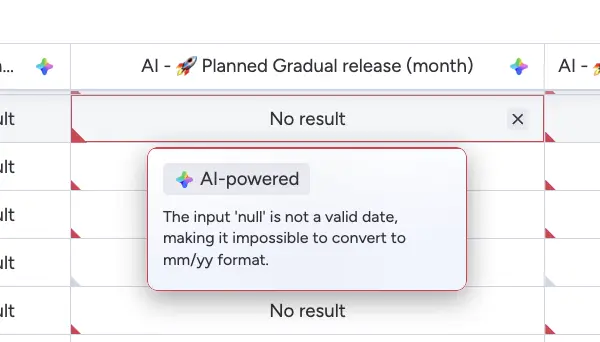
When hovering over an AI column cell, a friendly explanation now appears as to why the AI delivered a specific result or why no result could be produced. Instead of cryptic “no result” messages, there are clear instructions and concrete next steps.
Application examples
- For users without technical background knowledge: You immediately understand why an AI column is showing no result and know what to do.
- For data teams: Identify data gaps or configuration errors quickly and specifically.
Extract data from web links with AI
Status of update: fully rolled out
Link columns become powerful data sources: With AI Blocks, you can retrieve, interpret and transfer structured information directly from public websites to your board, without manual copy-paste.
Application examples
- For sales teams: Automatically extract company data from company websites and enrich your CRM entries.
- For marketing: Observe competitors by regularly retrieving structured information from their websites.
- For content teams: Automate the collection of metadata, prices, or publication data from external sources.

Dynamic time spans in the calendar widget
Status of update: fully rolled out
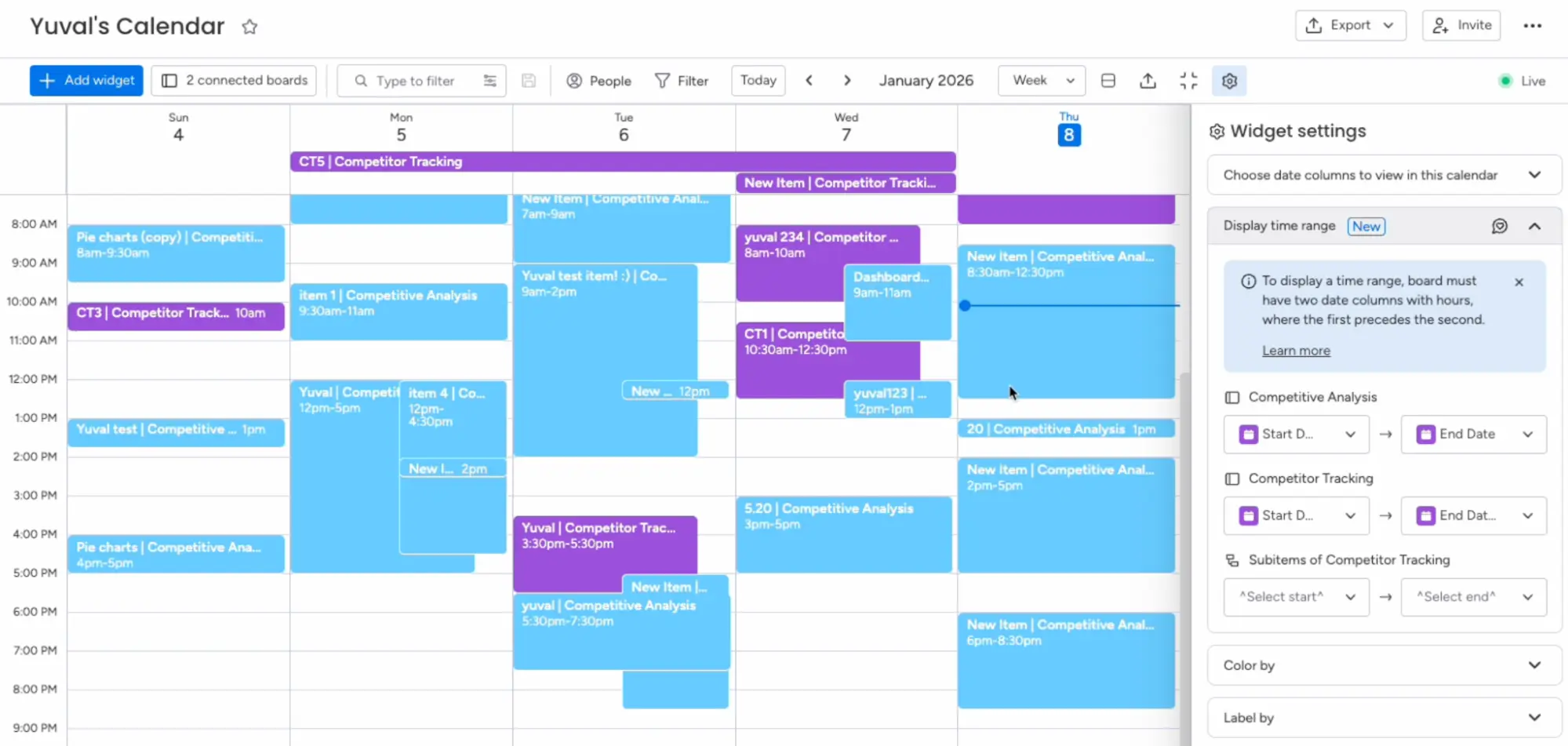
The calendar widget now supports separate start and end date columns so that events with real durations are displayed. Overlaps, schedules and deadlines are visualised much more clearly, directly in monday, without external calendar tools.
Application examples
- For project managers: Show project phases with start and end in the calendar and identify resource conflicts at a glance.
- For event teams: Plan multi-day events visually and keep track of parallel events.
2-way sync for Jira DC and Salesforce
Update status: fully rolled out - Enterprise only
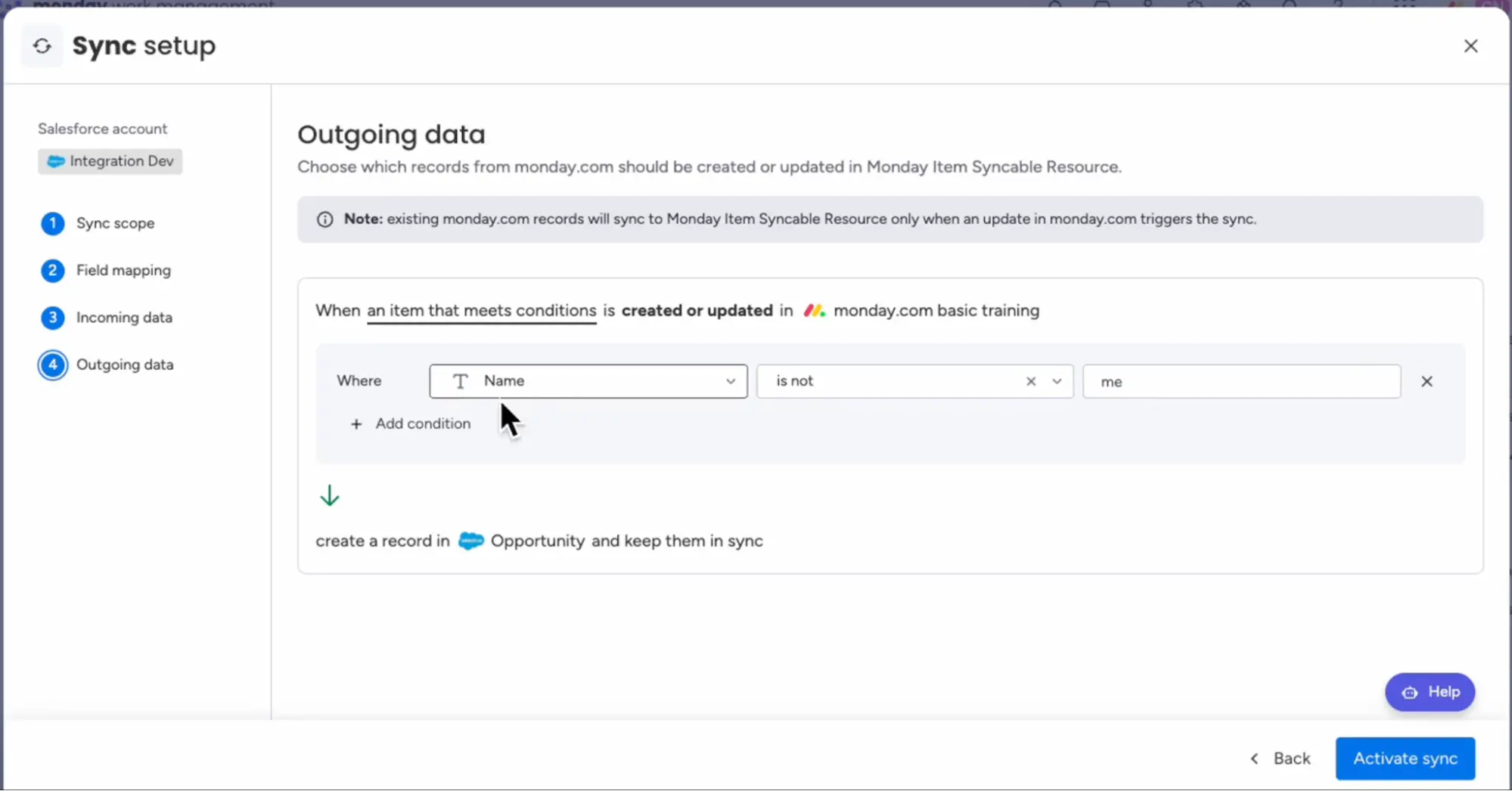
monday can now be synchronised bidirectionally with Salesforce and Jira Data Center. Changes in one system are reflected in the other in real time, including conflict prevention and central sync management.
Application examples
- For enterprise IT teams: Always keep monday and Jira DC in sync, without manual data maintenance or sync errors.
- For Sales Ops: Connect monday CRM with Salesforce for a uniform data picture without media breaks.
Email integrations: rich text editor
Status of update: fully rolled out
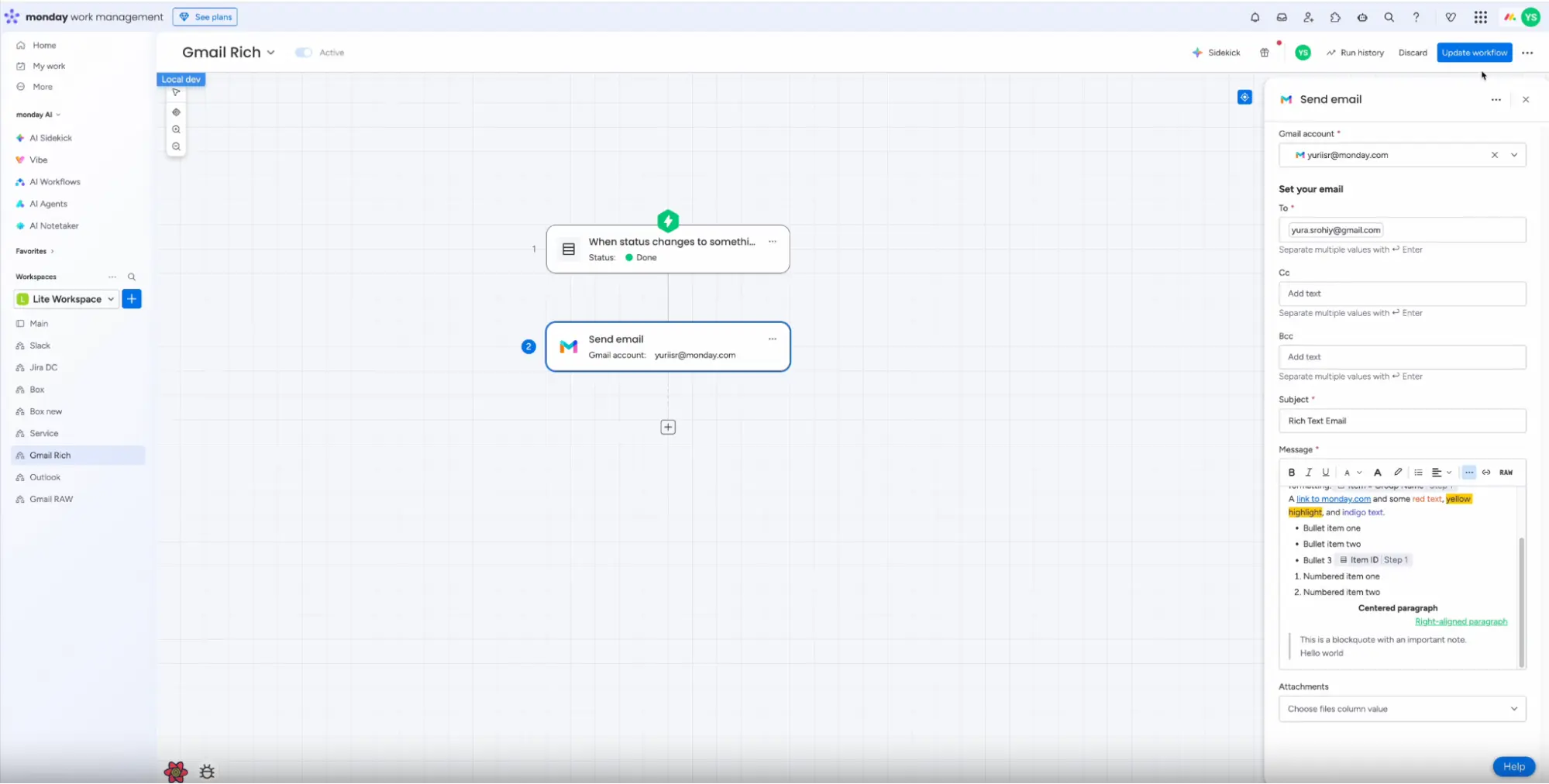
A rich text editor for emails via Outlook and Gmail is now available in Workflow Builder. Format texts, insert lists and design professional emails - directly in automation, without HTML knowledge.
Application examples
- For support teams: Send automatically formatted reply emails with clear structure and branding.
- For sales: Send personalised, polished offer emails as part of your automated workflow
Managed templates: account limits lifted
Update status: fully rolled out - Enterprise only
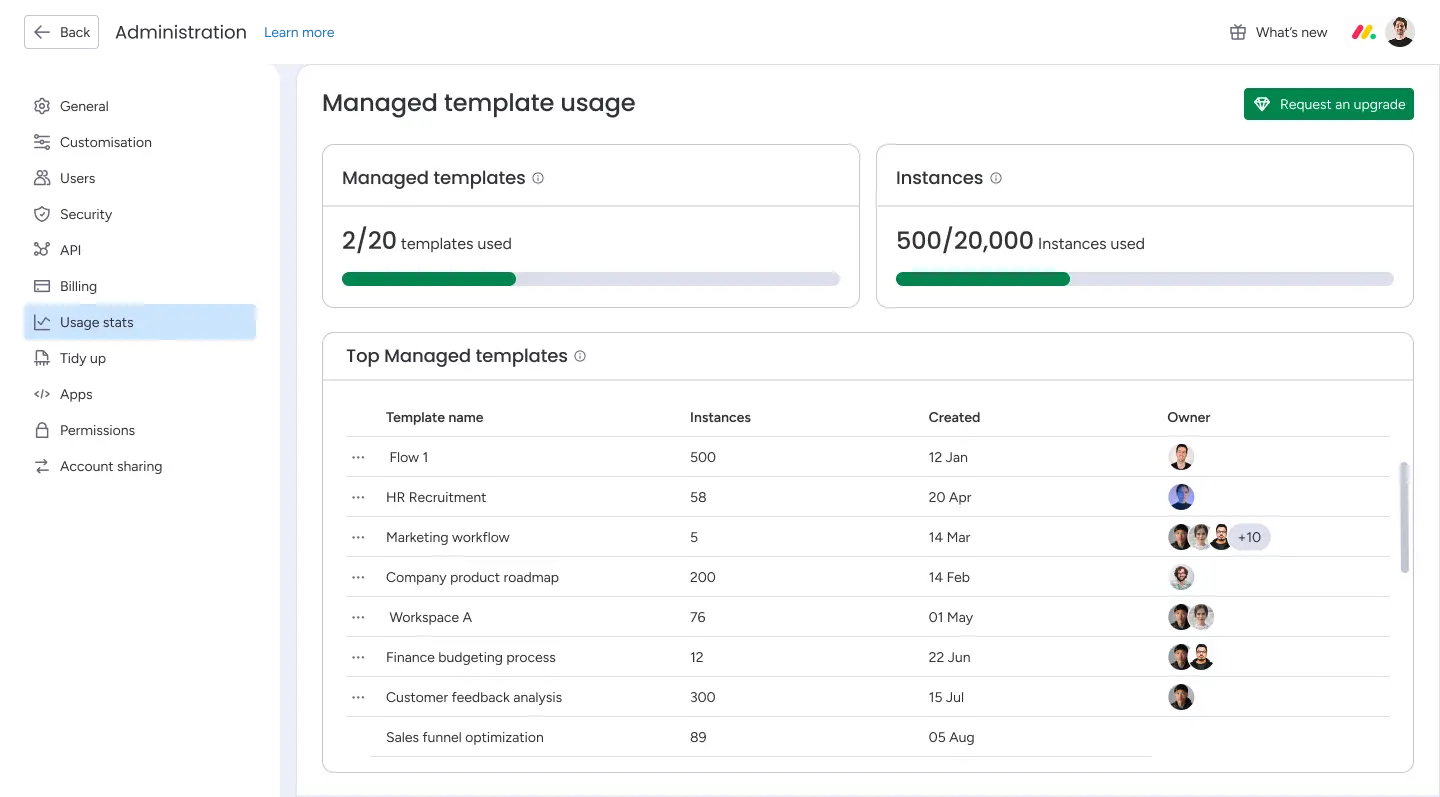
The previous limit of 10,000 instances per account has been lifted. Up to 1,000 instances are now possible per managed template, without global restrictions. Teams can freely scale templates.
Application examples
- For enterprise admins: Roll out process templates across the organisation without running into limits or needing workarounds.
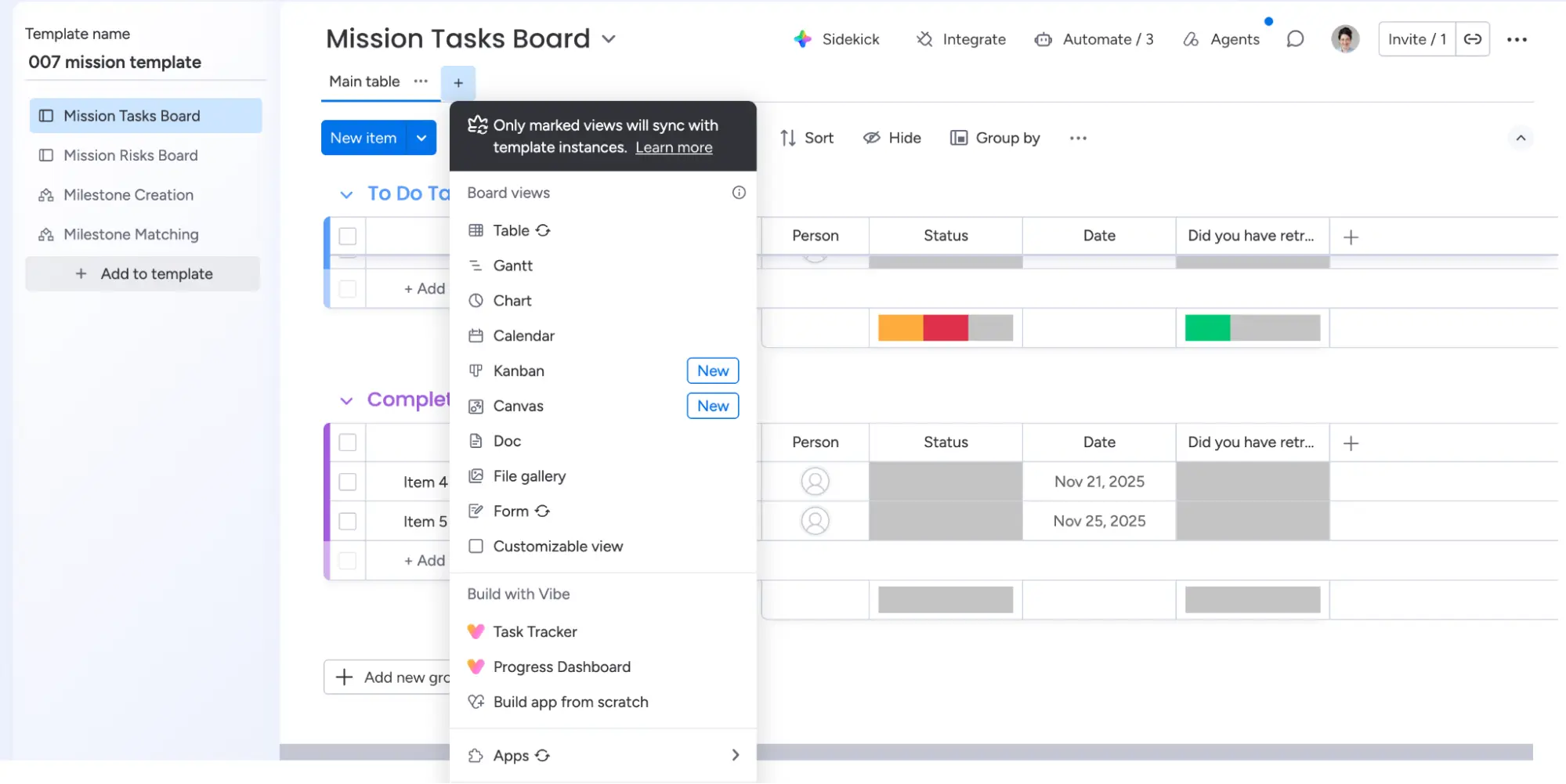
Sync board views with managed templates
Update status: fully rolled out - Enterprise only
Newly added board views (table, form, app) are automatically distributed to all existing template instances when published, without manual updating.
Application examples
- For template owners: Add a new view - all affected boards are automatically updated, no matter how many instances exist.
monday Work Management

Risks Insights 2.0
Update status: fully rolled out - Enterprise only
The risk analysis in the portfolio view has been fundamentally improved: AI now takes portfolio level inputs into account in addition to project data. The result is more precise, prioritised risk information, with less noise and more relevance.
Application examples
- For PMOs: Identify complex, overarching risks early on and take action before they escalate.
- For portfolio managers: Keep your initiative on time, budget, and scope with real-time AI-powered risk alerts.
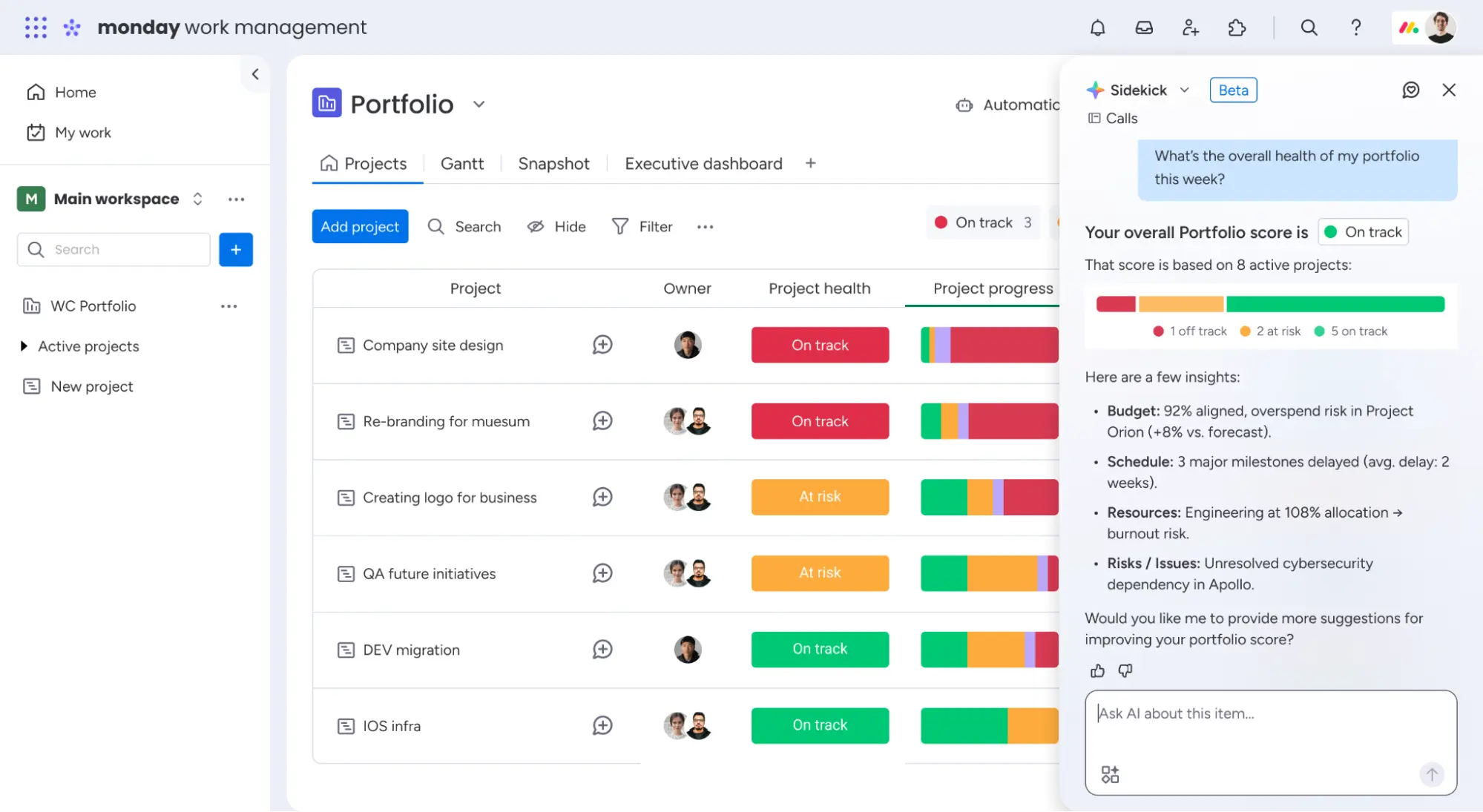
PMO Sidekick
Update status: fully rolled out - Enterprise only
The new PMO Sidekick is a conversation-style AI assistant that lets you query complex portfolio data in natural language. No more manual reporting: Just ask a question and get instant information about project health, budget forecasts and risk trends.
Application examples
- “What is the current status of my portfolio this week?” and the sidekick gives you an instant summary.
- For managers: Create executive-ready status reports on demand without having to touch a single spreadsheet.
- For project managers: Ask about overdue tasks, resource bottlenecks, or budget variances in seconds.

Gantt PDF export improvements
Update status: fully rolled out - Enterprise only
The Gantt View can now be exported as a professional PDF, including full dependency visualisation and timelines of up to 10 years.
Application examples
- For large infrastructure projects: Create detailed project plans for stakeholder presentations, directly from monday.
- For PMOs: Document long-term roadmaps for external reports or investor meetings.

Gantt & timeline group sorting
Update status: fully rolled out - Enterprise only
In the Gantt view, you can now sort groups by columns such as owner, status, or label, e.g. alphabetically by owner. In this way, even complex timelines remain clear and professional.
Application examples
- For large teams: Sort tasks alphabetically by responsibility and ensure that no assignment is forgotten.
monday Vibe
Export app screen as PDF
Status of update: fully rolled out
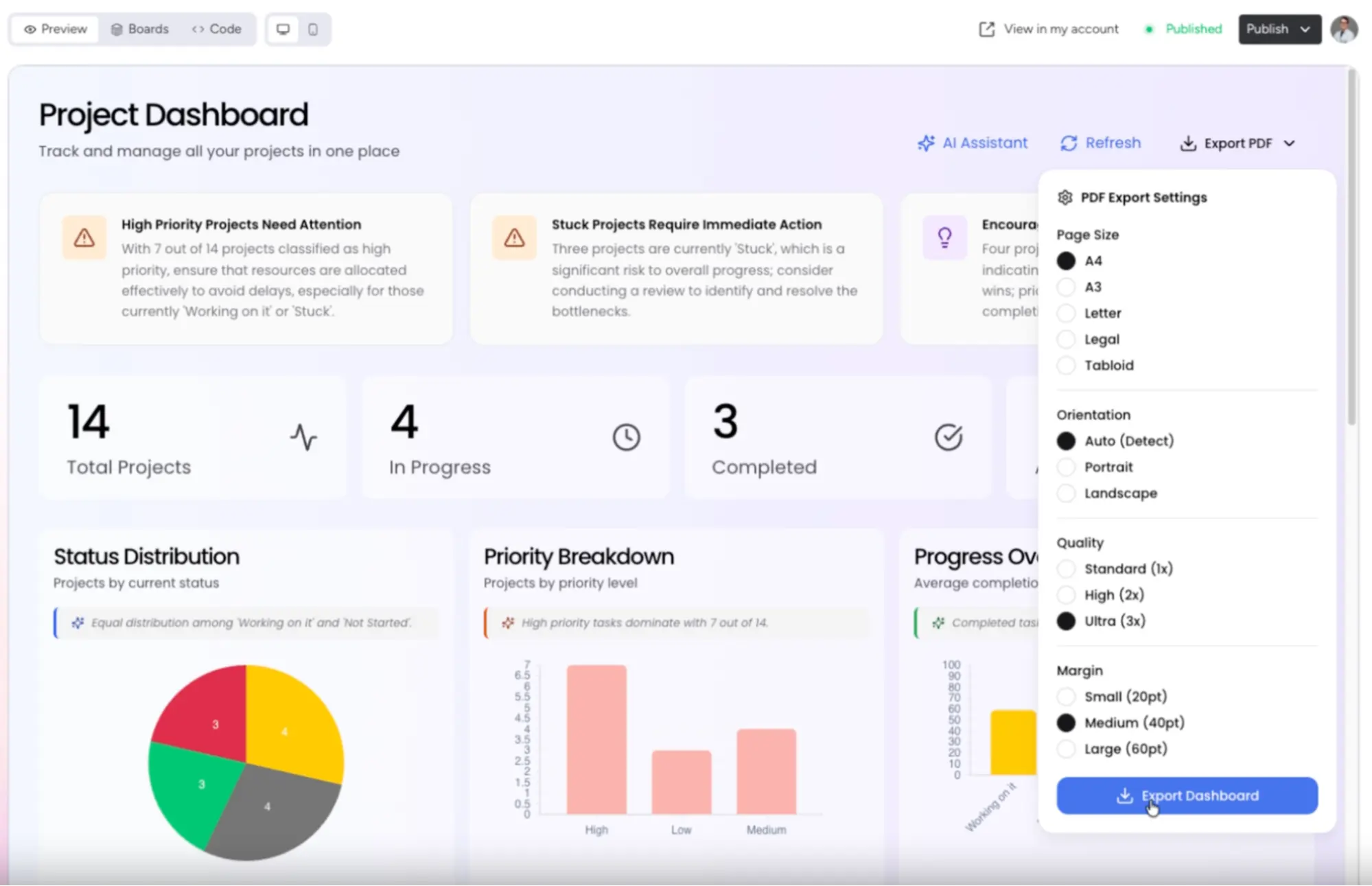
Vibe users can now export their app views as a PDF with pixel accuracy, and layouts, typography and branding are retained exactly. Just ask Vibe to adjust the format (e.g. “Do the A4 landscape mode”).
Application examples
- For finance teams: Export invoices or dashboards as professional PDFs directly from your Vibe app.
- For customer reporting: Share executive-ready reports that look exactly like the live app, without subsequent formatting work.
monday workflows
New menu experience in Workflow Builder
Status of update: fully rolled out
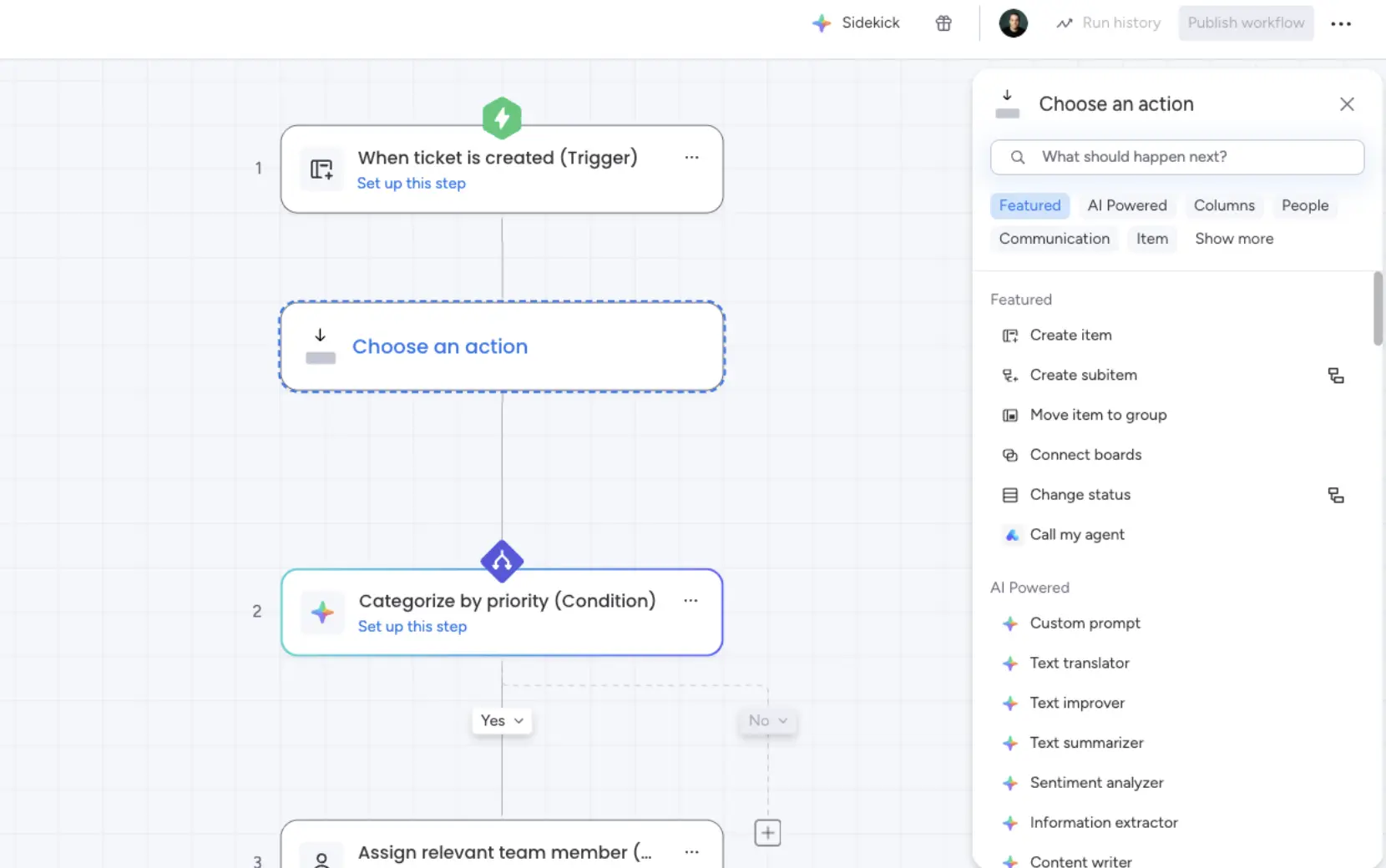
The workflow builder has received a visual redesign: The new menu shows more options, highlights AI features and suggests personalised actions based on your usage behavior.
Multi-product workflows: product identification
Status of update: fully rolled out
When an automation step accesses a board or data source from another monday product, a visual marker and banner now appear. This allows you to always keep track of complex, cross-product workflows.

Floating Control Bar in Workflow Canvas
Status of update: fully rolled out
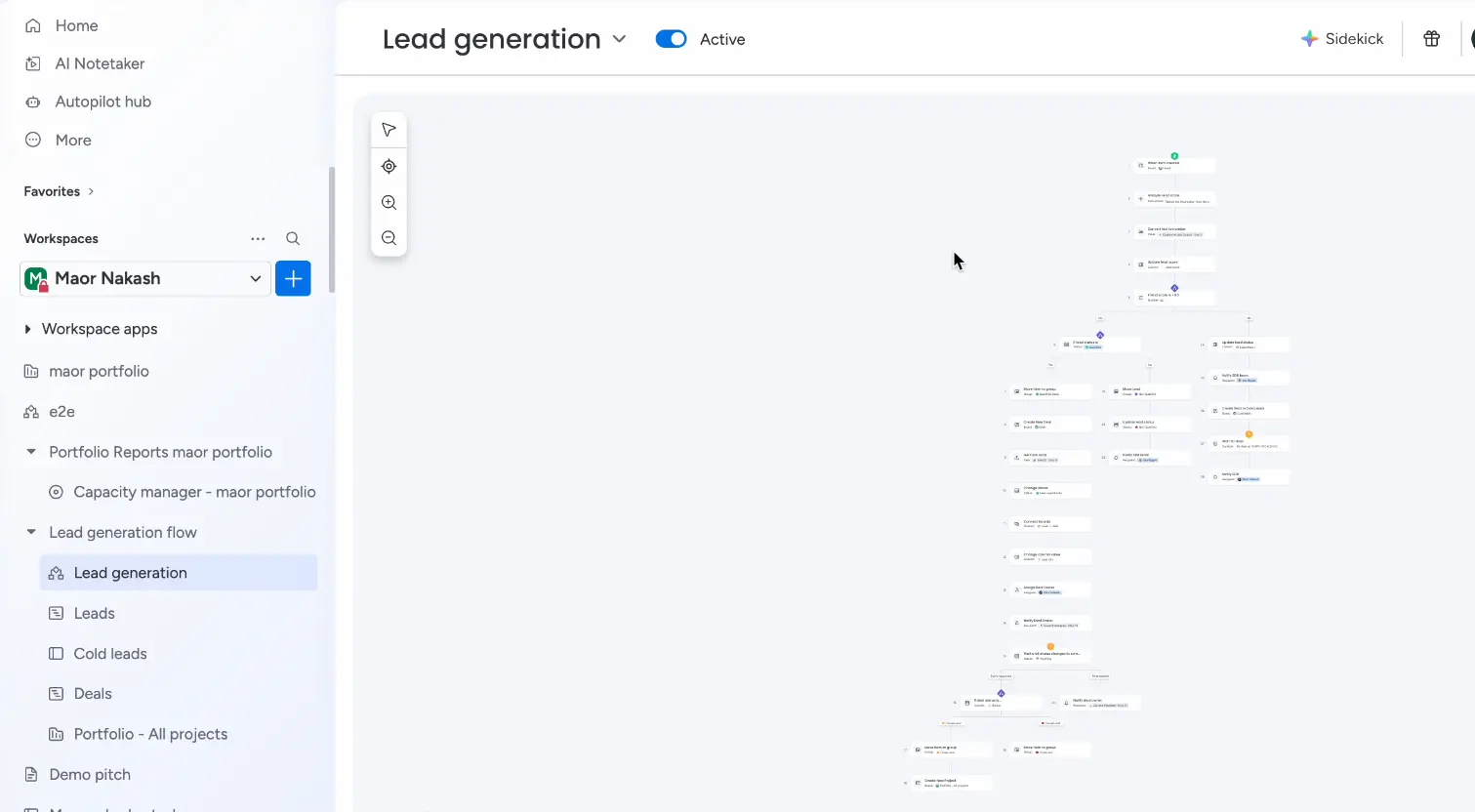
A new floating control bar in the AI Workflow Canvas allows easier sooming, re-centering, and multiple selection of blocks ideal for large, complex automations.
Application examples
- For workflow architects: Navigate effortlessly even in very long workflows, zoom out for an overview, zoom in for detailed work.
AI Workflows: New homepage
Status of update: fully rolled out
The new Workflow Builder homepage replaces the empty canvas with prompt-based input and a gallery of ready-made automation templates, accessible directly from the main navigation.
Application examples
- For non-technical users: Start automations without any previous knowledge, simply describe what you would like to automate, and monday will suggest the appropriate solutions for you.

monday Service
Customise portal login page
Status of update: fully rolled out
Portal owners can now completely customise the login page of their service portal: Title, colors, logo, background and external links (e.g. terms and conditions or support docs) can be configured directly in the portal settings.
Application examples
- For companies with their own branding: Offer customers and employees a professional, branded entry experience to the service portal.

Timeline Activity Triggers
Status of update: fully rolled out
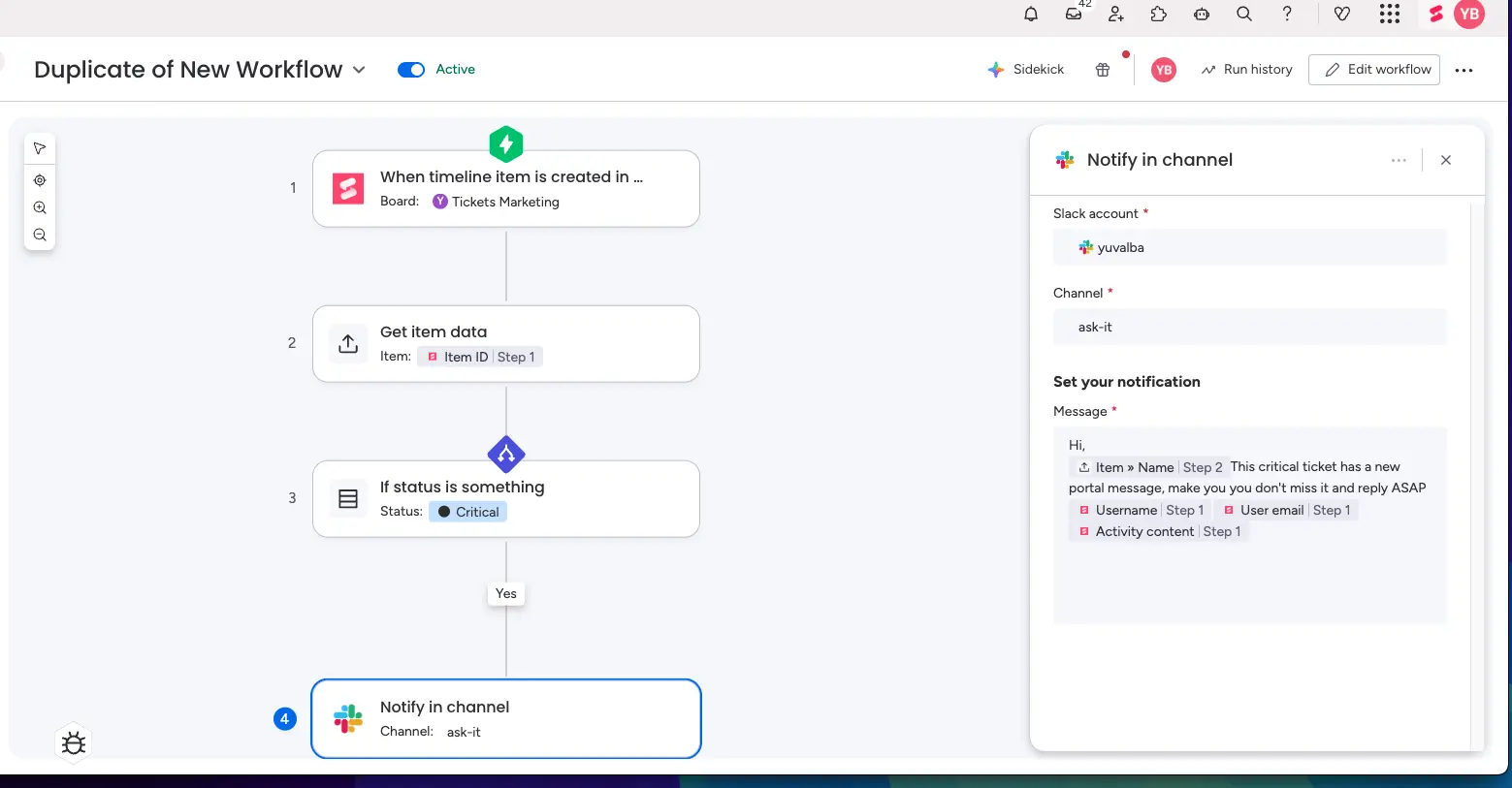
Workflows can now be triggered by any activity in the Emails & Activities app, portal messages, emails, call summaries, and form submissions. The automation can process specific data such as the content or the sender.
Application examples
- For support teams: Automatically trigger Slack notifications or SLA timers as soon as a new portal message arrives, no more requests are lost.
- For sales: Start follow-up automations as soon as a customer sends an email or fills out a form.
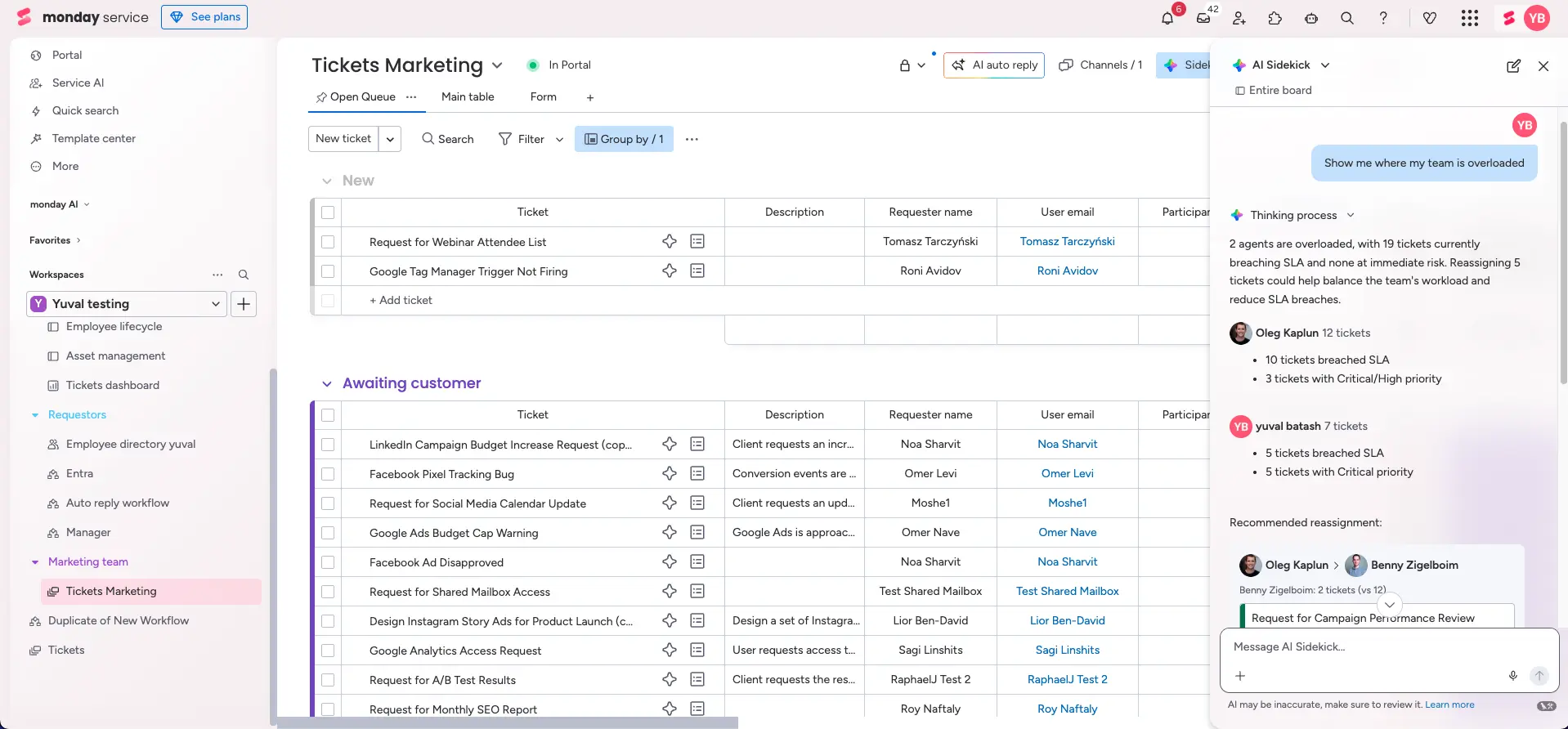
Sidekick now available on the tickets board
Status of update: fully rolled out
The monday Sidekick is now available directly on ticket boards for all monday service accounts. He understands service use cases and the board structure, answers are therefore more targeted and relevant.
Application examples
- For support agents: Ask Sidekick directly on the ticket board: “Which agents are currently overloaded?” and get an immediate overview with recommendations.
- For team leads: Review SLA violations or prioritise critical tickets using a simple voice query.
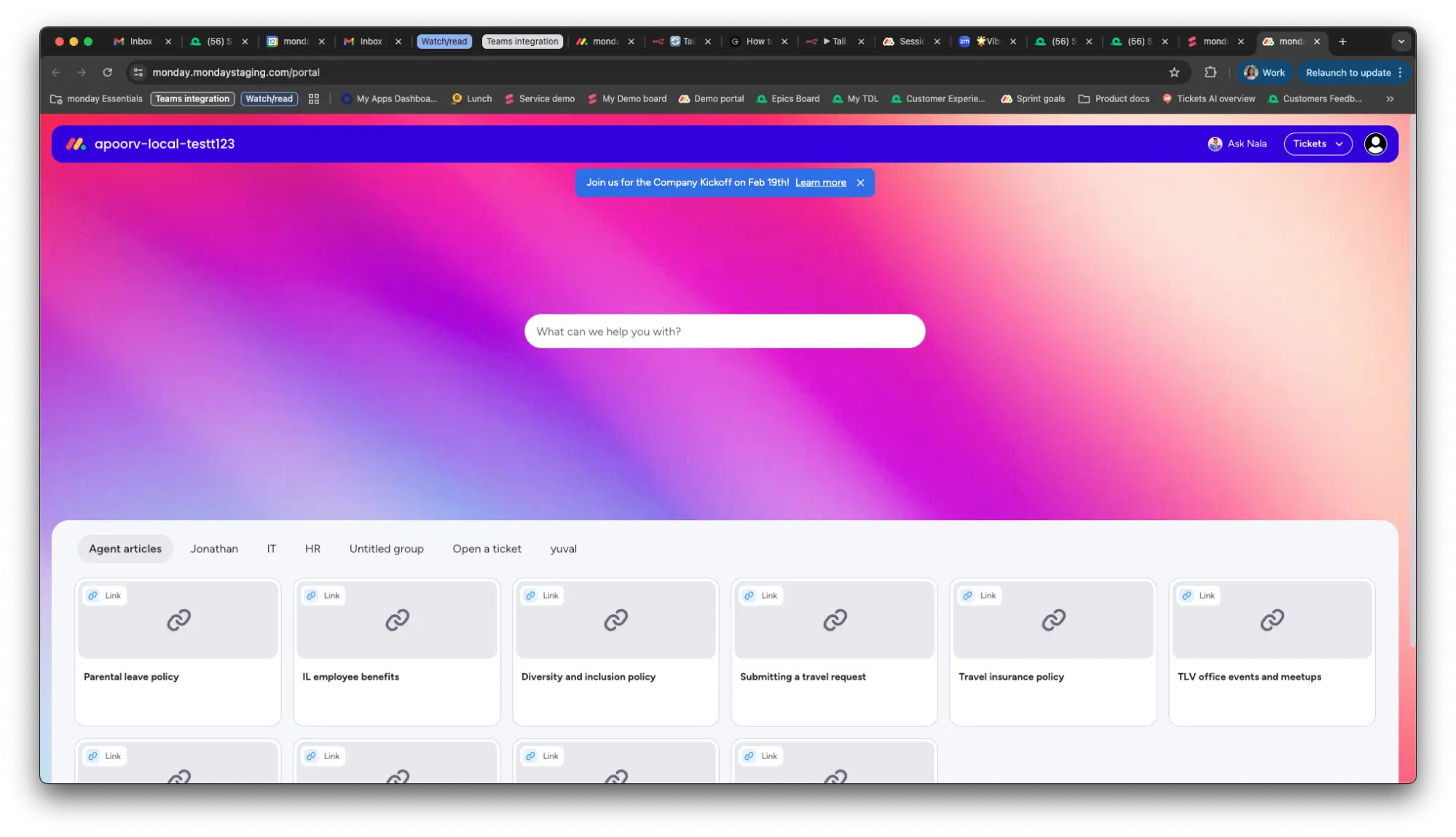
Portal announcements
Status of update: fully rolled out
Portal owners can now create and publish scheduled banner notifications, with links, branding colors, and expiration dates. These appear at the top of the portal for all portal users.
Application examples
- For IT departments: Proactively inform all users about planned maintenance or system failures , before support tickets arrive.
- For HR: Communicate important announcements (e.g. new guidelines) directly in the HR portal.
Outlook shared mailbox
Status of update: fully rolled out
monday Service now fully supports Microsoft 365 shared mailboxes, such as hr@ or support@. Multiple agents can manage a queue together, with full automation and SLA functionality.
Application examples
- For IT support: Connect support@unternehmen.com directly to the ticket board, all agents see the same requests without having to share login details.
- For HR teams: Answers appear from “HR Team” instead of a personal name, professional and consistent.

monday CRM
Sidekick Integration Sequences
Status of update: fully rolled out
CRM users can now access sequences directly via Sidekick: enroll leads, view existing sequences and retrieve analysis data such as email open rate, click rate, and response rate, all at board level.
Application examples
- For sales teams: Write new leads directly into the appropriate sequence with a command to Sidekick, without navigating to other menus.
- For sales managers: Analyse sequence performance directly on the board without opening separate evaluation tools.
.webp)
Quotes & Invoices Reporting
Status of update: fully rolled out
Sales and operations teams can now generate comprehensive reports on deal and product performance, including discount tracking, best-selling products by deal stage, and average discount percentages.
Application examples
- For sales managers: Identify which products are won or lost most frequently and adjust pricing and pitch accordingly.
- For the finance department: Analyse discount behavior across all reps and identify potential for margin optimisation.

Quotes & Invoices Template Editor
Status of update: fully rolled out
Completed offers or invoices can now be saved as reusable templates. Choose which sections (sender, recipient, footnote, date) are saved and create product bundles for recurring offers.
Application examples
- For sales reps: Create standard offers in seconds without starting from scratch every time.
- For agencies: Save typical service packages as bundles and add them to the next offer with one click.
Emails & Activities in Vibe
Status of update: fully rolled out
Users can now create custom views and apps in Vibe that read, create, and update emails & activities, including sentiment analysis, activity timeline, and call logging.
Application examples
- For CRM power users: Build a custom view that shows all customer interactions at a glance, tailored to your specific sales processes.
Conclusion
The February updates show that monday.com relies heavily on trustworthy AI, with governance tools, transparency features and undo functions that give companies back control of their AI workflows. At the same time, the platform for enterprise teams is being further expanded, with deeper integrations, more scalability and smart assistants in every product area. Whether it's a PMO, sales, service or developer, the February updates have something for all users!
If you have any questions about an update or need help with your setup. Then get in touch with us. We are an official monday.com Platinum Partner in the DACH region and will lead you and your company to greater efficiency in the digital age with monday.com!
.svg)