

August brings monday.com a big push towards more independence for AI agents: they can now be duplicated, connected to external tools such as Dropbox and Canva, and reached via WhatsApp or Telegram. On top of that, there's a faster database layer for Vibe apps, granular capacity planning, and several governance features for IT teams.
monday Agents
monday Agents: smarter, more capable, more autonomous
Status: Gradual rollout
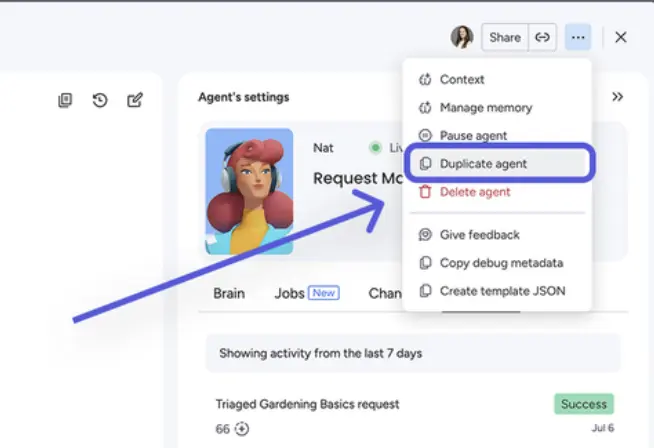
Users can now duplicate agents instead of setting them up from scratch for every new use case. Agents can also edit columns with restricted permissions once explicitly authorised, for example by being set as board owner. They can now connect to Dropbox and Canva via MCP, letting them read, share and create files there. Image generation is now available to all users.
Example use case
A marketing team duplicates an existing content agent for a new product board, instead of configuring it from the ground up.
Workspace 2.0
Status: Gradual rollout
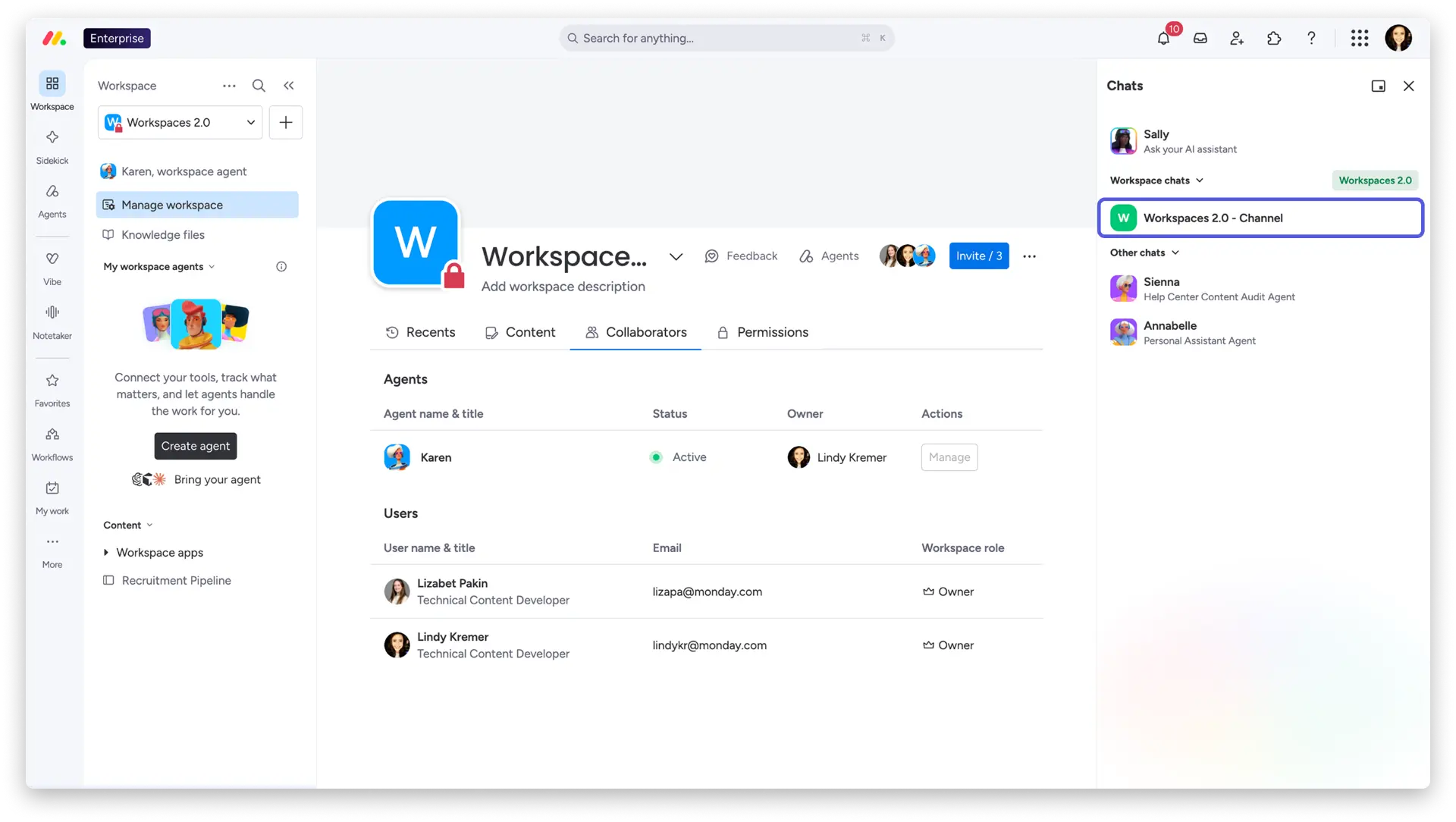
New workspaces are now designed as a place where people and agents work together. Every new workspace includes Nina, the built-in workspace agent, who reads boards, answers questions and takes on tasks. Alongside that, there's shared knowledge from uploaded files and connected boards, a group chat for the team and the agent, and a folder for everything the agent creates.
Example use case
A new project team starts its workspace with Nina, who already knows every board from day one and answers questions directly in the group chat.
Connecting agents to tools through the chat
Status: Full rollout
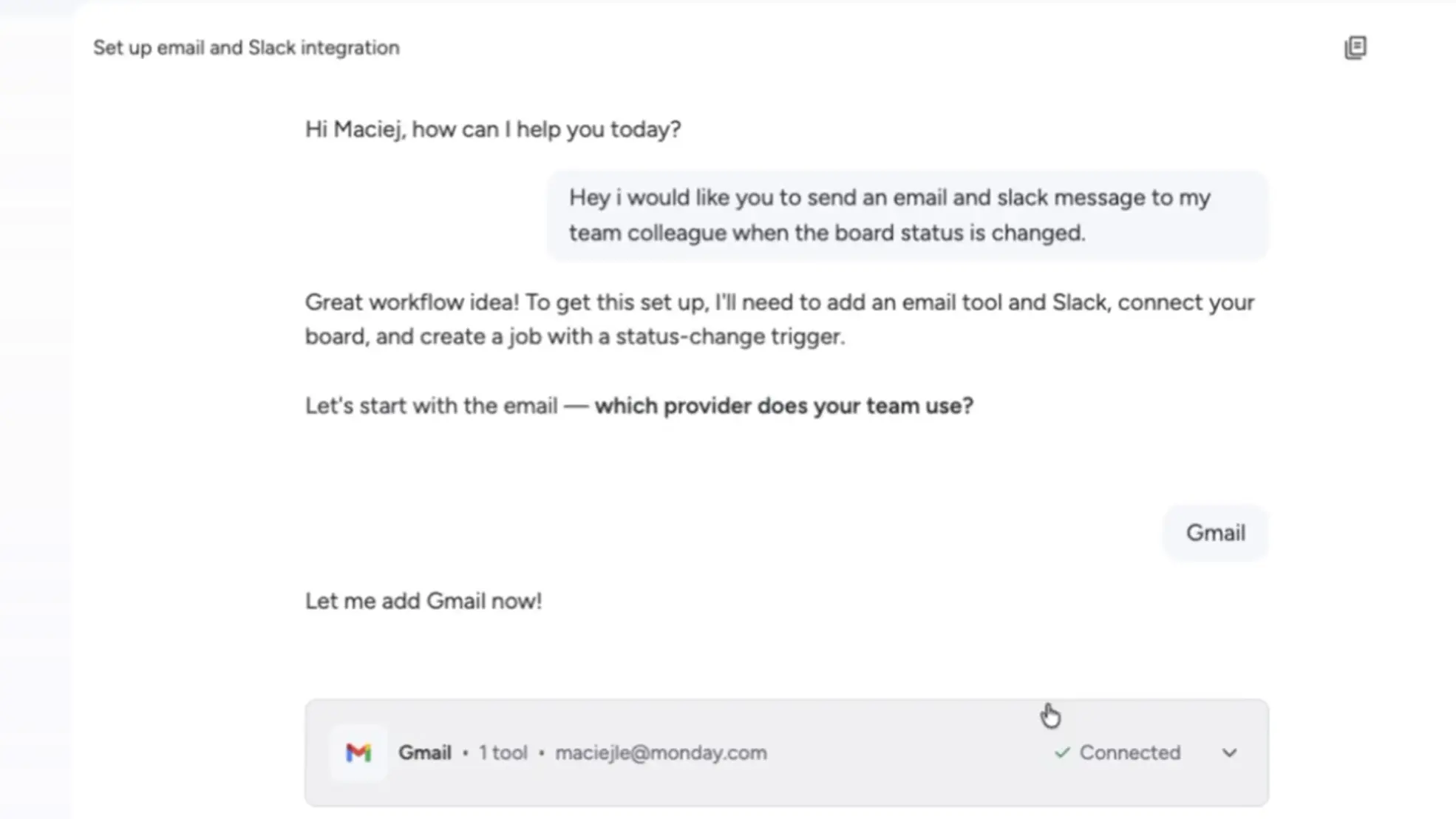
When building or adjusting an agent, tools, guardrails and sensitive permissions can now be configured directly within the chat. The chat automatically identifies the right tool for the task, lets you set read versus write permissions differently, and requires explicit confirmation before activating sensitive tools.
Example use case
Someone without technical know-how sets up a Gmail and Slack connection for their agent themselves in the chat, without having to involve the IT team.
New agent control features: revoking agent tools & the Agents Connection Graph
Status: Full rollout
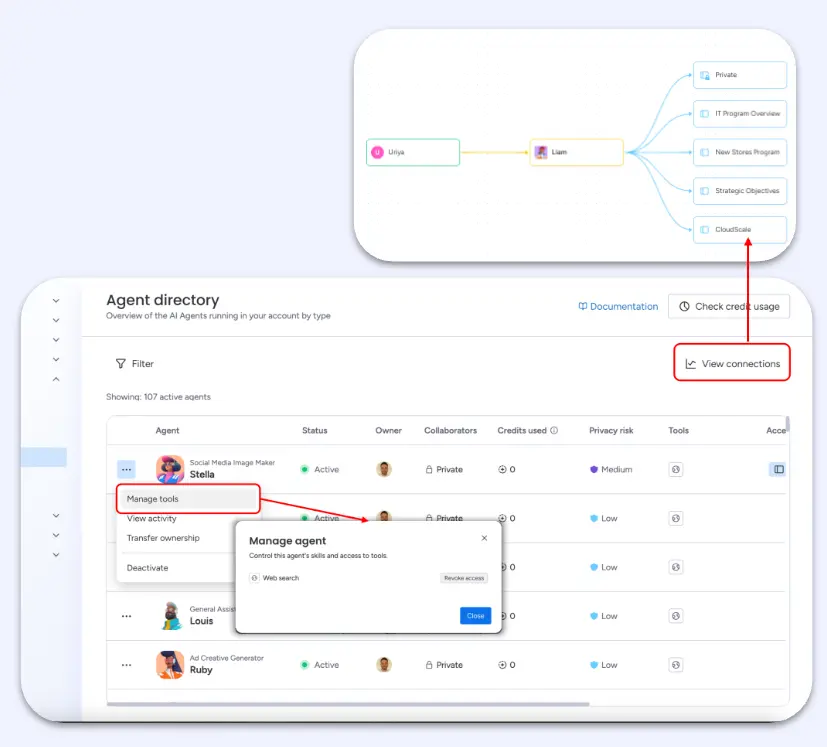
Admins can now monitor tool usage across all agents in the account and instantly revoke tool access whenever needed. The new Agents Connection Graph gives a visual way to track which users are running which agents and which boards they're connected to.
Example use case
The IT team instantly revokes an agent's access to a sensitive board as soon as a security policy changes.
Agent access via WhatsApp & Telegram
Status: Full rollout
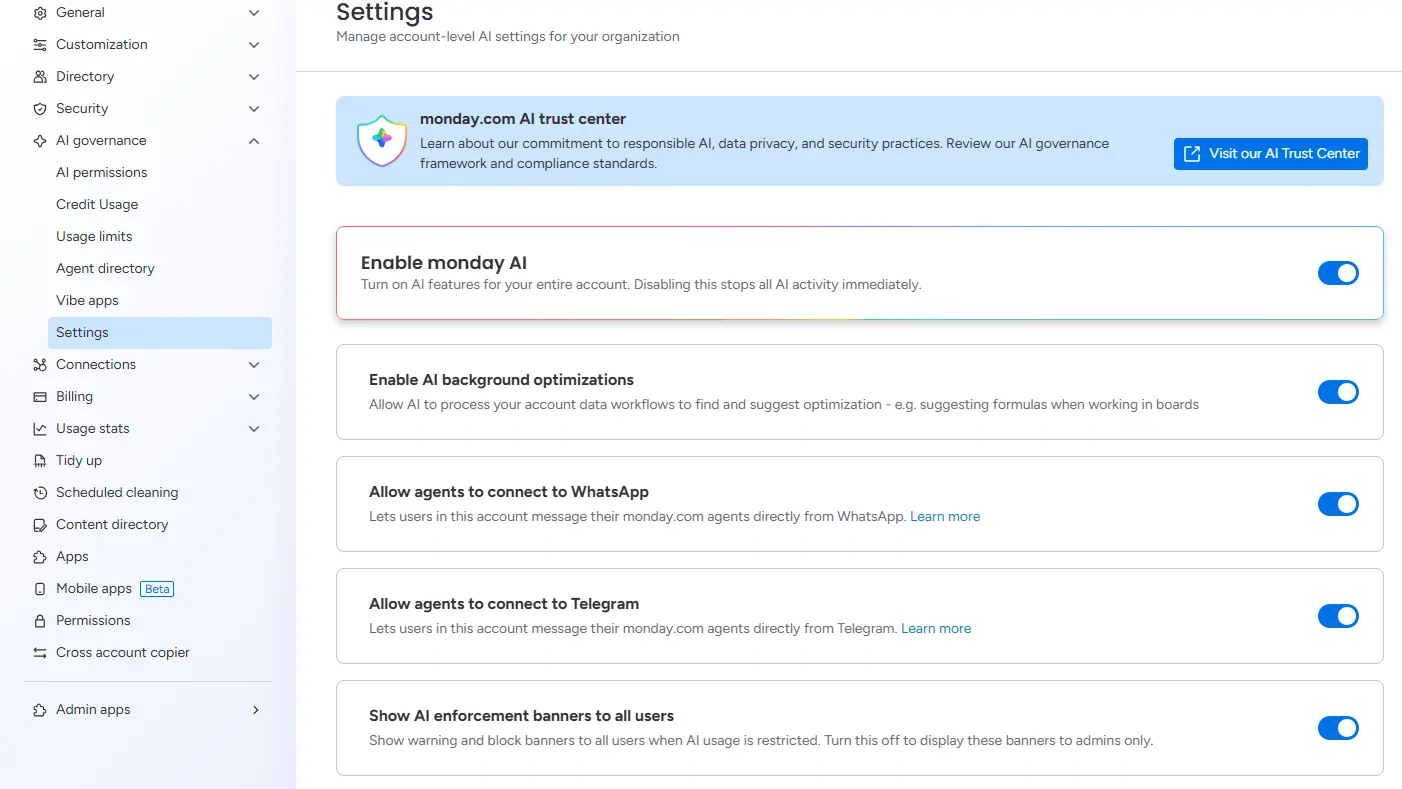
Admins can now use an account-wide toggle to allow or restrict users from messaging their monday agents directly via WhatsApp or Telegram.
Example use case
A field sales rep asks their monday agent for the status of an order via WhatsApp while out on the road.
monday Platform
Bring Your Own Agent (BYOA)
Status: Full rollout
External agents, whether built on natively supported platforms such as Claude and Copilot Studio or custom-built and connected via webhook, can now be brought into monday workspaces. They become fully governed entities with their own identity, and can be assigned tasks, mentioned and monitored just like a monday agent or user. Their instructions stay on the external platform.
Example use case
A company connects its existing Claude agent, which then responds directly on monday items and takes on tasks there.
Role-level MCP permissions
Status: Full rollout
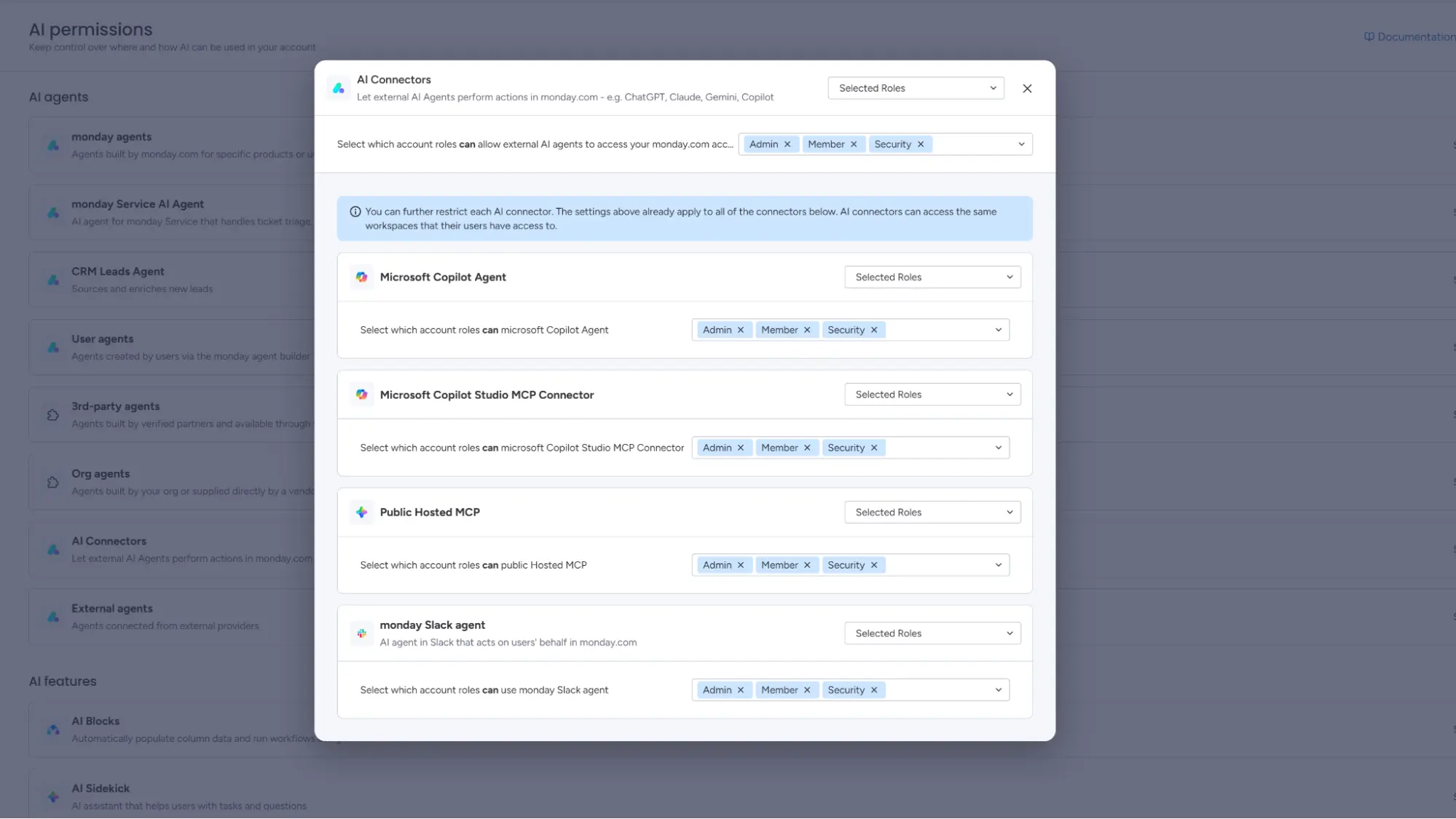
Admins can now apply layered, role-based governance to the MCP platform: an account-wide on/off toggle with sub-permissions per connector, the option to restrict access to specific workspaces, and, on the Enterprise plan only, role-based permissions defining which agent types each role may use.
Example use case
The IT team restricts access to external AI connectors to specific roles and workspaces.
Resource management: per-person availability for capacity planning
Status: Gradual rollout
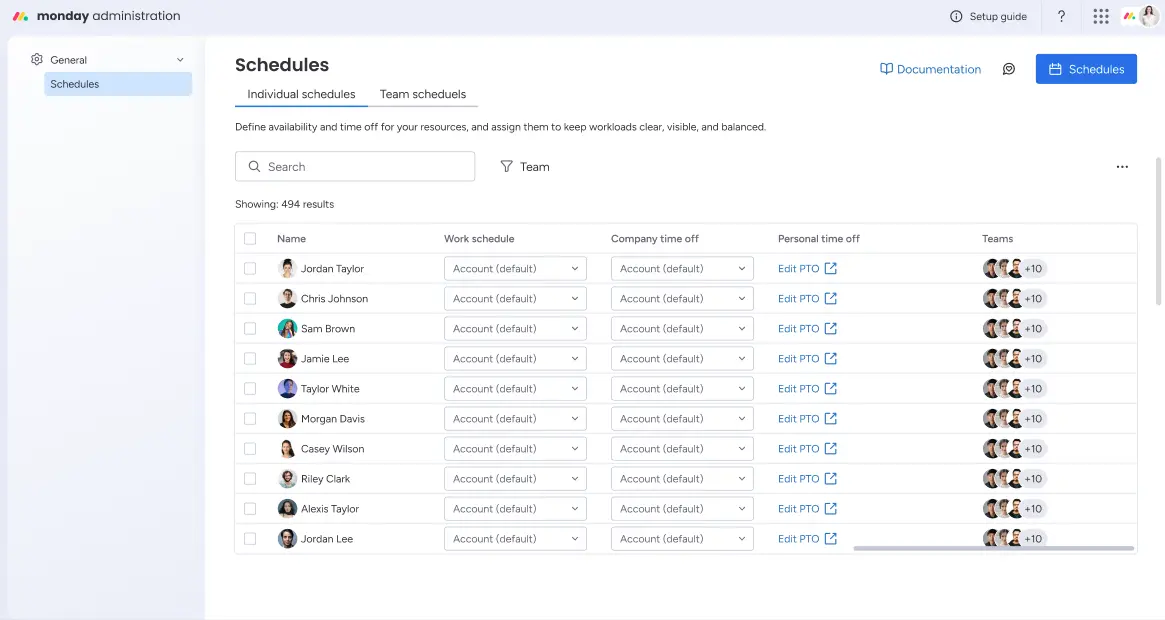
Resource and project managers can now configure individual working hours, regional holiday calendars and personal time off such as leave or sick days, per person. This information appears in real time in the Workload widget, the Resource Planner and the Capacity Manager.
Example use case
The resource planner can see at a glance who's unavailable this week due to leave or a public holiday, and plans capacity accordingly.
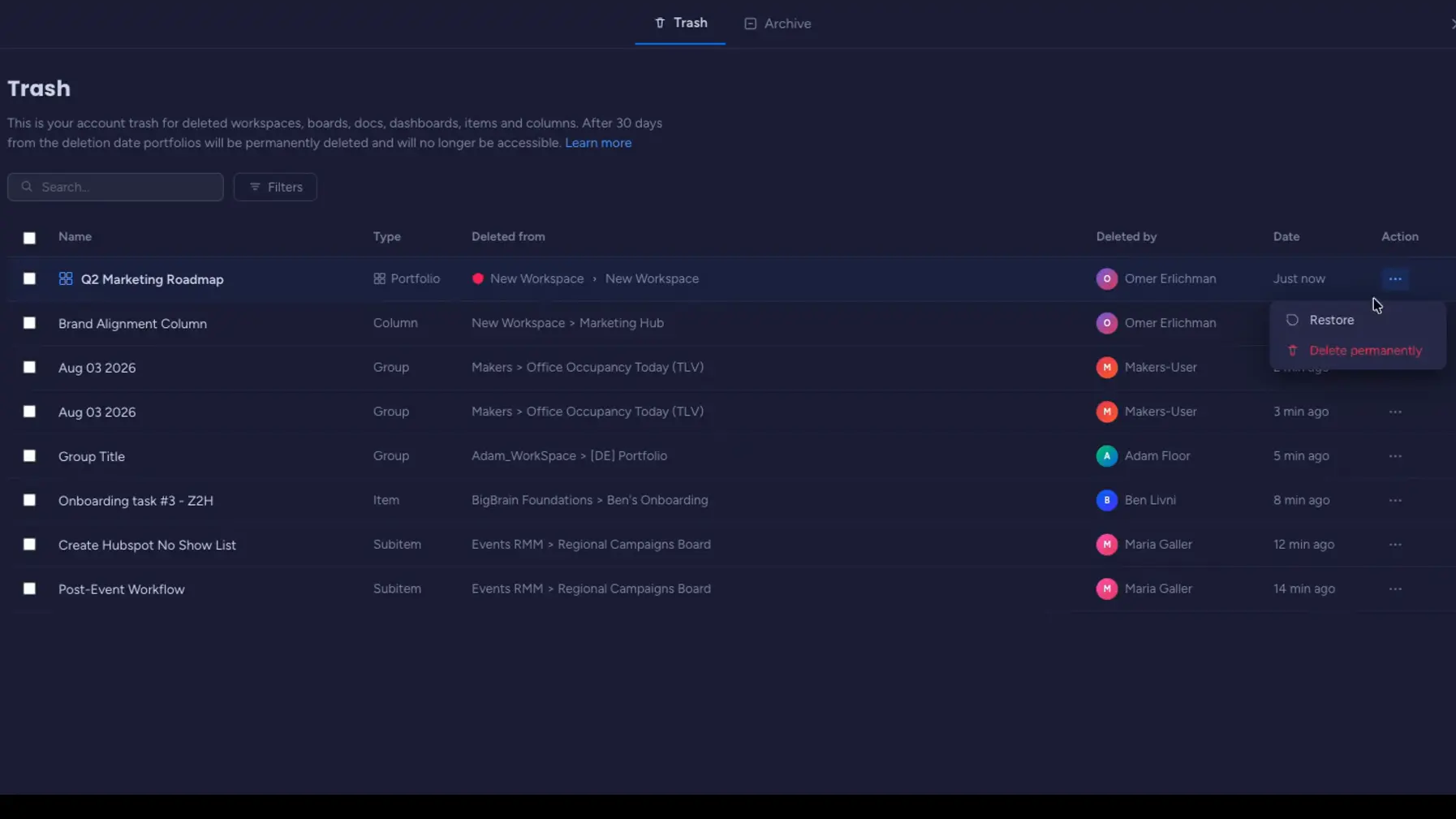
Restoring a portfolio after deletion
Status: Gradual rollout (Enterprise plan only)
Admins and account owners can now restore deleted portfolios themselves from within monday.com within 30 days of deletion, without contacting support. Projects that can be automatically reconnected are restored silently.
Example use case
An admin restores an accidentally deleted portfolio themselves, instead of opening a support ticket.
monday Service
Channel health visibility
Status: Full rollout
Channels are how customer requests reach the monday Service portal, usually via a connected support email. Channel health visibility gives admins real-time status indicators for every channel, proactive alerts when something goes wrong, and the ability to transfer ownership themselves.
Example use case
A support admin instantly sees when an email channel loses its connection and fixes the problem before customer requests are lost.

monday Vibe
Vibe DB: a fast database for up to one million records
Status: Gradual rollout
Vibe developers can now set up a dedicated, high-performance database directly within their app. Vibe DB stores up to one million records, delivers queries up to 30 times faster than a monday board, and keeps its data intact across app rebuilds. Existing board data can be migrated across directly.
Example use case
A team builds an internal CRM with thousands of contacts as a Vibe app, without connecting to an external database.
Vibe plan mode
Status: Gradual rollout
Vibe developers can now start a guided plan mode before building their app. Instead of starting from a blank canvas, you describe what should be built in the Vibe chat, the AI asks targeted follow-up questions, and generates a structured plan document setting out the app's goals, structure and core capabilities.
Example use case
Instead of building straight away, the user answers targeted questions in the chat and gets a structured build plan for the app first.
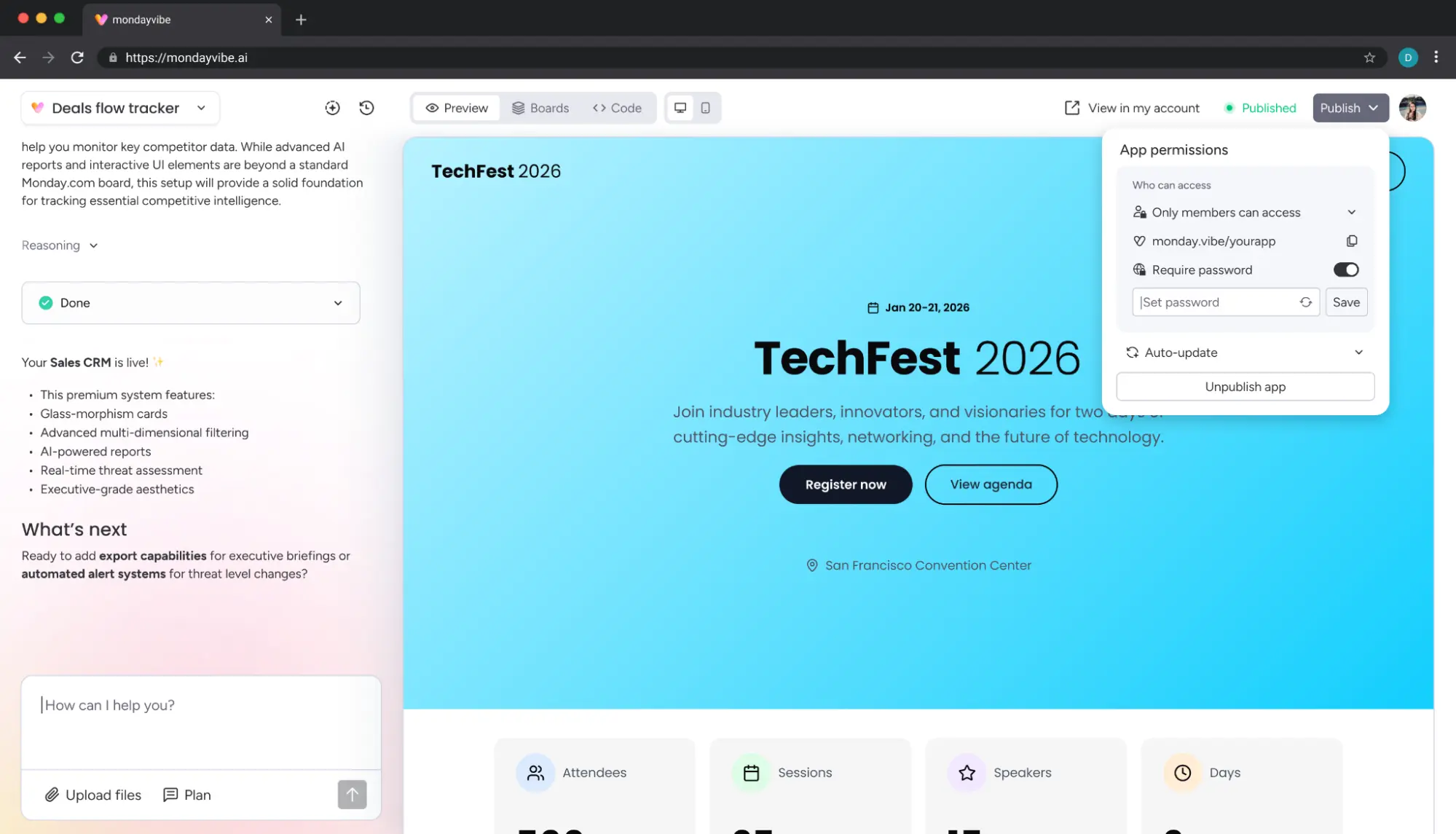
Password protection for public apps
Status: Gradual rollout
Vibe developers can now additionally protect public apps with a password.
Example use case
A company shares a public Vibe app with external stakeholders and secures it further with a password.
Vibe on mobile: deploying purpose-built apps
Status: Full rollout
Admins can now set a mobile home screen for specific users or teams, directing them straight to a chosen Vibe app when they open the monday mobile app. Through the new Mobile Experiences setup, admins select a Vibe app, assign it to users, and name it. From then on, those users land directly in their app.
Example use case
A service team out in the field opens the monday app and lands directly in the right Vibe app for logging jobs.
Vibe apps on multi-level boards
Status: Full rollout
Vibe app builders can now create, read and update items across every hierarchy level, including multi-level nested subitems such as phases, tasks and sub-tasks, with up to 20 levels within a single app.
Example use case
A project team builds a Vibe app for a board with phases, tasks and subtasks, without needing a workaround.
Building Vibe apps from any AI tool
Status: Full rollout
Developers and power users can now create, edit, publish and manage Vibe apps directly from any MCP-compatible AI tool, such as ChatGPT or Claude, without ever opening monday.com.
Example use case
A developer builds and publishes a Vibe app directly from Claude, without opening monday.com.
monday Workflows
Triggering AI workflows manually
Status: Full rollout
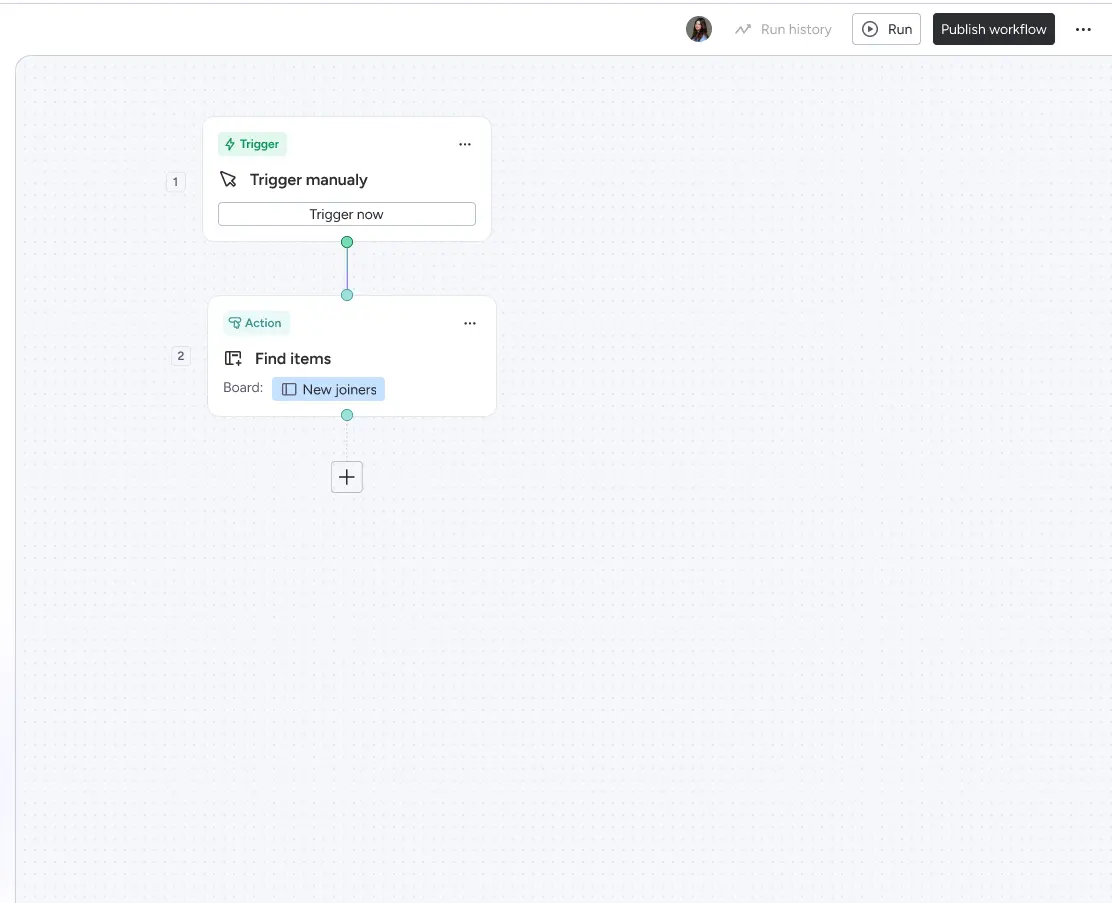
Users can now manually start an AI workflow with a single click, without needing a status column or any other board-based trigger. A dedicated "Trigger Now" button sits directly inside the workflow.
Example use case
A team manually starts a workflow via the "Trigger Now" button as soon as a manager gives the go-ahead.
Triggering workflows from any external system
Status: Gradual rollout
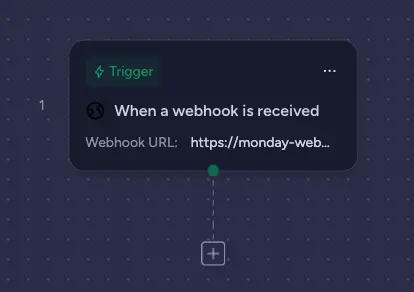
Workflow builders can now trigger monday workflows directly from any external system, such as a CRM, a ticketing tool or a survey platform, via a secure inbound webhook.
Example use case
A new order in Shopify automatically triggers a monday workflow that creates the matching task on the right board.
Workflows code block
Status: Full rollout
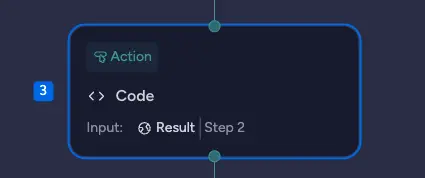
Workflow builders can now add a code block directly inside a monday workflow, writing custom Python logic at any step without leaving the builder. Errors surface in real time in the run history, and the block can also be fully created and wired up via monday MCP.
Example use case
A team migrating from another platform handles complex formatting logic directly in the workflow using a code block.
Summary
The August release clearly shifts monday.com's focus towards agent infrastructure: from governance features like role-level MCP permissions and the Agents Connection Graph, through to Bring Your Own Agent, which brings external AI systems in as fully-fledged team members. On top of that, there are solid improvements to Vibe, including the faster database and multi-level boards, as well as to resource planning.

.svg)