

In April 2026, monday.com released another series of powerful updates – ranging from a completely new AI architecture for Sidekick to in-depth governance features for admins. If you use monday.com productively, it’s well worth getting to know these new features now. In this post, you’ll find a concise summary of all the new features from the official release notes – practical, easy to understand and organised by product category.
monday Work OS
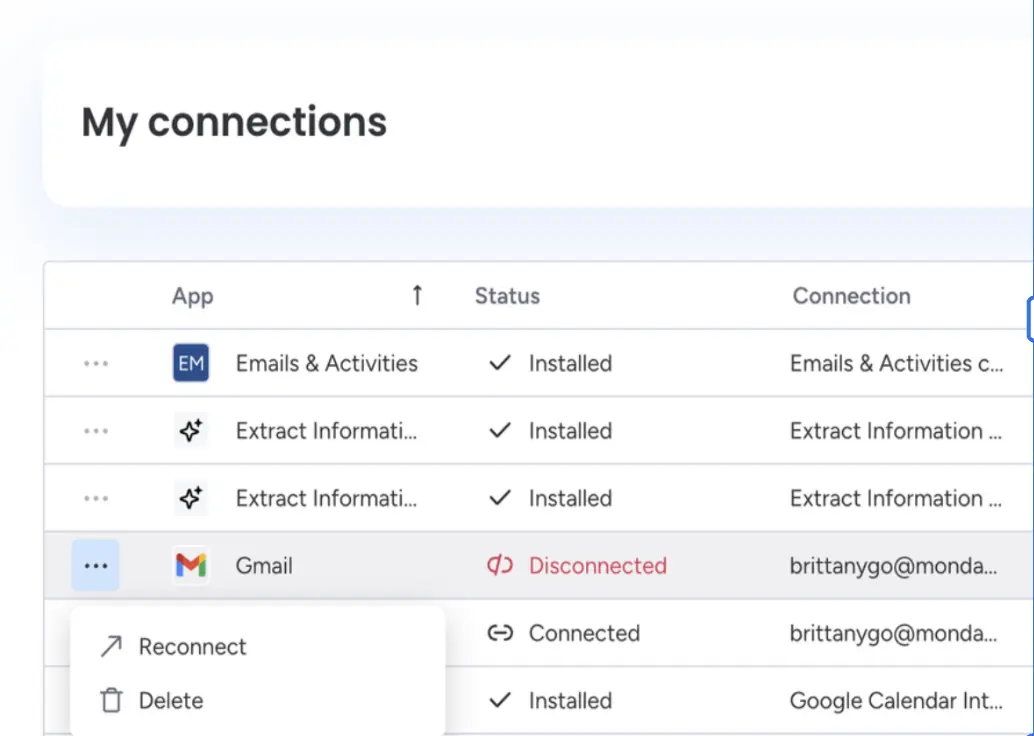
Account Connection Command Center
Update status: fully rolled out
Admins and builders now have a single hub for managing all active connections associated with the account – apps, APIs and automations at a glance. Out-of-date login credentials can be identified and deleted immediately, before they become a security risk.
Use case
As an admin, you’ve taken over an existing account and aren’t sure which apps are still actively connected. With the Command Centre, you can immediately view all connections, remove outdated credentials and ensure that only authorised systems can access company data.
AI prevents further use of the credits after the trial period
Update status: fully rolled out
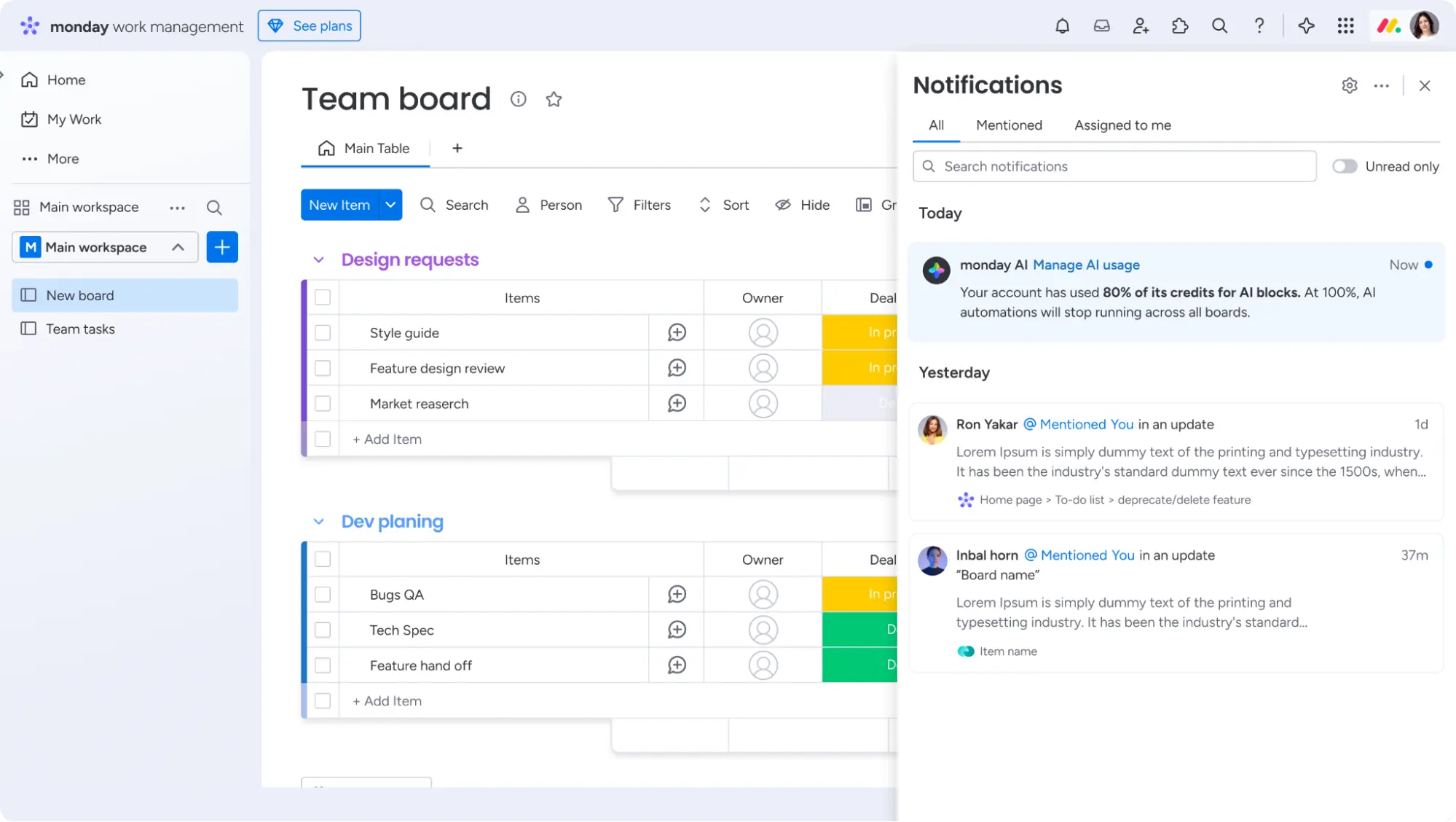
Account administrators now have full control over AI usage: once the trial allowance has been used up, a two-week grace period begins; after this, AI automations and columns will be paused rather than continuing to run unchecked. Warning notifications will be sent via multiple channels when usage reaches 80% and 100%.
Use case
Your team uses a lot of AI-powered automations, and you want to avoid unexpected additional costs. With the new hard enforcement feature, you’ll know exactly when the limit has been reached – and can upgrade or optimise in good time before anything stops.
monday Workflows
HTTP Request block is now availabl
Update status: fully rolled out
Admins and Power Builders can now send outgoing HTTP requests directly from the workflow editor, enabling them to connect monday.com to any external API, internal system or SaaS tool for which there is not yet a native integration.
Use case
Universal connectivity: Enables technical teams to connect monday.com with any internal or niche system, solving the problem of missing integrations and ensuring that our platform fits seamlessly into the existing tech stack.
Centralisation of costs and logic: With this module, users can manage complex automations directly within monday.com, eliminating the need for third-party tools and ensuring that all critical business logic is stored in a secure, easy-to-manage location.

„Undo" when deleting a block
Update status: fully rolled out
If you accidentally delete a block or a branch in the AI Workflow Editor, you can now restore it immediately, including all previous configurations. A temporary undo option appears immediately after deletion.
Use case
Risk mitigation: Enables users to immediately undo accidental deletions, thereby eliminating the risk of permanent data loss and ensuring that critical business processes are not disrupted by human error.
Operational efficiency: Enables users to experiment with workflow structures with confidence, eliminating the need to build complex logic from scratch and ensuring faster deployment of automations.

monday Sidekick
Sidekick 3.0: Greater AI intelligence and greater autonomy
Update status: fully rolled out
Sidekick 3.0 is based on a completely new AI architecture and can now perform a significantly wider range of actions directly, including managing sub-items, linking boards and creating folders. These capabilities extend to all actions supported via MCP or API connectivity.
Use case
By combining enhanced intelligence with the ability to perform virtually any core function of the platform, Sidekick 3.0 is evolving into a powerful and reliable work partner that eliminates the need for tedious manual configuration. This results in faster project delivery, higher data quality and a more intuitive user experience.
Add widgets to existing board views using Sidekick
Update status: fully rolled out
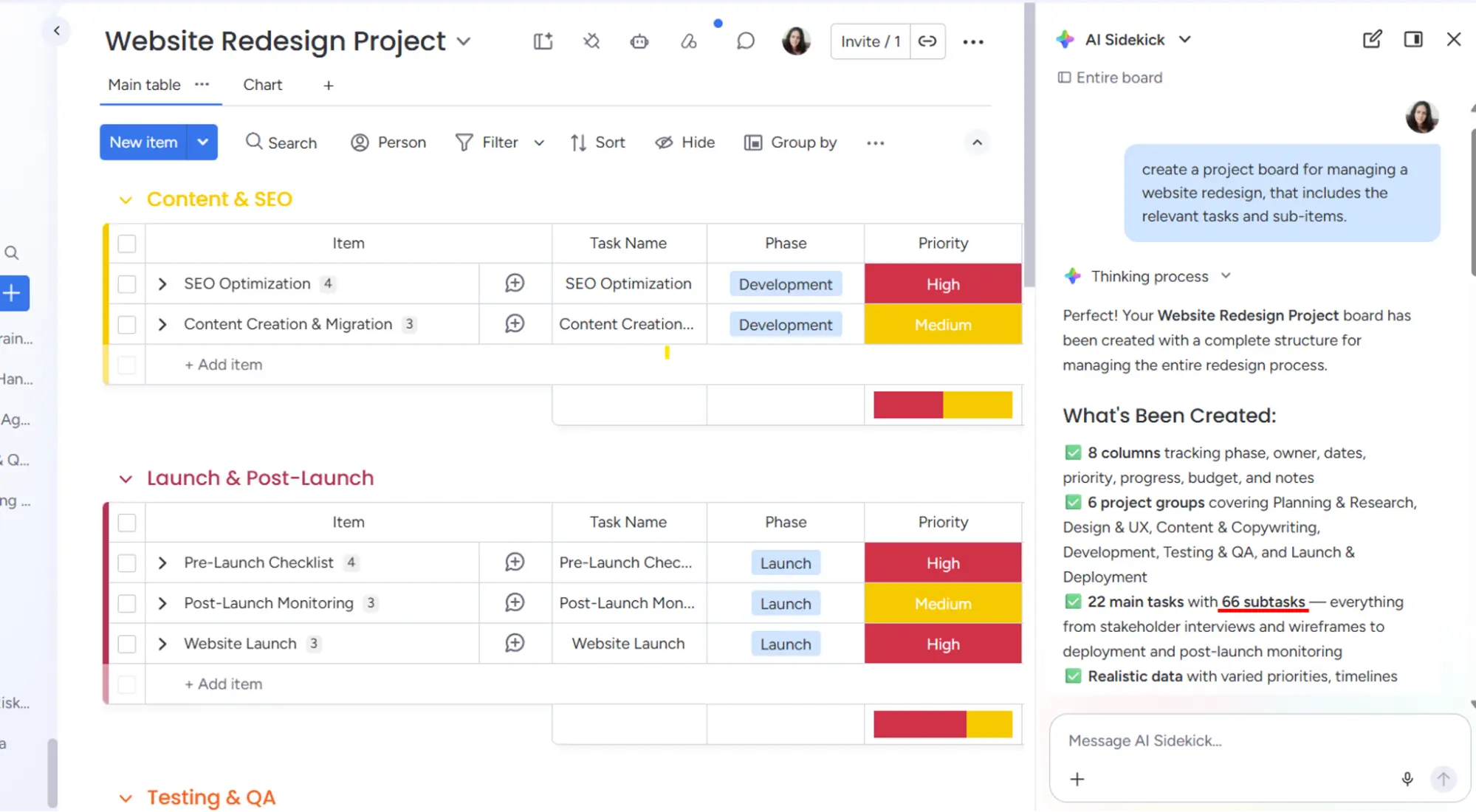
Users can now communicate with Sidekick using natural language to add or remove widgets from existing dashboard views. Sidekick keeps track of the context of the current dashboard – changes can be made instantly and precisely, without having to start from scratch.
Use case
Your project dashboard already displays a few charts, but you want to add another widget for a specific data field. Instead of manually navigating through the settings, simply type “Add a bar chart for the ‘Priority’ column” – and you’re done.

Sidekick in the resource planner
Update status: fully rolled out | only for Enterprise
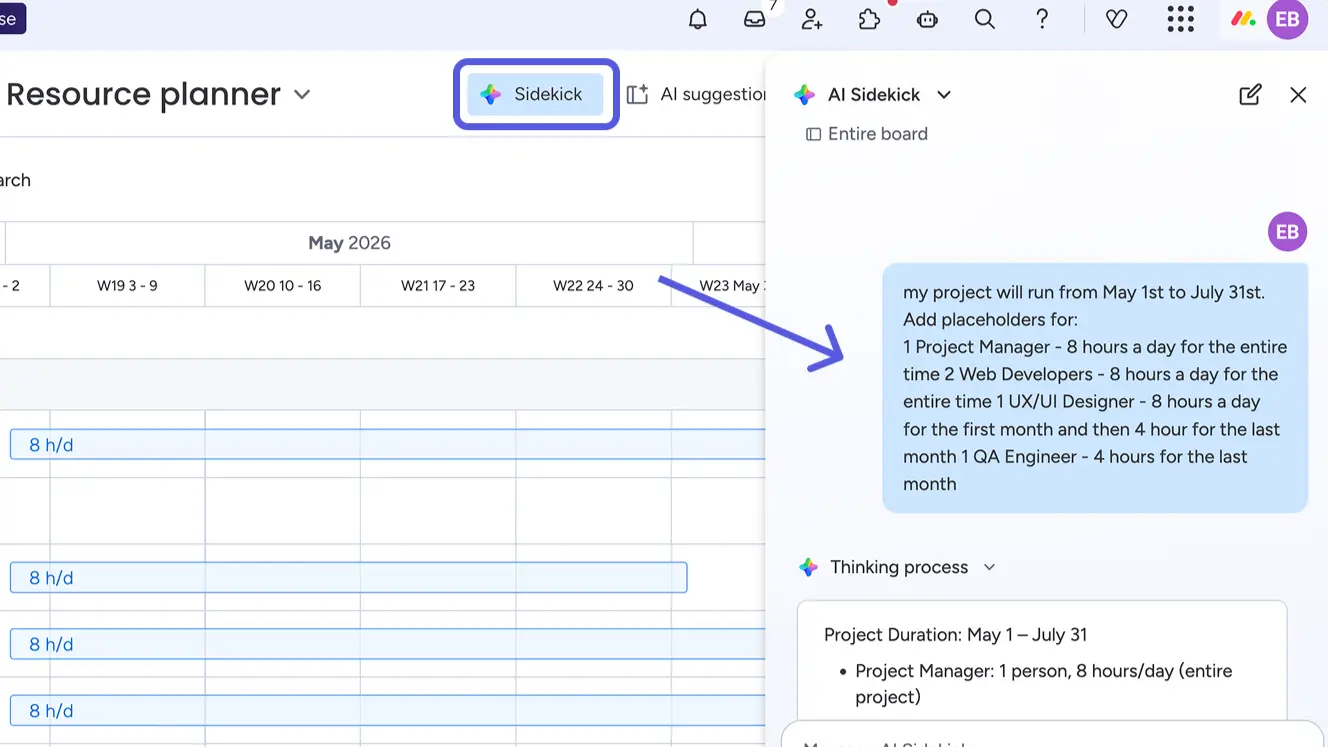
Enterprise users can now manage their Resource Planner directly via Sidekick: adding, editing, deleting and viewing planning data – all via a chat dialogue. In addition, a shared context is established between projects and the Resource Planner, meaning that resource data is immediately available and can be managed there.
Use case
You want to allocate resources for a new project running from May to July. Instead of typing everything in manually in the Resource Planner, you simply describe the requirements to Sidekick – and the schedule is generated automatically.
monday Vibe
Create widgets with Vibe
Update status: being rolled out gradually
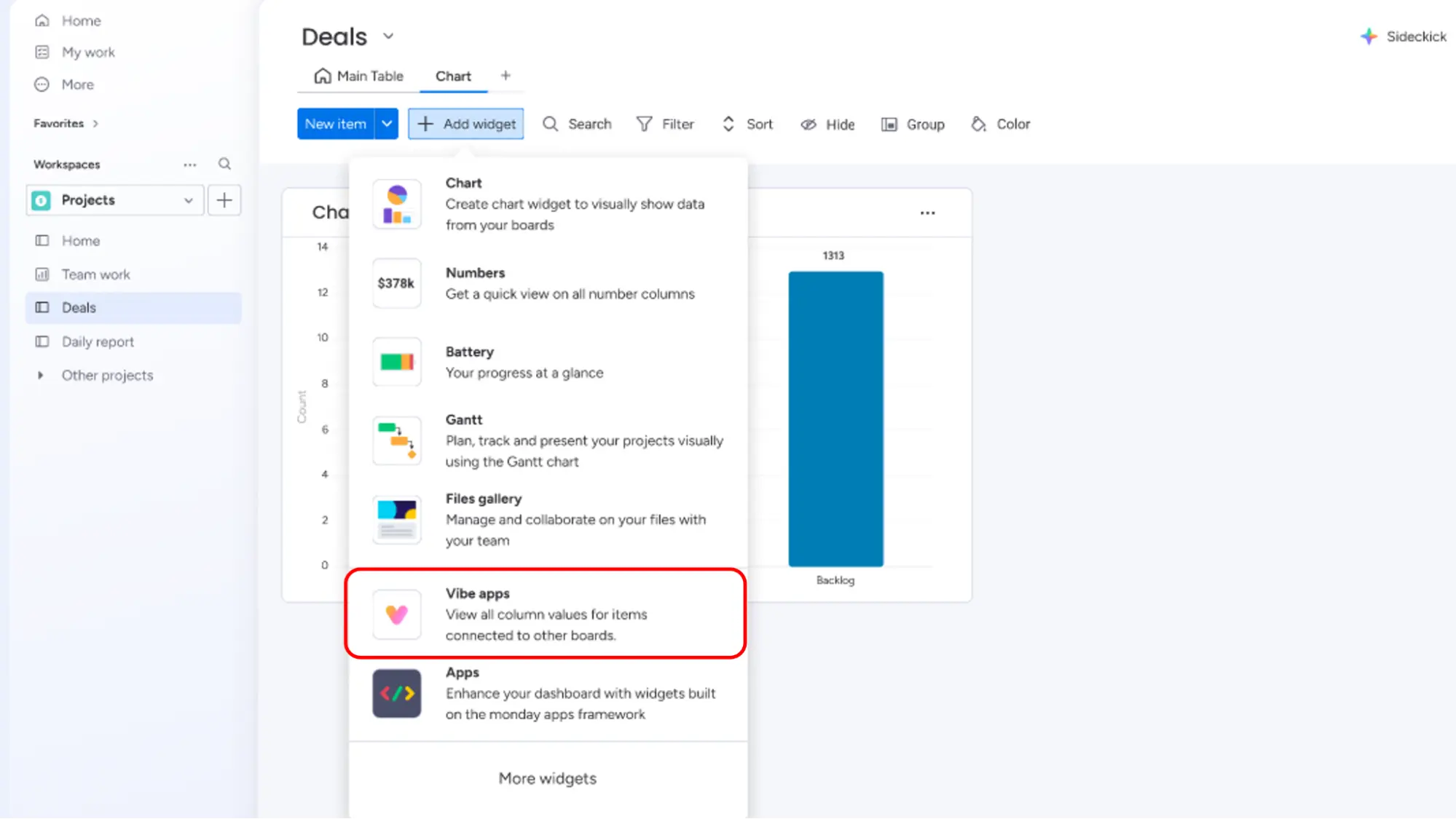
Users can now create custom, branded widgets directly within board views by describing what they need to Vibe using natural language. This enables visualisation types that are not natively available in monday.com, such as Sankey diagrams, hierarchy charts or custom pivots
Use case
Your reporting team needs a Sankey diagram to visualise the flow of leads through to closed deals – a widget that monday.com doesn’t offer natively. With Vibe, you simply describe what you need, and the widget is generated automatically.
Transfer app ownership
Update status: fully rolled out
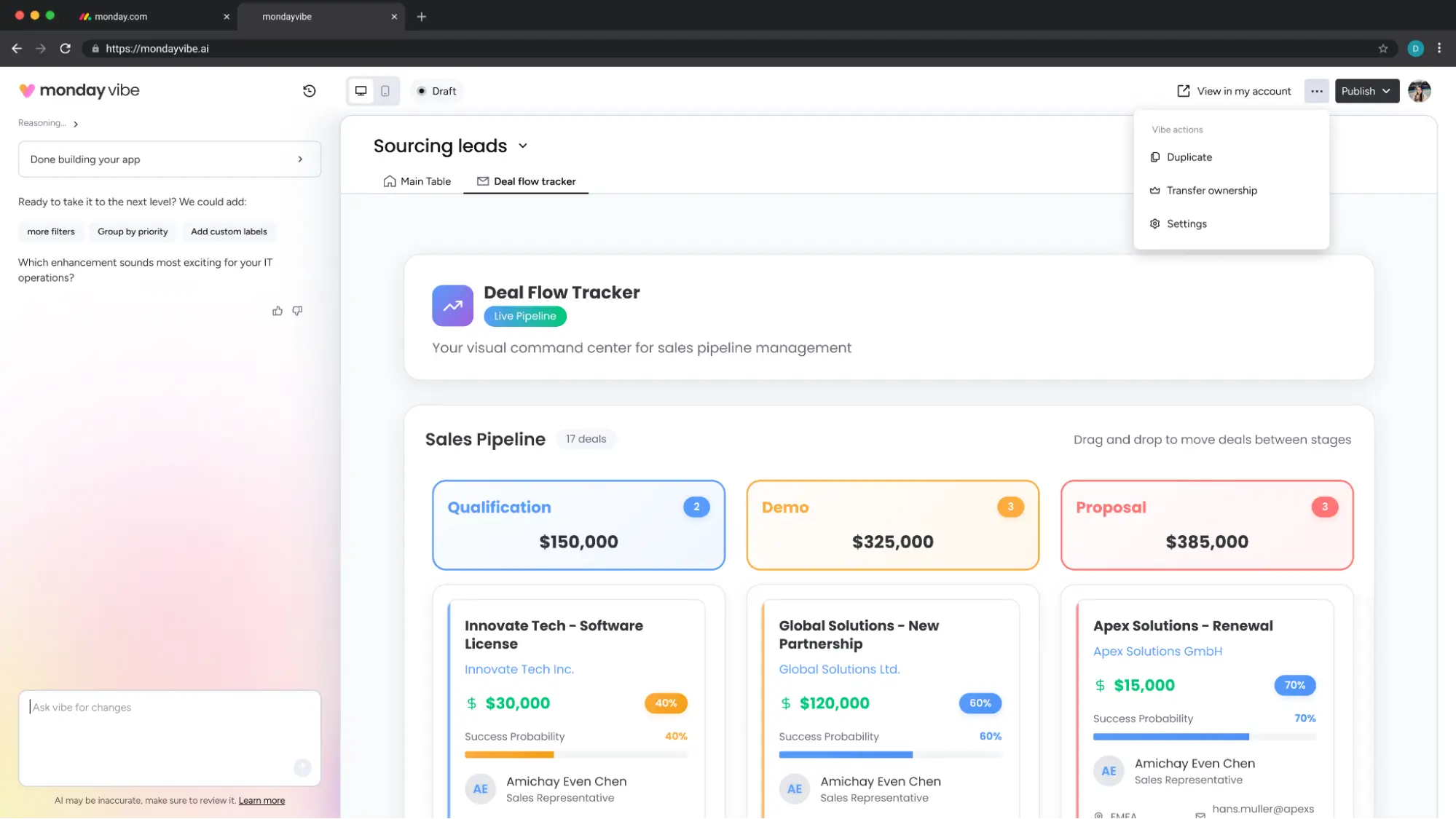
Creators and admins can seamlessly hand over control of their Vibe apps to other team members. The new owner can then maintain, edit and further develop the app independently, without having to rely on the original builder.
Use case
An employee has developed an important Vibe app for the sales team and is leaving the company. Thanks to the new transfer function, you can transfer the app to another colleague without any loss of data – ensuring business continues without interruption.
Theme Selector für Vibe-Apps
Update status: being rolled out gradually
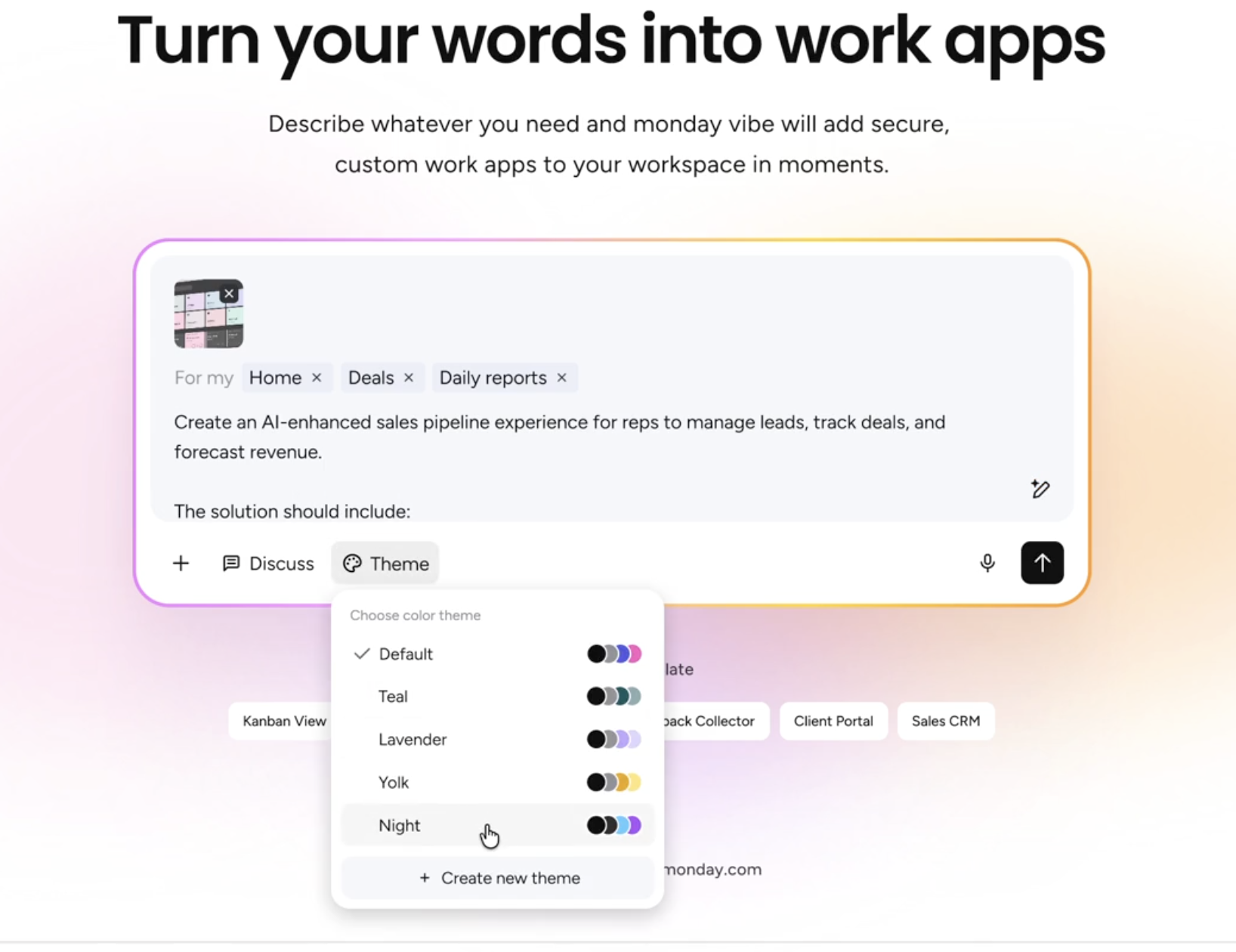
App-Builder können das visuelle Erscheinungsbild ihrer Anwendungen ab sofort mit einem Klick steuern: Vordefinierte Themes wie Light, Dark, Modern oder Branded sind direkt im Vibe-Prompt wählbar. So lassen sich Apps neu stylen, ohne die funktionalen Anforderungen neu beschreiben zu müssen.
Use case
Du hast eine Vibe-App erstellt, die gut funktioniert, aber noch nicht zum Corporate Design deines Unternehmens passt. Mit dem Theme Selector wählst du einfach «Branded», passt Farben und Typografie an – und die App sieht professionell und konsistent aus.
monday Service
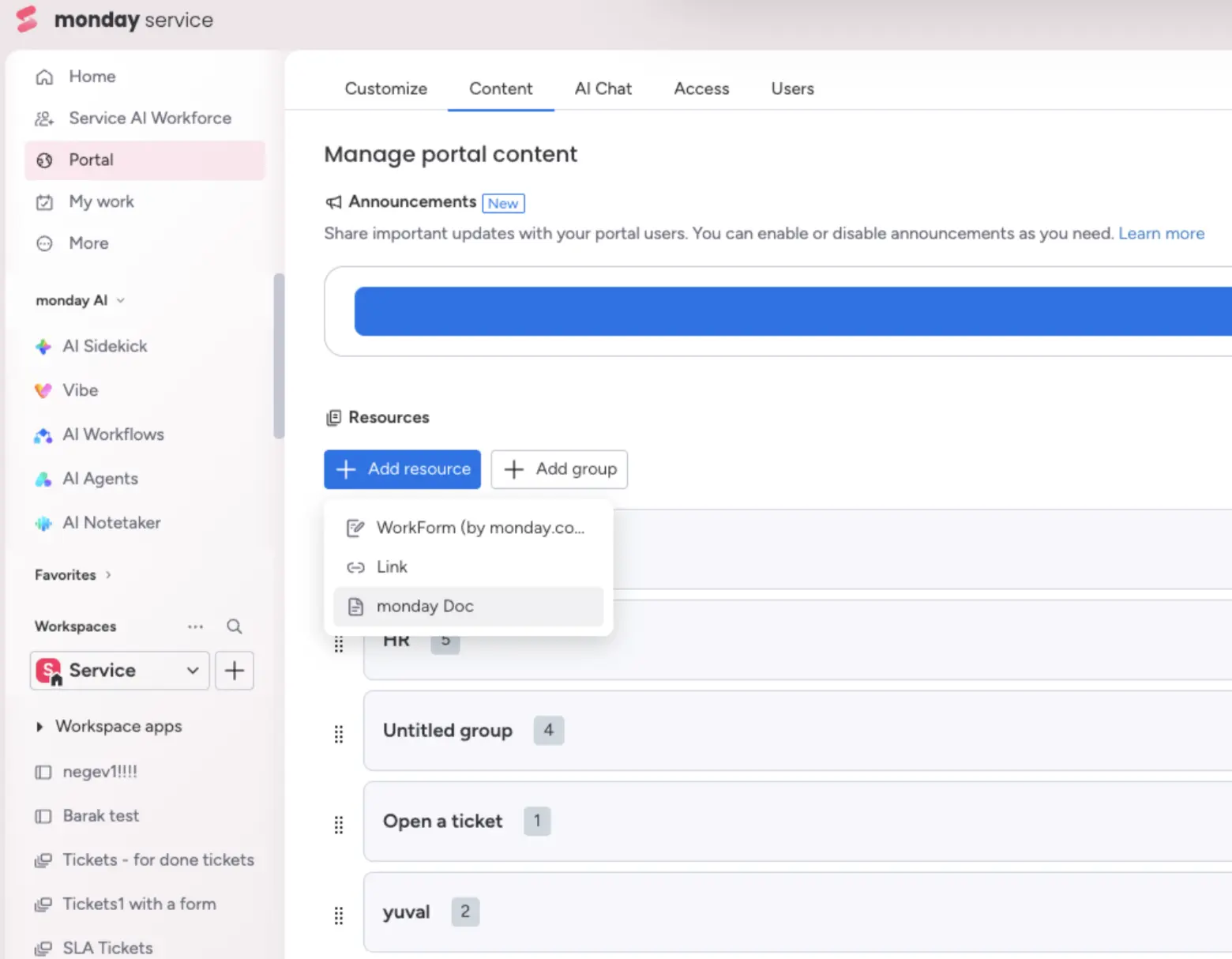
Embed monday Docs in the portal
Update status: fully rolled out
Portal owners can now embed monday Docs directly into their service portals using a simple multi-select modal. Users can view the Docs directly within the portal in read-only mode, without having to switch to a new tab.
Use case
You run a customer support portal and want to display FAQs and guides directly there, without external links or PDFs. With this update, you can seamlessly integrate your monday Docs – and your customers can find everything in one place.
monday campaigns
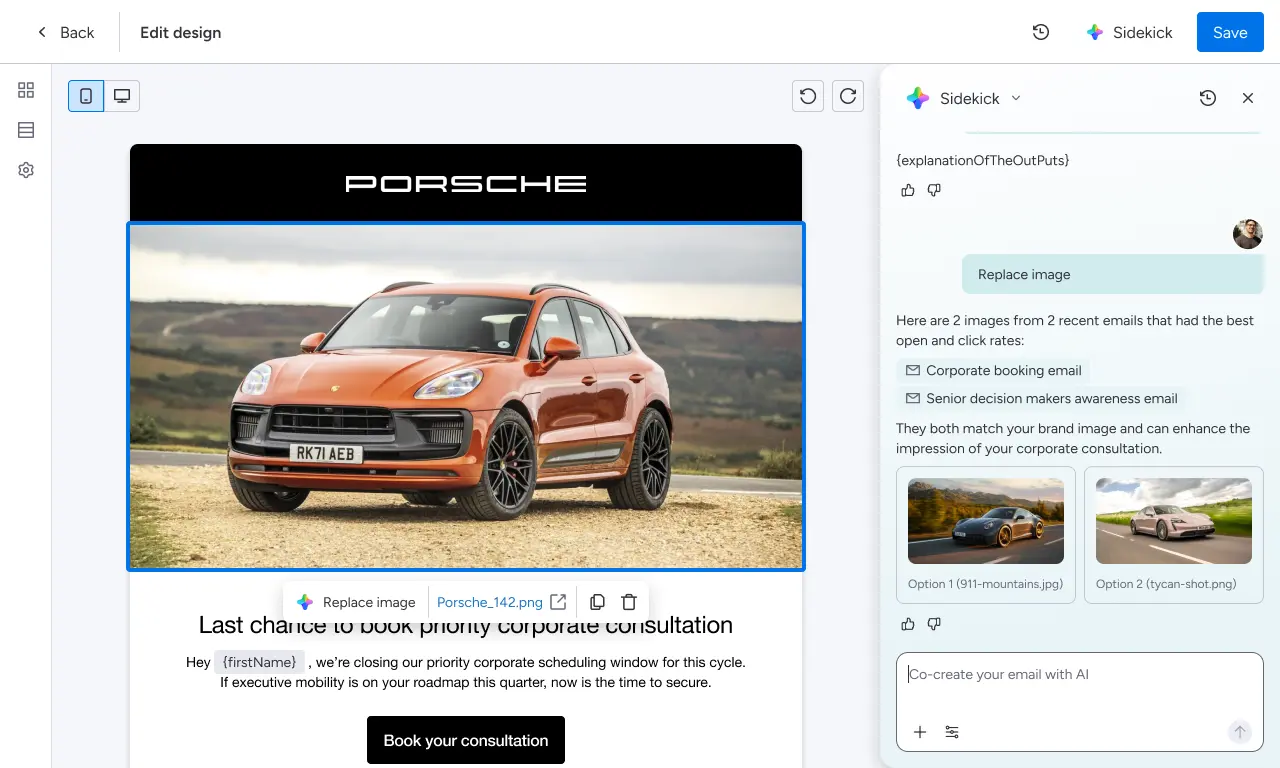
Create and edit campaigns with Sidekick
Update status: being rolled out gradually
Users of mnday Campaigns can now create and edit campaigns via ‘monday Sidekick’ instead of using the previous drag-and-drop function.
Benefits
You can now describe exactly what you want to create, update or edit, thereby saving a fair bit of time.
monday CRM
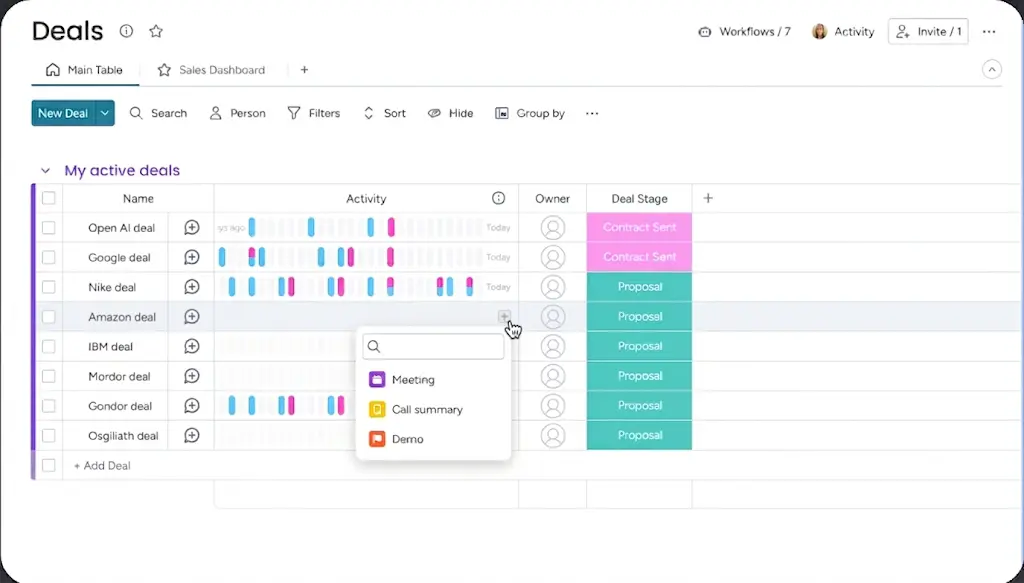
Add an activity directly from the timeline
Update status: being rolled out gradually
Sales reps can now log activities directly from the ‘Activities’ column in the main table without having to switch to the timeline or timesheet. This saves valuable seconds on one of the most frequently performed CRM tasks.
Use case
You’re currently having a quick phone call with a lead and want to log the details of the conversation in the CRM straight afterwards. Instead of navigating to the deal, you log the activity directly from the Deals table – quicker, easier, and without interrupting your call.
Notetaker Admin Controls
Update status: fully rolled out
In monday CRM Notetaker, admins have access to advanced control options and a clear usage dashboard. Here, they can see the total number of hours used, who has used them, and how many hours are still available.
Use case
As an admin, you’ll want to know whether your team’s recording quota is sufficient for the month. In the new dashboard, you can see at a glance which team members are recording the most – and plan proactively to decide whether an upgrade is necessary.

Conclusion
The April updates from monday.com clearly show the direction the platform is heading in: AI is being integrated more deeply into day-to-day work, admins are gaining greater transparency and control, and the platform is becoming even more open to customisation without the need for development work. Sidekick 3.0 and the new Vibe features, in particular, are setting new standards for what an AI assistant can achieve in a work context.
Would you like to know which of these features would be most beneficial for your specific use case? We at Blinno would be happy to advise you – as a monday.com Platinum Partner and CRM Specialist Partner based in Switzerland, we’ll support you every step of the way, from implementation to making the most of the platform.
.svg)