

Manual processes cost time, money and cause stress. Whether it’s the daily synchronisation of CRM data, forwarding leads or triggering notifications: many tasks can be fully automated without having to write a single line of code. This is where n8n comes in.
n8n is currently one of the most powerful and flexible tools in the field of workflow automation, particularly for technical teams and businesses that require maximum control over their data. In Switzerland, the tool is rapidly gaining prominence, as data protection and GDPR compliance are key requirements.
In this guide, you’ll find out exactly what n8n is, how it works, where it stands out compared to alternatives such as Make and Zapier, and which specific use cases are relevant for your IT team or your business.
What is n8n? A platform that connects everything
n8n is an open-source workflow automation platform that enables users to connect various apps, services and APIs and fully automate complex processes.
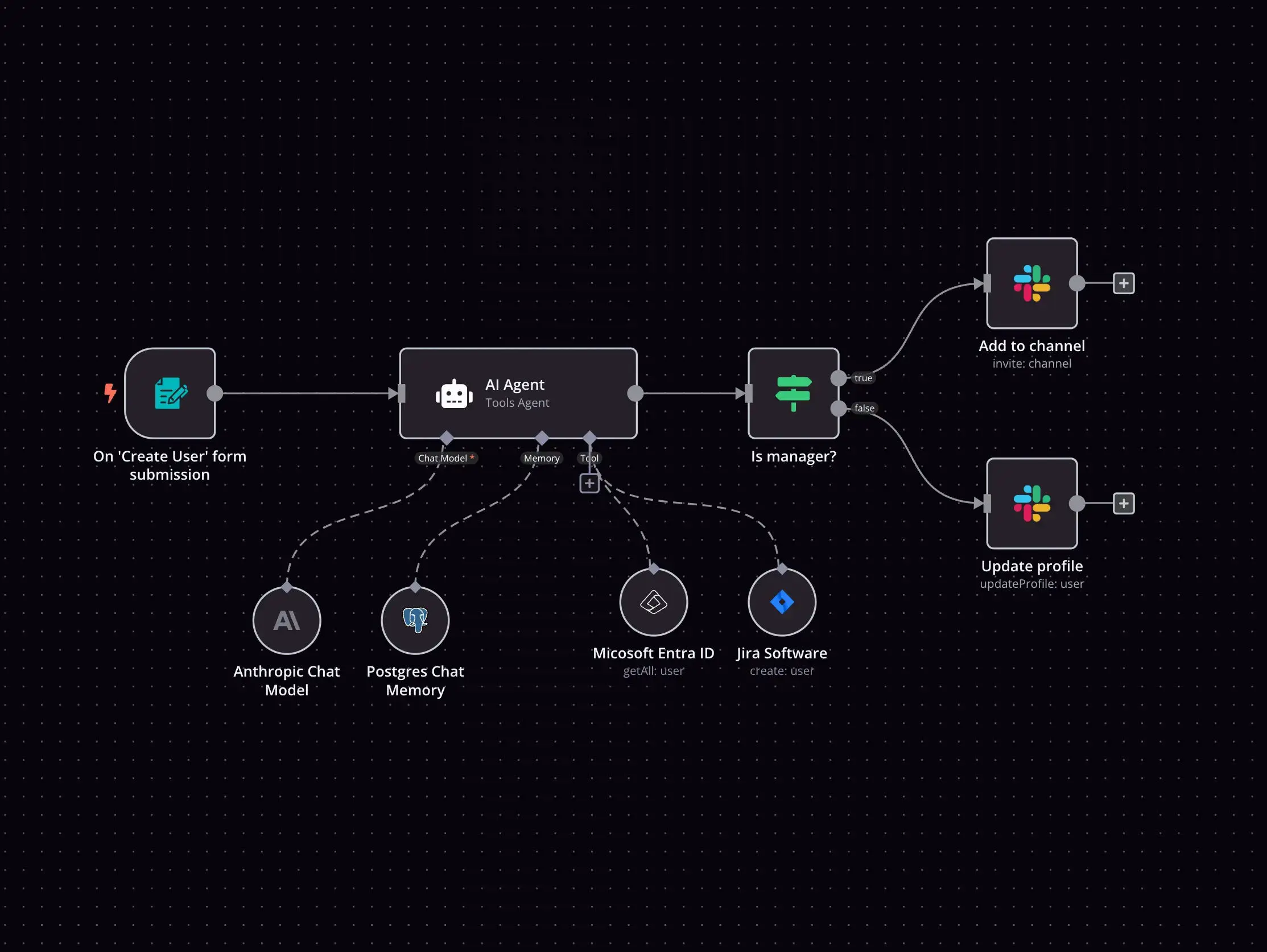
At its core, n8n works on a simple principle: you build workflows by visually connecting so-called nodes (building blocks). Each node represents an app, an action or a piece of logic, for example, “New entry in Google Sheets” → “Send message in Slack” → “Create task in monday.com”.
How does n8n work? The basic principle, step by step
n8n operates on an event-driven basis: a trigger node starts the workflow when a specific event occurs. After that, all subsequent nodes are executed in sequence – or in parallel.
The three node types in n8n
Trigger nodes: Start the workflow. Examples: Webhook, Cron job (scheduled), IMAP (incoming email), form submission, Salesforce event or WhatsApp message.
Action nodes: Perform an action. Examples: HTTP request, database query, send email, create document, call AI node.
Logic nodes: Control the workflow. Examples: IF/Else conditions, Switch, Merge, Set (transform data), Code node (JavaScript or Python).
This is what a typical n8n workflow looks like:
Imagine you want every new lead enquiry submitted via a web form to be automatically entered into your CRM, posted to a Slack channel and replied to with a personalised email at the same time. In n8n, you can set this up in just a few minutes, without any code, though you have the option to insert your own JavaScript or Python at any point if you need more control.
n8n vs. Make vs. Zapier: Which tool is right for you?
Sooner or later, almost every team asks themselves this question. All three platforms automate workflows, but with fundamentally different approaches. In our blog post, you can find out more about the three tools:
n8n & AI: The game-changing feature for 2026
Das Killer-Feature von n8n im Jahr 2026 ist die native KI-Integration. Während andere Tools KI als Add-on behandeln, hat n8n KI-Fähigkeiten tief in seine Architektur integriert, über LangChain, das führende Framework für KI-Agenten-Entwicklung.
What are AI agents in n8n?
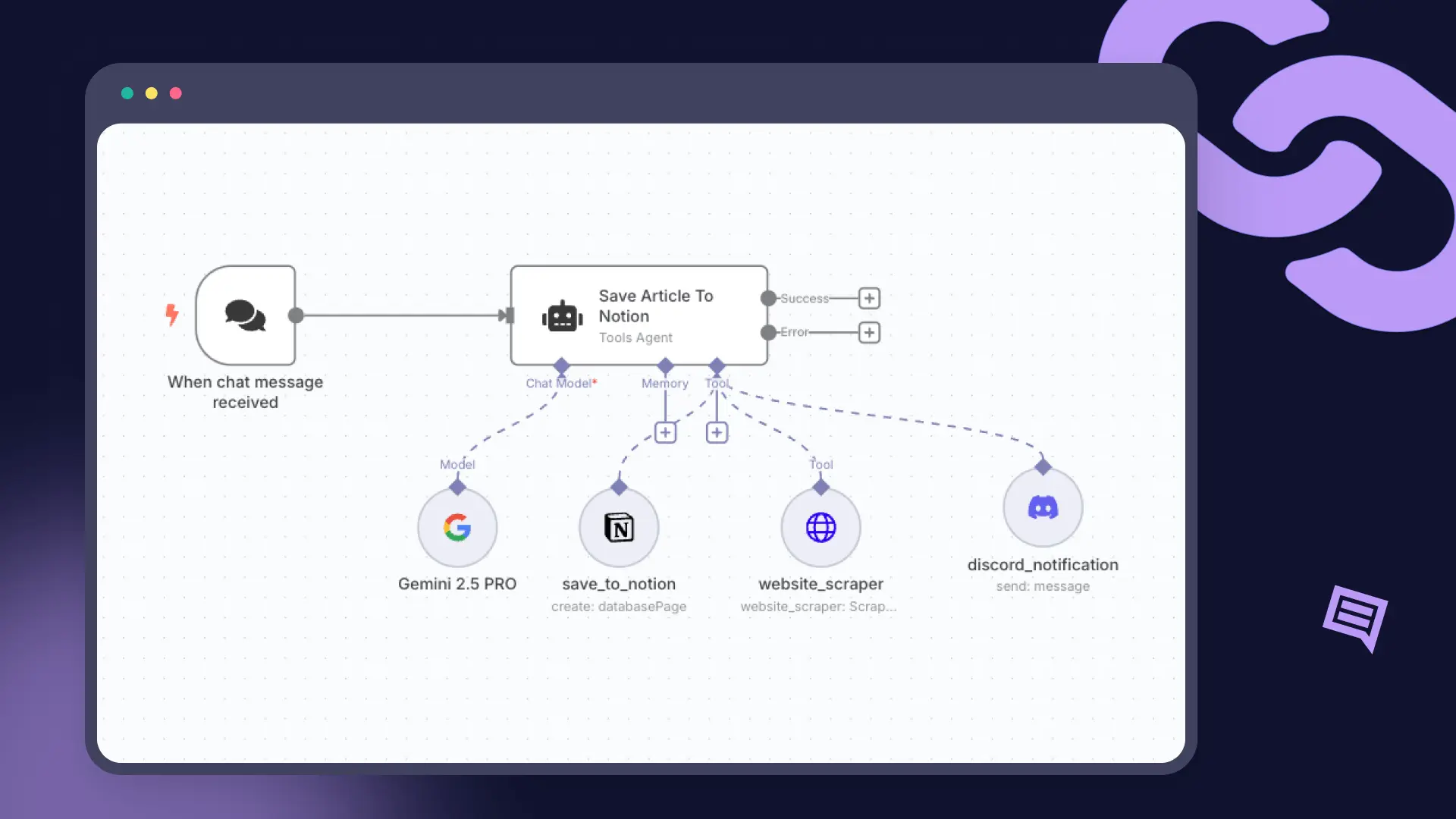
An AI agent in n8n is an autonomous workflow that does not simply execute a fixed sequence of steps, but makes decisions independently. The agent analyses a task, selects the appropriate tools, executes them, and adapts its next step based on the result.
In practice, this means
In n8n, you can build an agent that independently searches the internet, analyses data, generates a summary and sends it by email – all without any human intervention between the steps.
Specific use cases: n8n in practice
Enough theory – let’s take a look at what IT teams and businesses are actually achieving with n8n.
Use Case 1: Fully automate lead management
Initial situation
A potential customer fills in a contact form on your website.
n8n-Workflow:
- Form submission triggers n8n via a webhook.
- Contact details are automatically entered into the CRM (HubSpot, Salesforce).
- The lead is assessed according to scoring criteria (custom code or AI node).
- The sales representative immediately receives a Slack notification containing the lead’s details.
- A personalised welcome email is sent automatically.
- A follow-up task is created in Jira or Asana.
Result
No manual work, no leads are lost, response time under 60 seconds.
Use Case 2: Automate HR onboarding
Initial situation
New employees have to be entered into dozens of systems, a time-consuming and error-prone process.
n8n-Workflow:
- The HR system (e.g. Personio or BambooHR) triggers the workflow when new hires join.
- Automatic creation of accounts in Slack, GitHub, Google Workspace and VPN.
- Welcome email containing all login details and onboarding documents.
- Onboarding task list in Notion or Confluence is created automatically.
- Reminders after 30, 60 and 90 days for feedback meetings.
Result
The onboarding process has been reduced from 4 hours to 10 minutes, meaning the error rate has fallen to virtually zero.
Use Case 3: Daten-Pipelines & Reporting
Initial situation
Every week, data from five different sources has to be collated and compiled into a report.
n8n-Workflow:
- A weekly cron job triggers the pipeline.
- Data is retrieved from databases (PostgreSQL, MySQL), APIs and Google Sheets.
- The AI node analyses the data and automatically generates an executive summary.
- The report is generated as a PDF or Google Doc and sent by email.
- Key metrics are updated in a dashboard (e.g. Metabase).
Result
The four hours of manual work per week that were previously required have been eliminated; reports are now always produced and filed on time and consistently, automatically.
Self-hosting in Switzerland: Data protection as a competitive advantage
For Swiss companies, self-hosting n8n is more than just a technical option; it is a strategic advantage. If you run n8n on your own servers (in Switzerland), the following applies:
- All workflow data remains exclusively on your infrastructure.
- Full compliance with the Swiss Data Protection Act (revDSG) and the GDPR.
- No reliance on US cloud providers (no Schrems II risk).
- Maximum control over security, updates and scaling.
- Significantly cheaper in the long term than task-based cloud services.
n8n can be set up in just a few minutes using Docker or Kubernetes. For enterprise environments, n8n offers RBAC (role-based access control), SAML/SSO, LDAP integration, audit logs and fully air-gapped installations without internet access.
n8n Pricing 2026: How much does n8n actually cost?
One of the most common questions we hear is: How much does n8n actually cost? The answer depends on whether you use n8n in the cloud or host it yourself. Here’s a full overview.
Cloud plans: Managed, simple, scalable
With the cloud version, n8n takes care of hosting, updates and scaling for you. You’re not billed per user or per workflow, but per workflow execution; in other words, every time a workflow runs from trigger to completion, that counts as one execution. *
Important: With annual billing, you save around 17% compared to monthly payments. All cloud plans include unlimited users, unlimited workflows and access to all integrations.
*We accept no responsibility for the accuracy of the prices. These may be subject to change at any time by n8n. It’s best to check their website for the latest figures.
Conclusion: n8n is more than just an automation tool
n8n has evolved from an open-source project into one of the most powerful workflow automation platforms. For IT teams, developers and tech-focused businesses. The combination of self-hosting, native AI agent support, unlimited scalability and an active community makes n8n a strategic tool, not just for today, but for the future of digital work.

.svg)