


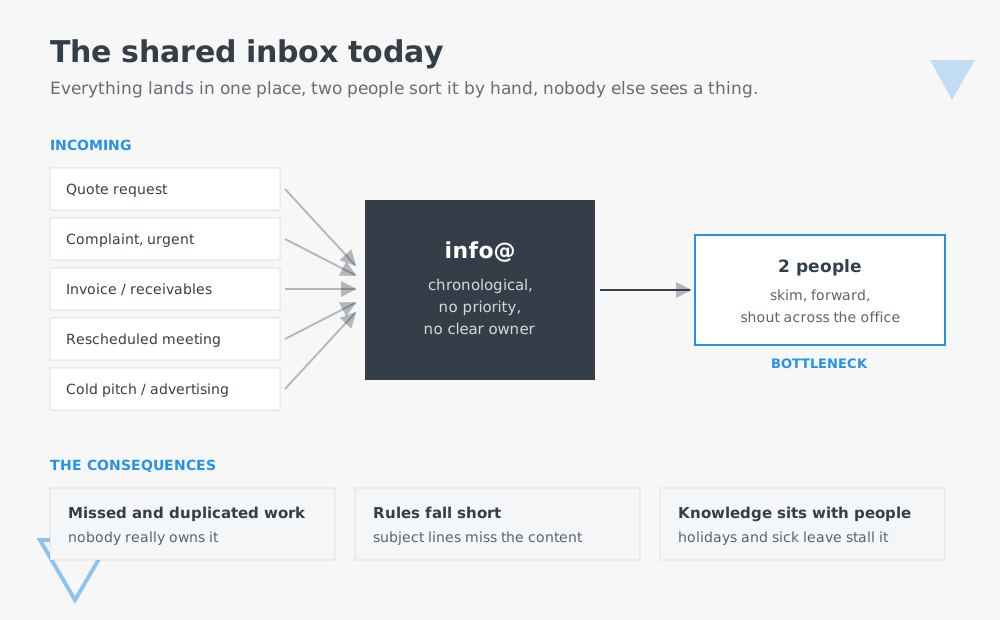
Almost every company has one: the shared address. info@, sales@, quotes@, service@. It is on the website, on the invoice, on the side of the van. And it is where everything a customer wants to get off their chest ends up: the urgent complaint, the quote request, the copy of an invoice, the cold sales pitch, the rescheduled appointment.
What happens next is the same in a surprising number of businesses: one or two people check the inbox several times a day, skim through it, forward emails and shout "have you seen this?" across the office. The rest of the company never sees the inbox.
That is exactly what we built a solution for.
Too much for two pairs of eyes
The obvious part of the problem is volume. At one business we counted: around 6,000 emails in 180 days. Roughly half were read at all, and a quarter were actually dealt with. The rest slipped through because nobody could keep up. And this was a business where everyone felt they more or less had things under control.
Going through 30 to 60 emails a day by hand, understanding them and passing them on means interrupting everything several times a day to sort post. Nobody enjoys that work, and it does not scale as the company grows.
Three things make it even harder:
Nobody really owns it. A shared inbox has no owner. Either everyone feels responsible or nobody does. Both lead to things being left lying around or handled twice.
Rules are not enough. Outlook rules work with sender, subject line and keywords. They cannot tell whether "Quick question" hides a quote request worth CHF 40,000 or a newsletter unsubscribe. Anyone who has maintained a rule list that has grown over the years knows the result.
There are no priorities. Sorted by date, the urgent fault report looks exactly like last night's marketing email. At 40 emails a day, chance decides what gets seen first.
Then there is the part you only notice when someone is off sick or hands in their notice: the knowledge of who is handling what exists only in the head of the person looking after the inbox.
Our solution: a layer in front, not a new inbox
We deliberately did not build another email client. We built the layer in front of it.
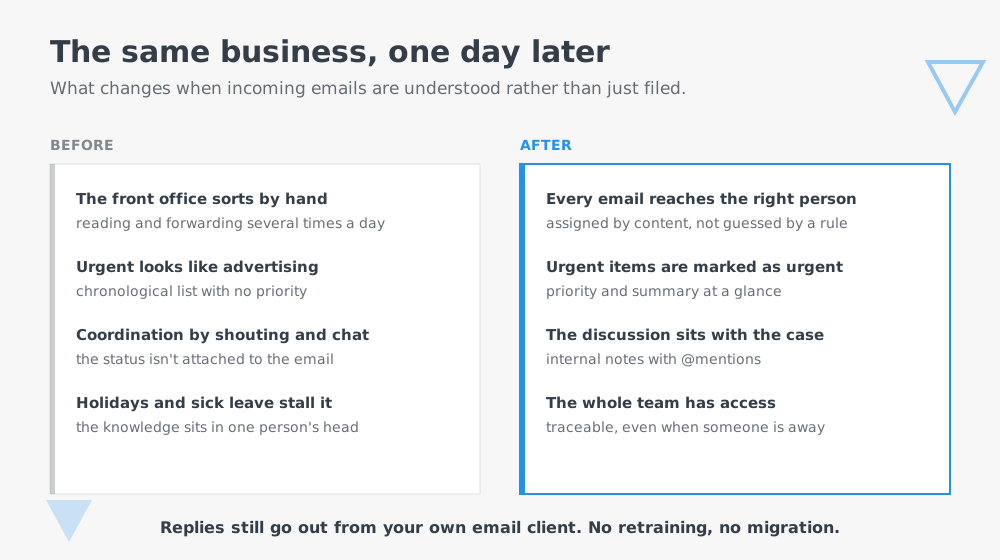
Incoming emails are understood by their content, assigned to the right department and given a priority. Not through keywords, but through what the email actually says. Whoever is responsible gets a notification and sees in a simple overview what it is about, why the system made that decision and what has already been discussed internally.
The email is answered where it always has been: in your own email client. The system recognises that the case is done and closes it. No retraining, no migration, no running two systems side by side.

What the solution does
Content-based classification
Assignment to the right department, plus an assessment of urgency. Every assignment comes with a reason you can follow, not just a label.
A summary for every case
One line instead of three paragraphs of email thread. Whoever delegates does not have to read everything first.
Internal notes and delegation
Comments directly on the case, with @mentions. The discussion no longer runs in parallel in chat and across the office, but where the case sits.
Configurable automations per department
An ordered list of building blocks that runs after classification: notify, assign, forward, send an acknowledgement, extract defined fields from the email, trigger a third-party system. Deliberately built as a simple list, not a node editor. A head of department has to be able to adjust it themselves.
Control over the automation
A confidence threshold for the classification: if the system is not sure enough, it stops and waits for a person to approve, rather than triggering the wrong action. When you start out, you check everything and loosen the threshold step by step.
Draft reply at the click of a button
A suggestion that a person checks and uses. No email is sent automatically.
Connection to existing systems
Create an entry in the CRM or project tool from an enquiry, extract the relevant fields from an invoice and pass them to accounting. Extensions like these plug into the solution without bloating it.

.svg)